

What Do Barcode Scanners Scan
Reviewed and updated 15 September 2026
Published 13 August 2026. Reviewed and updated 15 September 2026.
Book a callWhat Do Barcode Scanners Scan?
Barcode scanners read patterns of lines, dots, or squares printed on a label or screen. The scanner turns that pattern into a number or short text string. That string is then sent to a software system, which looks it up in a database and returns useful information.
The scanner itself stores nothing. It is simply an input device, like a keyboard that reads pictures instead of keys.
Would you rather have it built around your operation?
The first look is free. If you would rather not compare products, describe how your operation already works and we build the system around it.
Reviewed September 2026. Each figure comes from the assumptions stated beside it, so you can substitute your own and the arithmetic still holds.
No build cost. You see it running on your own process first, and the monthly subscription starts only once it is live.
Book a callHow Does a Barcode Scanner Actually Work?
Think of a barcode the way you think of a printed sentence. The meaning is not in the ink. The meaning is in the gaps between the ink. A barcode scanner works the same way.
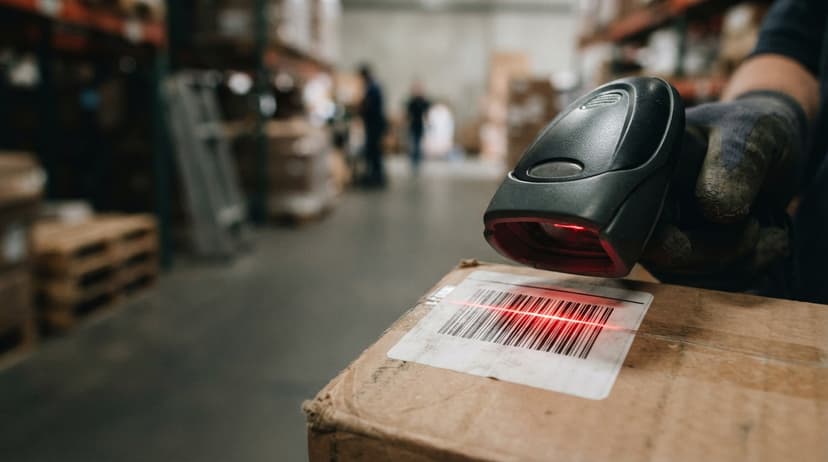
A light source, either a laser or an LED, shines onto the barcode. A sensor reads how much light bounces back from each stripe or dot.
Dark bars absorb light; white spaces reflect it. A decoder chip inside the scanner reads that on-off pattern and converts it into characters. The whole process takes milliseconds.
As GS1 explains in its barcode standards records, barcodes are "a series of parallel bars and spaces of varying widths" that encode data in a format any compliant scanner can read. The decoder is what bridges the physical mark and the digital record.
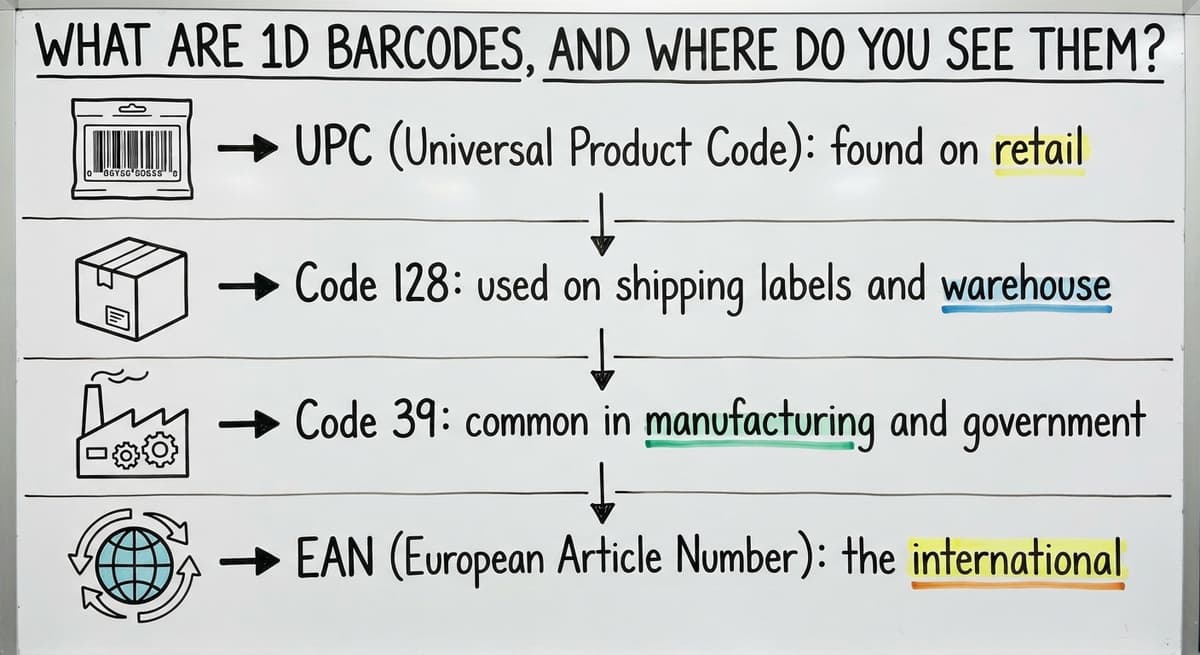
What Are 1D Barcodes, and Where Do You See Them?
A 1D barcode, also called a linear barcode, is the striped kind you see on grocery items and shipping boxes. It stores a short string of numbers or letters by varying the width of vertical bars and the spaces between them.
Common 1D formats include:
- UPC (Universal Product Code): found on retail consumer goods
- Code 128: used on shipping labels and warehouse bin locations
- Code 39: common in manufacturing and government applications
- EAN (European Article Number): the international version of UPC
A laser scanner reads a 1D barcode by sweeping a beam across the bars from left to right. The scan is fast and reliable on clean, flat labels.
1D barcodes are the right tool when you need speed and the data payload is small, a SKU or order number.

Is the comparison easier when one option is built for you?
Yes. Off-the-shelf means fitting your process to the software, and custom is the other way round. The first look costs nothing.
Book a call
2D Barcodes: QR Codes and Data Matrix
2D barcodes store far more data than their 1D counterparts. Instead of bars, they use grids of dots or squares that encode data both horizontally and vertically.
Common 2D formats include:
- QR Code: widely used for URLs, product pages, and traceability
- Data Matrix: common on small parts and pharmaceutical packaging where label space is tight
- PDF417: used on driver's licenses and pallet labels that carry large data payloads
A 2D barcode can hold hundreds of characters, including serial numbers, lot numbers, expiry dates, and URLs, all in a single scan.
Reading a 2D barcode needs an imaging scanner rather than a basic laser scanner, because the reader needs to capture the full two-dimensional pattern at once. If your operation handles lot tracking, pharmaceutical goods, or small components, 2D scanning is worth the modest step up in hardware cost.
What Information Is Actually Stored in a Barcode?
Most guides skip the question of what the code holds, and the answer matters more than any hardware spec.
A barcode stores almost nothing on its own. A typical UPC barcode holds 12 digits. A Data Matrix on a drug package might hold 50 characters.
The barcode is a lookup key, not a record. The price, the product name, the available stock, the supplier, the reorder point: none of that lives in the barcode. It all lives in the database the scanner is connected to.
When a warehouse worker scans a bin label, the scanner sends a location code to the inventory system.
The system then returns the item name, expected quantity, and open orders tied to that bin. The scan did 1% of the work. The software did the rest.
This is why barcode inventory management is only as strong as the system behind it. A scanner plugged into a spreadsheet gives you a number in a cell. A scanner connected to a live inventory database gives you a decision.

Types of Barcode Scanners Used in Warehouses
Not every scanner suits every job. The 4 main types each have a clear use case.
| Scanner Type | Best For | Reads 2D? |
|---|---|---|
| Handheld laser scanner | Fast 1D scanning at receiving and shipping | No |
| Handheld imager | 1D and 2D codes, damaged labels | Yes |
| Mobile computer with scanner | Picking, putaway, real-time software access | Yes |
| Fixed-mount scanner | Conveyor lines, automated sorting | Yes |
Handheld laser scanners are affordable and fast. They work well for operations that only deal with 1D barcodes on clean labels.
Handheld imagers use a camera rather than a laser. They read QR codes, Data Matrix codes, and labels that are slightly wrinkled or faded. The price gap between laser and imager has narrowed considerably, making imagers the practical default for most warehouse teams.
Mobile computers combine a scanner with a screen and a local app. Workers can see pick lists, confirm quantities, and flag discrepancies without walking back to a terminal.
For small to mid-size warehouse operations, a small fleet of mobile computers replaces both paper pick sheets and a fixed workstation.
Fixed-mount scanners sit on conveyor frames and scan every carton that passes. They suit high-volume distribution centers where manual scanning would create a bottleneck. For most growing distributors, a handheld imager or a mobile computer gives the best return without the infrastructure cost.
What Can Barcode Scanners Not Read?
Setting realistic expectations here prevents expensive surprises.
Scanners struggle with:
- Damaged or smeared labels: a torn barcode breaks the pattern the decoder needs
- Low-resolution print: labels printed below 300 DPI fail on tight barcode formats
- Low-contrast labels: a black barcode on a dark background will not reflect enough contrast
- RFID tags: an RFID tag transmits a radio signal; a barcode scanner has no radio receiver. Reading RFID needs a separate RFID reader, which operates under a completely different standard. GS1's EPC/RFID records covers how those two technologies differ and where each applies
A barcode is also only as useful as the database record behind it. A perfectly printed label tied to an incomplete or duplicate database entry will scan cleanly and still return wrong information.
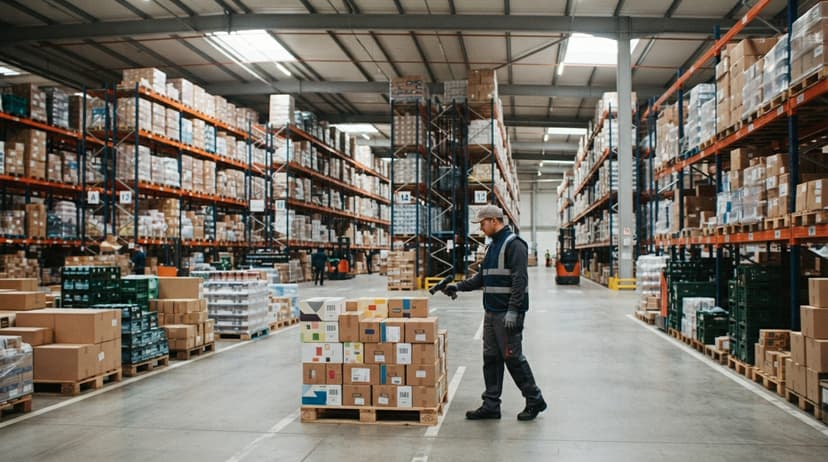
How Does a Barcode Scanner Connect to Inventory Software?
The connection method work out how quickly a scan updates your records, and that gap matters in a live operation.
3 common connection types:
- USB (wired): the scanner acts like a keyboard. It types the barcode string into whatever field is active on screen. Simple to set up, works with almost any software, but ties the worker to a fixed station.
- Bluetooth or Wi-Fi: the scanner sends data wirelessly to a host system. Workers move freely. The data still arrives in near real time, under 1 second.
- Mobile computer with a built-in app: the scanner and the software run on the same device. The app talks directly to the inventory database over Wi-Fi. This gives the most immediate update and the richest feedback to the worker.
For teams running the accounting software barcode integration, the most common path is a USB or Bluetooth scanner paired with a middleware layer that maps scanned values to the accounting software fields.
Custom inventory software can go further, connecting the scan directly to buy orders, bin records, and outbound shipments without manual field matching. The connection method is a setup decision, not a hardware limitation, and getting it right is what turns a scanner into a productivity tool rather than a glorified keyboard.
What does it look like running on your own process?
The first thing you see is it running on your own process, at no build cost. The subscription starts once it is live and doing the job, not before.
Book a call
How Does Barcode Scanning Work in a Distribution Workflow?
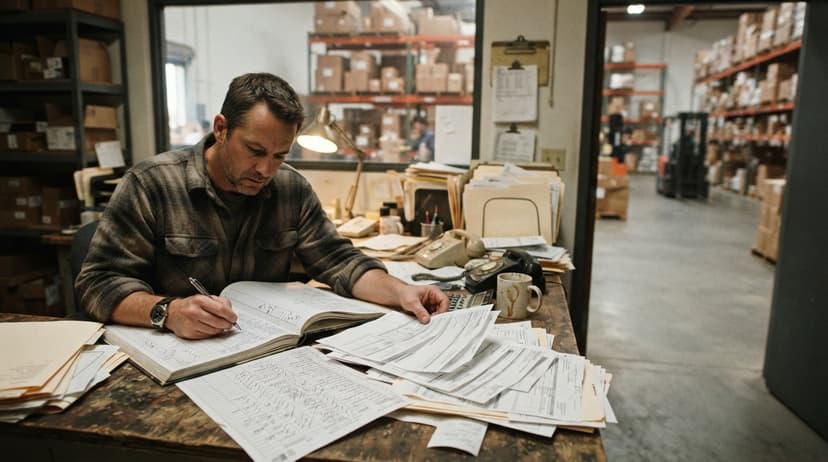
In a wholesale or distribution operation, every scan replaces a manual data entry step, and that replacement compounds across hundreds of transactions a day.
A typical scan barcode inventory workflow runs like this:
- Receiving: the worker scans each inbound item against the open buy order. The system confirms the quantity and flags any discrepancies before the goods are put away.
- Putaway: the worker scans the bin location after placing the stock. The system records exactly where the item landed, so no one has to search for it later.
- Picking: the worker scans the item before pulling it from the shelf. The system confirms it matches the order line and updates the available quantity in real time.
- Shipping: the worker scans the outbound carton. The system closes the order, generates the shipment record, and adjusts on-hand stock.
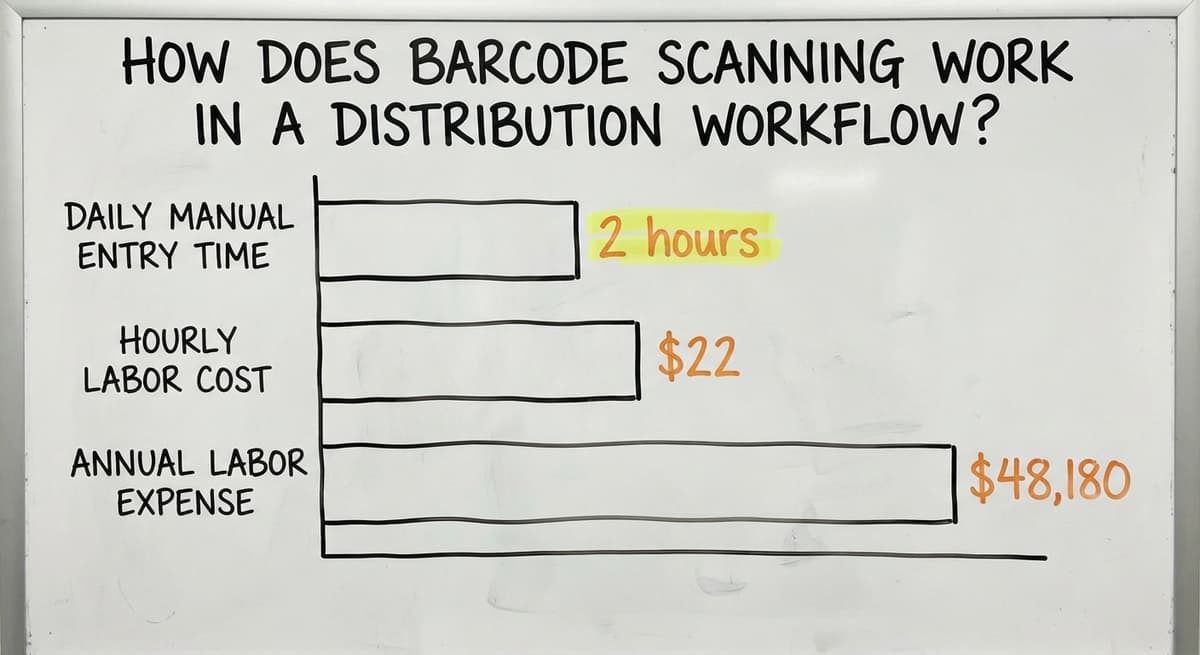
Consider a team of 3 people each spending 2 hours a day on manual data entry at $22 an hour, which is close to the median wage for stock clerks and order fillers according to the US Bureau of Labor Statistics. That is $48,180 a year in labor tied to transcription work that scanning removes.
Warehouse barcode scanning does not just reduce errors; it frees skilled workers for tasks a scanner cannot do.
Why Does the Software Behind the Scanner Matter More Than the Hardware?
Any scanner made in the last decade can read a standard barcode. The hardware is largely a commodity. What separates a useful scanning setup from an expensive one is what the software does with the scan.
Software decides whether a scan:
- Updates on-hand inventory instantly
- Triggers a reorder when stock falls below a threshold
- Flags a mismatch between what was scanned and what was ordered
- Records a lot number for traceability
- Closes a pick line and advances the order to shipping
The IRS needs businesses to value inventory at the beginning and end of each tax year: "To figure taxable income, you must value your inventory at the beginning and end of each tax year." A scanning system that keeps a running count makes that obligation easier to meet without a disruptive annual count.
For small distributors still running on an accounting package and spreadsheets, the gap is usually not the scanner. It is that scans feed into a spreadsheet rather than a live system.
A custom workflow built around your existing the accounting software data can give a small warehouse the same scan-to-record accuracy a large distribution center relies on, without replacing the accounting software you already know.
Common Questions About Barcode Scanners
Can one scanner read all barcode types? An imaging scanner can read both 1D and 2D codes, including QR codes and Data Matrix. A laser scanner reads 1D barcodes only. If your operation uses QR codes or pharmaceutical Data Matrix labels, choose an imager.
Do barcode scanners work with the accounting software? Yes, with the right setup. A USB scanner can type values directly into the accounting software fields.
For tighter integration, middleware or a custom inventory layer maps scanned data to specific the accounting software records automatically, removing the manual matching step.
How far away can a scanner read a barcode? A standard handheld scanner reads labels from a few inches up to about 2 feet.
Long-range imagers used in warehouses with high shelving can read from 10 to 30 feet. Fixed-mount scanners on conveyor lines are tuned to the specific distance of the belt.
What is the difference between a laser scanner and an imager? A laser scanner uses a single beam sweeping left to right, so it only reads 1D barcodes.
An imager takes a picture of the label and decodes whatever pattern it finds, including 2D codes and damaged labels that a laser would miss.
Getting Scanning to Work for Your Operation
Scanners are simple tools. A basic handheld imager costs less than a tank of gas for a delivery truck. The system around the scanner is what work out whether that scan saves time or just moves the error somewhere else.
Small warehouses and distributors do not need enterprise ERP software to benefit from scanning. The NIST Manufacturing Extension Partnership notes that supply chain accuracy improvements are achievable at any scale when the process is matched to the right tool.
A well-built custom workflow can connect scanning directly to your existing the accounting software data, your bin locations, and your open orders, without a full software migration or a months-long rollout.
If you are still entering received quantities by hand, or chasing stock that was put away without a location record, the scanner is not the missing piece. The connected process is.
Describe how your operation currently handles receiving, picking, or shipping, and we can show you what a scan-connected workflow would look like for your specific setup.
Frequently asked questions
What exactly does a barcode scanner read?
A barcode scanner reads a pattern of bars, dots, or squares and converts it into a number or short text string. That string is sent to a connected software system, which looks it up in a database. The scanner itself stores no product information.
What is the difference between a 1D and 2D barcode?
A 1D barcode uses vertical bars to encode a short string of numbers or letters.
A 2D barcode, such as a QR code or Data Matrix, uses a grid of dots or squares and can hold hundreds of characters including URLs, lot numbers, and serial numbers.
Can a barcode scanner read QR codes?
An imaging scanner can read QR codes. A laser scanner cannot, because it only sweeps a single beam across one axis. If your operation uses QR codes, choose a handheld imager rather than a laser model.
What happens when a barcode label is damaged or smeared?
A damaged label may fail to scan or return an error. Torn bars break the pattern the decoder needs. Low-resolution or low-contrast printing causes similar failures.
An imaging scanner handles minor damage better than a laser scanner, but a severely damaged label needs to be reprinted.
Do barcode scanners work with the accounting software?
Yes. A USB scanner can type scanned values directly into the accounting software fields. For tighter integration, middleware or a custom inventory layer maps each scan to a specific the accounting software record automatically, removing the need for manual field matching.
Do small warehouses need special scanners or enterprise software to benefit from barcode scanning?
No. A basic handheld imager works well in a small warehouse. The more important factor is the software receiving the scan. A custom workflow connected to your existing the accounting software data can deliver accurate, real-time inventory records without a full ERP migration.
What information is stored inside a barcode?
Very little. Most barcodes store only a short ID number or code, a SKU, order number, or location code. The product name, price, stock level, and other details live in the database the scanner connects to, not in the barcode itself.
Can barcode scanners scan phone screens?
A 2D imager can; a laser scanner cannot. The imager photographs the code, so glass and backlight do not defeat it. Brightness up and the phone held flat gives the cleanest read.
Can barcode scanners scan QR codes?
Any 2D imager reads QR codes along with Data Matrix and PDF417. A 1D laser scanner reads bars only, which is why a warehouse buying scanners today buys imagers.
How do I create a barcode for my own items?
Give each item a SKU, generate a Code 128 label with that SKU as the value, and print on thermal stock. Print from the inventory system so the label and the record are created together.
What is in a free first look?
A 30 minute call, your operation mapped, and a clear picture of what we would build. No obligation and nothing to install.
Book a callRelated guides
More on the same work.
Guides
- Barcode Scan Machine
- Barcode Scanner App Ios
- Barcode Scanner Inventory System
- Imager Barcode Scanner
- Inventory Management Software Barcode Scanner
- 2d Wireless Barcode Scanner
- 2d Imaging Barcode Scanners
- 2d Imager Barcode Scanner
- 2d Usb Barcode Scanner
- Free Inventory Management Software with Barcode Scanner
- Barcode Scanner Description
- 2d Image Barcode Scanner
- Warehouse Scanning System
- Package Scanning
- Scanning Manual
- Upc Scanner Gun