

Warehouse Management Cloud
Warehouse management cloud software is a tool that runs on the internet and tracks inventory, orders, and stock locations as they change. You log in from any device.
Published 24 July 2026. Reviewed and updated 15 September 2026.
Book a callWhat Does Warehouse Management Cloud Actually Mean?
Cloud WMS in Plain Terms
Cloud-based warehouse management is software that lives on the internet, not on a computer in your building. You open a browser, log in, and your warehouse data is right there.
Your team on the floor, your manager in the office, and you at home all see the same thing at the same time.
Think of it like this. Right now your inventory might live in a spreadsheet on one person's desk.
A cloud WMS moves that spreadsheet onto a shared board that everyone can see and update in real time. No emailing files. No version confusion. No one working from yesterday's numbers.
What a Cloud WMS Actually Does
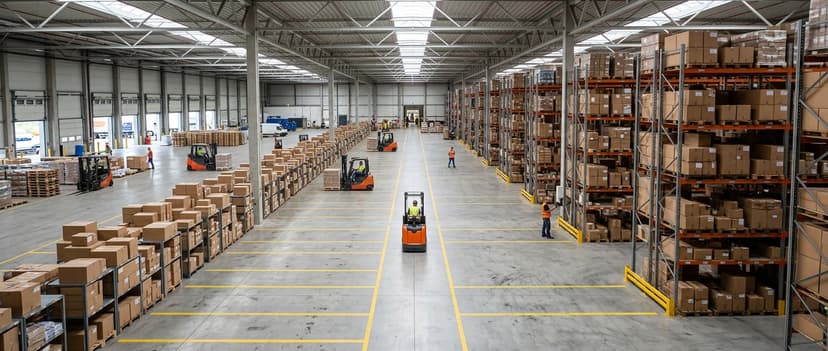
A cloud WMS handles the physical side of your warehouse. It tracks what stock you have, where each item sits, and what is committed to open orders. It guides your team through receiving, put-away, picking, packing, and shipping.
"Cloud" does not mean complex. It does not mean enterprise-only. Many cloud WMS tools are built specifically for small and mid-size operations. If you can use a browser, you can use one.
Would you rather have it built around your operation?
The first look is free. If you would rather not compare products, describe how your operation already works and we build the system around it.
No build cost. You see it running on your own process first, and the monthly subscription starts only once it is live.
Book a callHow Does Cloud Warehouse Management Differ from Desktop or Server Software?
The Old Way vs the Cloud Way
Desktop and server warehouse software is the kind installed on one machine or a local server. If you were not on-site, you were locked out. Updates meant calling a technician. Backups were your problem.
Cloud warehouse management flips that. You log in from the warehouse floor, the front office, or your kitchen table. The data is the same everywhere. Updates happen automatically. The provider handles backups.
OSHA notes that "The warehousing and storage industry includes establishments operating facilities for general merchandise, refrigerated goods, and other products". Managing those facilities well starts with knowing where everything is, in real time, from wherever you happen to be standing.
Why This Matters for Small Teams
If you run a lean operation, you probably do not have a dedicated IT person. That is exactly why cloud warehouse management fits small teams better than server-based software.
Reviewed August 2026. Each figure comes from the assumptions stated beside it, so you can substitute your own and the arithmetic still holds.
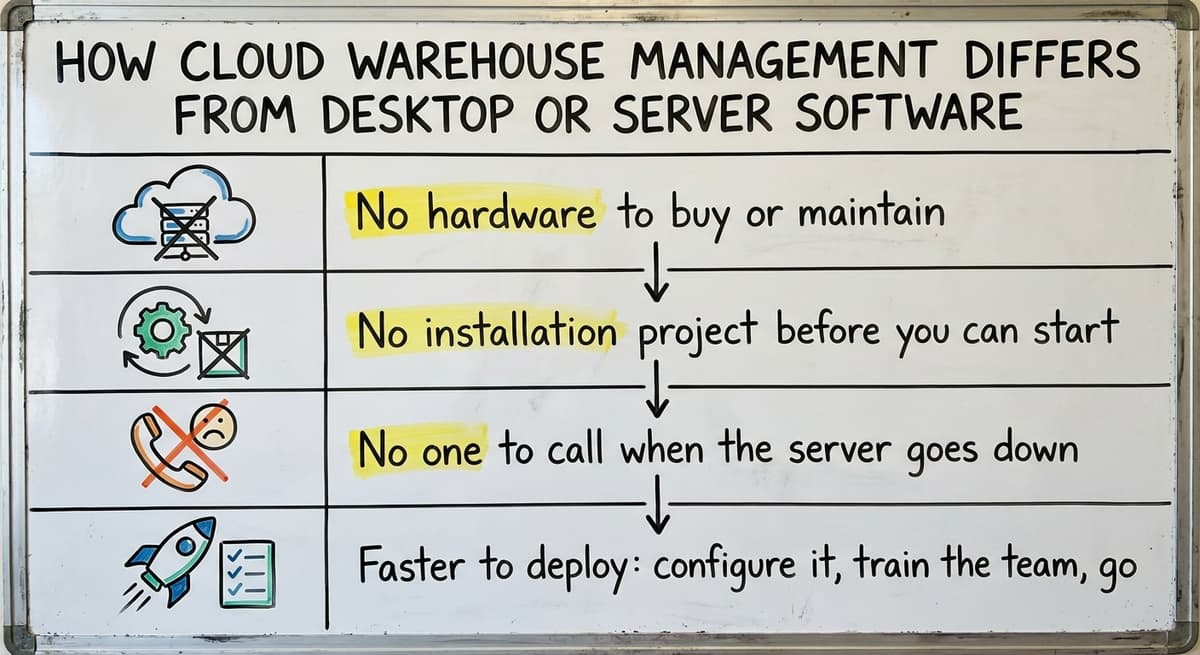
- No hardware to buy or maintain
- No installation project before you can start
- No one to call when the server goes down
- Faster to deploy: configure it, train the team, go live
For a team of 5 to 30 people, the difference in setup time alone is worth it.
Who Uses Warehouse Management Cloud Software
The Businesses That Need It Most
Cloud WMS is not just for large companies. Small and mid-size distributors, fulfilment centres, and wholesale distributors use it every day. The companies that need it most are the ones who do not yet have it.
You are a strong candidate if your operation looks like any of these:
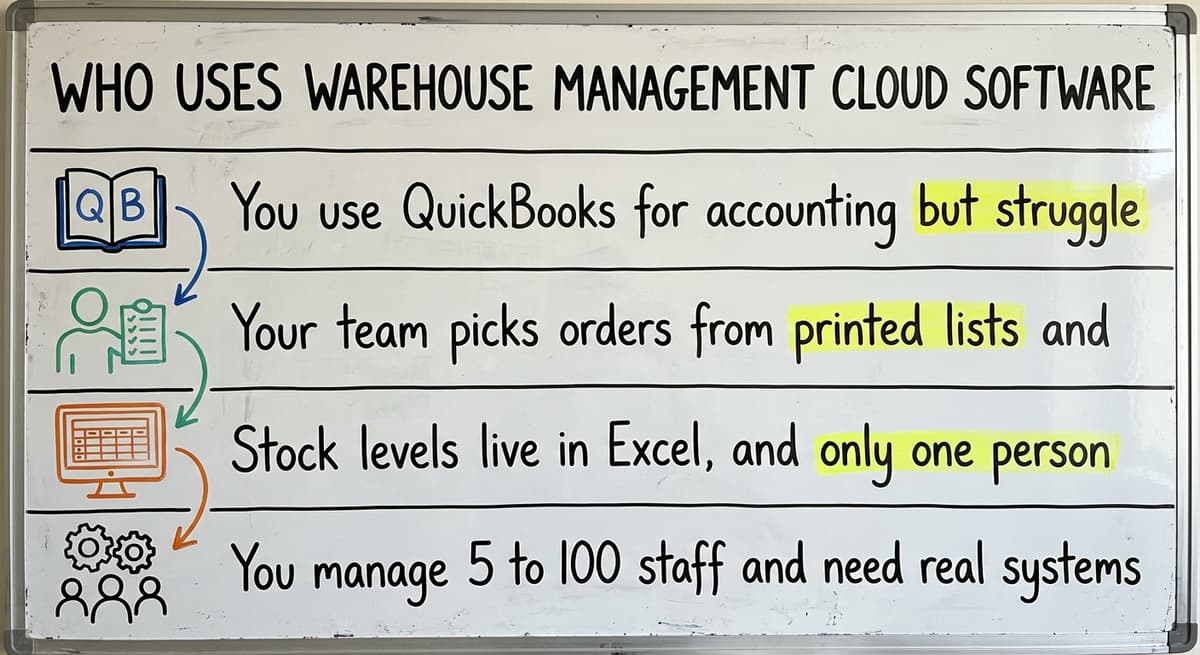
- You use a standard accounting package but struggle with inventory accuracy
- Your team picks orders from printed lists and reconciles them by hand at the end of the day
- Stock levels live in a spreadsheet, and only one person really knows how to read the file
- You manage 5 to 100 staff and need real systems but cannot justify a full ERP
The IRS is clear that inventory tracking is not optional. IRS Publication 538 states: "To figure taxable income, you must value your inventory at the beginning and end of each tax year." That valuation is much harder when your counts are spread across paper logs and a spreadsheet no one fully trusts.
A Typical Day Without a Cloud WMS
A typical day without warehouse management cloud software is a manager who prints pick lists every morning. The team works through them.
At the end of the day, the manager sits down and reconciles what was picked against what the spreadsheet says should have been there. Discrepancies get noted. Some get fixed. Some get missed.
This process works until it does not. At 50 orders a day, a good manager can hold it together. At 150 orders, the same process falls apart. A cloud WMS handles that reconciliation automatically, as each pick happens.
Is the comparison easier when one option is built for you?
Yes. Off-the-shelf means fitting your process to the software, and custom is the other way round. The first look costs nothing.
Book a callCore Features to Look for in a Cloud WMS
Inventory Visibility and Location Tracking
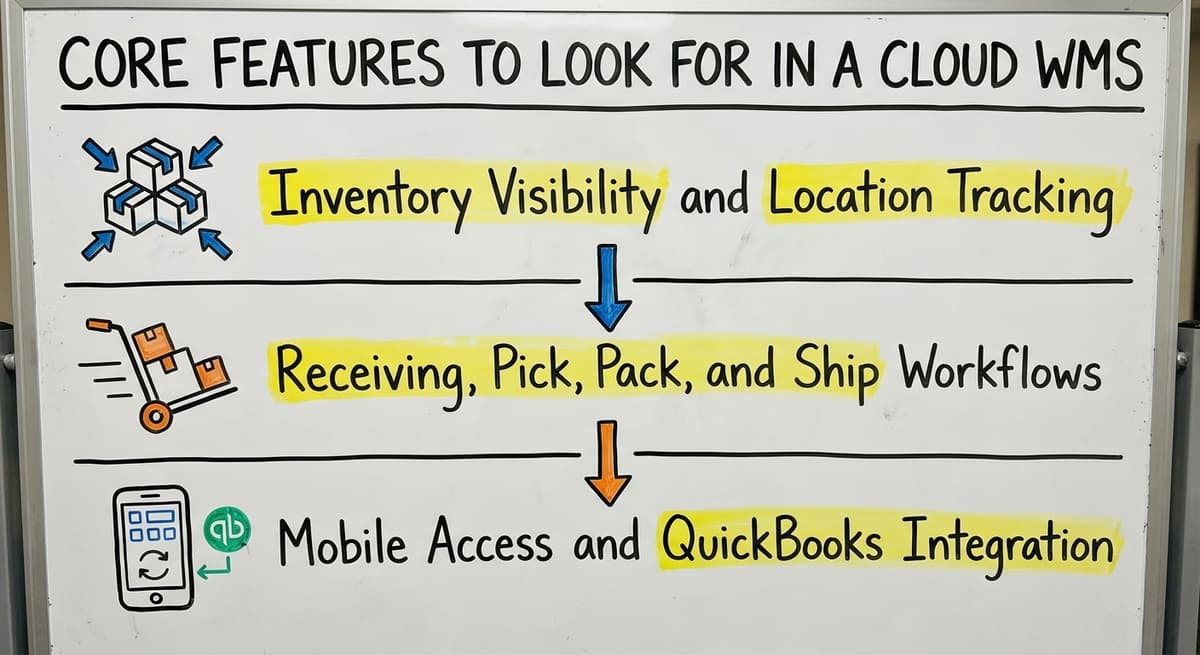
Real-time inventory is the foundation. A good cloud WMS tells you exactly what you have on hand, where each item is located, and what is already committed to open orders.
Location and bin tracking means your team can find items fast and make fewer mis-picks.
The Warehousing Education and Research Council publishes standard benchmarks for distribution centre performance. Accurate inventory and low mis-pick rates are at the top of that list. A cloud WMS is how you hit those numbers without adding headcount.
Receiving, Pick, Pack, and Ship Workflows
A cloud WMS guides your team through every physical step:
- Receiving and put-away: Scan or log inbound goods. The system tells the team where to put them.
- Pick, pack, and ship: Staff follow a screen instead of a paper list. Fewer errors. Faster throughput.
- Reporting and alerts: Low-stock warnings, order status updates, and receiving discrepancies surface automatically.
These workflows replace the paper processes that slow your team down and create the errors you spend time fixing later.
Mobile Access and Accounting Integration
Your team is on the floor, not at a desk, and warehouse management cloud software goes with them. Any cloud WMS worth using runs on a tablet or phone. Staff carry the system with them.
For small distributors, accounting integration is not a nice-to-have. It is essential. The WMS should sync invoices, purchase orders, and cost of goods with the books automatically. No double entry. No manual exports.
If a vendor cannot show you a clear, working connection to your accounting software, keep looking.
How Does a Cloud WMS Work with Your Accounting Software?
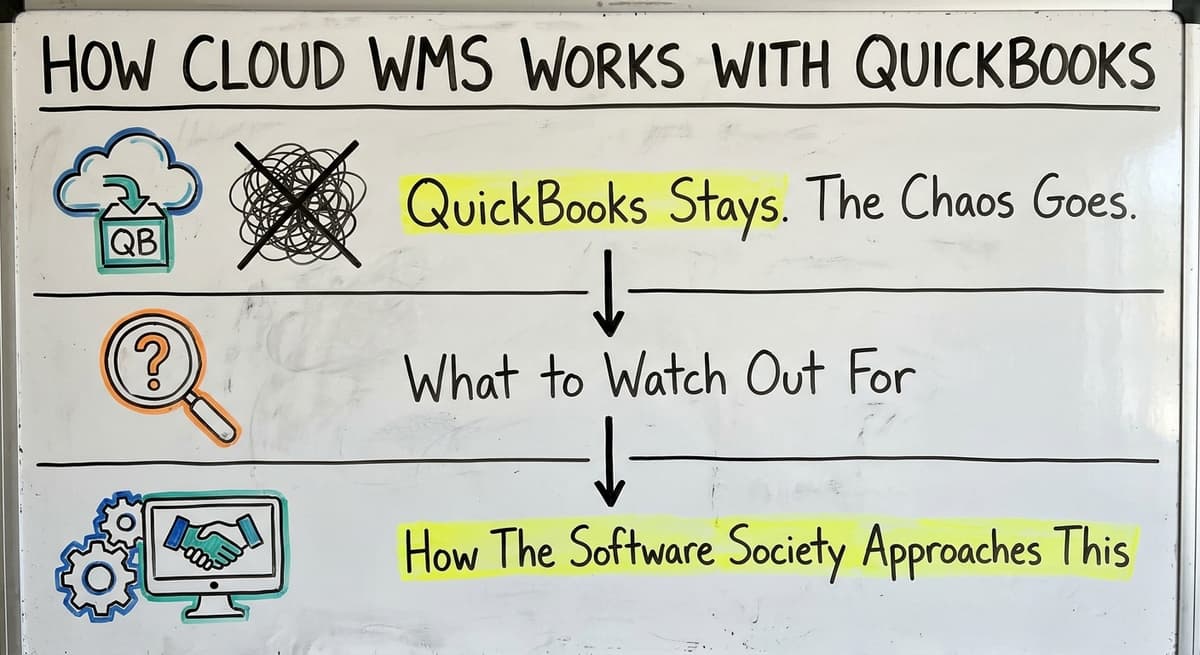
The Books Stay. The Chaos Goes.
Most small distributors are not ready to leave the accounting package they know. They should not have to. It handles accounting well. The problem is that an accounting package was not built to manage physical warehouse operations, locations, or pick workflows.
A good cloud WMS handles the operational side. The accounting software keeps doing the books. Data flows between the two: invoices, purchase orders, and cost of goods sync without anyone retyping anything.
This is the key difference between a targeted cloud WMS and a full ERP. You replace only the parts that are broken. You keep what works.
What to Watch Out For
Some platforms require a full migration away from your accounting software as a condition of getting started. That is a red flag for a small operation. You should not have to rebuild your accounting setup to fix your warehouse.
Ask any vendor directly: "Can we keep our accounting software?" If the answer is anything other than a clear yes, that platform was built for a different kind of business.
How The Software Society Approaches This
The Software Society builds custom warehouse software around how your operation already runs. Your accounting software stays in place. The manual chaos gets replaced with a system that fits your workflow, your terminology, and your team.
Replacing spreadsheets and paper processes in the warehouse does not require a full system overhaul. It requires the right layer on top of what already works.
What does it look like running on your own process?
The first thing you see is it running on your own process, at no build cost. The subscription starts once the system is live and doing the job, not before.
Book a call
The Real Cost of Not Having a Cloud WMS
Hidden Costs Add Up Fast
Manual warehouse processes carry 4 costs that never show up as a line item. Consider a simple example.
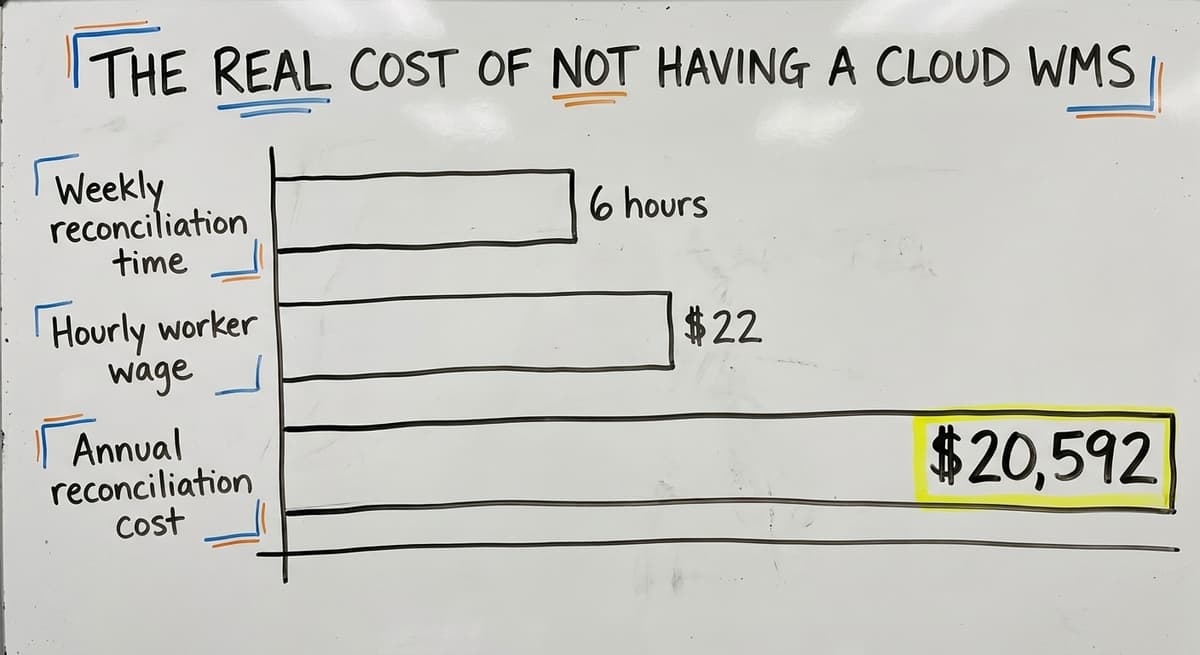
If 3 people each spend 6 hours a week reconciling pick sheets, logs, and spreadsheets, and the US Bureau of Labor Statistics puts warehouse worker wages at around $22 an hour, that is $20,592 a year spent on tasks a system could handle in seconds. That figure does not include the cost of mis-picks, stockouts, or the time a manager spends chasing down discrepancies.
The US Census Bureau's Monthly Wholesale Trade data tracks inventory-to-sales ratios across wholesale firms. When those ratios drift, it points to inventory tracking problems at the operational level, exactly the kind a cloud WMS is built to fix.
What Manual Processes Cost Your Customers
Late shipments and wrong orders do not just cost you time. They cost you relationships. A customer who receives the wrong item twice is a customer who starts looking elsewhere.
Manual processes that hold together at 50 orders a day tend to break at 150. Growth creates pressure. That pressure lands on your team, your accuracy, and your reputation. Doing nothing has a real cost, even when that cost is invisible on the P&L.

Off-the-Shelf Cloud WMS vs Custom-Built Solutions
What Off-the-Shelf Gets Right and Wrong
Off-the-shelf cloud WMS tools are faster to start. You sign up, configure some settings, and go. For some operations, that is enough.
The friction shows up later. Workflows that do not match how your team actually works. Features you pay for but never use.
An accounting connection that syncs some fields but not others. Support that routes you to a ticket queue instead of a person who knows your setup.
Off-the-shelf works best when your operation is fairly standard. If your process is unusual, or if you have tried 2 or 3 tools already and none quite fit, that is a signal.
When Custom Makes More Sense
Custom operational software for small warehouses is built around your process, not a generic one. Your terminology. Your put-away logic. Your accounting setup. The system matches the way your team already works, which means adoption is faster and resistance is lower.
Custom does not always mean slow or expensive. Scoped correctly, a custom build can go live faster than a large ERP implementation.
The NIST Manufacturing Extension Partnership offers vendor-neutral guidance on supply chain process design. Their core point: fit the system to the process, not the other way around.
How to Decide
The table below is the decision, with warehouse management cloud options on one side and a custom build on the other:
| Factor | Off-the-Shelf | Custom Build |
|---|---|---|
| Speed to start | Fast | Moderate |
| Fits your exact workflow | Sometimes | Yes |
| Accounting integration | Varies | Built to spec |
| Cost of unused features | High | Low |
| Team adoption rate | Variable | Higher |
| Long-term flexibility | Limited | Full |
If you are running a fairly standard fulfilment operation, start with off-the-shelf. If you have already tried that and it did not stick, talk to a team that builds custom.
What is in a free first look?
A 30 minute call, your operation mapped, and a clear picture of what we would build. No obligation and nothing to install.
Book a call
What Does a Cloud WMS Implementation Actually Look Like?
Busting the Big Myth
Warehouse management cloud implementation is not months of disruption and a large consulting bill. For a small distributor, a realistic timeline looks like this:
- Discovery: Map your current process. Where does inventory data live today? How does an order move from receipt to shipment?
- Build or configure: Set up the system around your workflow.
- Test: Run real orders through it before going live.
- Go live: Train the team. Cut over. Support them through the first weeks.
The goal is to get your team off manual processes. Not to install software for its own sake.
Why a Local Partner Helps
A vendor who can visit your site and walk your floor understands things a remote SaaS company never will. They see where the paper piles up. They hear what your team complains about. They build around the real workflow, not the one you described in a 30-minute demo call.
The Software Society is based in Columbus, Ohio, and works with operations directly. That matters when the goal is a system your team will actually use, not one that gets abandoned after 90 days.

Questions to Ask Before Choosing a Warehouse Management Cloud System
Questions About Fit and Integration
Before you sign anything for warehouse management cloud software, there are 6 questions that need clear answers:
- Does it integrate with our accounting software without requiring a full migration?
- Can it be configured to match our current workflow, or do we have to change how we work to fit the software?
- What does the accounting sync actually cover? Invoices only, or purchase orders and cost of goods too?
- Is the vendor experienced with businesses our size, or do they mainly serve enterprise clients?
A vendor who hedges on any of these is telling you something.
Questions About Support and Cost
- The first support question is implementation: what does it look like, and how long does it take?
- Is there a long-term contract, or can we start small and expand?
- Who do we call when something breaks: a support ticket queue or a real person?
- What does training look like for warehouse floor staff?
The answers to these questions matter as much as the feature list. A system your team cannot get help with is a system your team will stop using.
Frequently Asked Questions About Warehouse Management Cloud
Is cloud WMS secure?
Yes. Reputable providers use encryption and run regular backups. In most cases, a cloud system is more secure than a local server in your building. Local servers can be stolen, flooded, or simply not backed up. A cloud provider's security is their core business.
Do I need fast internet in the warehouse?
A standard business connection is enough. Mobile data on a phone or tablet can serve as a backup if your wifi has dead spots. Most cloud WMS tools are built to work on modest connections.
Can a cloud WMS work for a small warehouse?
Absolutely. Many are built specifically for small and mid-size operations. Inventory tracking for wholesale distributors and small fulfilment centres is exactly the use case these tools were designed for. You do not need to be a large company to benefit.
Will my team actually use it?
Adoption depends on how closely the system matches real workflows. A system that forces your team to change how they work will face resistance.
A system built around how they already work will not. Custom builds have higher adoption rates for this reason. Involve your floor staff in the decision early.
What is the best software for warehouse management?
Warehouse management software has no single best answer. The right tool depends on your size, your existing systems, and how your operation runs.
Small teams on a standard accounting package do best with a targeted cloud WMS that integrates cleanly with it rather than replacing it.
Larger operations with complex multi-site needs may need a more robust platform. The criteria that matter most: accounting compatibility, workflow fit, support quality, and total cost including implementation.
What is the difference between cloud WMS and on-premise WMS?
A warehouse management cloud system runs on the vendor's servers and is reached through a browser or an app, so there is no server to buy, patch or back up, updates arrive on their own, and the team can log in from the floor, the office or home.
An on-premise WMS is installed on hardware you own and maintain. For a small or mid-size warehouse the cloud version is faster to start, cheaper up front and easier to keep running.
How much does cloud WMS software cost?
Warehouse management cloud pricing is a subscription, by user, by order volume or by location, plus a one-time setup fee and whatever scanners and label printers the floor needs.
The monthly figure is rarely the whole cost: integration fees, customisation and support tiers sit underneath it. Compare total cost over three years against the hours of manual work and the stock errors the system removes.
What is ERP vs WMS?
An ERP (enterprise resource planning system) is the wider tool; it covers your whole business: accounting, HR, purchasing, and more. A WMS (warehouse management system) focuses specifically on physical warehouse operations: inventory, locations, receiving, and shipping.
A cloud WMS is a narrower, more targeted tool. For small distributors, adding a cloud WMS alongside the accounting software is a better fit than moving to a full ERP.
If your team is still printing pick lists, reconciling spreadsheets by hand, or chasing inventory counts that never quite match, a cloud WMS is the next step. It does not have to mean a big project or a new accounting system. It means adding a layer that handles the physical side of your warehouse while the accounting software keeps doing the books.
The Software Society builds custom warehouse management software for small and mid-size operations. We start by understanding how your warehouse actually runs. Then we build around it.
If you want to talk through what that looks like for your business, reach out and we will walk through it with you.
Frequently asked questions
Frequently asked questions
Is cloud WMS secure?
Yes. Reputable providers use encryption and run regular backups. In most cases, a cloud system is more secure than a local server in your building. Local servers can be stolen, flooded, or simply not backed up. A cloud provider's security is their core business.
Do I need fast internet in the warehouse?
A standard business connection is enough. Mobile data on a phone or tablet can serve as a backup if your wifi has dead spots. Most cloud WMS tools are built to work on modest connections.
Can a cloud WMS work for a small warehouse?
Absolutely. Many are built specifically for small and mid-size operations. Inventory tracking for wholesale distributors and small fulfilment centres is exactly the use case these tools were designed for. You do not need to be a large company to benefit.
Will my team actually use it?
Adoption depends on how closely the system matches real workflows. A system that forces your team to change how they work will face resistance.
A system built around how they already work will not. Custom builds have higher adoption rates for this reason. Involve your floor staff in the decision early.
What is the best software for warehouse management?
There is no single best answer. The right tool depends on your size, your existing systems, and how your operation runs. Small teams on a standard accounting package do best with a targeted cloud WMS that integrates cleanly with it rather than replacing it.
Larger operations with complex multi-site needs may need a more robust platform. The criteria that matter most: accounting compatibility, workflow fit, support quality, and total cost including implementation.
What is the difference between cloud WMS and on-premise WMS?
A warehouse management cloud system runs on the vendor's servers and is reached through a browser or an app, so there is no server to buy, patch or back up, updates arrive on their own, and the team can log in from the floor, the office or home.
An on-premise WMS is installed on hardware you own and maintain. For a small or mid-size warehouse the cloud version is faster to start, cheaper up front and easier to keep running.
How much does cloud WMS software cost?
Warehouse management cloud pricing is a subscription, by user, by order volume or by location, plus a one-time setup fee and whatever scanners and label printers the floor needs.
The monthly figure is rarely the whole cost: integration fees, customisation and support tiers sit underneath it. Compare total cost over three years against the hours of manual work and the stock errors the system removes.
What is ERP vs WMS?
An ERP (enterprise resource planning system) is the wider tool; it covers your whole business: accounting, HR, purchasing, and more. A WMS (warehouse management system) focuses specifically on physical warehouse operations: inventory, locations, receiving, and shipping.
A cloud WMS is a narrower, more targeted tool. For small distributors, adding a cloud WMS alongside the accounting software is a better fit than moving to a full ERP.
What is the best cloud warehouse management system for a small business?
There is no single best system. For a small business the right cloud WMS is the one that matches how orders already move through the building, syncs cleanly with the accounting software, runs on the phones or scanners the team carries, and can be set up in weeks.
Compare on those four points and on total cost over three years, not on feature lists.
How does cloud WMS integrate with ERP and e-commerce platforms?
Through published connections or an API. Orders flow in from the online store or the ERP, the WMS handles receiving, locations, picking and packing, and confirmations, stock levels and cost of goods flow back so the commercial systems stay the record.
Ask any vendor to show the connection working on your own data before you sign, and ask exactly which fields it syncs.
How do I choose a warehouse management system?
Start from the process, not the product. Map how goods are received, stored, picked, packed and shipped today, mark the steps that produce errors, and shortlist systems that handle those steps without forcing a process change.
Check the accounting and store integrations on real data, run one product line as a pilot, and compare total cost over three years including rollout, hardware and support.
How do I choose a WMS for a 3PL warehouse?
A third-party logistics warehouse needs what a single-company warehouse does not: separate inventory and reporting per client, client-level billing for storage and handling, and portals or feeds so each client can see their own stock and orders.
Prioritise those, then the usual checks on receiving, picking accuracy, carrier integration and cost. A system built for one company's inventory rarely stretches to several.
Not sure this is the right shape for your operation?
The call is free. Describe how the work runs today. We map it on a call and show you what it would look like built around that, before you spend anything.
Book a callRelated guides
The rest of this guide, for the parts of the job this page does not cover.
Guides
- Cloud Based Warehouse Management
- Cloud Warehouse Management System
- Cloud Stock Management Software
- Warehouse Inventory Management Software
- Warehouse Inventory Management Systems
- Warehouse Stock Management Software
- Warehouse Management System Top 10
- Software for Warehouse Management System
- Inventory and Warehouse Management Software
- Small Business Warehouse Management System
- Warehouse Management System Types
- Warehouse Inventory Management System
- List of Warehouse Management Software
- Warehouse Management Costs
- Warehouse Management System Examples
- Warehouse Management System Implementation
- Online Warehouse Management Software
Common questions
- What Are the Benefits of Warehouse Management System
- What is the Point of Warehouse Management System
- How to Choose a Warehouse Management System
- What Are the Top 5 Warehouse Management Systems?
- What is Asn in Warehouse Management System
- How to Create a Warehouse Management System
- What is a Warehouse Management System