


How to Track Inventory in Qb
Yes, you can track inventory in your accounting software. The shorthand just means the accounting software. It tracks items, quantity on hand, and cost of goods sold, which is what you paid for the items you sold. Steps differ a little in the Online and Desktop versions. Your accounting software's inventory tracking works well for simple stock. It gets harder as locations, SKUs, and daily orders grow. Reviewed October 2026.
Book a callHow Do You Turn On and Set Up Inventory Tracking in QB?
Barcodes help later. GS1 says its standards define "the barcodes" used worldwide, and you can read them at GS1 barcode standards. Plan your SKUs with that in mind.
To track inventory in your accounting software, open your settings or preferences. Find the products and services or inventory options. Switch on quantity tracking. Menu names change by version and plan, so check your own screen. Some plans leave out inventory tracking. Confirm your plan first. Do the setup with your bookkeeper or accountant at your side.
How Do You Add Inventory Items?
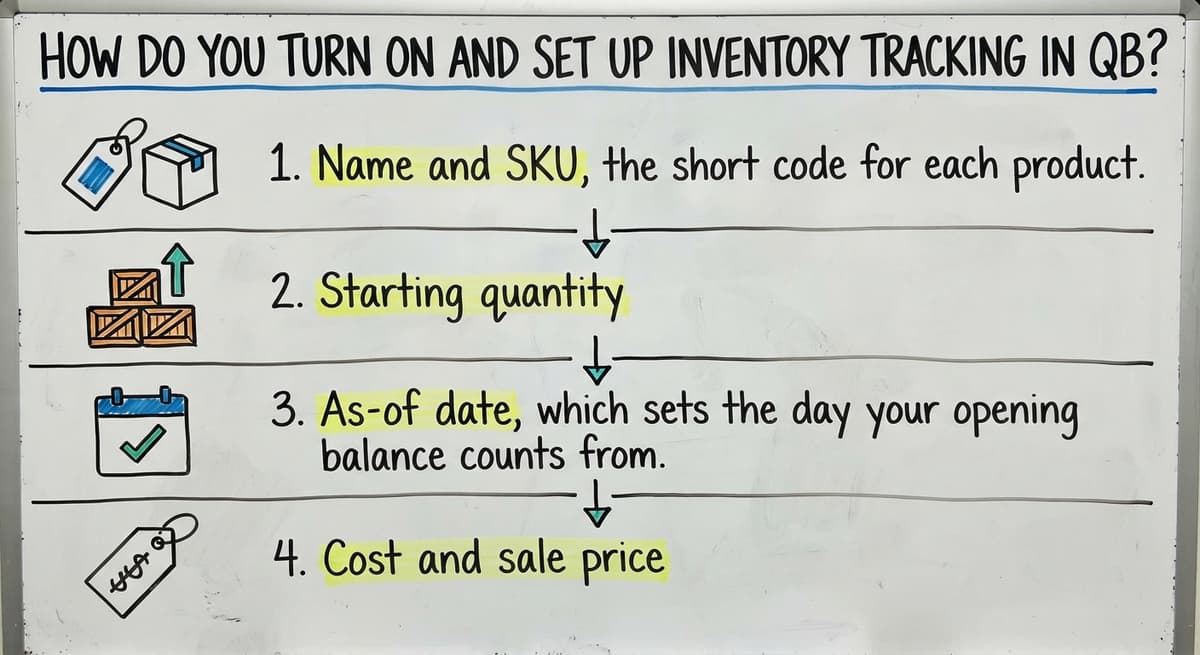
You add an inventory item by filling in a new item form and choosing the inventory type. Enter these fields:
- Name and SKU, the short code for each product.
- Starting quantity.
- As-of date, which sets the day your opening balance counts from.
- Cost and sale price.
Pick one clear naming and SKU pattern on day one. Never make two items for the same product. Duplicates split your counts in half.
We build it for your operation, and the first look is free
If you would rather not compare products, describe how your operation already works and we build the system around it.
No build cost. You see it running on your own process first, and the monthly subscription starts only once it is live.
Book a callHow Do You Record Stock Coming In and Going Out?
Stock in and stock out both change your numbers, so enter each one the day it happens.
Stock coming in
Log buys with buy orders, bills, or expenses tied to inventory items. Receiving stock raises quantity on hand and sets cost. Match what lands at the dock to what you enter. Late entry gives wrong counts and wrong costs.
Stock going out
Sales lower quantity on hand. An invoice or sales receipt does the job as part of the stock flow. Cost of goods sold updates as items sell. Selling before you receive can push a count below zero. Receive first, then sell.
One rule holds for both: enter every move on the day it happens.
How Do You Check Stock Levels and Fix Counts That Do Not Match?
Check stock with the inventory valuation and stock reports inside your accounting software. A reorder point is the low-stock number that tells you to buy more. Review the reports on a set day, such as every Monday. The reports show what the books say. They do not show what sits on the shelf.

The IRS says in Publication 538: "To figure taxable income, you must value your inventory at the beginning and end of each tax year." So counts matter by law.
To fix a mismatch, do a physical inventory count. Count the shelves. Compare to your accounting software. Enter an inventory adjustment for the gap.
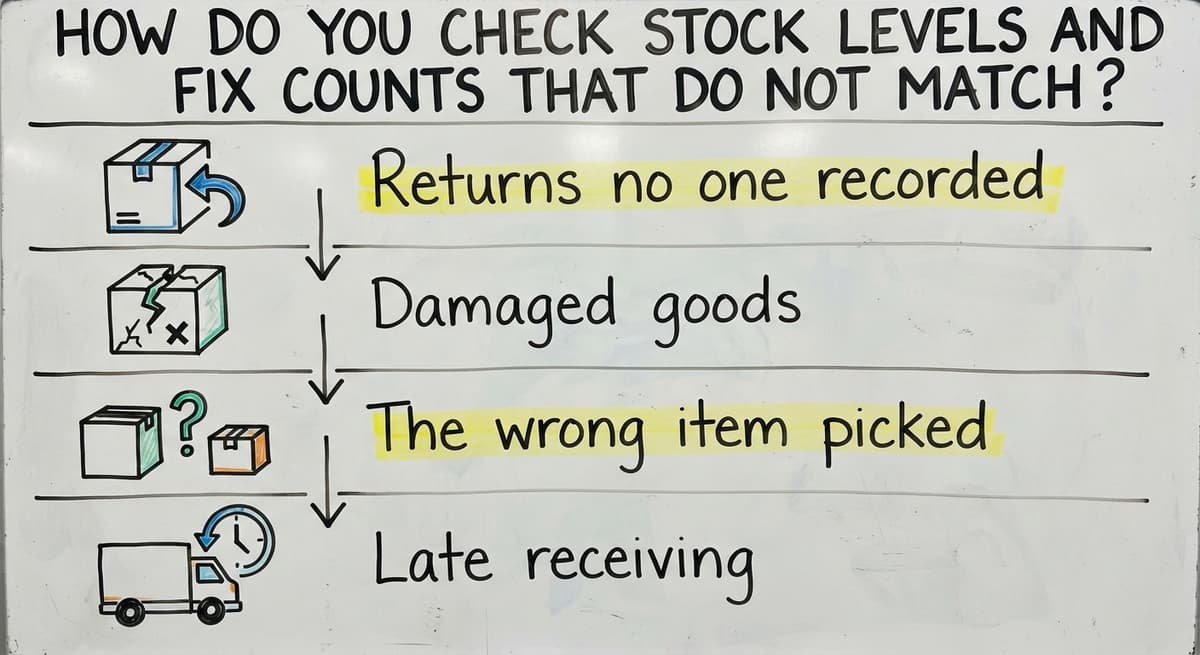
Common causes:
- Returns no one recorded.
- Damaged goods.
- The wrong item picked.
- Late receiving.
Count a few items each week instead of one big count a year. Note a reason on every adjustment. Patterns show up fast.
Not sure this is the right shape for your operation
Describe how the work runs today. We map it on a call and show you what it would look like built around that, before you spend anything.
Book a call
Can QB Track Inventory in Multiple Locations, and Where Are the Limits?
Your accounting software has limited built-in tracking for bins, lots, and multiple locations. It depends on your version and plan. Many teams make one item per location. Others keep a spreadsheet beside their accounting software. Both drift out of sync and need constant care.
QB is an accounting tool first. Stock handling is a side feature. That is a design choice, not a flaw. Strain shows up in:
- Pick and pack work.
- Barcode scanning.
- Lot or expiration tracking.
- Kits made of several items.
- Many orders a day.
Excel, printed sheets, and email fill the gaps. Each gap is a place for errors to start. For warehouse inventory in a small team, those gaps add up quickly.

What Are Signs You Have Outgrown Manual Tracking?
You have outgrown manual tracking when staff spend more time fixing numbers than using them. Watch for these signs:
- Staff retype the same numbers in the accounting software and a spreadsheet.
- No one trusts a count until someone walks the warehouse.
- Orders ship late or oversell because stock data is old.
- Month-end drags because stock needs a hand check.
Do the math. 2 people retyping for 5 hours a week at $20 an hour costs $10,400 a year. The Bureau of Labor Statistics lists real pay for this work. Late shipping also risks your promise to buyers, which the FTC covers in its mail order rule.
Retyping is the clearest sign. Fix it first.
Do You Need to Replace QB to Track Inventory Better?
No. Your accounting software can stay as your accounting system. Custom software can take over only the manual parts, such as receiving, picking, and counts, and sync with your accounting software. We build it around how your team already works. You face no forced move and no big ERP, which is a large all-in-one business system. It works at small scale, for wholesale distribution teams of 5 to 100 staff, not just big firms.
Your books stay where they are. Only the retyping goes away.
What Is a Good First Step?
List every place your team types stock data more than once. Pick the one task that wastes the most time or causes the most errors. Start there.
If you want a second set of eyes, talk with our Columbus, Ohio team. We build custom working software for wholesale, distribution, and warehousing. No pressure. A short talk can show you where the first fix belongs.
Frequently asked questions
Can you track inventory in QB?
Yes. Your accounting software tracks items, quantity on hand, and cost of goods sold. It works best for simple stock.
How do you adjust inventory counts in QB?
Count the shelves, compare to your accounting software, then enter an inventory adjustment for the gap. Note a reason each time.
Can QB track inventory in multiple locations?
Built-in support for locations and bins is limited and depends on version and plan. Many teams use one item per location or a spreadsheet.
Do you need to replace QB to improve inventory tracking?
No. Your accounting software can stay as the accounting system while custom software handles receiving, picking, and counts and syncs with it.
Start with a free first look
A 30 minute call, your operation mapped, and a clear picture of what we would build. No obligation and nothing to install.
Book a callRelated guides
More on the same work.
- How to Keep Track of Inventory
- How to Create an Inventory Tracking System?
- How to Keep Track of Inventory on Clover
- How to Keep Track of Computer Inventory
- How to Keep Track of Consignment Inventory
- How to Keep Track of Alcohol Inventory
- How to Keep Track of Product Inventory
- How to Keep Track of Ebay Inventory
- How to Keep Track of Poshmark Inventory
- How to Track Inventory for Home Staging
- How to Keep Track of Dental Inventory
- How to Keep Track of Boutique Inventory
- How to Keep Track of Vaccine Inventory
- How to Keep Track of Liquor Inventory
- How to Track Inventory Qbo
- How to Track Non Inventory Items
- How to Keep Track of Grocery Inventory
- How to Track Inventory in Salesforce
- How to Keep Track of Lularoe Inventory
- How to Keep Track of Freezer Inventory
- How to Track Ps5 Inventory
- How to Keep Track of Cigarette Inventory
- How to Keep Track of Inventory on Etsy
- How to Keep Track of Inventory Electronically