


How to Track Inventory Qbo
Learn how to track inventory in QBO step by step: turn it on, add items, record stock, fix counts, and see where warehouses outgrow it.
Book a callHow to track inventory in QBO
QBO is short for the name of an online accounting package that runs in your browser. To track inventory in QBO, turn on quantity tracking, add each product as an inventory item, and enter every buy and sale. QBO then keeps the count and the cost of your stock. Reviewed October 2026.
We build it for your operation, and the first look is free
If you would rather not compare products, describe how your operation already works and we build the system around it.
No build cost. You see it running on your own process first, and the monthly subscription starts only once it is live.
Book a callWhich plans of your online accounting software track inventory?
Not every plan includes online accounting software inventory tracking. Check your current plan on Intuit's site before you build a process around it. Prices change, so confirm there. Barcodes matter later, and GS1 says its standards "identify products" worldwide; see the GS1 barcode standards before you pick a scanner.
Set up QBO inventory tracking
How do you turn on inventory tracking in QBO?
You turn it on in settings. Menu names shift, so check the current screens.
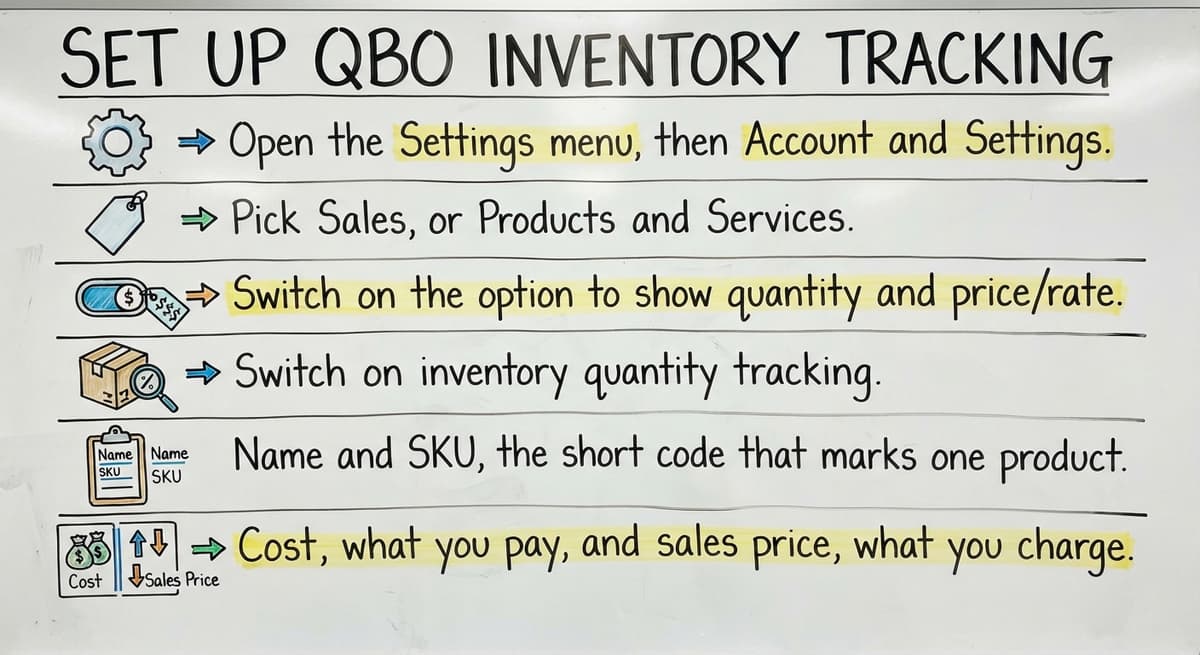
- Open the Settings menu, then Account and Settings.
- Pick Sales, or Products and Services.
- Switch on the option to show quantity and price/rate.
- Switch on inventory quantity tracking.
Once those two switches are on, QBO inventory tracking is live.
How do you add inventory items?
Create each product as an Inventory item type. Then fill in these fields:
- Name and SKU, the short code that marks one product.
- Cost, what you pay, and sales price, what you charge.
- Starting quantity, with an as-of date. This answers how to add a starting quantity.
- A reorder point, the stock level that tells you to buy more.
Pick a naming and SKU pattern on day one. A pattern like TOOL-HAM-16 saves hours later. A clean item list is the base of every count.
Not sure this is the right shape for your operation
Describe how the work runs today. We map it on a call and show you what it would look like built around that, before you spend anything.
Book a callRecord stock in and stock out
How do you record stock coming in?
Enter a buy order, then a bill or expense when goods arrive. Quantities go up when you save the bill or expense. Match the vendor paperwork to what your team counted at the dock. Late entry gives wrong counts, so post receipts the same day.
How do you record stock going out?
Sales receipts and invoices cut quantity. Cost of goods sold, the cost of what you sold, updates as items leave. Ship and bill on the same day when you can. The FTC's mail order merchandise rule expects you to ship when you said you would, and a true count protects that promise.
Quantity can go negative when you sell before you log the receipt. Prevent it by posting bills first. Negative stock is a timing error, not a sales error.

How do you fix inventory counts in QBO?
The IRS says in Publication 538: "To figure taxable income, you must value your inventory at the beginning and end of each tax year." A clean count is a legal need, not a nice extra.
Count the shelves on a set schedule, then fix gaps with an inventory quantity adjustment. Write the reason on each one, such as damage or miscount. Then run the inventory valuation summary report and check it against the shelf.
Which QBO reports help you watch stock?
Three reports do most of the work. Run them weekly, not just at month end.
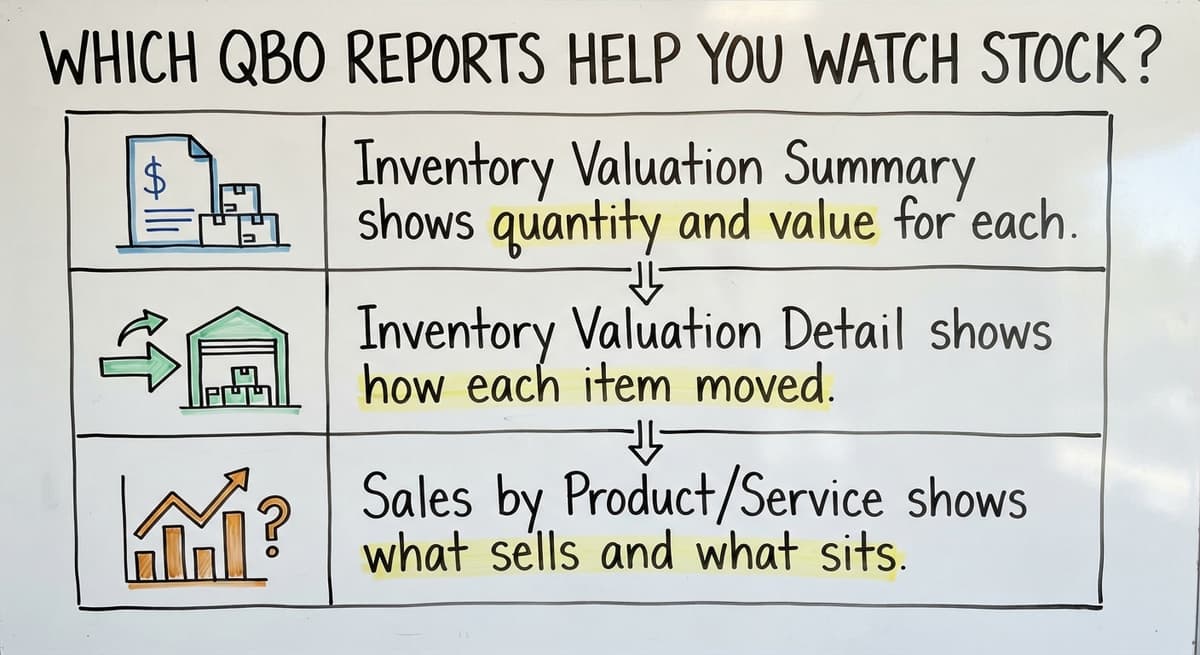
- Inventory Valuation Summary shows quantity and value for each item.
- Inventory Valuation Detail shows how each item moved.
- Sales by Product/Service shows what sells and what sits.
Weekly checks catch drift while it is small.
The comparison is easier when one option is built for you
Off-the-shelf means fitting your process to the software. We do it the other way round, and the first look costs nothing.
Book a call
Where does QBO inventory tracking fall short for warehouses?
QBO is an accounting tool, so warehouse inventory tracking is a fit issue, not a flaw. Basic setups give limited support for bins and multiple locations. There is no built-in barcode scan flow or pick and pack steps. Lot, serial, and expiration tracking have gaps too. Teams fill the space with Excel sheets, printed pick lists, and email. That answers whether QBO can track by bin: only in a limited way.
Signs you have outgrown manual work:
- Counts in QBO and on the shelf rarely match.
- Staff retype the same data in several places.
- Only 1 person knows how the spreadsheet works.
- Orders wait while someone checks stock.
The cost adds up. 3 people spending 6 hours a week at $22 an hour is $20,592 a year. A wholesale distributor inventory team feels that fast.
Can you keep your accounting software and still fix inventory tracking?
Yes. Keep QBO for accounting and replace only the manual steps. We build custom software around how your team already works. No forced move to a new system.
Examples include:
- Receiving screens that post to QBO.
- Stock counts by location.
- Pick lists that sync with your accounting software.
This works for small teams, not just large firms. A big ERP project, a full software overhaul, takes long and changes everything. A targeted fix changes only what hurts.

What should you do next?
Set up QBO tracking cleanly first. Then list the manual steps that cost the most time. Talk with a local Columbus, Ohio team about automating just those steps. Start with the single worst task, and fix that one.
Frequently asked questions
How do I track inventory in QBO?
Turn on quantity tracking in settings, add each product as an Inventory item, then record every buy and sale. QBO updates counts and cost.
Can QBO track inventory by bin or location?
Only in a limited way on basic setups. Teams with many bins or sites often add outside tools.
How do I fix inventory counts in QBO?
Count the stock, then post an inventory quantity adjustment with a written reason. Check the Inventory Valuation Summary after.
Can I keep my accounting software and add custom inventory software?
Yes. Keep your accounting software for accounting and add custom tools for receiving, locations, and pick lists that sync with it.
Start with a free first look
A 30 minute call, your operation mapped, and a clear picture of what we would build. No obligation and nothing to install.
Book a callRelated guides
More on the same work.
- How to Keep Track of Inventory
- How to Create an Inventory Tracking System?
- How to Keep Track of Inventory on Clover
- How to Keep Track of Computer Inventory
- How to Keep Track of Consignment Inventory
- How to Keep Track of Alcohol Inventory
- How to Keep Track of Product Inventory
- How to Keep Track of Ebay Inventory
- How to Keep Track of Poshmark Inventory
- How to Track Inventory for Home Staging
- How to Keep Track of Dental Inventory
- How to Keep Track of Boutique Inventory
- How to Keep Track of Vaccine Inventory
- How to Keep Track of Liquor Inventory
- How to Track Non Inventory Items
- How to Keep Track of Grocery Inventory
- How to Track Inventory in Salesforce
- How to Keep Track of Lularoe Inventory
- How to Keep Track of Freezer Inventory
- How to Track Ps5 Inventory
- How to Keep Track of Cigarette Inventory
- How to Keep Track of Inventory on Etsy
- How to Keep Track of Inventory Electronically
- How to Keep Track of Paparazzi Inventory