


How to Keep Track of Inventory on Etsy
A shop that sells every week is a small warehouse. Stock moves in and out, and someone has to know the numbers.
Book a callHow Do You Keep Track of Inventory on Etsy?
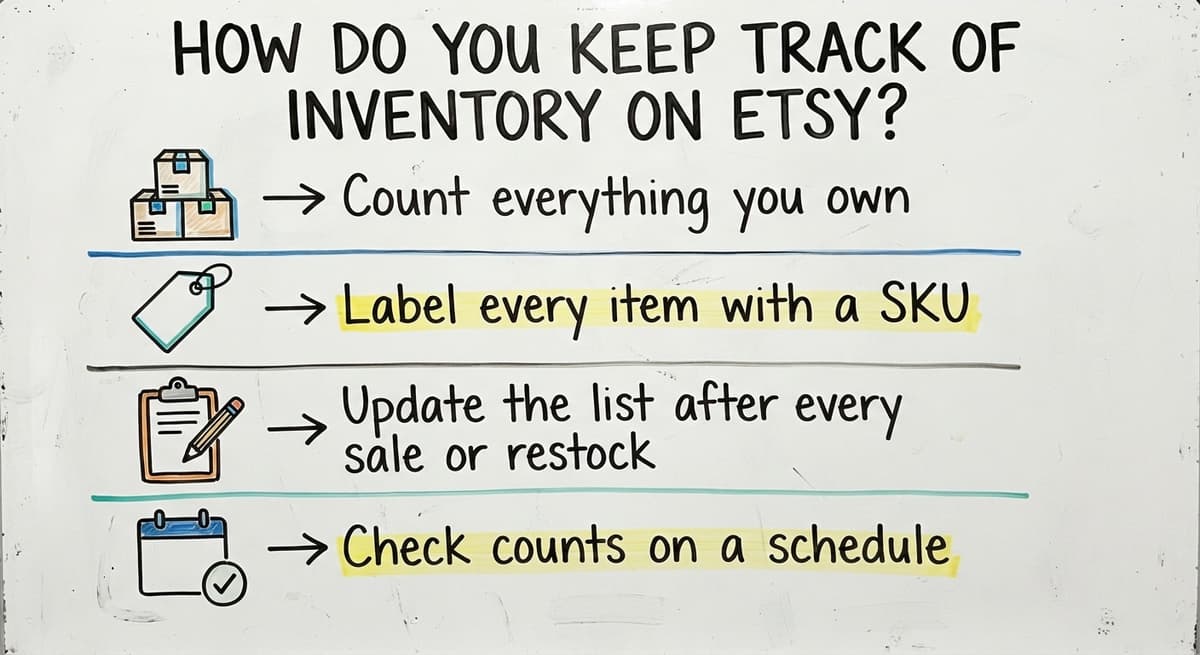
To keep track of inventory on Etsy, use the quantity and SKU fields on each listing, plus one master list of stock kept outside Etsy. The method has four steps:
Reviewed October 2026. Figures are worked from the assumptions stated beside them, so you can substitute your own and the arithmetic still holds.
The holding cost is the part nobody prices. 500 units sitting for 90 days, at 3 dollars a unit a month, is 4,500 dollars of shelf time on stock that has not sold. Turning that stock 4 times a year instead of 2 halves it.
- Count everything you own.
- Label every item with a SKU.
- Update the list after every sale or restock.
- Check counts on a schedule.
Each step is covered below. Together they keep your numbers close to what is on the shelf.
We build it for your operation, and the first look is free
If you would rather not compare products, describe how your operation already works and we build the system around it.
No build cost. You see it running on your own process first, and the monthly subscription starts only once it is live.
Book a callWhat Inventory Tools Does Etsy Give You?
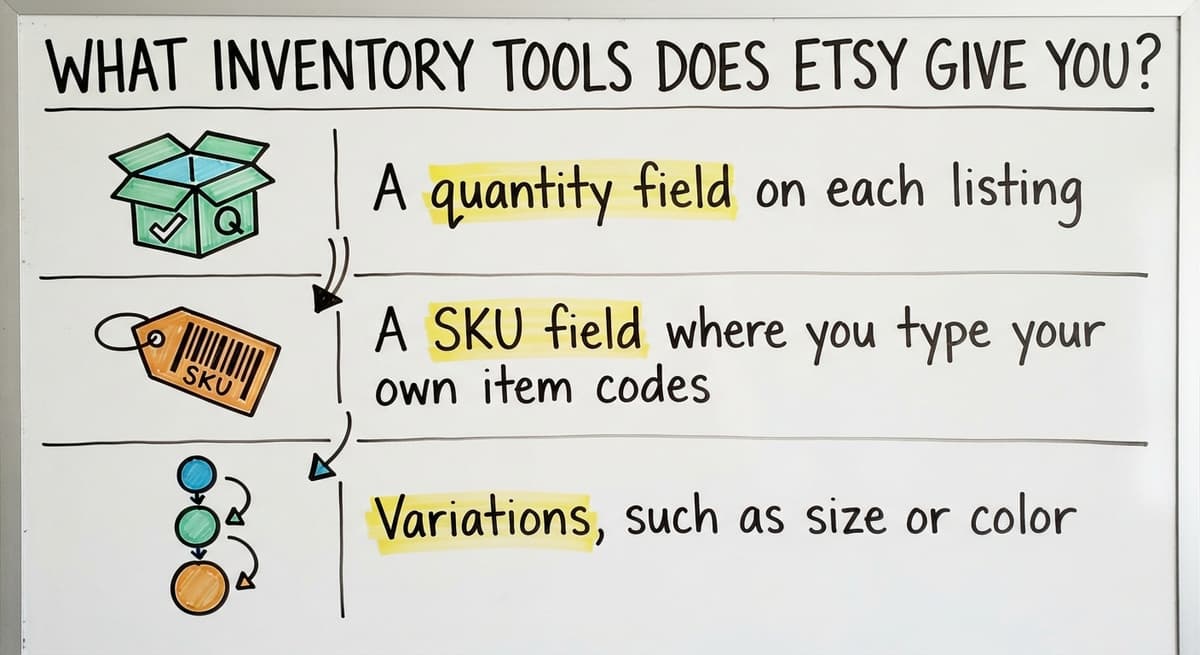
Etsy gives you a few basic fields, and they do not add up to full Etsy inventory tracking. Here is what you get:
- A quantity field on each listing that drops when an order comes in.
- A SKU field where you type your own item codes.
- Variations, such as size or color, that each hold their own quantity.
So, does Etsy track inventory for you? Only in part. It counts what sells through that one shop. It cannot see goods in your garage, at a second location, or on another sales channel. Your own records must cover the rest.
Step 1: How Do You Do a Stock Count?
A stock count is a full physical check of every item you own, done shelf by shelf. Include finished goods, parts and raw materials. Count by shelf or bin so nothing is skipped, and say the number out loud as you write it down.
Write the date on the count sheet. That date tells you when your numbers were true.
After the first count, how often should you count inventory? Count fast sellers weekly and everything once a quarter, or at least twice a year. Spot check any item where the list and the shelf disagree. A short, regular count catches small errors before they grow.
Not sure this is the right shape for your operation
Describe how the work runs today. We map it on a call and show you what it would look like built around that, before you spend anything.
Book a call
Step 2: Give Every Item a SKU
A SKU is a short code for one exact item and variation. Think of it as a name tag. A blue, medium tote bag gets a different SKU than a red, large one.
Keep codes simple and in the same pattern every time. A product type, a color and a size work well. For example, TOTE-BLU-M means a blue medium tote.
Use the same SKU in Etsy, your stock list and on bin labels. When all three match, you can find any item in seconds and nobody has to guess.

Step 3: Keep One Master List and Update It Daily
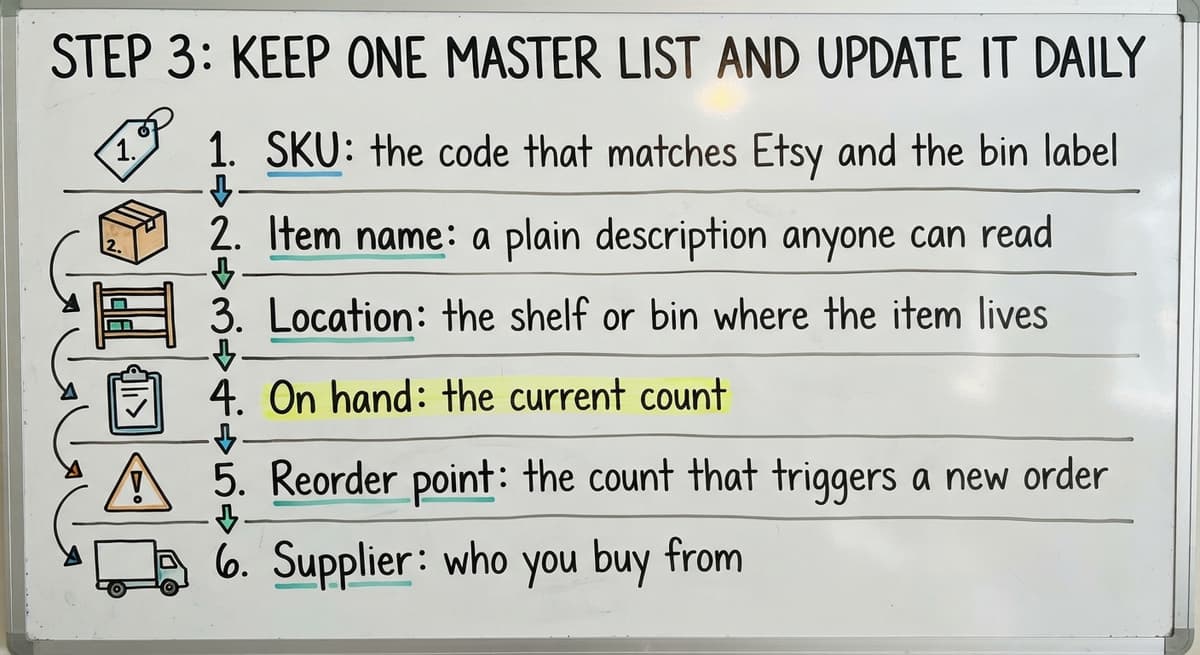
Your master list is the single source of truth for stock, not one of several copies. An inventory spreadsheet works at small scale if one person owns it. Give it these columns:
- SKU: the code that matches Etsy and the bin label.
- Item name: a plain description anyone can read.
- Location: the shelf or bin where the item lives.
- On hand: the current count.
- Reorder point: the count that triggers a new order.
- Supplier: who you buy from.
Avoid printed sheets and email threads. They drift out of date fast.
Etsy lowers the listing quantity on a sale, but it does not change your list. Pick a fixed time each day to update it, or update on each order. Record returns, damaged goods and gifts too. A list that records every movement stays honest.

How Do You Track Materials for Handmade Items?
Next, write down how much material one item uses. If a candle takes 8 ounces of wax, 40 ounces tells you that you can make five more. That is how you plan buying before you run short.
Track raw materials on their own list, apart from finished goods. A candle maker counts wax, jars and wicks separately from the candles on the shelf.
Bundles and kits need a rule. Decide which parts come off stock when a kit sells. If you want a general method for any goods, see how to keep track of product inventory.
A material count turns guessing into a number you can plan around.
The comparison is easier when one option is built for you
Off-the-shelf means fitting your process to the software. We do it the other way round, and the first look costs nothing.
Book a call
How Do You Avoid Overselling on Etsy?
To avoid overselling, restock before you run out and lower the listing quantity the moment a count comes up short. Overselling means canceled orders and unhappy buyers. Three habits prevent most of it:
- Set a reorder point for each SKU, based on how long your supplier takes to deliver.
- Keep a small buffer if you sell on more than one channel, such as holding back two units.
- Fix the listing at once when the shelf count is lower than the screen.
A reorder point is a trigger, not a guess. If a supplier needs two weeks and you sell five a week, reorder at ten. A shop that reorders at the trigger rarely has to cancel an order.
When Is a Spreadsheet Not Enough for Inventory?
A spreadsheet stops being enough when the work of updating it becomes the problem. Each channel holds its own quantity, so one sale does not change the others. Manual updates get slower and errors climb as orders grow. Wholesale and warehouse orders add pick lists, locations and buy orders. If your goods are spread out, how to keep track of inventory in warehouse covers that case.

Watch for these signs:
- Counts that do not match the shelf.
- Double entry in your accounting package and the spreadsheet.
- Staff asking which file is current.
- Stock stored in more than one place.
- Orders running late because someone checked a count by hand.
Two or more of these mean the sheet has outgrown the shop. Many owners find this out while reading about how to keep track of inventory small business, then act too late.

What Does a Better Inventory System Look Like?
A better system is built around how your operation already works, not a forced move to something new. It keeps your accounting software for what it does well and replaces only the manual steps. We support integrations with accounting software and an online handmade-goods marketplace, so the accounting software's inventory data and listings can line up.
It also works at small scale, with no big ERP and no long rollout. Inventory management software is worth it when it removes steps instead of adding them.
The Software Society is a local team in Columbus, Ohio. We build custom workflows that replace fragmented manual work, and we also build the website and search presence. Review your current process with us, and we will show you which manual steps to replace first.

Frequently asked questions
How to track Etsy?
If you mean tracking stock, use the quantity and SKU fields on each listing and keep a master list outside Etsy. If you mean tracking orders, use the order pages in your shop dashboard. Check both against a physical count on a schedule.
Does Etsy track inventory for you?
Only in part. Etsy lowers a listing's quantity when an order comes in. It cannot see goods stored elsewhere or sold on other channels, so you need your own list.
What is a SKU and how do you use it on Etsy?
A SKU is a short code for one exact item and variation. Type it in the SKU field on each listing, then use the same code on your stock list and bin labels.
How do companies keep track of inventory?
There is no single method. Companies use a spreadsheet, off-the-shelf inventory software, a hired service or a custom system. Order volume, number of locations, sales channels and accounting needs decide which fits. Most start with a counted list and SKUs, then add tools as errors grow.
How do you avoid overselling on Etsy?
Set a reorder point for each SKU and restock before you run out. Keep a small buffer if you sell on other channels. Lower the listing quantity right away when a count comes up short.
How often should you count inventory?
Count fast sellers weekly and do a full count each quarter, or at least twice a year. Spot check any item where the list and the shelf disagree.
When is a spreadsheet not enough for inventory?
When counts stop matching the shelf, you enter the same data twice, staff do not know which file is current, or stock sits in several places. Late orders caused by hand checks are another sign.
Start with a free first look
A 30 minute call, your operation mapped, and a clear picture of what we would build. No obligation and nothing to install.
Book a callRelated guides
More on the same work.
- How to Keep Track of Inventory
- How to Keep Track of Inventory on Clover
- How to Keep Track of Computer Inventory
- How to Keep Track of Consignment Inventory
- How to Keep Track of Alcohol Inventory
- How to Keep Track of Product Inventory
- How to Keep Track of Ebay Inventory
- How to Keep Track of Poshmark Inventory
- How to Keep Track of Dental Inventory
- How to Keep Track of Boutique Inventory
- How to Keep Track of Vaccine Inventory
- How to Keep Track of Liquor Inventory
- How to Keep Track of Grocery Inventory
- How to Keep Track of Lularoe Inventory
- How to Keep Track of Freezer Inventory
- How to Keep Track of Cigarette Inventory
- How to Keep Track of Inventory Electronically
- How to Keep Track of Paparazzi Inventory
- How to Keep Track of Fba Inventory
- How to Create an Inventory Tracking System?
- How to Track Inventory for Home Staging
- How to Track Non Inventory Items
- How to Track Inventory with Qr Code
- How to Track Inventory in Real-time