


Inventory Software Barcode
Last reviewed: June 2025
Published 14 August 2026. Reviewed and updated 15 September 2026.
Reviewed September 2026. Each figure comes from the assumptions stated beside it, so you can substitute your own and the arithmetic still holds.
If your team is still updating stock counts by hand, a barcode-based inventory system is the most direct fix.
Barcode inventory management software links every physical item to a digital record the moment a scanner reads it. This article explains how that connection works, what problems it solves, and how to know when your operation is ready to make the switch.
Book a callWhat Does Inventory Software Barcode Mean, and How Does It Work?
Inventory software barcode is not a single product. It is a category of tools that use barcodes to keep digital records in sync with physical stock. The barcode is the bridge: scan it, and the software knows what moved, where, and when.
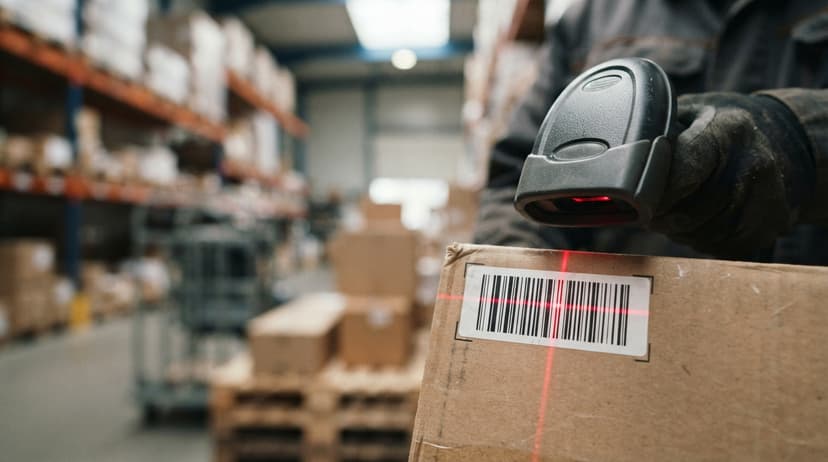
When a scanner reads a barcode, it sends an item ID to the software. The software matches that ID to a record and logs the event in real time. That event could be a receipt, a pick, a pack, or a transfer.
As GS1, the global standards body behind barcode formats, explains, barcodes are "the foundation of supply chain efficiency, enabling accurate and fast data capture" at gs1.org/standards/barcodes. The scan can come from a handheld device, a phone camera, or a fixed reader mounted at a dock door. The software does not care which device reads it.
Every scan builds a running stock count automatically, replacing the manual tally sheets and spreadsheet updates your team is doing now.
Would you rather have it built around your operation?
The first look is free. If you would rather not compare products, describe how your operation already works and we build the system around it.
No build cost. You see it running on your own process first, and the monthly subscription starts only once it is live.
Book a callWhat Types of Barcodes Are Used in Inventory Management?
The answer depends on how much data you need to store on the label itself. 1D barcodes such as UPC, Code 128, and Code 39 store a short string of numbers or letters. They work well for retail shelf items and standard warehouse cartons. 2D barcodes such as QR codes and Data Matrix store far more data in the same space, which makes them useful for small parts, medical devices, or pallets that need lot and expiry information encoded directly on the label.
Most modern barcode inventory management software reads both formats. Choose the format based on the item, not the scanner.

Receiving, Picking, and Cycle Counting with a Barcode Scanner
Three warehouse tasks gain the most from barcode scanning: receiving stock in, picking orders out, and counting what is on hand.
Receiving and Picking
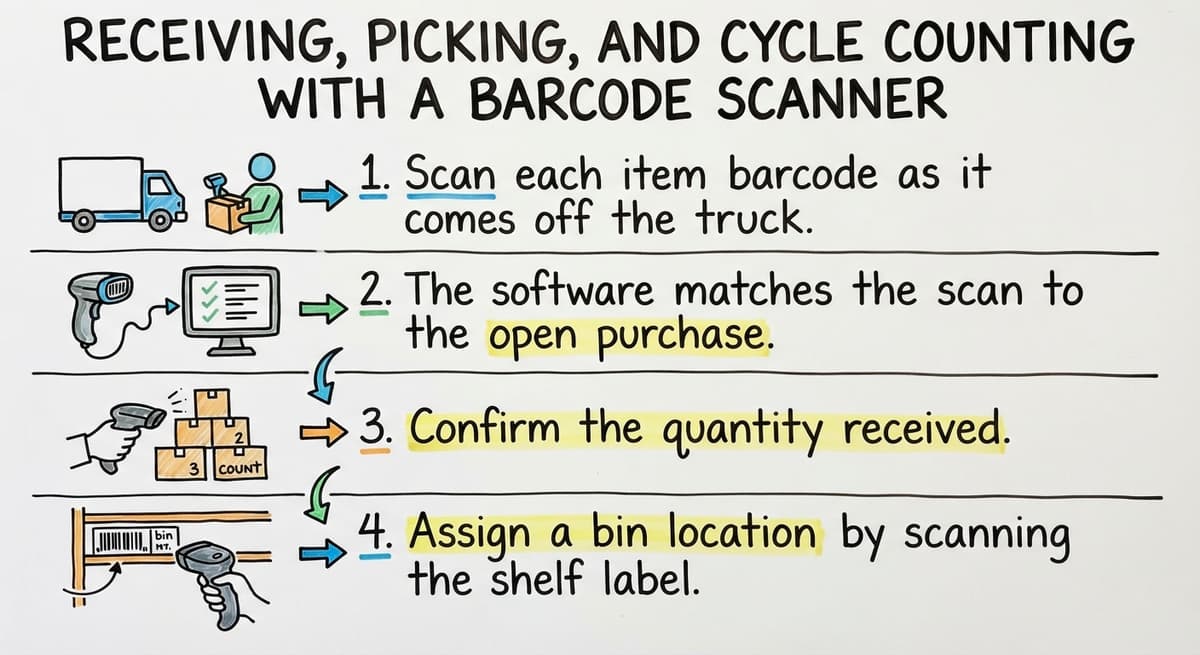
When a delivery arrives, the receiving workflow runs like this:
- Scan each item barcode as it comes off the truck.
- The software matches the scan to the open buy order.
- Confirm the quantity received.
- Assign a bin location by scanning the shelf label.
If the quantity does not match the buy order, the software flags the gap at once. No paper receiving log, no keying errors.
For outbound orders, the software generates a pick list and sends it to the scanner. The picker scans each item to confirm the right product was pulled.
A packing scan then checks the completed order before it ships. Scan-to-confirm picking removes the single biggest cause of wrong shipments: pulling by memory.
The US Federal Trade Commission needs businesses to ship orders when promised, and an accurate stock count is what makes that possible. See the FTC's order merchandise rule for the full obligation.
Is the comparison easier when one option is built for you?
Yes. Off-the-shelf means fitting your process to the software, and custom is the other way round. The first look costs nothing.
Book a callCycle Counting
Cycle counting means counting a portion of your inventory on a rolling schedule rather than shutting down for a full physical count once a year.
The software assigns count tasks to specific zones or bins. A worker scans each item in the assigned area, and the software records the result against the expected quantity.
A full physical count can take days and halt operations. Cycle counting keeps accuracy high without stopping the warehouse.
Consistent cycle counts also satisfy the IRS requirement that inventory be valued at the start and end of each tax year, as stated in IRS Publication 538: "To figure taxable income, you must value your inventory at the beginning and end of each tax year."

Can Barcode Inventory Software Work Alongside the accounting software?
Yes, and for most small distributors, that is exactly how it should work. The accounting software handles your accounting. Barcode inventory management software handles the warehouse floor.
The 2 systems connect so that stock counts and item costs flow into the accounting software records without manual entry.
You do not need to migrate away from the accounting software. accounting integration for distributors means your books stay current every time a scan happens, not just at month end when someone reconciles a spreadsheet.
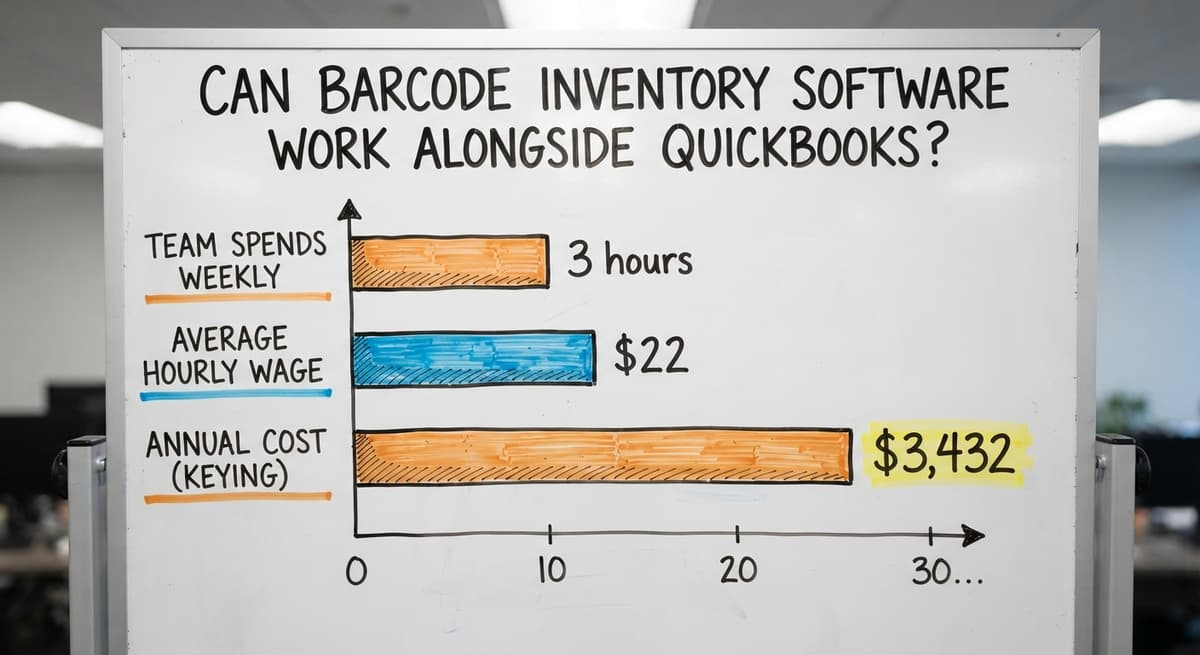
If your team spends 3 hours a week keying inventory updates into the accounting software at an average wage of $22 an hour (see BLS wage data for stock clerks), that is $3,432 a year in labor for a task a sync can handle in seconds.

Why Do Spreadsheets Break Down, and What Hardware Do You Actually Need?
Why Do Spreadsheets Break Down?
Spreadsheets cannot receive a scan directly. Someone still has to read the scanner screen and type the number in. That manual step is where errors enter.
Add 2 people updating the same file from different devices, and version control collapses fast. A spreadsheet has no real-time view of the warehouse floor, which means every decision is based on yesterday's data at best.
Purpose-built barcode tracking software solves this by writing every scan to a single shared record the moment it happens.
Hardware You Need to Start
The basic kit for a small warehouse is modest:
- A barcode scanner: dedicated handheld units are faster and more durable; a smartphone with a scanning app works for lower volumes
- A label printer: thermal printers produce durable labels without ink costs
- Labels: use manufacturer barcodes where they exist; print your own for internal items, bin locations, and anything without a standard label
Consistent label placement matters as much as the hardware. Labels should face outward, sit on a flat surface, and survive the environment they live in. The whole system is only as reliable as the label it reads.
Serial Numbers, Lot Tracking, and Location Visibility
Serial number tracking assigns 1 unique barcode to 1 unit. Lot tracking assigns 1 barcode to a batch of identical units made at the same time. Electronics and high-value equipment need serial tracking. Food, pharmaceuticals, and chemicals need lot tracking for recall purposes.
Location barcodes work the same way. Each bin, aisle, and zone gets its own label. Scanning a location barcode ties an item to a specific spot in the warehouse.
The software builds a map of where every item lives, which cuts picking time and reduces lost stock.
Cloud-connected warehouse barcode systems show stock levels across multiple sites in real time.
A manager can check what is on hand at any location without walking the floor, which matters when making a purchasing call or promising a delivery date. Visibility across sites is what turns a reactive operation into a planned one.
What does it look like running on your own process?
The first thing you see is it running on your own process, at no build cost. The subscription starts once it is live and doing the job, not before.
Book a call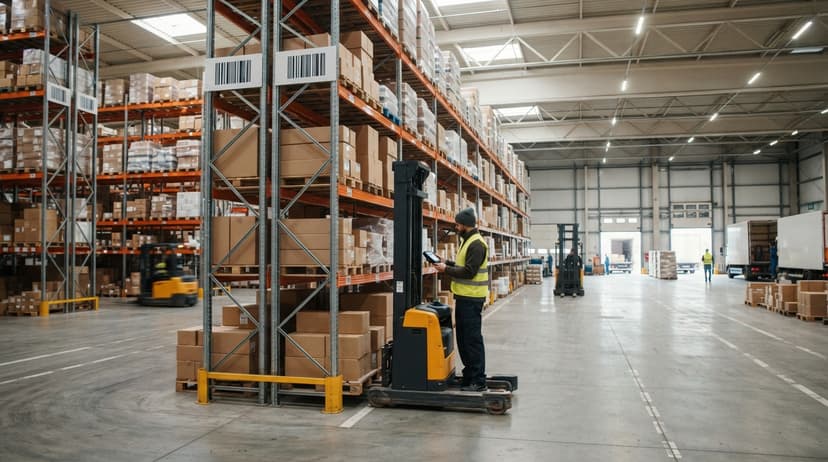
What Problems Does Barcode Inventory Software Actually Solve?
The most common pain points barcode scanning fixes directly are:
- Overselling out-of-stock items because the software updates the count the moment a pick is confirmed, not at end of day
- Losing track of items moved between locations because every transfer needs a scan at the origin and destination
- Hours spent reconciling paper receiving logs because the scan creates the record at the moment of receipt
- Shipping the wrong item because scan-to-confirm picking checks the barcode before the box closes
If any of these sound familiar, your operation is likely ready. Other clear signs: stock counts are wrong more than once a month, receiving takes more than a few minutes per line item, or staff spend time updating spreadsheets instead of moving product.
Custom vs. Off-the-Shelf, and What Implementation Looks Like
Off-the-shelf barcode inventory software is built for a generic operation. Your team adapts to it. Custom inventory software for small warehouses is built around how your operation already works. That does not always mean expensive or slow.
A focused build that covers receiving, picking, and cycle counting can deploy in weeks, not months.
The NIST Manufacturing Extension Partnership recommends starting with a clear picture of your current workflow before choosing any tool. That is good advice whether you buy off the shelf or build custom.
A typical rollout runs through these steps:
- Review the current workflow and find the highest-cost manual steps.
- Set up item records and assign SKUs or item IDs.
- Print and apply labels to items, bins, and locations.
- Configure scanners and connect them to the software.
- Train staff, in a single shift.
Most warehouse staff learn barcode scanning in one shift. The software can enforce correct scan sequences so workers cannot skip a step by accident. Adoption is almost always faster than operations managers expect.
Reports and alerts come with the territory. Useful ones include stock on hand by location, movement history, low-stock alerts, and receiving accuracy by supplier.
Alerts notify managers when stock falls below a set level. Every scan creates an audit trail, which supports purchasing decisions and removes the need for emergency orders.
Getting Started with Barcode Inventory Software
The path from manual tracking to a working barcode inventory management system starts with a workflow review, not a software buy.
Know where the manual steps cost the most time and money. Then find a system that fits those gaps rather than one that forces you to change everything at once.
The right inventory software barcode setup fits your operation. It connects to the accounting software without replacing it, runs on hardware you can afford, and gives your team a system they can learn in a day.
If you want to talk through what that looks like for your specific workflow, reach out to a local rollout partner who builds around how you already work, not around a vendor's default settings.
Frequently asked questions
What is the best app for inventory barcodes?
There is no single best app. The right choice depends on your order volume, whether you need accounting integration, and how many locations you manage. For small warehouses, the entry-level inventory apps are the usual choice.
For operations that need a system built around their specific workflow, a custom build fits better than adapting to an off-the-shelf product. Start by listing your 3 biggest manual pain points, then evaluate tools against those.
How to create a barcode system for inventory?
Start by assigning a unique item ID or SKU to every product you stock. Print barcode labels for each item and for every bin and shelf location in your warehouse.
Connect a barcode scanner to your inventory software. Then define the scan events you need: receiving, picking, transfers, and cycle counts. Most small warehouses can have a working system in place within 1 to 2 weeks.
How much does a barcode inventory system cost?
A basic setup for a small warehouse runs $500 to $2,000 for hardware (scanner, label printer, labels) and $50 to $300 per month for software, depending on features and number of users.
Custom-built systems vary more widely based on scope. Compare that cost against the labor your team currently spends on manual counts and spreadsheet updates. For many operations, the system pays for itself within the first year.
Which barcode scanner is best for inventory management?
Dedicated handheld scanners from brands like a major scanner maker and a major scanner maker are the standard choice for warehouses because they are durable, fast, and designed for all-day use. Smartphone-based scanning works for lower volumes and cuts hardware cost.
The best scanner is the one that reads your barcode format reliably in your environment. If your labels are in tight spaces or low light, a dedicated unit with a laser or imager will outperform a phone camera.
Can barcode inventory software connect to the accounting software without replacing it?
Yes. Barcode inventory management software sits alongside the accounting software, not replace it. Stock counts, item costs, and buy order data sync between the two systems.
Your accounting stays in the accounting software. The warehouse floor runs through the barcode software. Most integrations are set up once and run automatically after that.
What is the difference between serial number tracking and lot tracking?
Serial number tracking assigns one unique barcode to one unit. It is used for high-value or regulated items where you need to know the history of each individual piece.
Lot tracking assigns one barcode to a batch of identical units produced at the same time. It is used for food, pharmaceuticals, and chemicals where a recall needs to cover a whole production run. Your inventory software records and retrieves both types of history.
How long does it take to implement a barcode inventory system?
A focused rollout for a small to mid-size warehouse takes 2 to 6 weeks from workflow review to live scanning. The main steps are item setup, label printing, scanner setup, and staff training.
Training takes a single shift. Custom builds may take longer depending on the number of integrations, but they do not need months of disruption if the scope is defined clearly at the start.
What reports does barcode inventory software provide?
Most barcode tracking software includes stock on hand by location, item movement history, receiving accuracy by supplier, and low-stock alerts. Alerts notify the right person when a product falls below a set quantity.
Every scan creates a timestamped record, so you have a full audit trail for every inventory movement. These reports support purchasing decisions and reduce the need for reactive emergency orders.
What barcode scanner works with inventory software?
Any USB or Bluetooth 2D imager, because the software reads the scan as typed input. A cordless model at $150 to $400 covers a small floor; a rugged mobile computer at $800 to $1,500 only where staff scan all shift on a dock.
What is the best free barcode inventory software?
The free tier of an entry-level inventory app, scanning with a phone camera. It suits one user and a few hundred items. A second user, a second location, or accounting sync is where the paid tier or a custom build starts.
How do I create and print inventory barcode labels?
Give every product a SKU, generate Code 128 labels from the inventory software, and print them on a thermal label printer at $150 to $500. Print bin labels the same way, larger, and mount them on the shelf edge.
What barcode scanner and printer should I buy?
One cordless 2D imager per active station and one desktop thermal printer for the whole floor. Both plug in over USB and need no drivers. Spend on the software that records the scan before spending on rugged hardware.
What is in a free first look?
A 30 minute call, your operation mapped, and a clear picture of what we would build. No obligation and nothing to install.
Book a callRelated guides
More on the same work.
Guides
- Inventory Management Software Barcode Scanner
- Inventory Management Software with Barcode
- Free Inventory Management Software with Barcode Scanner
- Rfid Inventory Software
- Scanner Inventory Software
- Barcode Scanner Inventory System
- Barcode System for Inventory Free
- Inventory Tracking Barcode
- Barcode Abbreviation
- Barcode Scan Machine
- Tracking Number Barcode
- Barcode Reader Machine
- Barcode Scanner App Ios
- 2d Barcode Readers
- Barcode Producer
- Barcode Systems for Warehouse
- Barcode Reader Description
- Barcodes and Labels
- Alphanumeric Barcode
- Lpn Barcodes