

Simple Warehouse Management System
A simple warehouse management system is software that tracks what comes in, what goes out, and where things are stored. It replaces printed pick lists, whiteboards, and spreadsheets. It works alongside The accounting software rather than replacing it. For operations with 5 to 100 staff, it is the right-sized tool. Setup takes weeks, not months.
Published 23 July 2026. Reviewed and updated 15 September 2026.
Book a callWhat Is a Simple Warehouse Management System?
A simple warehouse management system, or simple WMS, does one job well. It tracks inventory, guides your team through picks and receives, and shows you where every item sits. That is it.
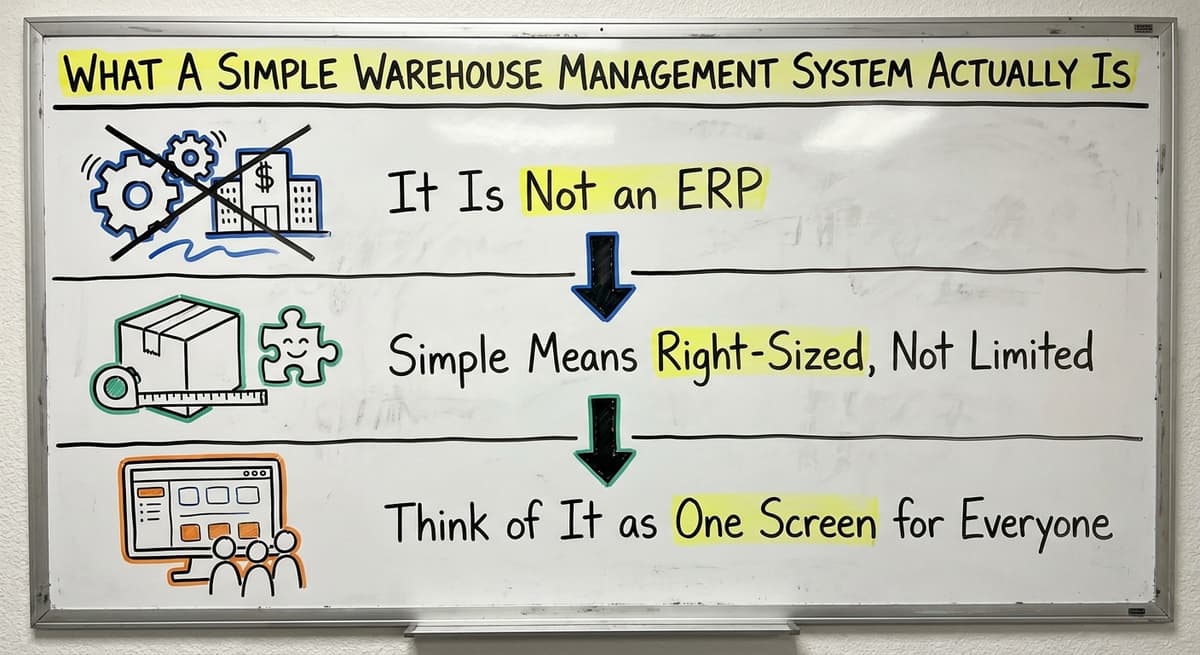
It Is Not an ERP
A full ERP system handles accounting, HR, purchasing, and more; a simple warehouse management system handles the floor. It takes months to set up. It needs a dedicated IT team.
A simple WMS does not do all that. It handles the warehouse floor and nothing else. That focus is the point.
Simple Means Right-Sized, Not Limited
A simple WMS does not mean weak. It means built for operations with 5 to 100 staff. You get real-time inventory tracking, bin location management, and pick and pack workflows.
You do not get features you will never use or a price tag built for a Fortune 500 company.
Think of It as One Screen for Everyone
Right now, your team might work from printed sheets, emailed lists, or a whiteboard; a simple warehouse management system is one screen for all of them. A simple WMS replaces all of that with one screen everyone can see.
Your receiver logs what comes in. Your picker sees exactly what to pull. Your manager sees order status without asking anyone.
Would you rather have it built around your operation?
The first look is free. If you would rather not compare products, describe how your operation already works and we build the system around it.
No build cost. You see it running on your own process first, and the monthly subscription starts only once it is live.
Book a callSigns Your Operation Needs a Simpler System
Most small warehouses do not decide to get a simple warehouse management system. They reach a point where the old way stops working. Here are the signs.
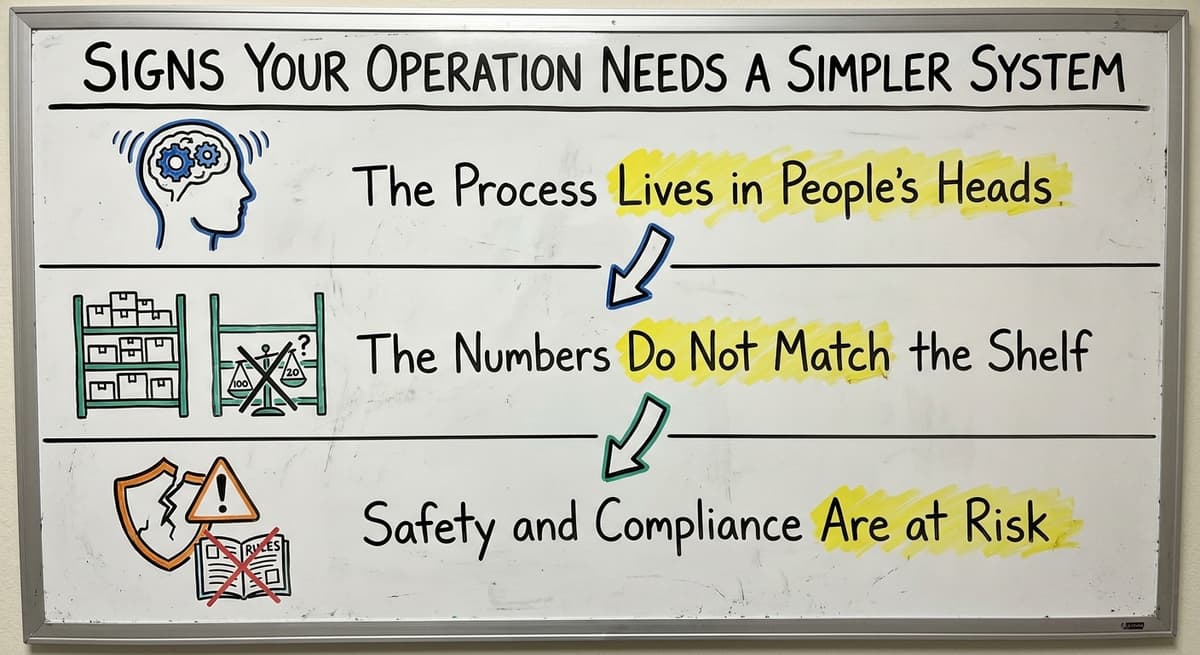
The Process Lives in People's Heads
- Staff work from printed sheets or emailed pick lists
- New hires take weeks to learn where things are
- The owner is the only person who knows how the whole process works
- Fulfillment slows down every time a key person is out sick
When the process lives in one person's head, the business is fragile. One sick day costs you real money.
The Numbers Do Not Match the Shelf
Inventory counts in the accounting software do not match what is actually on the shelf. Spreadsheet files are being used as a real-time inventory system, and they are breaking. Picking errors are going up as order volume grows.
The IRS is direct about why this matters. IRS Publication 538 states: "To figure taxable income, you must value your inventory at the beginning and end of each tax year." If your counts are wrong, your books are wrong.
Safety and Compliance Are at Risk
OSHA states: "The warehousing and storage industry includes establishments operating facilities for general merchandise, refrigerated goods, and other products." Disorganized floors and unclear workflows are not just slow. They create real hazards for the people doing the work.
Reviewed August 2026. Each figure comes from the assumptions stated beside it, so you can substitute your own and the arithmetic still holds.
Core Features of a Simple Warehouse Management System
A simple WMS does not need to do everything. It needs to replace the manual steps that cause the most errors. Here is what that looks like in practice.
Inventory and Location Tracking
- Track every SKU (a unique code for each product) by bin location and quantity
- Updates happen in real time as items move
- Low-stock alerts tell you when to reorder before you run out
- Movement history shows you what happened and when
Real-time tracking is what separates a WMS from a spreadsheet. A spreadsheet shows you what someone typed. A WMS shows you what actually happened.
Receiving and Inbound Workflow
When a shipment arrives, your receiver logs it in the simple warehouse management system. The system checks it against the purchase order. Discrepancies get flagged right away, not discovered 3 days later when a customer calls.
The Warehousing Education and Research Council tracks standard benchmarks for distribution center performance. Receiving accuracy is one of the first metrics that improves when a WMS goes in.
Is the comparison easier when one option is built for you?
Yes. Off-the-shelf means fitting your process to the software, and custom is the other way round. The first look costs nothing.
Book a callPick, Pack, and Order Visibility
Your picker sees exactly what to pull and where to find it. No printed list. No guessing. The system guides them through the warehouse in the most efficient path.
Order status is visible to anyone with access. You stop asking "where is that order?" because the answer is always on screen. That alone saves hours every week.
How Does a Simple WMS Work With Your Accounting Software?
If you already use a standard accounting package for accounting and invoicing, keep it. A simple WMS fills the gap the accounting software was not built to handle.
What Accounting Software Does Not Do
The accounting software handles the books. It tracks what you paid and what you invoiced. It does not track bin locations. It does not guide a picker through the warehouse. It does not flag a receiving discrepancy in real time. That is not a flaw. That is just not what it was built for.
How the Handoff Works
A WMS and the accounting software each handle their own job: the WMS handles warehouse operations, and the accounting software handles the books.
Data flows between them without double entry. When an order ships, the WMS updates inventory. That update flows to the accounting software automatically. No one types the same number twice.
This is what accounting integration for warehouse operations looks like when it is done right.
Keeping Your Accounting Software Is the Smart Move
You do not need to rip out a working system to add a simple warehouse management system. Keeping the accounting software is not a compromise.
For operations at this scale, it is the right call. You already know it. Your accountant already knows it. A good WMS partner builds around that, not against it.
What does it look like running on your own process?
The first thing you see is it running on your own process, at no build cost. The subscription starts once the system is live and doing the job, not before.
Book a call
Simple vs. Complex: Choosing the Right Level of System
Not every warehouse needs the same simple warehouse management system. Here is how to know where you fall.
What Makes a WMS Simple
- Fast setup, measured in weeks
- Minimal training for warehouse staff
- No dedicated IT staff required
- Built around your existing workflows
- Works alongside the accounting software rather than replacing it
If you have 1 location, 1 team, and the accounting software already working, a simple WMS is almost certainly the right fit.
What Pushes You Toward a More Complex System
| Situation | Simple WMS | More Complex System |
|---|---|---|
| 1 warehouse location | Yes | Not needed |
| Multiple locations | Possible | Needed |
| Complex lot tracking | Basic support | Full support |
| 3PL billing | Not built for it | Required |
| Regulatory compliance | Basic | Full audit trails |
| The accounting software already in use | Ideal fit | May replace it |
The Risk of Over-Buying
Large ERP-style systems target enterprise operations. They bring long rollouts, high costs, and forced process changes.
A small team that goes this route spends 6 to 12 months in setup and ends up with a system that fits the vendor's process, not theirs.
A custom-built simple WMS is a real alternative. It follows your exact workflow. It does not force you to change how you work to match a software template. Local builders who specialize in small operations can deliver faster and cheaper than enterprise vendors.

What Should You Expect From Implementation?
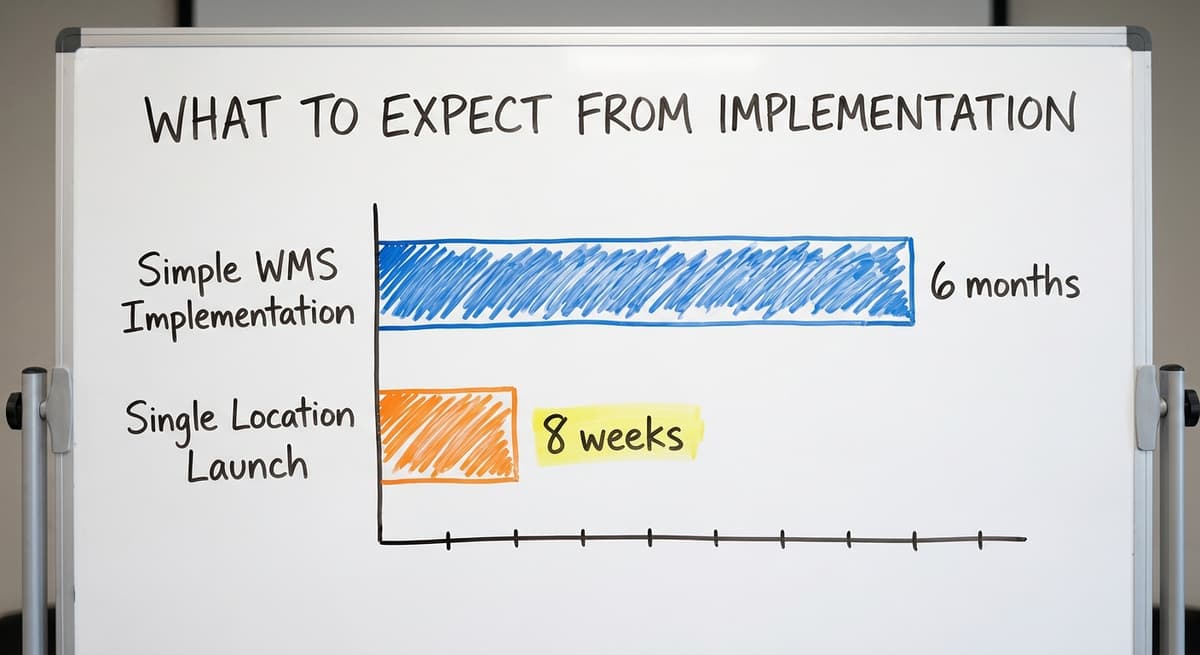
A simple warehouse management system should not take 6 months and a team of consultants to go live.
A Realistic Timeline
For a small warehouse, a realistic simple warehouse management system rollout is 4 weeks:
- Discovery: Map your current workflow and find the 3 or 4 steps causing the most errors
- Build or configure: Set up the system around how you already work
- Test: Run it alongside your current process for a short period
- Train: Walk staff through the system, which should take hours, not days
- Launch: Go live with support close by
This whole process runs 4 to 8 weeks for a single-location operation.
Training Should Be Short
If it takes a week to learn the warehouse management system, it is not simple enough. Your warehouse staff should be able to use it after a short walkthrough. The system should match how they already think about the work.
Ongoing Support Matters
Who do you call when something breaks? Who updates the system when your process changes? These questions matter as much as the launch. A local partner who built the system can answer both. A support ticket queue cannot.

Custom-Built vs. Off-the-Shelf Simple WMS Options
Both paths to a simple warehouse management system can work. The right choice depends on your operation.
Off-the-Shelf Options
Off-the-shelf warehouse software for small business is faster to start. Upfront costs are lower. You can be running in days.
The risk: most off-the-shelf tools target a generic warehouse. Your operation is not generic. You may find yourself building workarounds that recreate the spreadsheet problem you were trying to solve.
Custom-Built Options
Custom warehouse software follows your exact workflow. No forced process changes. No features you pay for but never use. It scales with the business without adding license fees for every new capability.
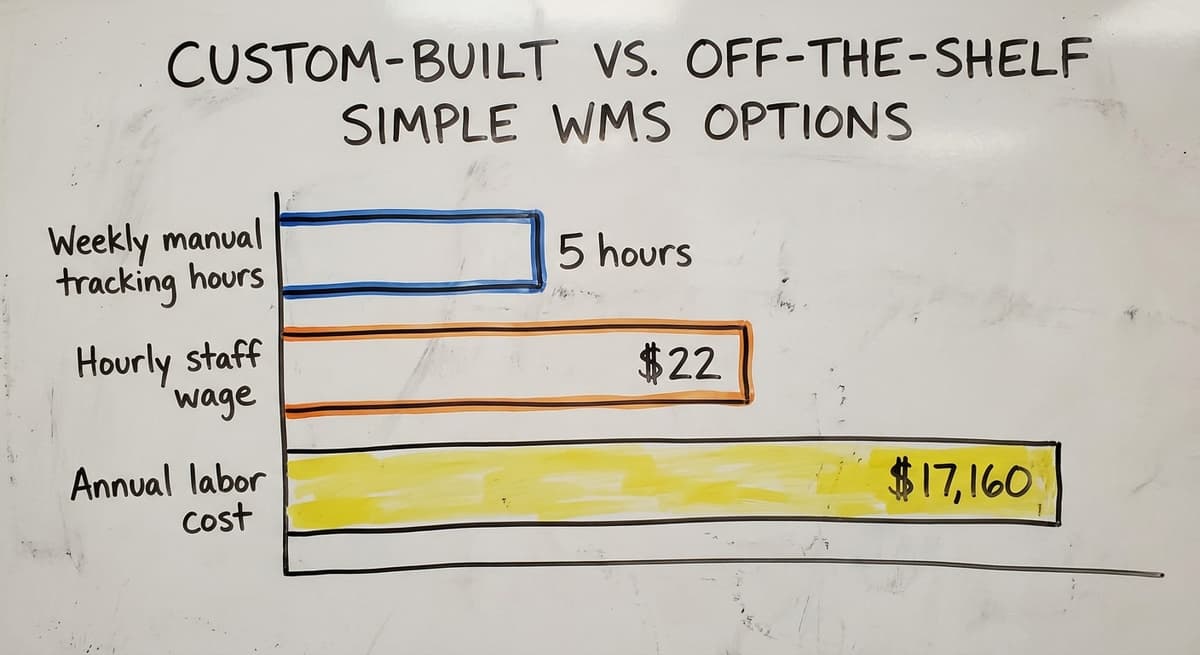
Consider 3 warehouse staff spending 5 hours a week each on manual tracking at $22 an hour. That is $17,160 a year in labor spent on a process a custom WMS could handle automatically. The math changes quickly.
What is in a free first look?
A 30 minute call, your operation mapped, and a clear picture of what we would build. No obligation and nothing to install.
Book a callWho Benefits Most From a Custom Approach
- Operations with workflows that do not fit a standard template
- Businesses that have tried off-the-shelf tools and hit walls
- Teams where the process itself is a competitive edge
A local Columbus, Ohio team building the system means real conversations, not a support ticket queue. You talk to the person who built it. That matters when something changes.
Common Questions About Simple Warehouse Management Systems
Will this replace my accounting software?
No. A simple WMS works alongside the accounting software. It handles the warehouse floor. The accounting software handles the books. Data flows between them without double entry.
How long does it take to get running?
For a simple, single-location operation, plan on 4 to 8 weeks from first conversation to go-live. That includes discovery, build, testing, and training.
Do my staff need to be tech-savvy?
No. The system should be simple enough for any warehouse worker to use after a short walkthrough. If it takes more than a day to learn, it is not the right system.

Getting Started With a Simple Warehouse Management System
You do not need to overhaul everything at once. Start small and focused.
Map the Pain First
Find the 3 or 4 manual steps causing the most errors or delays; that is the scope of a simple warehouse management system. That is where a simple WMS delivers immediate value. It might be receiving. It might be picking. It might be the daily inventory count that is always wrong.
Inventory What You Already Use
Make a list of what you already have:
- An accounting package for accounting
- Spreadsheet files for inventory tracking
- Printed pick lists for the warehouse floor
- Whiteboards for order status
A good WMS partner builds around these. They do not ask you to throw them all out on day one.
Ask the People Doing the Work
Warehouse staff know exactly where the process breaks down, and a simple warehouse management system should start there. Talk to them before you talk to any vendor. They will tell you the 3 things that slow them down every single day.
Then ask any vendor or builder one question: does this system change how we work, or does it support how we already work? The answer tells you everything.
If you are ready to stop patching a broken process and start running a system that fits your operation, reach out for a conversation. We build custom workflow software for distributors and small warehouse operations, and we start by listening to how you actually work.
Frequently asked questions
Frequently asked questions
What is the most popular WMS system?
There is no single answer. Large operations tend to run one of the enterprise warehouse suites. Small and mid-size warehouses tend to run lighter cloud systems.
Popularity does not equal fit. The right system depends on your team size, your workflows, and whether you need something off-the-shelf or built around your specific process.
What is the best free Warehouse management software?
Free WMS tools exist, but they come with real limits. Some cloud products have a free tier for very small operations, and there are open-source options that need someone to host and maintain them. The honest answer: free tools work for the simplest cases.
If you have more than a handful of SKUs, real bin locations, and a team doing daily picks, you will hit the ceiling of a free tool quickly. The cost of errors a paid system prevents outweighs the subscription fee.
What is the best warehouse management system for a small business?
For small businesses already settled in an accounting package, the best fit is a WMS that integrates with it rather than replacing it. Off-the-shelf cloud options work for straightforward operations.
If your workflow is unusual or you have tried off-the-shelf tools and hit walls, a custom-built system built around how you actually work is faster and cheaper in the long run than forcing your process into a generic template.
What are the four types of WMS?
The four common types are: standalone WMS (a dedicated system focused only on warehouse operations), ERP-integrated WMS (built into a larger enterprise business system), cloud-based WMS (hosted online, no local servers needed), and supply chain module WMS (part of a broader supply chain platform).
For small operations, a standalone or cloud-based simple WMS is almost always the right starting point.
Can a simple WMS work alongside my accounting software instead of replacing it?
Yes. This is one of the most common setups for small distributors and warehouses. The WMS handles the warehouse floor: bin locations, receiving, pick and pack, and real-time inventory.
The accounting software handles accounting and invoicing. Data flows between them automatically so no one types the same number twice. You do not need to replace a working accounting system to get control of your warehouse.
How long does it take to implement a simple warehouse management system?
For a single-location operation with a clear workflow, plan on 4 to 8 weeks from first conversation to go-live. That covers discovery, build or configuration, testing, and staff training.
A system that takes longer than that is not simple enough for your operation. If a vendor quotes you 6 months, ask why.
How much does a simple warehouse management system cost?
More than a spreadsheet, less than an ERP. Off-the-shelf tools for small warehouses run from a few hundred to a few thousand dollars a year. Custom-built systems have a higher upfront cost but no ongoing license fees per feature and no forced upgrades.
Consider the cost of the errors the system prevents: 3 staff spending 5 hours a week on manual tracking at $22 an hour is over $17,000 a year. The system pays for itself faster than expected.
Will warehouse staff need a lot of training to use a simple WMS?
No. A well-built simple WMS should take hours to learn, not days. If it takes a week of training, it is not simple enough.
The system should match how your staff already think about the work: what to pick, where to find it, and where to put it when it arrives. A short walkthrough should be enough for any warehouse worker to get started.
Can I build a warehouse management system in a spreadsheet?
You can start one there, and many small warehouses do: a sheet per location, a row per SKU, a column for quantity. It breaks the day two people edit it at once, when a pick is not logged, or when someone needs to know where an item is rather than how many exist.
A simple warehouse management system does the same job with scanning and a record of every movement, which is what the spreadsheet cannot give you.
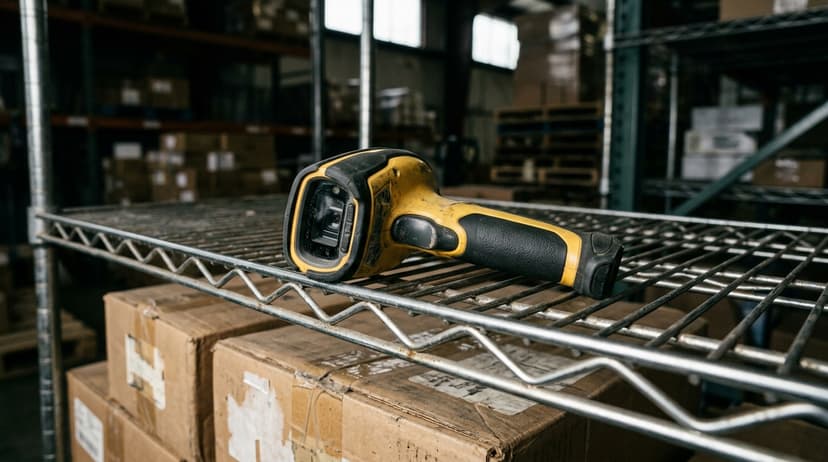
How do barcode scanners integrate with a warehouse management system?
The scanner is just an input device: it reads a code and sends it to the system as if it had been typed.
A simple WMS turns that into a recorded event, matching a scanned item to a location, a purchase order or a pick list, and updating the count on the spot.
Most modern systems work with dedicated handheld scanners or with a phone camera; what matters is that the scan updates the record immediately.
What database tables are needed for a warehouse management system?
Four core tables carry a simple warehouse management system: items (SKU, description, units, barcode), locations (zone, aisle, shelf, bin), stock (quantity per item per location, and per lot or serial where it matters), and movements (every receipt, put-away, pick, transfer, adjustment and count, with a user and a timestamp).
Orders and purchase orders sit alongside. If any quantity can be rebuilt by replaying its movements, the design is right.
How do I set up inventory locations in a warehouse?
Give every storage spot an address the way a street does: zone, aisle, bay, shelf, then bin, so a location reads A-03-2-4.
Label the locations before you label the stock, put fast movers nearest the packing area, keep one SKU per bin where you can, and record every move so the system always knows where an item sits.
Do a fresh physical count by location when you load the system, and cycle count from then on.
Not sure this is the right shape for your operation?
The call is free. Describe how the work runs today. We map it on a call and show you what it would look like built around that, before you spend anything.
Book a callRelated guides
The rest of this guide, for the parts of the job this page does not cover.
Guides
- Warehouse Inventory Management Systems
- Warehouse Management System Top 10
- Software for Warehouse Management System
- Small Business Warehouse Management System
- Warehouse Management System Types
- Warehouse Inventory Management System
- Warehouse Management System Examples
- Warehouse Management System Implementation
- Cloud Warehouse Management System
- Warehouse Stock Management System
Common questions
- What is a Simple Warehouse Management System?
- What Are the Benefits of Warehouse Management System
- What is the Point of Warehouse Management System
- How to Choose a Warehouse Management System
- What is Asn in Warehouse Management System
- How to Create a Warehouse Management System
- What is a Warehouse Management System
- Which Warehouse Management System Would a Jeweler Most Likely Use
- How to Build a Warehouse Management System
- What is a Warehouse Management System Used For
- Warehouse Management System vs Warehouse Control System
- Meaning of Warehouse Management System
- Definition of Warehouse Management System
- Warehouse Management System Comparison