


Warehouse Management System Top 10
Most warehouse management system top 10 lists are for enterprise procurement teams with six-figure budgets and a dedicated IT department. Ours is for the operator with 5 to 100 staff, and it is checked against real pricing as of September 2026.
Published 26 July 2026. Reviewed and updated 15 September 2026.
If you run a wholesale distribution business, a fulfilment centre, or a warehouse with 10 to 80 staff, this guide is for you.
The guide covers what each system does, who it genuinely fits, and where it falls short. No vendor has paid for placement here.
Book a callWhat Should You Look for Before You Pick a Warehouse Management System?
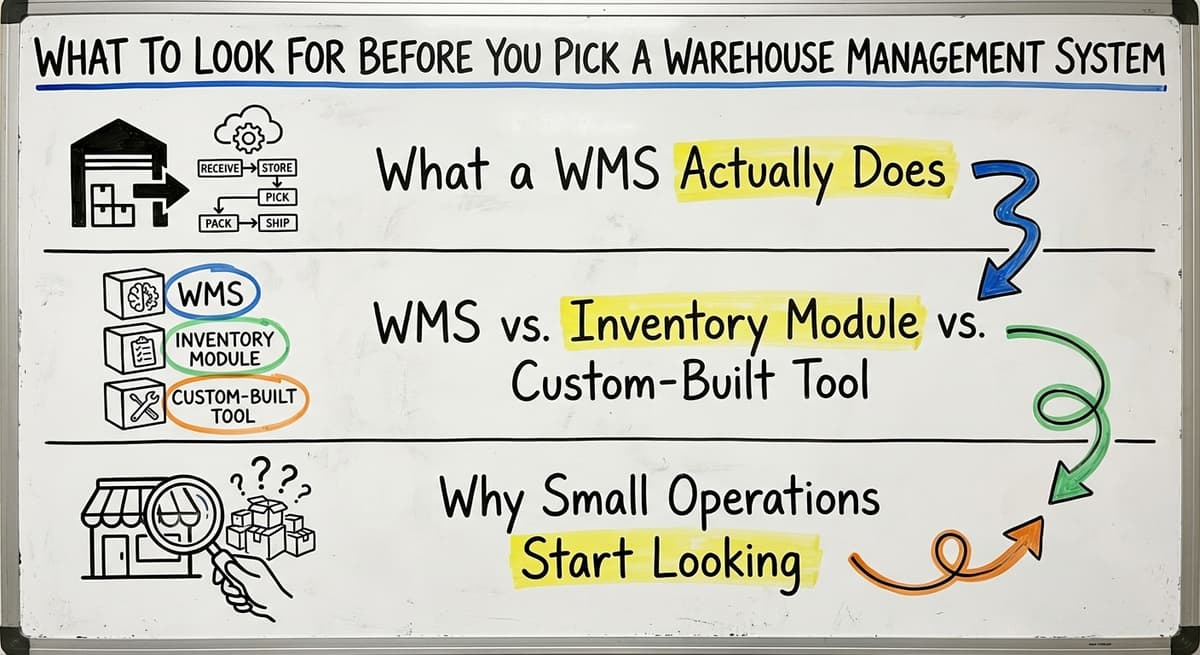
What Does a WMS Actually Do?
A warehouse management system controls the movement of goods inside your four walls. It tracks what comes in, where it is stored, how it gets picked, and how it ships out.
A good WMS reduces picking errors, keeps stock counts accurate, and gives your team a clear process to follow instead of relying on memory or paper.
Warehouse inventory tracking is the core function. Everything else, such as reporting, carrier integration, or client billing, is built on top of that foundation.
WMS vs. Inventory Module vs. Custom-Built Tool
A warehouse management system, an inventory module, and a custom-built tool are not the same.
- A full WMS manages warehouse operations end to end: receiving, putaway, picking, packing, and shipping
- An inventory module (like the one inside QuickBooks) tracks stock levels but does not manage warehouse workflows
- A custom-built tool is software built around how your operation already works, replacing only the parts that are broken
Knowing which category you actually need saves you from buying a system that is either too simple or far too complex.
Why Do Small Operations Start Looking?
There are 3 breakdowns that send most warehouse operators looking for warehouse management software when one of three things breaks down.
- Excel becomes unmanageable and errors start costing money
- Picking mistakes go up and customers start noticing
- Stock counts stop matching what is actually on the shelf
The right WMS depends on your team size, your order volume, your existing software stack, and how much disruption you can absorb during implementation.
A system that works well for a 200-person distribution centre may actively harm a 15-person operation trying to get through peak season.
Would you rather have it built around your operation?
The first look is free. If you would rather not compare products, describe how your operation already works and we build the system around it.
No build cost. You see it running on your own process first, and the monthly subscription starts only once it is live.
Book a callHow Did We Evaluate These Systems?
How the ranking was built
The systems on this list are not ranked by popularity or vendor marketing spend. Each system was evaluated on criteria that matter for lean operations.
Put numbers on the errors and it gets clearer. 200 orders a day at a 2 percent mispick rate is 4 wrong shipments a day and roughly 1,000 orders a year going out wrong.
Cutting that to 0.5 percent leaves 250 orders a year, which is 750 fewer apologies.
The obligation behind all of this is not optional. IRS Publication 538 states: “To figure taxable income, you must value your inventory at the beginning and end of each tax year.” A stock figure nobody trusts makes that number a guess.
Reviewed August 2026. Each figure comes from the assumptions stated beside it, so you can substitute your own and the arithmetic still holds.
- Ease of use for warehouse staff, not just managers
- QuickBooks integration for distributors: how deep and how reliable
- Implementation time for a team of 5 to 100 staff
- Total cost including setup, training, and year-one use
- Scalability without forcing an ERP migration
The goal is to help you narrow the field quickly, not to sell you on any single product. No system here is right for everyone.
Before choosing any system, it is also worth noting that warehouse safety and operations standards apply regardless of software.
As OSHA states on its warehousing guidance page, "warehousing operations present a wide variety of hazards", which is a reminder that software choices should support, not complicate, the way your team actually moves through the building.

The Warehouse Management System Top 10
The following top 10 warehouse management systems come as a practical breakdown, not a marketing summary. Each entry covers what the system is, who it fits best, QuickBooks compatibility, implementation complexity, and honest limitations.
Fishbowl Warehouse
Fishbowl sits alongside QuickBooks and extends it into warehouse operations. It handles inventory tracking, manufacturing, and basic warehouse workflows without forcing you off QuickBooks entirely.
Best for: Small manufacturers and distributors already deep in QuickBooks who need more than basic stock tracking but are not ready for an ERP.
QuickBooks integration: Strong. It is one of the most direct QuickBooks warehouse integrations available.
Implementation complexity: Moderate. Setup takes time, especially if your data is messy.
Limitation: Fishbowl can feel rigid if your picking or receiving workflow is non-standard. You may find yourself adapting your process to fit the software rather than the other way around.
inFlow Inventory
inFlow is a cloud-based inventory management system with a clean interface and a low barrier to entry. It is one of the easier systems to get running quickly.
Best for: Small operations that need basic warehouse tracking fast and do not have complex fulfilment workflows.
QuickBooks integration: Available but limited in depth. It handles basic sync but is not built for tight, real-time accounting integration.
Implementation complexity: Low. Most small teams are operational within days.
Limitation: inFlow is not built for high-volume fulfilment or complex multi-location warehouse operations. It will work well until it does not, and that ceiling can arrive faster than expected.
Cin7 Omni
Cin7 Omni covers inventory, order management, and multi-channel sales in one platform. It is a strong fit for distributors selling across multiple platforms who need one place to manage stock.
Best for: Distributors managing wholesale distribution software needs across multiple sales channels.
QuickBooks integration: Available.
Implementation complexity: Moderate to high. Cin7 is feature-heavy, and smaller teams find the learning curve significant.
Limitation: Pricing scales up quickly as you add users and features. For a lean team, you may end up paying for capabilities you never use.
Sortly
Sortly uses QR codes and barcodes to give teams a visual way to track inventory. It is simple, fast to learn, and requires almost no technical experience.
Best for: Smaller warehouses or storage operations with straightforward needs and teams that are not comfortable with complex software.
QuickBooks integration: Limited.
Implementation complexity: Very low.
Limitation: Sortly is not a full WMS. It lacks order management and pick pack ship software workflows. If you need to manage fulfilment, you will outgrow it quickly.
Is the comparison easier when one option is built for you?
Yes. Off-the-shelf means fitting your process to the software, and custom is the other way round. The first look costs nothing.
Book a callExtensiv (formerly 3PL Central)
Extensiv is built specifically for third-party logistics operators. It handles client billing, carrier integration, and client portals in a way that generic WMS tools do not.
Best for: 3PL operators managing multiple clients with fulfilment centre software needs.
QuickBooks integration: Possible via third-party connectors.
Implementation complexity: Moderate to high.
Limitation: Extensiv is expensive and complex for single-client warehouse operations. Operations that are not running a 3PL will find the feature set overkill.
Logiwa WMS
Logiwa is a cloud-based WMS built for high-volume direct-to-consumer and B2B fulfilment. It has strong automation and integration capabilities.
Best for: Growing fulfilment centres with significant ecommerce volume that need a scalable cloud-based WMS.
QuickBooks integration: Offered via integration platforms.
Implementation complexity: High. Logiwa expects enterprise-level implementation resources.
Limitation: Pricing and implementation expectations are not suited to lean teams. If you have fewer than 30 staff, this system will likely exceed your budget and your capacity to implement it.
Acumatica Cloud ERP
Acumatica is a full ERP with strong warehouse and distribution modules. It is highly configurable and built to scale.
Best for: Businesses ready to move off QuickBooks entirely and consolidate everything into one platform.
QuickBooks integration: Not applicable. Acumatica replaces QuickBooks.
Implementation complexity: High. This is an ERP migration, not a WMS add-on.
Limitation: Implementation is long and costly. Teams that are not ready to commit significant time and budget should look elsewhere; Acumatica is not the right move for them.
Deposco
Deposco is a unified fulfilment platform covering WMS, order management, and inventory in one system. It is built for omnichannel retail and distribution.
Best for: Mid-market operations with complex fulfilment needs across multiple channels.
QuickBooks integration: Available.
Implementation complexity: High.
Limitation: Pricing and implementation complexity put Deposco out of reach for most operations with fewer than 50 staff. It is a serious tool for serious scale.
Zoho Inventory
Zoho Inventory is an affordable, cloud-based inventory and order management tool. It fits naturally into the broader Zoho ecosystem.
Best for: Smaller businesses already using other Zoho tools who need basic inventory and order management.
QuickBooks integration: Available.
Implementation complexity: Low to moderate.
Limitation: Warehouse-specific features like bin tracking and pick-pack-ship workflows fall short of dedicated warehouse management software. It is an inventory tool, not a true WMS.
Custom-Built Warehouse Management Software
What Custom Software Actually Means
Custom warehouse software is not a product you buy off the shelf. It is a system built around how your operation already works.
Instead of forcing your team to adapt to a generic process, a custom system replaces only the parts that are broken: the printed pick sheets, the spreadsheets, the Access databases, the email chains that coordinate receiving.
This keeps QuickBooks in place and adds what is missing on top of it. For many small operations, that is exactly the right move.
Who Custom Software Is Actually For
Custom warehouse software is built for operations with 5 to 100 staff that want to avoid an ERP and do not want to force their team into a generic system.
Best for: Wholesale distributors, fulfilment centres, and warehouse operators with workflows that do not fit standard software.
Limitation: You need a builder you trust and a clear picture of what you need replaced. Custom software done poorly is worse than the spreadsheet it replaced.
Done well, it is the most precise fit available and the only option on this list that works exactly the way your team already works.
For more on this approach, see the custom warehouse software solutions page.
Side-by-Side Comparison: Which WMS Fits Your Operation
What does it look like running on your own process?
The first thing you see is it running on your own process, at no build cost. The subscription starts once the system is live and doing the job, not before.
Book a callQuick Reference Table
The table below is the shortlist tool: read across by team size, budget, and existing tools.
| System | Best For | QuickBooks Compatibility | Implementation | Cost Tier |
|---|---|---|---|---|
| Fishbowl | Small manufacturers, distributors | Strong | Moderate | Mid |
| inFlow | Very small operations | Limited | Low | Low |
| Cin7 Omni | Multi-channel distributors | Available | Moderate-High | Mid-High |
| Sortly | Simple storage operations | Limited | Very Low | Low |
| Extensiv | 3PL operators | Via connector | Moderate-High | High |
| Logiwa | High-volume fulfilment | Via connector | High | High |
| Acumatica | ERP-ready businesses | Replaces QB | High | High |
| Deposco | Mid-market omnichannel | Available | High | High |
| Zoho Inventory | Zoho ecosystem users | Available | Low-Moderate | Low |
| Custom-Built | Operations with unique workflows | Keeps QB in place | Varies | Mid |
Matching the System to Your Operation
If your team has fewer than 20 staff and you need something running within a month, look at inFlow, Sortly, or Zoho Inventory. They are simple and fast to deploy.
If you are a distributor running on QuickBooks and need more warehouse control without replacing your accounting system, Fishbowl is the most direct path. The warehouse inventory management software overview page covers this scenario in more detail.
If you run a 3PL, Extensiv is built for you. Teams scaling ecommerce fulfilment should evaluate Logiwa. Businesses ready to replace QuickBooks entirely will find Acumatica the serious option.
Off-the-Shelf vs. Custom: The Core Difference
Every off-the-shelf tool on this list requires you to adapt your operation to fit the software. Some of that adaptation is manageable. Some of it is not.
Custom warehouse software flips that approach. It follows your existing workflows, your team's habits, and your QuickBooks setup. For operations with non-standard processes, that difference matters more than any feature comparison.
The wholesale distribution software page covers how this plays out for distributors specifically.

Common Mistakes When Choosing a Warehouse Management System
Choosing on Features Instead of Fit
The most common mistake is picking a system based on a feature list rather than actual workflow fit. A long feature list is not evidence that the software will work for your team.
The question is whether the system handles your specific picking process, your receiving workflow, and your QuickBooks setup without requiring you to rebuild how you operate.
A related mistake is choosing an enterprise WMS because it looks impressive, then abandoning it six months later when the team cannot use it or the implementation never finishes.
Underestimating Implementation and Training
Implementation always takes longer than vendors say, and training is always dearer than the initial quote suggests.
For a lean team, a long implementation is not just an inconvenience. It is a real operational risk during the period when two systems are running at once and neither is fully trusted.
Also worth noting: QuickBooks integration for distributors sounds more complete than it is. Ask specifically what syncs, how often, and what falls through the cracks. "QuickBooks integration available" does not mean deep, reliable, real-time sync.
Leaving Out the People Who Do the Work
The people who pick, receive, and ship are the ones who will use the system every day.
If they are not involved in the decision, the system will not stick. A WMS that the warehouse team does not trust or understand gets worked around within weeks.
Also avoid replacing a system that works, like QuickBooks for accounting, instead of supplementing it with what is missing. The goal is to fix the broken parts, not to rebuild everything. The fulfilment centre software page covers how this applies to fulfilment operations specifically.
Questions to Ask Any WMS Vendor Before You Sign
Questions About Implementation and Integration
Before committing to any warehouse operations software, there are 6 questions that need clear answers.
- How long does implementation actually take for a team our size? Ask for a reference from a similar-sized operation.
- What does the QuickBooks integration cover and what falls through the cracks? Ask for a line-by-line breakdown of what syncs and what does not.
- What happens when our workflow does not match how the system is built? Ask whether the system adapts or whether you do.
Questions About Cost and Support
The sticker price of a WMS is rarely the full cost.
- What does the total cost look like after setup, training, and the first year of use? Get this in writing.
- Who handles support and how fast do they respond? Ask whether support is included or billed separately.
- Can we see the system running in an operation similar to ours before we commit? A vendor who cannot provide a reference from a comparable operation is a risk.
Start with a free first look
Book a 30 minute call, get your operation mapped, and leave with a clear picture of what we would build. No obligation and nothing to install.
Book a call
When Does a Custom Warehouse Management System Make More Sense?
Signs That Off-the-Shelf Is Not the Right Fit
Custom warehouse software is worth considering seriously when any of the following apply.
- Your operation has specific workflows that generic software does not handle well
- You have tried one or two off-the-shelf tools and they did not stick with the team
- You are running on QuickBooks and want to keep it, not replace it
- Your team is small and cannot absorb a long, disruptive implementation
These are not edge cases. They describe most small-to-mid warehouse operations that have been through one failed WMS implementation already.
What Does Working with the Right Builder Look Like?
The right custom warehouse software builder is the one who understands how your operation actually works before writing a line of code. They replace the manual parts, the pick sheets, the spreadsheets, the email coordination, while keeping the systems that already work.
For wholesale distributors and fulfilment centres staffed between 5 and 100 people, this approach delivers a better fit than any product covered here, at a comparable cost to mid-tier off-the-shelf options, and without the implementation risk of forcing a generic system onto a non-generic operation.
If this describes your situation, the custom warehouse software solutions page is a useful next step. The Software Society builds these systems for operations that are ready to replace manual work with something that fits how they actually run.
The Honest Case for Custom
Custom warehouse software is not only for large companies. That assumption keeps many small operations trapped in spreadsheets longer than necessary.
A builder can deliver a well-scoped custom system faster and for less money than most operators expect, especially when the scope is focused: replace what is broken, keep what works, and make sure the team can actually use it from day one.
The goal is software that works the way your team already does, not the reverse.
Frequently Asked Questions About Warehouse Management Systems
Frequently asked questions
The sources behind this guide
The floor is still on printed pick sheets, a spreadsheet that only one person understands, or QuickBooks stretched well past what it was designed to do. That is where most real warehouse operators actually start.
Frequently asked questions
Which is the best warehouse management system?
There is no single best answer. The right system depends on your team size, order volume, existing software, and how complex your workflows are. Fishbowl fits small distributors using QuickBooks.
Extensiv fits 3PL operators. Logiwa fits high-volume ecommerce fulfilment. Custom software fits operations whose workflows do not match any standard product. Start with fit, not features.
What are some popular warehouse management systems?
Popular options include Fishbowl, inFlow, Cin7 Omni, Zoho Inventory, Logiwa, Extensiv, Deposco, Sortly, and Acumatica. Popularity does not equal fit. Many of the most widely marketed systems target enterprise buyers and are a poor match for small or mid-size warehouse operations.
What are the top 10 inventory management software?
The warehouse management system top 10 covered in this guide includes Fishbowl, inFlow, Cin7 Omni, Sortly, Extensiv, Logiwa, Acumatica, Deposco, Zoho Inventory, and custom-built software.
Each serves a different type of operation. The right shortlist depends on whether you need inventory tracking only or full warehouse workflow management.
What are the top 10 best logistics software solutions?
Within the warehouse management space, the strongest options for small-to-mid operations are Fishbowl for QuickBooks users, Extensiv for 3PLs, Logiwa for fulfilment centres, and custom-built systems for operations with non-standard workflows. For broader logistics needs including carrier management and freight, different tools apply.
What is the difference between a WMS and an ERP?
A WMS manages warehouse operations: receiving, putaway, picking, packing, and shipping. An ERP manages the entire business including accounting, HR, purchasing, and sales in one system.
A WMS is the right scope for teams keeping their accounting system in place. Acumatica is an ERP. Fishbowl is a WMS that connects to QuickBooks.
Do I need a WMS if I am already using QuickBooks?
QuickBooks handles accounting and basic inventory counts but does not manage warehouse workflows like pick-pack-ship, bin locations, or receiving processes.
If you are managing those things with printed sheets or spreadsheets, a WMS or custom warehouse software will reduce errors and save time without requiring you to replace QuickBooks.
How much does a warehouse management system cost?
Simple cloud-based tools like inFlow or Zoho Inventory start at a few hundred dollars per month. Mid-tier systems like Fishbowl or Cin7 run from several hundred to a few thousand per month.
Enterprise platforms like Logiwa or Deposco run significantly higher. Custom software is priced by scope and sits in the mid-tier range for small operations with focused requirements: $8,000 to $40,000 to build, then $300 to $900 a month to run.
How long does it take to implement a WMS?
Simple tools can be running in days. Mid-tier systems take four to twelve weeks including data migration, staff training, and workflow configuration.
Enterprise systems can take six months or longer. Custom software timelines depend on scope and beat enterprise implementations, because the system follows your existing process.
What is the best WMS for a small business?
For a small business, inFlow Inventory or Sortly fit best because both have a low barrier to entry and get teams operational quickly without deep technical knowledge. inFlow suits basic warehouse tracking without complex fulfilment needs, while Sortly works well for simple storage tracking.
Neither handles high-volume or complex fulfilment workflows, so growth may require moving to a fuller WMS later.
Which WMS is best for e-commerce?
Logiwa WMS is built specifically for high-volume direct-to-consumer and B2B fulfilment, making it a strong fit for growing e-commerce operations with significant order volume. It offers strong automation and integration capabilities and scales well as a cloud-based system.
However, implementation is high complexity and expects enterprise-level readiness, so smaller e-commerce sellers should confirm their team can support that setup.
How do I choose the right warehouse management system?
Choosing the right system starts with knowing your team size, order volume, existing software stack, and how much disruption you can absorb during implementation.
Consider ease of use for warehouse staff, QuickBooks integration depth, implementation time, total first-year cost, and whether the system can scale without forcing an ERP migration.
A system built for a large distribution centre can actively harm a smaller operation, so match the tool to your actual operation rather than its popularity.
What features should a modern WMS include?
A modern WMS should manage warehouse operations end to end, from receiving through shipping, rather than just tracking stock levels. It should support accurate warehouse inventory tracking as its core function, with reporting, carrier integration, and client billing built on top. It should also be easy for warehouse staff to use daily, integrate reliably with accounting software, and scale as order volume grows.
Not sure this is the right shape for your operation?
The call is free. Describe how the work runs today. We map it on a call and show you what it would look like built around that, before you spend anything.
Book a callRelated guides
The rest of this guide, for the parts of the job this page does not cover.
Guides
- Warehouse Inventory Management Systems
- Software for Warehouse Management System
- Small Business Warehouse Management System
- Warehouse Management System Types
- Warehouse Inventory Management System
- Warehouse Management System Examples
- Warehouse Management System Implementation
- Cloud Warehouse Management System
- Warehouse Stock Management System
Common questions
- What Are the Benefits of Warehouse Management System
- What is the Point of Warehouse Management System
- How to Choose a Warehouse Management System
- What is Asn in Warehouse Management System
- How to Create a Warehouse Management System
- What is a Warehouse Management System
- Which Warehouse Management System Would a Jeweler Most Likely Use
- How to Build a Warehouse Management System
- What is a Warehouse Management System Used For
- Warehouse Management System vs Warehouse Control System
- Meaning of Warehouse Management System
- Definition of Warehouse Management System
- Warehouse Management System Comparison
- What is the Purpose of a Warehouse Management System
- What is a Warehouse Management System Pdf