


Meaning Of Warehouse Management System
A warehouse management system is the software that runs a warehouse floor. If you run a warehouse on spreadsheets, printed pick lists, and verbal updates, you know the pain: stock goes missing, orders ship wrong, and counting eats half a day. This guide, reviewed in September 2026, explains the meaning of warehouse management system, the 6 functions behind it, and the 4 types you can buy or build.
Published 17 August 2026. Reviewed and updated 15 September 2026.
Book a callWhat Is a Warehouse Management System?
A warehouse management system, or WMS, is software that tracks and directs everything that happens inside a warehouse. It knows where stock is, where it needs to go, and what orders need to be filled. Think of it as the brain of your warehouse floor.
The public record on this is worth reading directly: GS1 covers why a barcode printed by one company scans at another.
Put numbers on the errors and it gets clearer. 200 orders a day at a 2 percent mispick rate is 4 wrong shipments a day and roughly 1,000 orders a year going out wrong.
Cutting that to 0.5 percent leaves 250 orders a year, which is 750 fewer apologies.
Reviewed August 2026. Each figure comes from the assumptions stated beside it, so you can substitute your own and the arithmetic still holds.
It is not complicated in concept. A WMS tells your team what to receive, where to put it, what to pick, how to pack it, and when to ship it. It does this in real time, so everyone is working from the same information at the same time.
The term WMS is used across the industry, from small wholesale distributors to large fulfilment centres. The size of the operation changes, but the core idea stays the same.
Would you rather have it built around your operation?
The first look is free. If you would rather not compare products, describe how your operation already works and we build the system around it.
No build cost. You see it running on your own process first, and the monthly subscription starts only once it is live.
Book a callWhat Problems Is a Warehouse Management System Designed to Solve?
Before a WMS, most small and mid-size operations run on a mix of tools that were never built to work together. Invoicing software tracks invoices. A spreadsheet tracks stock levels.
Someone prints a pick list and hands it to the floor. Someone else updates a shared folder. A third person sends an email when something is out of stock.
This works until it does not. And when it breaks, it breaks in expensive ways:
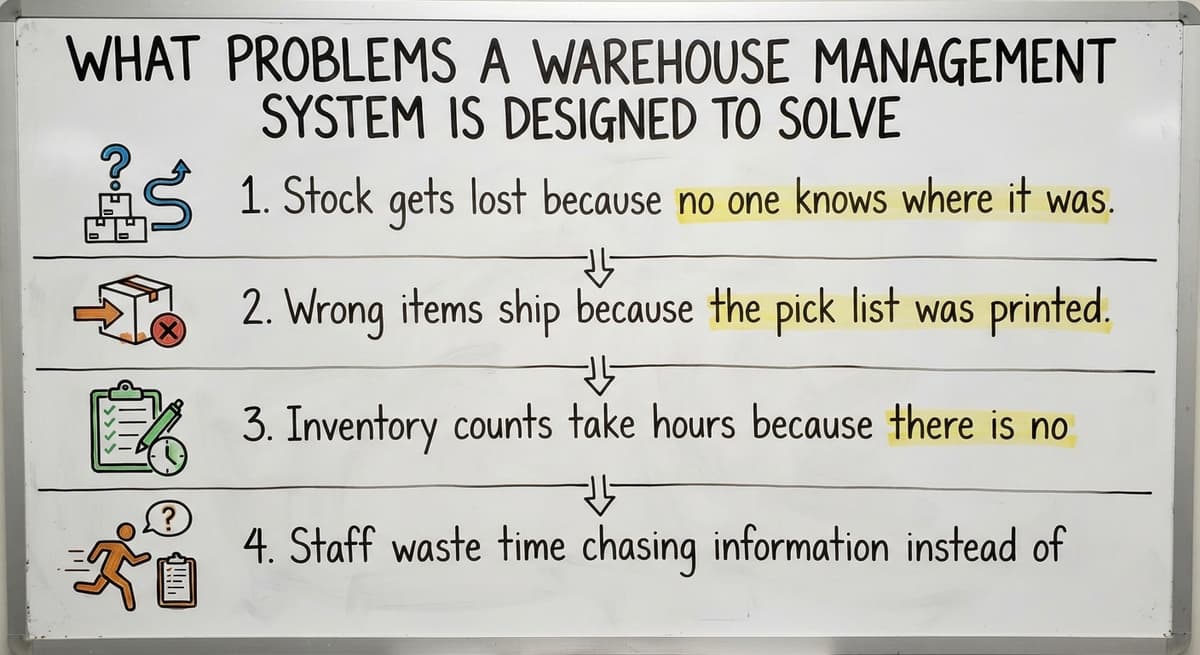
- Stock gets lost because no one knows where it was put away
- Wrong items ship because the pick list was printed before a change was made
- Inventory counts take hours because there is no live view of what is where
- Staff waste time chasing information instead of moving product
If this sounds familiar, you are not alone. These are the exact conditions a WMS is built to fix.
How Does a WMS Support Warehouse Safety?
Warehouse safety and organization are closely connected. OSHA states directly that "good housekeeping is the first step in preventing accidents" in warehousing environments, and a WMS supports that by reducing the chaos that leads to disorganized storage and rushed, error-prone processes.

Core Functions of a Warehouse Management System
A WMS handles the full lifecycle of goods moving through your warehouse. Here is what each function actually means on the floor:
- Receiving. When a delivery arrives, the WMS logs what came in, checks it against the purchase order, and flags discrepancies immediately.
- Put-away. The system tells your team exactly where to store each item, based on rules you set, so nothing ends up in a random spot.
- Picking. When an order comes in, the WMS generates a pick list that is accurate and efficient, routing staff through the warehouse in the right order.
- Packing. The system confirms the right items are packed for each order before it leaves the floor.
How Do Shipping and Inventory Tracking Work Inside a WMS?
- Shipping. Labels, carrier selection, and dispatch records are handled through the WMS so nothing slips through.
- Inventory tracking. Stock levels update in real time as goods move. No waiting for a manual count to know what you have.
Each of these functions replaces a manual step that currently eats time or causes errors.
Is the comparison easier when one option is built for you?
Yes. Off-the-shelf means fitting your process to the software, and custom is the other way round. The first look costs nothing.
Book a callHow Does a WMS Differ from Basic Inventory Software?
The difference between a WMS and basic inventory software is where a lot of people get confused, so it is worth being direct.
Inventory software counts stock. A WMS also directs the physical movement of that stock.
Basic accounting software's inventory tracking is a good example of what inventory software does well. It tells you how many units you have. It does not tell your team where to put them, how to pick them efficiently, or whether the right item went into the right box. That is the gap a WMS fills.
Here is a simple comparison:
| Feature | your accounting software Inventory | Warehouse Management System |
|---|---|---|
| Tracks stock quantities | Yes | Yes |
| Directs put-away locations | No | Yes |
| Generates pick routes | No | Yes |
| Confirms packing accuracy | No | Yes |
| Real-time floor visibility | Limited | Yes |
If your current tools stop at counting, a WMS picks up where they leave off. An overview of Warehouse inventory management software can help you map out what you have versus what you need.

Types of Warehouse Management Systems
Not every WMS is the same, and the type you choose matters a lot for a small or mid-size operation.
Standalone WMS. Built specifically for warehouse operations. These are focused tools that do not try to manage your accounting or HR. Good fit for operations that already have other systems in place.
WMS as part of an ERP. Large enterprise resource planning systems include a WMS module. These are powerful but built for large organizations with dedicated IT teams.
For most operations under 100 staff, they are more than you need and more expensive to implement than the value they return.
When Is a Custom-Built WMS the Right Choice?
Custom-built WMS. A system built around how your operation already works. Instead of changing your processes to fit the software, the software fits your processes. This is the right choice for wholesale distributors and fulfilment centres with specific workflows that off-the-shelf tools do not handle well.
Custom operational software for distributors is worth exploring if your operation has workflows that standard tools keep getting wrong.
Who Uses a Warehouse Management System
WMS is not only for large enterprises. The operations that benefit most are mid-size and growing:
- Wholesale distributors managing hundreds of SKUs across multiple customers
- Fulfilment centres handling orders for multiple brands or sellers
- Third-party logistics providers running tight turnaround times
- Manufacturers with on-site warehouses feeding production or direct shipment
If your team is between 5 and 100 people and you are processing orders daily, a WMS becomes a realistic and practical tool for your size.
You do not need a large IT department to run one. A well-built system should be straightforward enough for your warehouse floor supervisor to use without a manual.
What does it look like running on your own process?
The first thing you see is it running on your own process, at no build cost. The subscription starts once it is live and doing the job, not before.
Book a call
Key Benefits of Using a Warehouse Management System
The benefits of warehouse software come down to fewer mistakes and faster movement:
- Fewer picking errors. The system tells staff exactly what to pick and confirms it before packing. Wrong shipments drop significantly.
- Faster order fulfilment. Efficient pick routes and real-time stock visibility mean orders move from shelf to door faster.
- Real-time stock visibility. You know what is in stock, where it is, and what is running low without running a manual count.
- Less time on inventory counts. Cycle counts become faster and more accurate because the system tracks movement continuously.
- Fewer lost items. Put-away rules mean stock goes where it is supposed to go, every time.
These are not abstract gains. They show up in fewer customer complaints, faster shipping times, and less time spent fixing mistakes.
What Should You Look for When Choosing a WMS?
Choosing the wrong WMS is a real risk. Here is what to focus on:
Fits how you already work. A system that forces you to rebuild your entire operation is a red flag. The right WMS adapts to your workflow, not the other way around.
Accounting software integration for warehouse operations. If you run accounting software for your books, your WMS should connect to it cleanly. Data should flow between systems without manual re-entry.
Short, manageable implementation. Avoid systems that require six months of setup before you see any value. A focused implementation should get you running in weeks, not quarters.
Local support and right-size fit. For operations under 100 staff, you need a partner who understands your scale. Enterprise vendors do not.
How to replace spreadsheets in a warehouse is a practical starting point if you want to see what a transition actually looks like before committing to anything.
Is Your Operation Ready for a Warehouse Management System?
Here is a quick self-check. Answer honestly:
- Are you managing stock locations in a spreadsheet or on paper?
- Do your pick lists get printed and then become outdated before the shift ends?
- Have you shipped the wrong item in the last month?
- Does a full inventory count take more than a few hours?
- Are you growing and worried your current system will not keep up?
If you said yes to two or more of those, your operation is ready for a WMS.
Choosing the Right WMS for Your Size of Operation
A WMS does not have to mean a massive ERP rollout or a painful six-month migration. Fulfilment centre software solutions exist that target operations your size, without the enterprise price tag or the enterprise complexity.
If you want to talk through what your operation actually needs, not a generic demo but a real conversation about your specific workflow, that is exactly the kind of conversation worth having.
Start there, and you will know quickly whether a custom-built system or an existing tool is the right fit.
Frequently asked questions
Frequently asked questions
What are the four types of WMS?
The four types most commonly referenced are: standalone WMS (a dedicated warehouse-only system), WMS as a module within an ERP (bundled with broader business software), cloud-based WMS (hosted and accessed via browser, no on-site servers), and custom-built WMS (built specifically for one operation's workflows).
Some sources split these differently, but these four cover the main categories you will encounter when evaluating options.
What's the difference between WMS and ERP?
A WMS manages the physical movement of goods inside a warehouse: receiving, put-away, picking, packing, and shipping. An ERP (enterprise resource planning) system manages the broader business: accounting, purchasing, HR, and often sales too. A WMS is focused.
An ERP is wide. Some ERPs include a WMS module, but that module is less capable than a dedicated WMS. For small to mid-size operations, a standalone or custom WMS is a better fit than a full ERP.
Is WMS difficult to learn?
The answer depends on the system. Large enterprise WMS platforms can have steep learning curves and require formal training. A well-built standalone or custom WMS should be straightforward enough for warehouse floor staff to use with minimal training.
If a system requires weeks of classroom training before anyone can use it, that is a sign it may be over-engineered for your operation. The right WMS for a small or mid-size team should feel like an upgrade, not a burden.
What is a simple warehouse management system?
A simple warehouse management system is one that covers the core steps: goods come in, get put away, get picked and packed, and go back out the door, without unnecessary complexity.
For small operations, this means a focused standalone tool or a custom-built system that matches existing workflows. It skips the need for a dedicated IT team to run, connects with tools already in use like your bookkeeping software, and gets staff up to speed quickly. Simple does not mean limited. It means right-sized for the operation.
What does warehouse management system mean?
A warehouse management system is software that tracks and directs how goods move inside a warehouse. It manages receiving, storage, picking, packing, and shipping, and gives everyone working in the warehouse a shared, real-time view of where stock is and what needs to happen next.
Do small warehouses and distributors need a WMS?
Yes, if they are managing enough SKUs and orders that spreadsheets and printed lists are causing errors or slowing things down. This is not limited to large operations.
Wholesale distributors and fulfilment centres with 5 to 100 staff see the fastest return from switching, because manual processes at that scale create errors that are expensive to fix.
How Is a WMS Different from Inventory Software Like Your Accounting Software?
Basic inventory tracking software tells you how many units you have. A WMS goes further: it shows staff which shelf to use, how to pick efficiently, and whether the right items were packed before an order ships.
Inventory software counts. A WMS directs. Most operations outgrow inventory-only tools before they realize it.
What should I look for when choosing a warehouse management system?
Look for a system that fits your existing workflow without forcing a complete overhaul, integrates with your current accounting tool, can be implemented in weeks rather than months, and is supported by a team that understands operations at your scale.
Avoid systems designed for large enterprises if your team is under 100 people.
What are the benefits of using a WMS?
Using a warehouse management system leads to fewer mistakes and faster movement of goods. It reduces picking errors by telling staff exactly what to pick and confirming it before packing, which cuts down wrong shipments. It also speeds up order fulfilment through efficient pick routing, gives real-time visibility into stock, and removes the chaos and disorganization that lead to lost inventory and safety issues.
How much does a warehouse management system cost?
Cost varies depending on the type of system chosen. Standalone systems are more affordable and focused purely on warehouse operations, while WMS modules built into larger enterprise resource planning systems tend to cost more and are only worthwhile for large organizations with dedicated IT support.
Custom-built systems are shaped around your existing workflow, so pricing depends on the specific processes being supported rather than a fixed rate.
What are the main functions of a warehouse management system?
The main functions cover the full lifecycle of goods moving through a warehouse. These include receiving, where deliveries are logged and checked against purchase orders, put-away, where items are directed to set storage locations, picking, where accurate pick lists are generated, and packing, where the system confirms correct items before shipment. It also manages shipping and real-time inventory tracking as stock moves.
What are the main features of a WMS?
Main features include tracking stock quantities, directing put-away locations, generating efficient pick routes, and confirming packing accuracy before orders ship. It also provides real-time floor visibility so everyone works from the same information at once.
Unlike basic inventory software that only counts stock, a warehouse management system actively directs how goods are received, stored, picked, packed, and shipped.
What is in a free first look?
A 30 minute call, your operation mapped, and a clear picture of what we would build. No obligation and nothing to install.
Book a callRelated guides
The rest of this guide, for the parts of the job this page does not cover.
Guides
- Warehouse Inventory Management Systems
- Warehouse Management System Top 10
- Software for Warehouse Management System
- Small Business Warehouse Management System
- Warehouse Management System Types
- Warehouse Inventory Management System
- Warehouse Management System Examples
- Warehouse Management System Implementation
- Cloud Warehouse Management System
- Warehouse Stock Management System
Common questions
- Warehouse Meaning
- What Are the Benefits of Warehouse Management System
- What is the Point of Warehouse Management System
- How to Choose a Warehouse Management System
- What is Asn in Warehouse Management System
- How to Create a Warehouse Management System
- What is a Warehouse Management System
- Which Warehouse Management System Would a Jeweler Most Likely Use
- How to Build a Warehouse Management System
- What is a Warehouse Management System Used For
- Warehouse Management System vs Warehouse Control System
- Definition of Warehouse Management System
- Warehouse Management System Comparison
- What is the Purpose of a Warehouse Management System