

Barcode Reader Machine
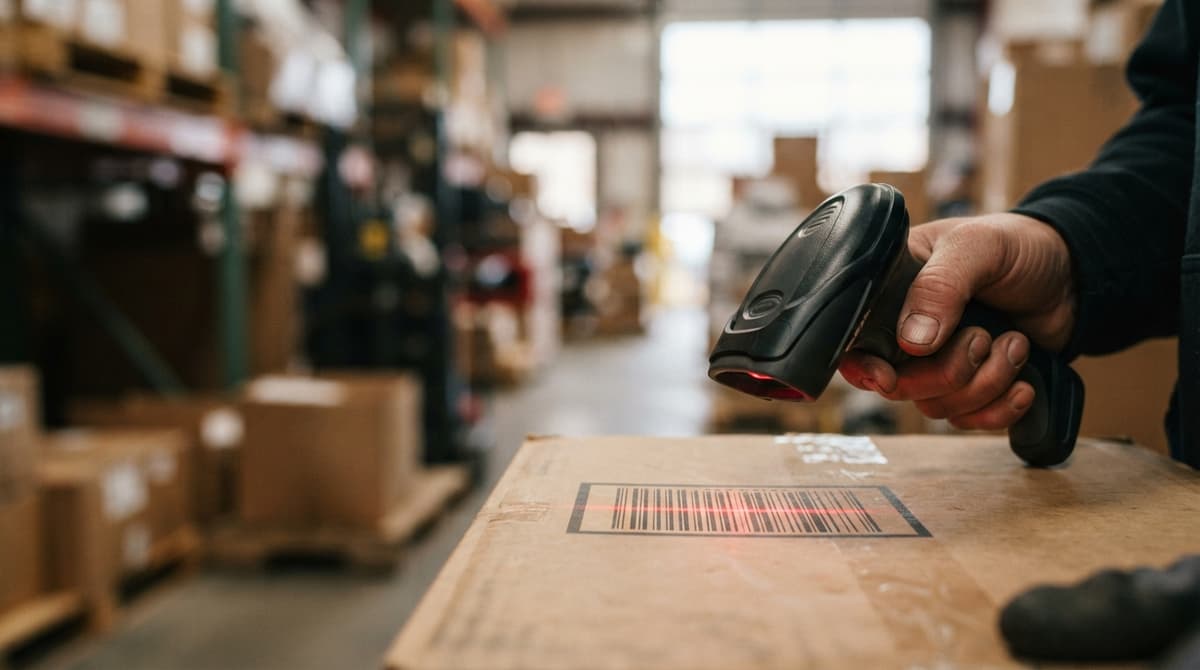
A barcode reader machine is a device that scans a printed or digital barcode and sends that data to software as a text string. It replaces hand-keyed data entry at receiving, picking, shipping, and cycle count steps. For a small warehouse or distribution center still running on spreadsheets or the accounting software, it is the fastest single change that cuts entry errors and speeds up every transaction.
Reviewed September 2026. Each figure comes from the assumptions stated beside it, so you can substitute your own and the arithmetic still holds.
Published 5 August 2026. Reviewed and updated 15 September 2026.
Book a callWhat Is a Barcode Reader Machine and How Does It Work?
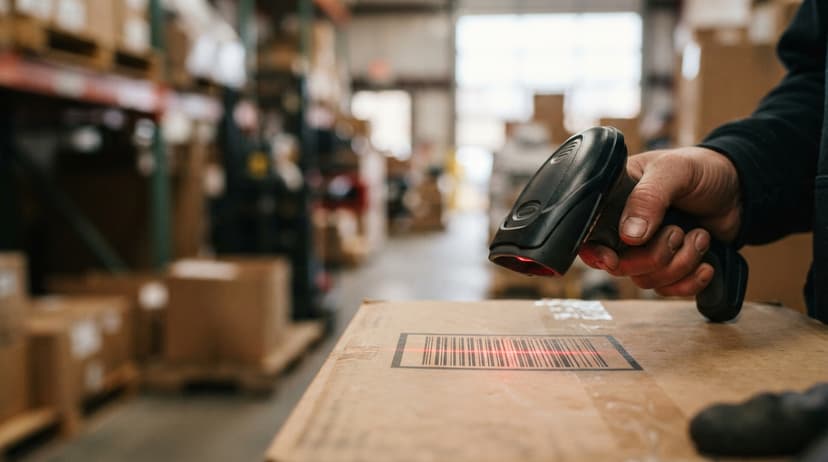
A barcode reader machine uses a light source, a sensor, and a built-in decoder. Think of it as a camera that reads patterns instead of taking pictures.
The device shines light on the barcode, the sensor captures the reflected pattern, and the decoder converts that pattern into a number or text string. That string travels to your software over USB, Bluetooth, or Wi-Fi in under a second.
As GS1, the global body that sets barcode standards, explains: "Barcodes are the most widely used automatic spotting technology in the world," and their full symbology library is documented at gs1.org/standards/barcodes.
Would you rather have it built around your operation?
The first look is free. If you would rather not compare products, describe how your operation already works and we build the system around it.
No build cost. You see it running on your own process first, and the monthly subscription starts only once it is live.
Book a callWhat Does a Barcode Reader Machine Actually Deliver to Your Software?
The reader itself does nothing more than deliver a string of characters. Your inventory software does the actual work of matching that string to a product, location, or order.
The scan-to-data flow in three steps:
- The scanner shines light on the barcode.
- The decoder converts the pattern to a text string.
- The string reaches your software, which acts on it.
What Types of Barcodes Can a Barcode Reader Machine Scan?
Most modern barcode reader machines handle both 1D and 2D formats, so buying one reader covers nearly every label you will encounter.
1D barcodes encode data in a series of lines:
- UPC: standard on retail products
- Code 128: common in warehouses and shipping labels
- Code 39: used in manufacturing and government
2D barcodes pack more data into a smaller space using dots or squares:
- QR codes: widely used on consumer goods and documents
- Data Matrix: common on small parts and medical devices
- PDF417: used on shipping labels and ID cards
If your suppliers ship with QR codes and your own labels use Code 128, a 2D-capable reader handles both without a second device.
Types of Barcode Reader Machines: Which One Fits Your Operation?
Four main categories cover most warehouse and distribution needs. The right choice depends on your volume, environment, and whether workers move around or stay at a fixed station. Handheld scanners suit mobile workers and general-purpose use. Fixed-mount scanners handle high-volume conveyor lines where items pass the reader automatically.
Mobile computers combine a scanner with a screen and run warehouse apps at the point of work. Presentation scanners sit on a counter and read items passed in front of them, common at receiving desks and returns stations.
Handheld Barcode Scanners
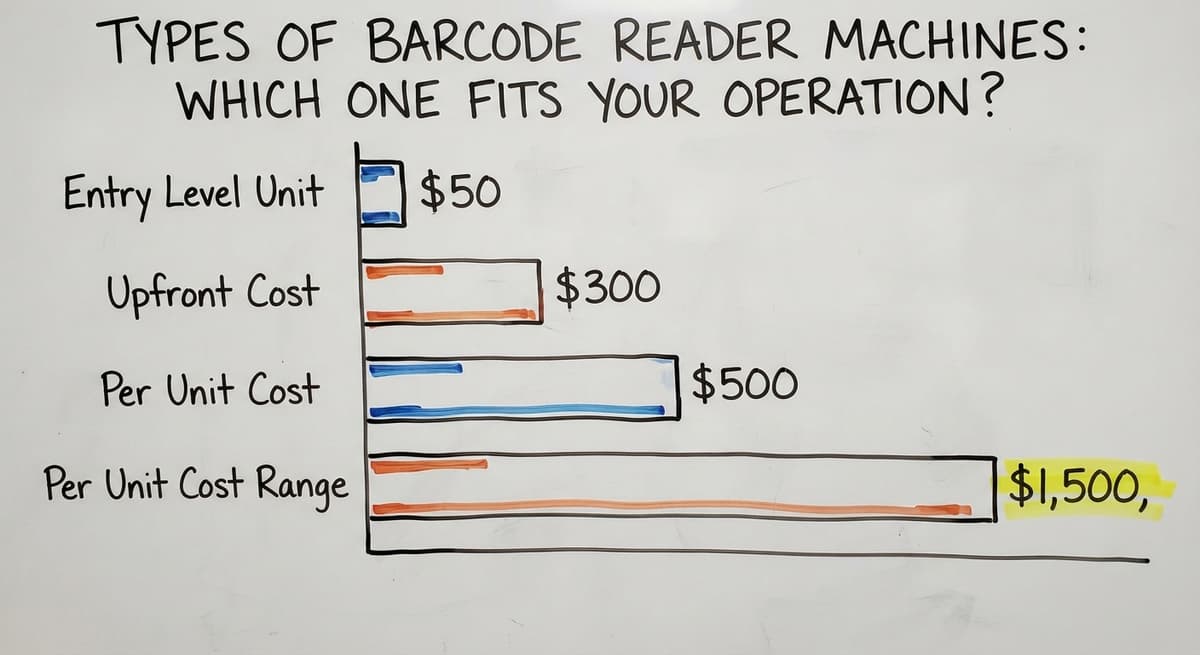
The handheld barcode scanner is the most common tool in small warehouses and distribution centers. Corded models plug into a workstation via USB and cost under $50 for entry-level units.
Cordless models connect over Bluetooth and give workers freedom to move through the aisles. Both work well for receiving, picking, and cycle counts. For a small operation just starting with scan-based inventory, a corded handheld is the lowest-risk entry point.
Fixed-Mount Barcode Readers
Fixed-mount readers bolt to a conveyor, dock door, or workstation and scan automatically as items pass. No worker needs to point and trigger. This setup suits high-volume lines where scanning every item by hand would slow throughput.
Upfront cost runs from $300 to several thousand dollars depending on scan speed and integration depth. The labor savings on a busy line recover that cost within a few months.
Mobile Computers with Built-In Scanners
A mobile computer scanner combines a scanner, a small screen, and software in one device.
The worker scans a barcode, sees the product name and expected quantity on screen, and confirms the action without walking back to a terminal. These units connect to inventory software over Wi-Fi and are standard in larger fulfillment centers and distribution centers. Per-unit cost runs $500 to $1,500, which makes them a considered buy for smaller teams.
Smartphone and Tablet Barcode Readers
A scanning app turns a phone or tablet camera into a barcode reader. Cost is low, and deployment on devices the team already carries is fast. This option works well for small teams or low-volume operations that need scan-based inventory without buying dedicated hardware.
The trade-off is durability. Consumer devices are not built for warehouse floors, and a dropped phone is a repair bill a purpose-built scanner would have survived.
Is the comparison easier when one option is built for you?
Yes. Off-the-shelf means fitting your process to the software, and custom is the other way round. The first look costs nothing.
Book a callWhat Should I Look for When Choosing a Barcode Reader Machine?
The right barcode reader machine matches the physical environment and the software it will feed. A reader that cannot reach a high shelf, or one that dies halfway through a shift, creates a different problem than the one it was bought to solve.
Key factors to check before buying:
- Scan range: A standard handheld reads 2 to 18 inches. A tall warehouse with shelves above 10 feet needs a long-range or presentation scanner.
- Durability rating: Look for an IP54 rating or better for dust and splash resistance. Drop ratings of 5 feet or more matter on a warehouse floor.
- Connectivity: USB works for a fixed workstation. Bluetooth or Wi-Fi is needed for workers who move.
- Battery life: A cordless scanner used across a full 8-hour shift needs at least 8 hours of rated battery life, with a spare on charge.
- Software compatibility: Confirm the reader works with your inventory software or your The accounting software inventory setup before buying. Most USB and Bluetooth scanners are plug-and-play, but mobile computers may need a specific SDK.
Is Hardware the Biggest Cost When Buying a Barcode Reader Machine?
Hardware cost is rarely the largest part of the investment. Software, labeling, and staff training add up faster than the scanner itself.
Before approving a hardware budget, map the full cost of deployment: label printers, label stock, software licensing or setup fees, and the time required to train every worker who will handle a device. A $150 scanner in a poorly labeled warehouse with no configured software delivers no return.
How Does a Barcode Reader Machine Connect to Inventory Software?
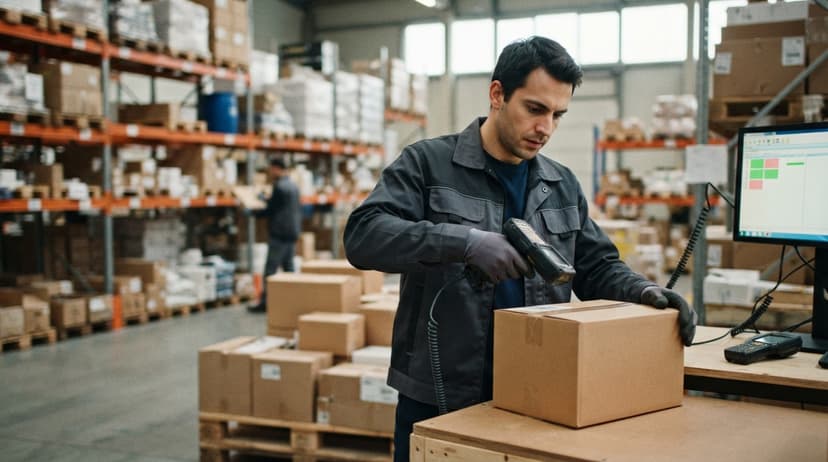
The reader sends a plain text string, nothing more. A USB scanner mimics a keyboard: whatever it scans appears as typed characters in whatever field is active on screen.
A Wi-Fi or Bluetooth scanner does the same thing wirelessly. The software behind the cursor is what turns that string into a useful action.
Connections come in 3 forms:
- Direct USB: The reader acts as a keyboard input to a desktop application.
- Network-based: The scanner talks to a local server over Wi-Fi.
- Cloud API: The scan data posts to a cloud inventory system in real time.
What Does Inventory Software Do With a Scanned String?
When the string arrives, the inventory software looks it up against a product database. It finds the matching SKU, updates the stock count, logs the location, or closes a pick task, depending on what workflow triggered the scan.
Without that software layer, the reader is just a faster way to type a number.
The IRS is clear on why accurate inventory records matter: Publication 538 states, "To figure taxable income, you must value your inventory at the beginning and end of each tax year." A system that captures every scan gives you that valuation without a manual count at year end.
Barcode Reader Machines, the accounting software, and Inventory Accuracy
Many small distributors and warehouses already use a standard accounting package for accounting. The accounting software handles invoices, payments, and general ledger well. It does not handle real-time, scan-based inventory well.
Entering every receipt or shipment by hand is slow, and a missed line means the books and the shelf disagree.
A barcode inventory management system sits between the scanner and the accounting software. It captures every scan, updates stock levels in real time, and pushes clean summary data to the accounting software for accounting.
The operations team works in the inventory system. The finance team works in the accounting software. Neither has to change tools.
What does it look like running on your own process?
The first thing you see is it running on your own process, at no build cost. The subscription starts once it is live and doing the job, not before.
Book a call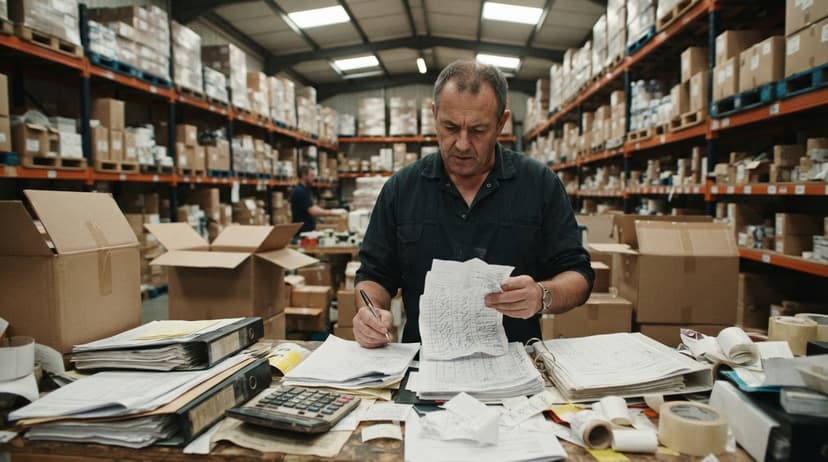
What Does Manual Data Entry Actually Cost Compared to Barcode Scanning?
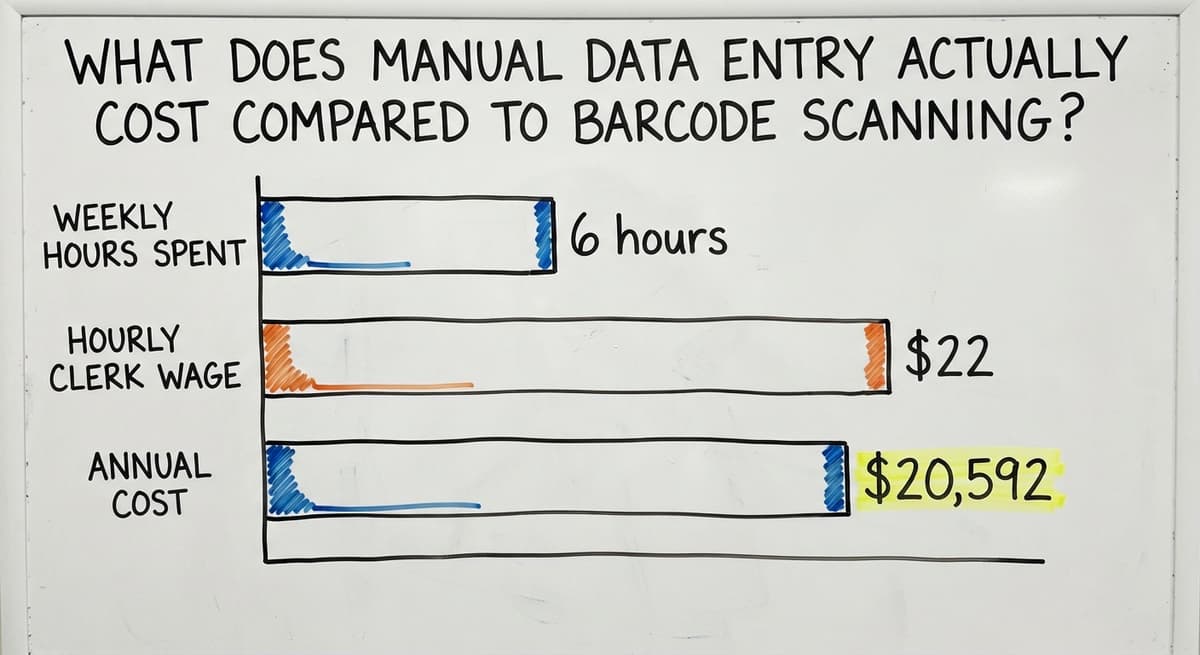
Consider the cost of not fixing this. A warehouse with 3 staff members each spending 6 hours a week on manual data entry, at the median stock clerk wage of $22 per hour per the US Bureau of Labor Statistics, spends $20,592 a year on entry alone, before counting the cost of the errors those entries produce.
A The accounting software inventory integration through a barcode system removes most of that entry without replacing the accounting tool the business already knows.
Where Are Barcode Reader Machines Used Across a Warehouse?
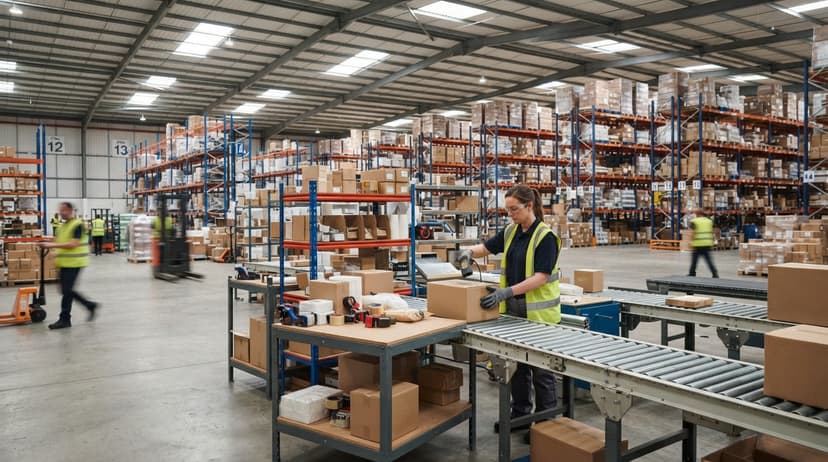
Every stage of the warehouse receiving process and order cycle benefits from scanning. The gains are largest where errors are most costly.
- Receiving: Scan inbound shipments as they arrive. Stock levels update before the pallet leaves the dock, and discrepancies surface at once rather than at the next count.
- Put-away: Scan the item and the bin location to confirm the right product goes to the right shelf. This is the step that prevents misplaced stock from becoming a picking failure later.
- Picking: Scan to verify the correct item before it goes into a carton. Wrong picks caught at this stage cost seconds. Wrong picks caught by the customer cost far more.
- Shipping: Scan outbound cartons to close the order in the system and trigger any downstream alerts.
How Does Cycle Counting Work With a Barcode Reader Machine?
Scan items on the shelf during a rolling cycle count to audit inventory without shutting down operations. Cycle counting best practices recommend scanning in small sections daily rather than closing the warehouse for a full physical count.
Scanning at every stage means the system reflects reality at all times, not just after the next manual count.

Is a Barcode Reader Machine Better Than Manual Data Entry?
Yes, for any warehouse processing more than a few dozen transactions a day. Manual entry needs a person at a desk, working from paper or memory, keying data after the physical action has already happened.
Errors compound across shifts. Scan-based entry happens at the point of action, by the person doing the work, with the correct barcode in front of them.
The gap in accuracy is large. Manual keyboard entry carries an error rate that scan-based systems cut sharply, and the time difference is measurable.
A worker who scans a barcode in under a second versus typing a 12-digit SKU in 8 to 10 seconds saves roughly 9 seconds per transaction. Across 300 transactions a day, that is 45 minutes of labor recovered daily, or about 195 hours a year per worker.
Why Does Accuracy Matter More Than Speed in Barcode Scanning?
Speed matters less than accuracy at scale. A single wrong SKU on a shipped order can trigger a return, a credit, and a customer complaint that takes far longer to resolve than the entry took to make.
The real return on a barcode system is not the seconds saved per scan but the downstream costs avoided when the right item reaches the right customer every time.
Not sure this is the right shape for your operation?
The call is free. Describe how the work runs today. We map it on a call and show you what it would look like built around that, before you spend anything.
Book a callCommon Mistakes When Setting Up a Barcode Reader Machine
Most failed barcode deployments share the same root causes. Avoiding them is straightforward once you know what to watch for.
- Buying hardware before the software is ready: A scanner with no system to receive its data is a $200 keyboard. Confirm the software is configured before the first device arrives.
- Skipping product and location labeling: Every item, bin, shelf, and dock door needs a scannable barcode. Going live without complete labels forces workers to type what they cannot scan, which defeats the purpose.
- Choosing the wrong scan range for the space: A short-range handheld in a warehouse with 20-foot shelves leaves workers unable to scan from the floor. Match the reader to the physical reality of the space.
- Skipping staff training: The device is not self-explanatory. Workers need to know what to scan, in what order, and what the screen should show them after each scan.
- Expecting the reader alone to fix inventory accuracy: The scanner surfaces data. The software, the labels, and the process behind it work out whether that data is useful.
When Is a Barcode Reader Machine Alone Not Enough?
A scanner without a connected system moves the data problem rather than solving it. If scans feed into a spreadsheet that someone still has to reconcile manually, the bottleneck shifts but does not disappear.
The NIST Manufacturing Extension Partnership notes that supply chain process improvement needs connected systems, not isolated tools, to deliver lasting accuracy gains.
What Software Do Growing Warehouses Need Beyond a Barcode Reader?
Operations that have grown past basic scanning need software that tracks bin locations, open orders, and stock levels in real time across every scan. A custom inventory software for small warehouses can match the way the operation already works instead of forcing a new process. This matters most for distributors and fulfillment centers that are too large for spreadsheets but not ready for a full ERP system.
The right system captures every scan, enforces the right workflow at each step, and pushes clean data to accounting tools without manual matching. The scanner is the input device. The system is where the value lives.
Next Steps: Adding a Barcode Reader Machine to Your Operation
Start with an honest look at where manual steps cause the most errors or delays. Receiving and picking are the highest-impact places to begin.
- Audit your current process. Map every point where someone writes something down or types it in. Each one is a candidate for scanning.
- Choose the right reader type. Match the device to the environment: handheld for mobile workers, fixed-mount for high-volume lines, mobile computer for workers who need screen feedback at the point of scan.
- Get the software ready first. Confirm your inventory system can receive scan data and connect to existing tools like the accounting software before a single scanner ships.
- Label everything before go-live. Products, bins, shelves, and dock doors all need barcodes in place on day one.
- Start with one workflow. The warehouse receiving process improvement is the natural first step. Get receiving working cleanly before rolling scanning into picking and shipping.
Should You Use a Partner to Implement a Barcode Reader Machine System?
If the rollout feels complex, working with a partner who understands small and mid-size warehouse operations cuts the time from first scan to reliable data.
A connected system built around your existing tools, rather than replacing them, is the practical path for most growing operations. The right partner maps your current process, configures the software before hardware arrives, and trains staff on the exact workflows they will use every day.
Frequently asked questions
What is a barcode reader machine used for in a warehouse?
A barcode reader machine scans product and location barcodes at receiving, put-away, picking, shipping, and cycle count stages. It sends that data to inventory software instantly, replacing hand-keyed entry and reducing the errors that come with it.
Can a barcode reader machine work with the accounting software?
A barcode reader machine does not connect to the accounting software directly.
A barcode inventory management system sits between the scanner and the accounting software, capturing scan data in real time and pushing clean records to the accounting software for accounting. This keeps operations and finance in sync without replacing either tool.
How much does a barcode reader machine cost?
Basic corded handheld scanners cost under $50. Wireless handheld models run $100 to $400. Industrial mobile computers with built-in screens cost $500 to $1,500 per unit. Fixed-mount readers range from $300 to several thousand dollars. Software, labeling, and setup cost more than the hardware.
What is the difference between a 1D and 2D barcode?
A 1D barcode encodes data in a series of vertical lines, like a UPC or Code 128.
A 2D barcode, such as a QR code or Data Matrix, encodes data in a grid of dots or squares and holds more information in a smaller space. Most modern readers handle both formats.
Do I need special software to use a barcode reader machine?
Yes. The reader delivers a text string; software turns that string into a useful action. Without inventory software behind it, a barcode reader machine functions only as a faster keyboard.
The software matches each scan to a product record, updates stock levels, and logs the transaction.
What durability rating should a warehouse barcode scanner have?
Look for an IP54 rating or better, which protects against dust and splashing water. A drop rating of at least 5 feet matters on a concrete warehouse floor.
Consumer-grade smartphones and tablets do not meet these standards and are better suited to low-volume or office environments.
When does a barcode reader machine need to be paired with a larger inventory system?
When the operation has outgrown spreadsheets but is not ready for a full ERP, a dedicated inventory system becomes necessary.
If scans feed into a spreadsheet that still needs manual matching, the data problem moves but does not disappear. A connected system tracks locations, orders, and stock levels in real time across every scan.
What is the best barcode reader machine for a shop?
A wired 2D imager on a stand. It reads printed labels and phone screens, needs no charging, and costs $80 to $200. Add a cordless unit only if staff scan away from the counter.
Can a barcode reader scan QR codes?
A 2D imager can; a laser reader cannot. If the label mix includes QR codes or Data Matrix, choose an imager, which also reads every 1D format.
What is the difference between a barcode reader and a barcode printer?
A reader captures a code that already exists and turns it into data. A printer produces the label in the first place. A working barcode system needs both, plus the software that connects them.
Which barcode scanner is best for inventory management?
A cordless 2D imager for a small warehouse, or a rugged mobile computer where staff walk aisles all day. The scanner matters less than the software behind it: the system that turns a scan into a stock movement is where accuracy comes from.
What is in a free first look?
A 30 minute call, your operation mapped, and a clear picture of what we would build. No obligation and nothing to install.
Book a callRelated guides
More on the same work.
Guides
- Barcode Scan Machine
- 2d Barcode Readers
- Barcode Reader Description
- Quickbooks Barcode Reader
- Barcode Abbreviation
- Tracking Number Barcode
- Barcode Scanner App Ios
- Barcode Producer
- Barcode Systems for Warehouse
- Barcodes and Labels
- Alphanumeric Barcode
- Barcode Scanner Inventory System
- Lpn Barcodes
- Imager Barcode Scanner
- Barcode System for Inventory Free
- Inventory Management Software Barcode Scanner
- Make Barcode
- 2d Wireless Barcode Scanner