

Barcode Producer
A barcode producer is software or a device that creates printable barcodes. It is the starting point of any barcode inventory management system. If your team still writes SKUs by hand or prints labels from a spreadsheet, this article explains exactly how a barcode producer fits your workflow and what to look for before you buy one.
Reviewed September 2026. Figures are worked from the assumptions stated beside them, so you can substitute your own and the arithmetic still holds.
Reviewed and updated: July 2025
Book a callWhat Is a Barcode Producer and How Does It Work?
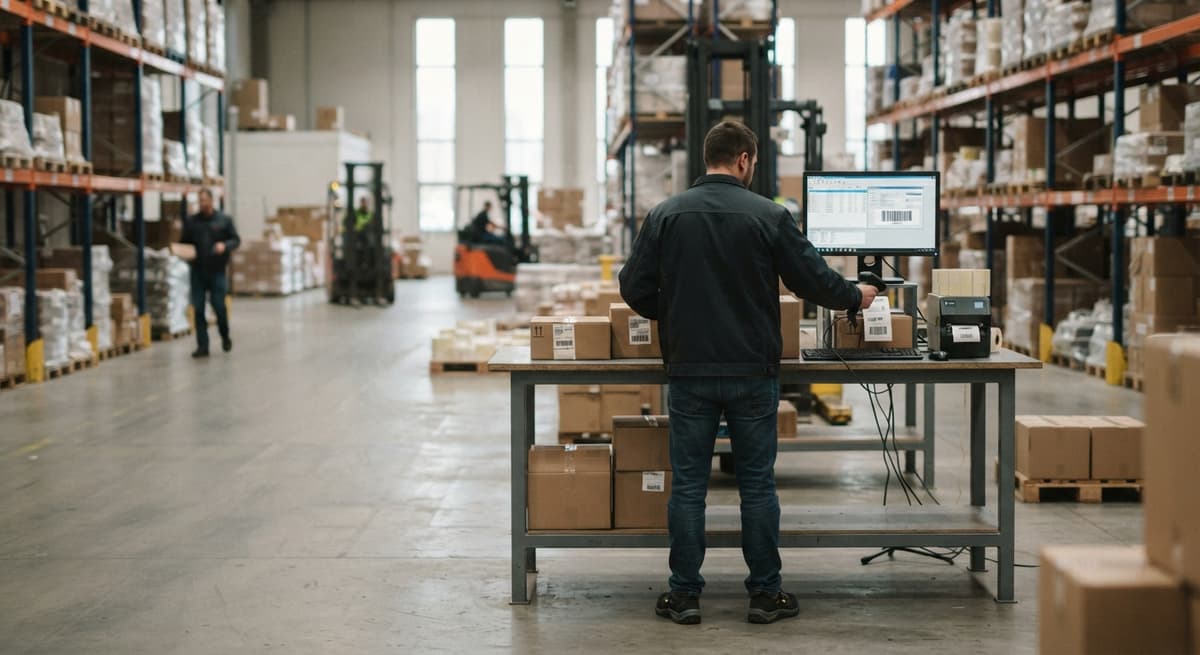
A barcode producer is a tool that turns item data into a scannable barcode. You give it a SKU, a lot number, or a location code. It encodes that data into a barcode image and sends it to a label printer. That is the whole job.
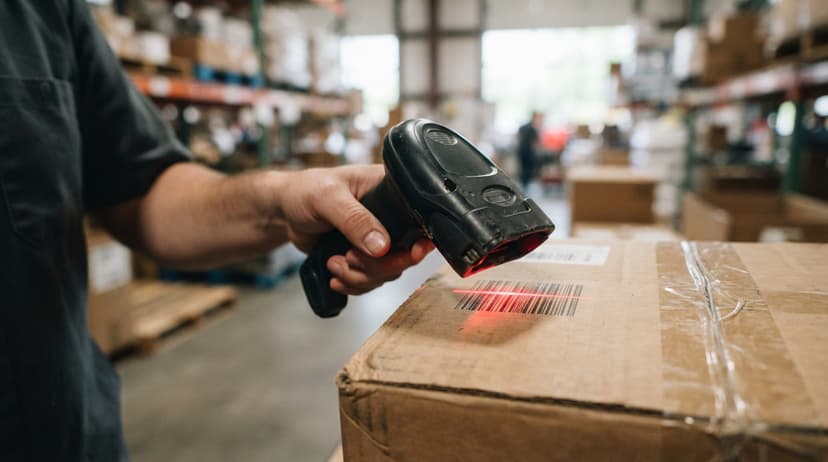
Do not confuse it with a barcode scanner. A scanner reads barcodes. A barcode producer creates them. One makes, one reads.
Barcode producers come in 3 forms: standalone desktop software, a cloud-based tool, or a module built into a larger inventory system. For warehouse and distribution work, the module approach wins because it keeps barcode creation tied to your item records rather than running as a separate step.
Without a barcode producer, your scanners have nothing reliable to read.
We build it for your operation, and the first look is free
If you would rather not compare products, describe how your operation already works and we build the system around it.
No build cost. You see it running on your own process first, and the monthly subscription starts only once it is live.
Book a callWhy Warehouses and Distributors Need a Barcode Producer
Manual labeling causes picking errors, lost stock, and wasted hours. A staff member who writes a SKU by hand can transpose 2 digits. That single mistake can send the wrong item to a customer or lose a unit in the wrong bin for weeks.
A barcode producer standardizes every barcode label across the warehouse floor. Every label looks the same. Every label carries the same fields. Scanners read them the same way every time.
As GS1 notes, "Barcodes are the foundation of global trade, enabling the accurate and efficient spotting of products, assets, and locations." That accuracy starts the moment a label is printed, not when a scanner reads it.
For operations still running on spreadsheets or printed pick sheets, a barcode producer is the single change that connects physical items to digital records and keeps counts accurate.
How Does a Barcode Producer Fit Into a Barcode Inventory Management System?
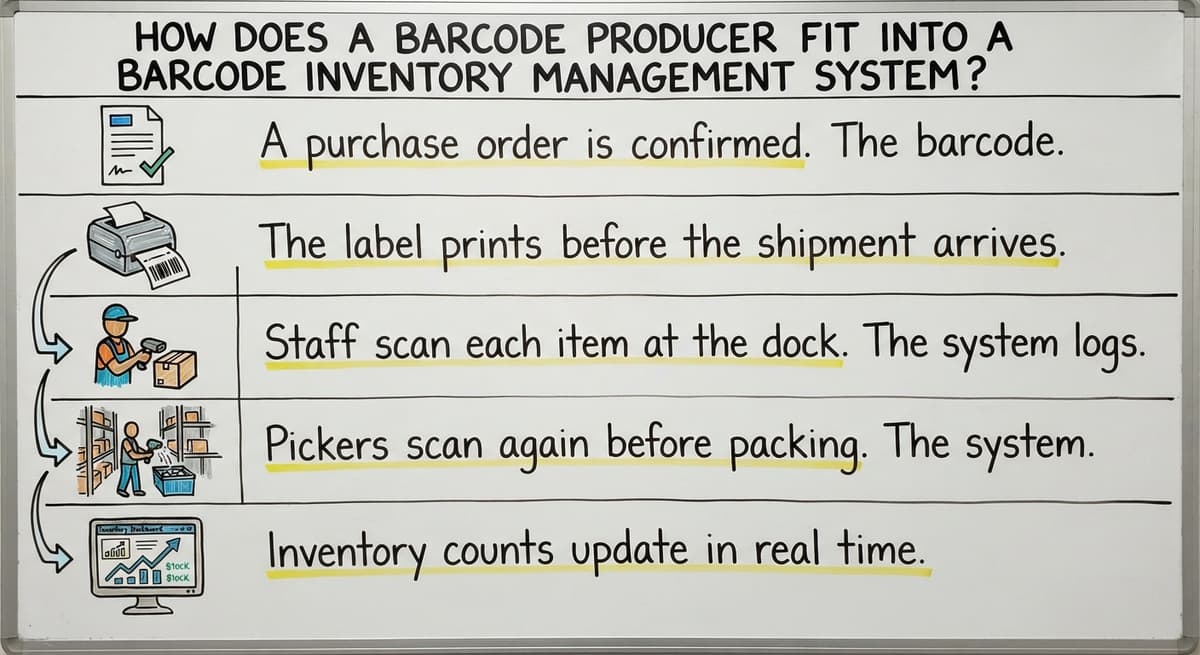
A barcode inventory management system runs in a loop: produce the barcode, print the label, scan at receiving or picking, update the inventory record. The barcode producer is step one. Every other step depends on it.
Here is how the loop works in practice:
- A buy order is confirmed. The barcode producer pulls the item data and generates a label.
- The label prints before the shipment arrives.
- Staff scan each item at the dock. The system logs the receipt.
- Pickers scan again before packing. The system confirms the right item left the shelf.
- Inventory counts update in real time.
This replaces the manual step of writing SKUs or part numbers on a box with a marker. That one change removes the most common source of receiving errors before they reach the shelf.
Common Barcode Formats and What Data Goes Inside
Formats a Barcode Producer Can Generate
Choosing the right format depends on your label size, scanner type, and how much data you need to encode. The most common formats in distribution and warehousing are:
- Code 128 encodes letters and numbers and fits on a small label. It is the standard choice for shipping cartons and internal SKU labels.
- Code 39 is older and slightly larger but works with almost every scanner. Use it when scanner compatibility is uncertain.
- QR Code holds a lot of data in a small square. It works well for items that need a URL, serial number, and location code on one label.
- UPC-A is the 12-digit retail barcode. Use it if your items sell through retail channels.
- EAN-13 is the 13-digit international version of UPC-A. Use it for products sold outside the US.
- Data Matrix is a compact 2D format used in tight spaces, such as small parts or medical devices.
Code 128 and QR Code cover the majority of small distributor needs.
What the Barcode Actually Encodes
The barcode producer encodes structured data so a scanner can pull it in under a second. A typical warehouse label carries:
- SKU or part number to identify the item
- Lot number or serial number for traceability
- Location code such as bin, shelf, or aisle
- Supplier or buy order reference
Packing all 4 fields into one scan means your staff never has to type anything at the shelf. The scanner does the lookup.
The comparison is easier when one option is built for you
Off-the-shelf means fitting your process to the software. We do it the other way round, and the first look costs nothing.
Book a call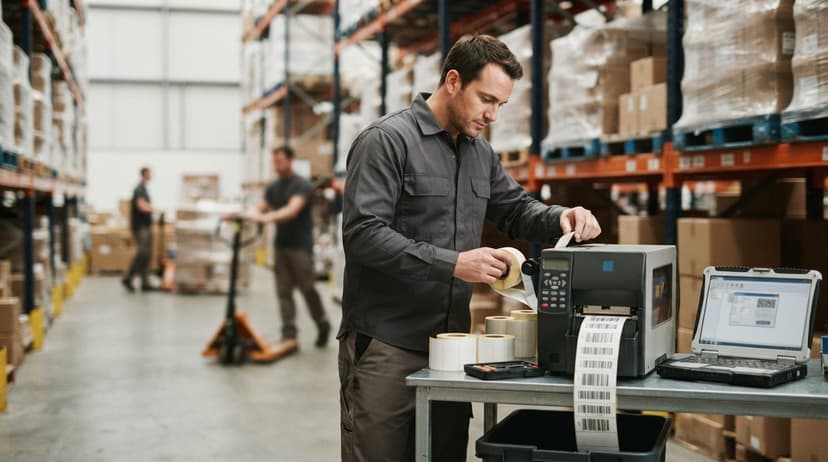
Standalone Barcode Producer vs. Built-In Module
Standalone barcode tools are quick to set up. You download software, enter your item data, and start printing. The problem is a separate workflow. Someone has to keep that tool's item list in sync with your actual inventory records. That gap is where errors creep back in.
A built-in module inside an inventory system keeps barcode creation tied directly to buy orders and item records. When you add a new SKU, the barcode is ready. When a PO is confirmed, labels generate automatically.
For a small distributor, a built-in module cuts double entry. You enter the item once. The system handles the rest.
Custom-built systems can include the barcode producer as one piece of a connected workflow, alongside receiving, picking, and cycle counts. That connection is what makes the whole system reliable rather than just the labeling step.
Can a Barcode Producer Work Alongside QuickBooks Without Replacing It?
Yes, and for most small distributors, that is exactly the right approach. Many operations use QuickBooks for financials and have no reason to leave it. A barcode producer module can sit alongside QuickBooks and pull item data directly from it. You are not entering information twice.
This is the practical middle ground for operations with 5 to 100 staff. You keep your chart of accounts, your vendor records, and your reporting inside QuickBooks. The barcode producer handles label creation and connects physical items to digital records on the warehouse floor.
No full ERP migration. No retraining your bookkeeper. QuickBooks integration for warehouse operations means you add the ability you are missing without touching the system that already works.
Think of it as adding one tool to your bench, not rebuilding the bench.

Label Printing: Connecting the Barcode Producer to a Printer
Thermal label printers are the standard choice for warehouse environments. They print fast, the labels hold up to heat and handling, and the ink does not smear. Brands like Zebra and Dymo both make thermal printers common in warehouses. Neither is universally better; the right choice depends on label volume and size.
The barcode producer sends encoded data to the printer in the correct label format. Label size, material, and adhesive all matter. A label for a shelf bin needs different adhesive than one going on a shipping carton. A pallet label needs to be large enough to scan from a forklift.
Match your label spec to where it will live, not just to what the printer can handle. A barcode producer that lets you set label templates for each use case saves time every shift.
Should You Use Batch Printing or On-Demand Label Generation?
Batch printing and on-demand generation both have a place, and a good barcode producer handles both without a separate workflow for each. Batch printing means you generate a full run of labels before a shift or receiving session. On-demand means you print one label the moment an item is received or picked.
Batch works well when you know exactly what is arriving. On-demand works better when shipments vary or when a label is lost and needs reprinting mid-shift.
The choice depends on your warehouse rhythm, not on the software. A barcode producer that forces you into one mode will slow you down on the days when you need the other.

How a Barcode Producer Improves Receiving and Pick-and-Pack Accuracy
Receiving
Receiving is where most inventory errors start. Items arrive, staff are busy, and unlabeled stock ends up in a staging area with no record attached to it. Days later, no one knows what it is or where it came from.
A barcode producer tied to buy orders fixes this at the dock. Labels print as soon as a PO is confirmed. When the shipment arrives, staff scan each item before it moves to a shelf. The system logs the receipt in real time. Nothing enters the warehouse without a machine-readable label.
The IRS is direct about why inventory accuracy matters beyond operations: "To figure taxable income, you must value your inventory at the beginning and end of each tax year," per IRS Publication 538. Unlabeled stock that never enters the system creates a gap in that valuation.
See it running on your own process first
No build cost. The subscription starts once it is live and doing the job, not before.
Book a callPick-and-Pack
Picking errors cost time and damage customer relationships. When every item carries a barcode label, pickers scan to confirm before anything goes in a box. A mismatch triggers an alert. The wrong item stays on the shelf.
For pick-and-pack workflow automating, the barcode producer is the foundation. High-volume fulfillment centers feel the benefit most because errors compound quickly at scale. A single mislabeled SKU can cause dozens of wrong shipments before anyone catches it.
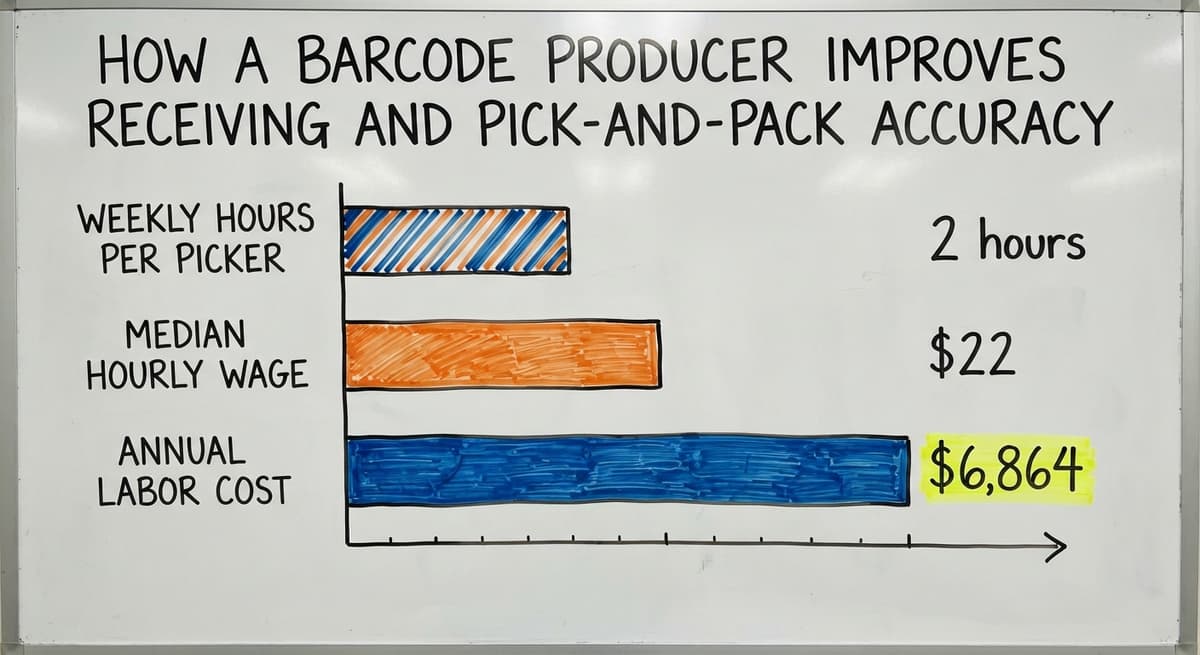
Consider a team of 3 pickers each spending 2 hours a week correcting pick errors at the BLS median wage for stock clerks of about $22 an hour. That is $6,864 a year in labor spent fixing mistakes a barcode producer would have caught at the shelf.
Inventory Counts and the Signs You Need a Barcode Producer
Faster Cycle Counts
Inventory cycle count accuracy depends on every item being labeled. A barcode producer makes it easy to reprint lost or damaged labels before a count begins. Scanners read labels and update counts in real time. Staff stop writing numbers on clipboards.
A full physical count that once took a full day can run in a few hours when every item is labeled and every scanner feeds directly into the system. The warehouse spends less time paused and more time shipping.
Signs Your Process Needs One Now
If any of these describe your operation, a barcode producer would close a real gap:
- Staff write SKUs or item numbers by hand on labels or boxes
- Picking errors happen more than once a week
- Inventory counts take a full day or more and still come back wrong
- New products sit unlabeled in a staging area because there is no quick way to generate a label
- Your item list lives in QuickBooks but your labels are made in a separate tool or by hand
These are not signs of a broken team. They are signs of a missing tool.
Is a Custom-Built Barcode Producer Better Than Off-the-Shelf Software for a Small Distributor?
Off-the-shelf barcode tools are built for the average operation, which means they may not match how your warehouse actually labels items. A custom-built barcode producer is designed around your SKU structure, your label sizes, and your printer setup. You pay for what you use and nothing else.
Custom does not have to mean slow or expensive. A focused build for a small distributor can go live in weeks. The scope is narrow: generate barcodes from your item data, print labels in your format, connect to your existing scanner setup.
Off-the-shelf software often bundles features you will never use, and the ones you need most may need a paid add-on. A custom approach through custom warehouse software for small distributors means the tool fits your workflow from day one rather than the other way around.
A local software partner can walk your warehouse floor, see how items are received and stored, and build the barcode producer around that reality. No template assumptions. Ongoing support comes from the same team that built the system. When something needs to change, you call the people who know your setup.
Real-World Example: A Small Distributor Cuts Label Errors
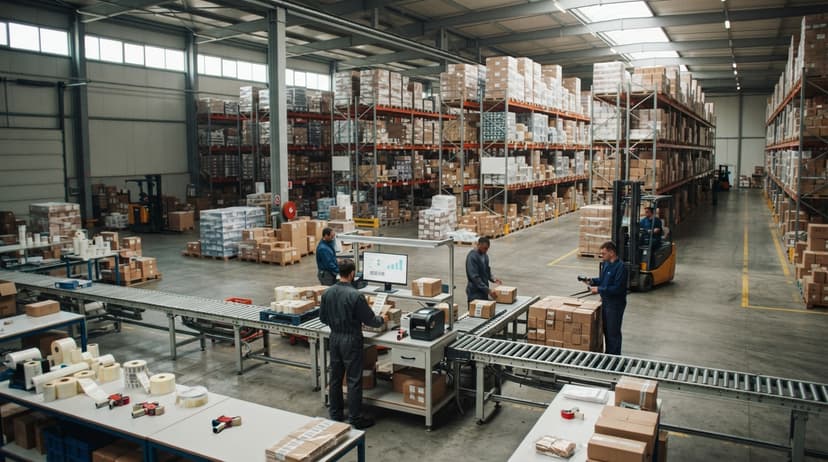
Picture a wholesale distributor with 20 staff. They run QuickBooks for accounting and manage inventory on spreadsheets. Labels are handwritten. Receiving is done by eye. Cycle counts take a full day and still produce discrepancies.
They add a barcode producer tied to their QuickBooks item list. When a PO is confirmed, labels generate automatically. Staff print them before the truck arrives. Every item is scanned at the dock before it touches a shelf.
Picking errors drop because scanners flag mismatches before anything goes in a box. The monthly cycle count now takes 3 hours instead of 8. The staging area stays clear because nothing sits unlabeled.
No ERP was purchased. No bookkeeper was retrained. One connected tool closed the gap between their item records and their physical stock.
Getting Started With a Barcode Producer in Your Warehouse
Start with an audit of your current labeling process. Ask where labels come from today and where errors happen most often. That answer tells you where to begin.
Then work through these steps:
- Identify which barcode format your scanners support. Code 128 works with almost every modern scanner.
- Decide whether a standalone tool or a built-in module fits your workflow. If your item data lives in QuickBooks, a module that connects to it will save the most time.
- Start with one area, such as receiving, before rolling out across the full warehouse. A narrow start surfaces problems early when they are easy to fix.
- Work with a partner who can configure the system around your existing item data rather than asking you to rebuild your records from scratch.
- Set label templates for each use case: shelf labels, carton labels, pallet labels.
The NIST Manufacturing Extension Partnership recommends aligning process changes to real working needs before selecting tools. Start with the problem, then find the fit.
A barcode producer is not a big technology project. It is the missing first step that makes every other part of your inventory system work.
Frequently asked questions
Do I need special hardware to use a barcode producer?
You need a label printer. Most barcode producer software works with standard thermal printers already common in warehouses, such as those made by Zebra or Dymo. No specialized hardware beyond that is required to get started.
Can a barcode producer work with QuickBooks?
Yes. A well-built integration pulls item data directly from QuickBooks so you are not entering information twice. Your financials stay in QuickBooks. The barcode producer handles label creation on the warehouse side.
How long does it take to set up a barcode producer?
A focused custom build for a small distributor can be working in weeks, not months. The scope is narrow: connect to your item data, generate barcodes in the right format, and print labels in your template.
Is a barcode producer the same as a barcode generator?
The terms are often used interchangeably. A barcode generator usually creates a single barcode image. A barcode producer usually implies a more complete tool that handles data encoding, label design, and print management together as part of a workflow.
Start with a free first look
A 30 minute call, your operation mapped, and a clear picture of what we would build. No obligation and nothing to install.
Book a callRelated guides
More on the same work.
Guides
- Barcode Abbreviation
- Barcode Scan Machine
- Tracking Number Barcode
- Barcode Reader Machine
- Barcode Scanner App Ios
- 2d Barcode Readers
- Barcode Systems for Warehouse
- Barcode Reader Description
- Barcodes and Labels
- Alphanumeric Barcode
- Barcode Scanner Inventory System
- Lpn Barcodes
- Imager Barcode Scanner
- Barcode System for Inventory Free
- Inventory Management Software Barcode Scanner
- Make Barcode
- 2d Wireless Barcode Scanner
- System Id Barcode Solutions