

Barcode Words
Barcode words are simpler than they sound. If you have ever looked at a label and noticed the text printed just below the black stripes, you have already seen them. That text is the human-readable version of exactly what the barcode encodes. You do not need enterprise software or a barcode technician to use them well. Your existing SKU codes are probably already good barcode words, and this guide explains everything else.
Book a callWhat Are Barcode Words?
A barcode word is the human-readable text printed below or beside the barcode stripes on a label. The text and the pattern of bars carry identical data. Scanners read the bars; people read the words. Both paths lead to the same result.
Reviewed September 2026. Figures are worked from the assumptions stated beside them, so you can substitute your own and the arithmetic still holds.
The arithmetic is worth doing before the software conversation. 3 people spending 6 hours a week between them chasing the same questions, at 22 dollars an hour, is 936 hours a year of paid time spent confirming what a system would already know. Over 3 years that is 2,808 hours.
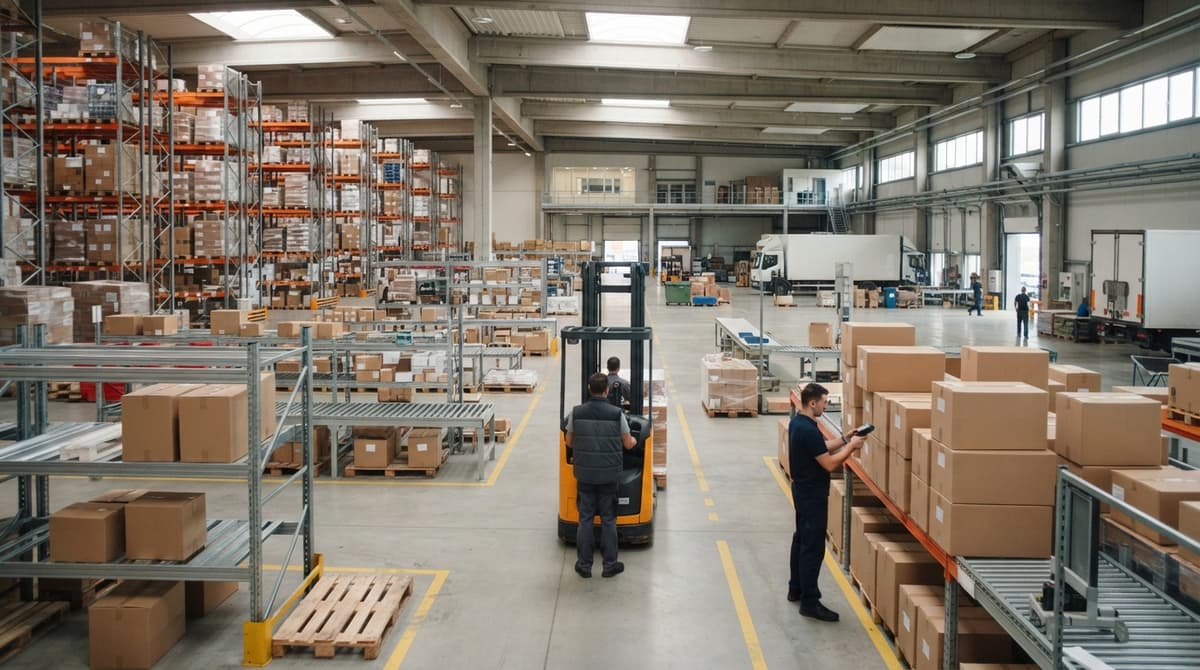
Picture a box of bolts on a warehouse shelf. Below the barcode stripes, the label reads SKU-4471. A scanner reads the bars and sends SKU-4471 to the inventory system. A picker glances at the label and reads the same thing. Neither path needs the other, which is exactly the point. The barcode word is not decoration. It is a parallel channel for the same information.
We build it for your operation, and the first look is free
If you would rather not compare products, describe how your operation already works and we build the system around it.
No build cost. You see it running on your own process first, and the monthly subscription starts only once it is live.
Book a callWhy the Human-Readable Text Matters
Scanners fail. Batteries die. Labels get smudged or torn. When any of those things happen, the printed text is what keeps the operation moving. A picker who cannot scan a label can still read SKU-4471 and key it in manually, or simply confirm the right item by eye before pulling it.
Reducing mis-picks and shipping errors is reason enough to include readable text on every label. Compliance adds another reason. As GS1 notes, "the human readable interpretation should always be included on the label to allow manual keying if the barcode cannot be scanned" (GS1 barcode standards). Several major retailers and carriers enforce this requirement on inbound shipments. Skipping the readable text is a shortcut that creates problems at the worst possible moment.
How Does a Scanner Turn Bars Into Words?
A scanner translates bars into words by matching each pattern of thick and thin lines to a character, using a set of rules called a barcode symbology. Think of it as a secret code your scanner already knows by heart.
Each character in the original text, whether a letter, digit, or hyphen, maps to a unique arrangement of bars and spaces. When the scanner sweeps across the label, it measures those widths, looks up the matching characters, and strings them together to reconstruct the original word or number. The process takes a fraction of a second. What the scanner sends to your system is the same string of characters a person would read below the stripes. No translation is needed on the software side; the symbology handles everything between the physical label and the digital record.
Common Barcode Symbologies That Support Text
Not every barcode format handles letters the same way. The four formats a wholesale distributor is most likely to encounter are listed below.
| Symbology | Type | Text Support | Common Use |
|---|---|---|---|
| Code 128 | 1D | Full alphanumeric, upper and lower case | Warehousing, shipping labels |
| Code 39 | 1D | Uppercase letters and digits | Older industrial systems |
| QR Code | 2D | Long strings, URLs, mixed content | Receiving, mobile scanning |
| Data Matrix | 2D | Compact alphanumeric | Small parts, electronics |
For most small distributors, Code 128 is the practical default. It encodes any combination of letters and numbers, fits on a standard label, and is supported by virtually every scanner on the market. Code 39 still appears in older operations and is easy to decode manually. QR codes and Data Matrix are worth considering when label space is tight or when a single label needs to carry a large volume of data, such as a URL plus a lot number.
What Words and Characters Can a Barcode Contain?
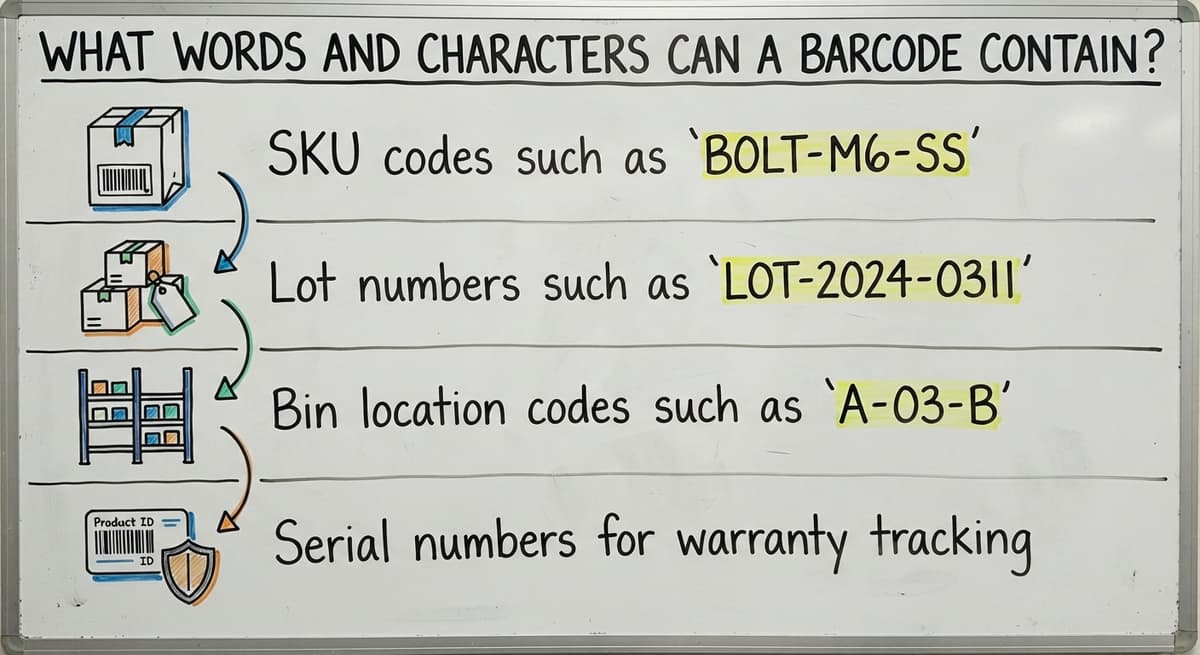
The answer depends on the symbology, but most formats used in warehousing support a practical range of characters. Code 128 handles the full ASCII set: uppercase and lowercase letters, digits 0 through 9, hyphens, slashes, spaces, and most punctuation. Code 39 is more limited, covering uppercase letters and digits only.
Practical examples of what distributors encode as barcode words:
- SKU codes such as
BOLT-M6-SS - Lot numbers such as
LOT-2024-0311 - Bin location codes such as
A-03-B - Serial numbers for warranty tracking
Character limits are generous in practice. Code 128 can encode dozens of characters before the barcode becomes too wide to print cleanly on a standard label. A realistic target of 8 to 12 characters keeps labels readable and scannable without strain.
The comparison is easier when one option is built for you
Off-the-shelf means fitting your process to the software. We do it the other way round, and the first look costs nothing.
Book a callBarcode Words vs. Barcode Numbers
Many retail barcodes, UPC and EAN formats in particular, encode only numbers. A 12-digit UPC is a pure-number barcode built for point-of-sale checkout, where the number maps to a product in a shared retail database.
Warehousing is different. Internal SKUs often mix letters and numbers to carry meaning at a glance. A code like PL-44-LG might tell a picker the category (PL for plumbing), the item number (44), and the variant (LG for large) before they even scan it. Alphanumeric barcodes are the right choice when the code itself needs to tell something to the people handling it, not just to the software. Pure-number formats make sense when compatibility with a shared retail or supplier catalog is the priority. For internal inventory management, the added expressiveness of letters earns its place.

How Barcode Words Appear on a Label
The readable text sits directly below the barcode stripes in a clean, upright font. Font size matters: the text should be legible at arm's length without squinting. A common mistake is letting the design software shrink the human-readable zone to fit more graphics on the label.
Some label templates print a short product description above the barcode and the encoded string below it. That layout works well because the description helps a picker confirm the item category, while the encoded string is what gets keyed in if the scanner fails.
Keep the human-readable zone free of other graphics, borders, or color blocks. Anything that reduces contrast between the text and the label background makes manual reading slower and error-prone. A thermal label printer on a clean white stock with black ink gives the best results for both the bars and the text beneath them.
How Do Barcode Words Connect to an Inventory System?
Every scan is a lookup. When a scanner reads a barcode, it sends the encoded word or number to the inventory system, which uses that string as a key to find the matching record. That record returns the item name, current quantity, bin location, and any other fields attached to it.
For QuickBooks users, the connection is straightforward. The item name or SKU already in QuickBooks can serve as the barcode word. A scan posts to a middle-layer inventory system that tracks movements in real time and pushes updated totals to QuickBooks. No replacement of QuickBooks is required. The barcode word is the bridge: it links the physical label on the shelf to the digital record in the software. Getting that link right is the entire job of a barcode inventory system.

Using SKU Codes, Lot Numbers, and Serial Numbers as Barcode Words
SKUs are the most natural starting point. Most small distributors already have them. Encoding the SKU as the barcode word means one scan updates the inventory record for that item, with no manual entry and no translation step in between. Consistent SKU formatting makes labels easier to sort and read across a team. Avoid spaces and characters like & or % that some older scanners misread.
Lot numbers and serial numbers serve a different purpose. A lot number encodes production batch information, which matters for expiration tracking and supplier recalls. A serial number identifies a single unit, which matters for warranties and equipment audits. Both can appear on the same physical label as separate barcodes, one for the SKU and one for the lot or serial number. Distributors who handle perishables, regulated products, or high-value equipment will find this two-barcode approach needed for traceability without adding manual paperwork.
See it running on your own process first
No build cost. The subscription starts once it is live and doing the job, not before.
Book a callBin Location Codes as Barcode Words
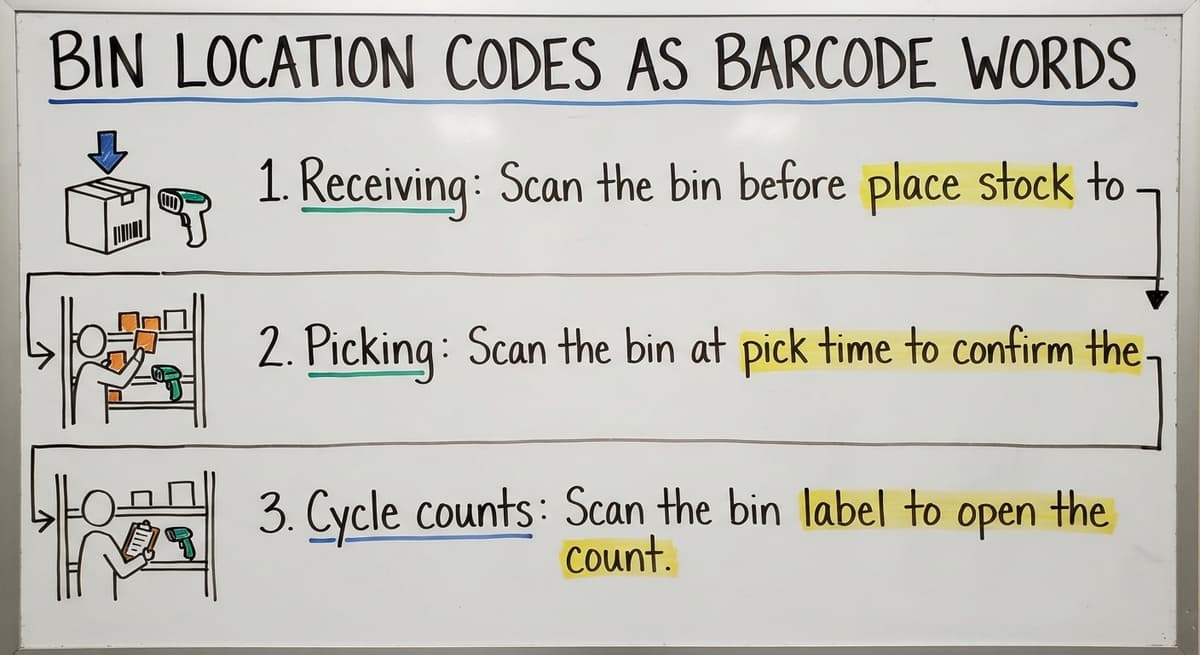
Shelf and bin labels carry barcode words just like product labels do, and they serve the same purpose: connecting a physical location to a record in the system. A label reading A-03-B on a shelf edge tells the system exactly where an item was put away or picked from when a worker scans it.
Bin location scanning speeds up three specific tasks:
- Receiving: Scan the bin before placing stock to record the put-away location.
- Picking: Scan the bin at pick time to confirm the worker pulled from the right slot.
- Cycle counts: Scan the bin label to open the count record for that location without searching through a list.
A small warehouse with labeled bins and a scanner can complete a cycle count in a fraction of the time a paper-based count takes, and the results post directly to the system rather than waiting for someone to transcribe a clipboard.

How to Design Good Barcode Words for Your Operation
Label design is where most small distributors either build a reliable system or create years of future headaches. A few practical rules prevent the common failures.
Keep codes between 8 and 12 characters. Shorter codes print larger, scan faster, and are easier to key manually. Longer codes are not wrong, but every extra character is another opportunity for a transcription error.
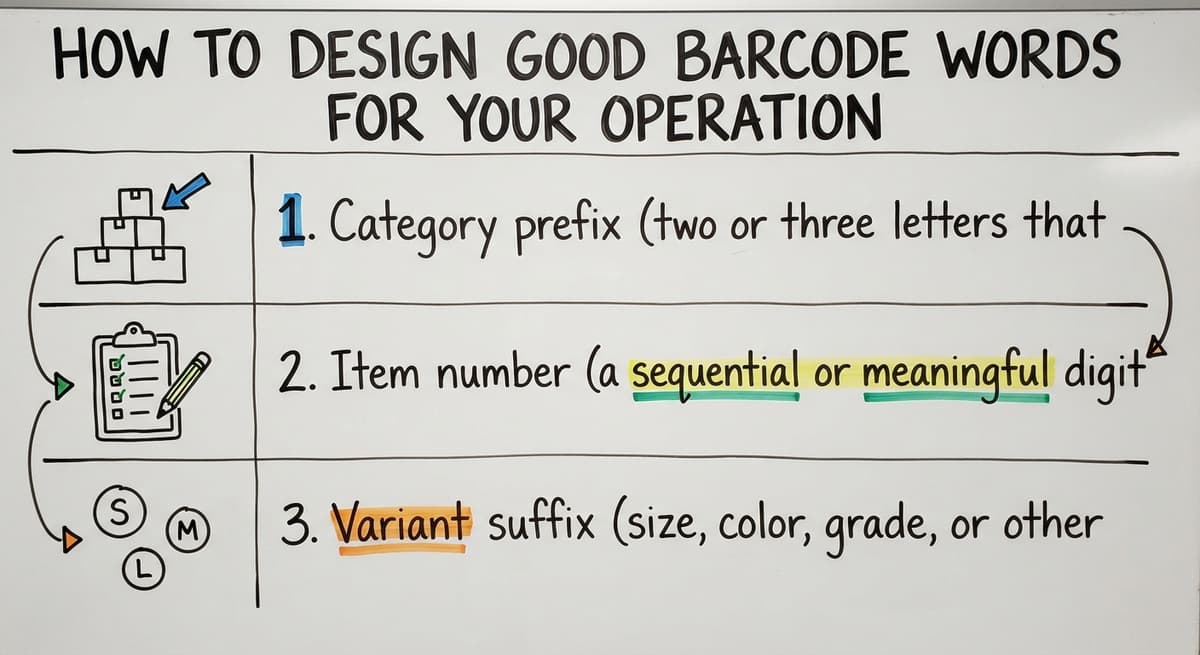
Use a consistent structure across every label:
- Category prefix (two or three letters that identify the product family)
- Item number (a sequential or meaningful digit string)
- Variant suffix (size, color, grade, or other distinguishing attribute)
Avoid characters that look alike in print. The letter O and the digit 0 are nearly identical in many fonts, as are I and 1. Either design around them or choose a label font, such as OCR-B, that makes those characters visually distinct.
Document the naming convention in writing before printing a single label. A convention that lives only in one person's head breaks the moment that person is unavailable, and re-labeling an entire warehouse is an expensive way to learn that lesson.
Printing Barcode Labels With Readable Words
Thermal label printers are the warehouse standard for good reason. They produce sharp, durable output without ink cartridges, and the text beneath the barcode stays legible even in dusty or humid environments where inkjet labels smear.
Label design software lets you specify which data fields print as barcode words and which print as plain text above the barcode. Match the label dimensions to the barcode density: a high-density barcode squeezed onto a label that is too small will produce a human-readable zone so narrow the text is unreadable.
Before any full rollout, test every new label template in two ways: scan it with the actual devices your team uses, and have a staff member read the text from arm's length. A label that passes both tests is ready for production; a label that fails either one is not.
What Happens When Barcode Words Get Out of Sync With Your System?
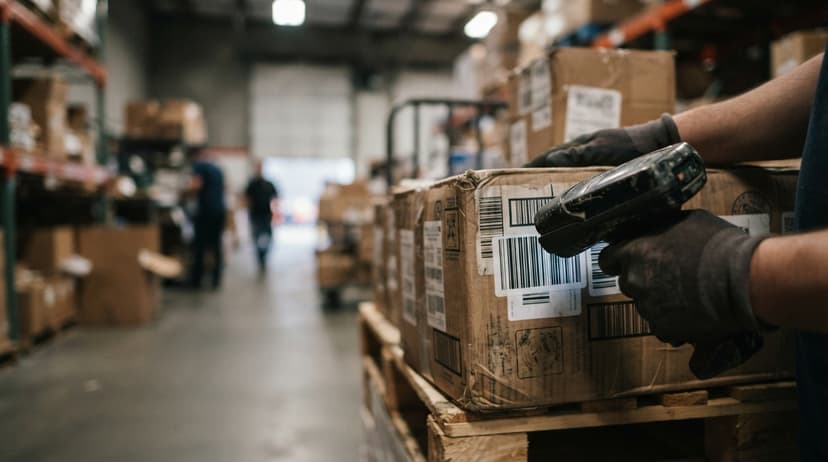
A mismatch between the printed text and the database record is one of the most disruptive problems a warehouse can have, and it is entirely preventable. When the printed label says one thing and the system record says another, picking errors follow at once.
The most common cause is a SKU rename in QuickBooks or another system where the old labels are still on the shelf. A picker reads BOLT-M6-SS, keys it in manually because the scanner returned an error, and the system either rejects the entry or, worse, posts it to the wrong item.
The fix is procedural, not technical: make a label reprint a required step in any SKU or product name change. Treat an outdated label the same way you would treat an expired price tag. Build that step into whatever checklist your team uses for item maintenance, and the problem does not recur.
Not sure this is the right shape for your operation
Describe how the work runs today. We map it on a call and show you what it would look like built around that, before you spend anything.
Book a callBarcode Words and GS1 Standards
GS1 is the global organization that sets barcode standards for supply chains. Distributors selling to large retailers often encounter GS1 requirements on shipping and product labels.
GS1-128 barcodes use short code prefixes called application identifiers as part of the barcode word. Common examples:
(01)precedes a GTIN (Global Trade Item Number)(10)precedes a lot number(17)precedes an expiration date
These prefixes appear in the human-readable text as parenthetical numbers so a worker can identify what each encoded string represents without scanning. If a retail or grocery customer needs GS1-compliant labels, the application identifier structure is non-negotiable, and your label design software must support it. For purely internal warehouse use, GS1 formatting is optional.
Barcode Words in Receiving, Shipping, and Replacing Paper Logs
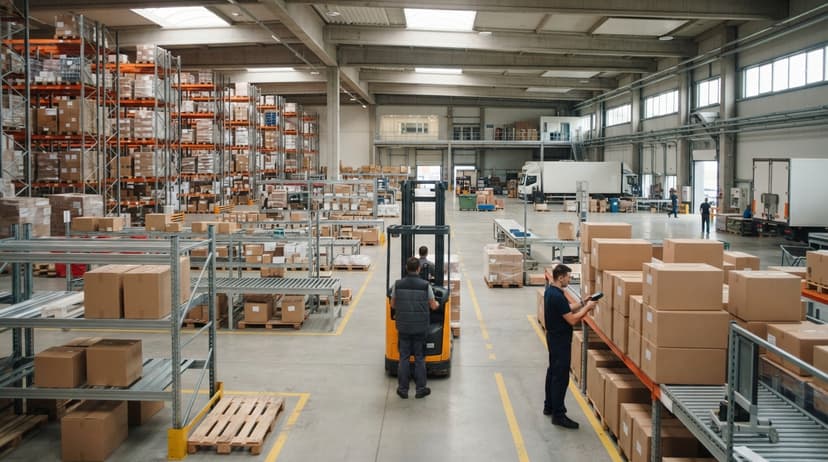
At the receiving dock, scanning the barcode word on an inbound carton matches it to the open buy order in seconds. The system confirms quantity, flags discrepancies, and records the receipt, all without a clipboard. A dock worker who cannot scan can still read the label and key the code manually to complete the same process.
At the shipping dock, scanning the barcode word on a packed box confirms it matches the outbound order before the truck leaves. That single scan catches wrong-item and wrong-quantity errors that would otherwise become customer complaints and return freight costs.
Both steps replace what many small distributors still do on paper or in Excel. A barcode scan is a handwritten log entry that posts itself, and the real-time inventory picture that results is something a paper log can never provide.
Is a Custom System Better Than Off-the-Shelf Software for Barcode Words?
Off-the-shelf warehouse systems impose their own barcode word formats. You adapt your naming conventions to fit the software, which often means re-labeling existing inventory and retraining staff on new codes.
A custom inventory system is built around the codes your operation already uses. If your SKUs have followed the same structure for five years, a custom system encodes them as-is. No re-labeling, no retraining, no gap between what the label says and what the staff expects.
For a distributor with an established SKU convention and a team that already knows the codes, the cost of adapting to off-the-shelf software is often larger than the cost of building something purpose-fit. The right question is not which software category is better in general, but which approach preserves the institutional knowledge already built into your labels.
How to Get Started With Barcode Words in Your Warehouse
Getting started does not need a large project. Five steps cover the ground from zero to a working scan workflow.
- Audit your current item codes. Are they consistent in length and format? Codes that vary wildly in structure will cause problems on labels and in the system.
- Choose a symbology. Code 128 is the safe default for most distributors. It handles full alphanumeric text and works with every modern scanner.
- Design a label template. Set the barcode field, the human-readable zone, and any descriptive text above the bars. Print a test batch on your thermal label printer.
- Test before you commit. Scan every test label with the actual devices your team will use. Read the text manually from arm's length. Fix anything that fails either check.
- Connect scan output to your inventory system before going live on the floor. A scan that posts nowhere is just a beep.
The audit in step one is where most operations discover that their SKU codes are already good barcode words, which means the path to scanning is shorter than they expected.
Next Steps for Small Distributors Ready to Scan
Barcode words are the readable text that ties a physical item to a system record. They are simpler than the technical literature makes them sound, and your existing SKUs are almost certainly ready to become them.
Small distributors do not need a large ERP to use barcode scanning well. A system built around your current codes and your current team can be working without the disruption of replacing QuickBooks or re-labeling every shelf.
If your operation is still running on paper logs, Excel, or manual QuickBooks entries, describe that process to a team that builds inventory systems around real warehouse operations. A no-pressure review of your current workflow is the fastest way to see what scanning would actually change for your business.
Frequently asked questions
What is the human-readable text printed below a barcode called?
It is called the barcode word or human-readable interpretation. It is the same data the barcode encodes in bars and spaces, printed in plain text so a person can read it without a scanner.
Can a barcode contain letters and words, not just numbers?
Yes. Formats like Code 128 encode the full alphanumeric character set, including uppercase and lowercase letters, digits, hyphens, and slashes. Pure-number formats like UPC and EAN are common in retail but are not the only option.
Which barcode format is best for a small warehouse?
Code 128 is the practical default. It handles full alphanumeric text, fits on a standard label, and works with virtually every scanner on the market. Code 39 is a workable alternative if your operation uses older equipment.
What happens when a scanner fails and a worker needs to read the barcode?
The worker reads the human-readable text printed below the barcode and keys it into the system manually. This is why readable text is required on a well-designed label, not optional. Clear, consistent formatting makes manual entry fast and accurate.
Can I use my existing SKU codes as barcode words?
In most cases, yes. If your SKUs are consistent in format and avoid characters that scanners misread, they are ready to encode as barcode words. One scan would then update the inventory record for that item with no manual entry required.
How do barcode words work with QuickBooks inventory?
The SKU or item name in QuickBooks can serve as the barcode word. Scans post to a middle-layer inventory system that tracks movements in real time and pushes updated totals to QuickBooks. No replacement of QuickBooks is needed.
Do I need a large ERP system to use barcode scanning in my warehouse?
No. A system built around your existing SKU codes and your current team can handle barcode scanning without enterprise software. Many small distributors run effective scan workflows alongside QuickBooks using a purpose-built middle layer.
How do I avoid mistakes when setting up barcode labels for the first time?
Keep codes between 8 and 12 characters, use a consistent naming structure, avoid characters that look alike in print such as O and 0, and test every label template by scanning it and reading the text manually before rolling it out across the warehouse.
Start with a free first look
A 30 minute call, your operation mapped, and a clear picture of what we would build. No obligation and nothing to install.
Book a callRelated guides
More on the same work.
Guides
- Barcode Abbreviation
- Barcode Scan Machine
- Tracking Number Barcode
- Barcode Reader Machine
- Barcode Scanner App Ios
- 2d Barcode Readers
- Barcode Producer
- Barcode Systems for Warehouse
- Barcode Reader Description
- Barcodes and Labels
- Alphanumeric Barcode
- Barcode Scanner Inventory System
- Lpn Barcodes
- Imager Barcode Scanner
- Barcode System for Inventory Free
- Inventory Management Software Barcode Scanner
- Make Barcode
- 2d Wireless Barcode Scanner