

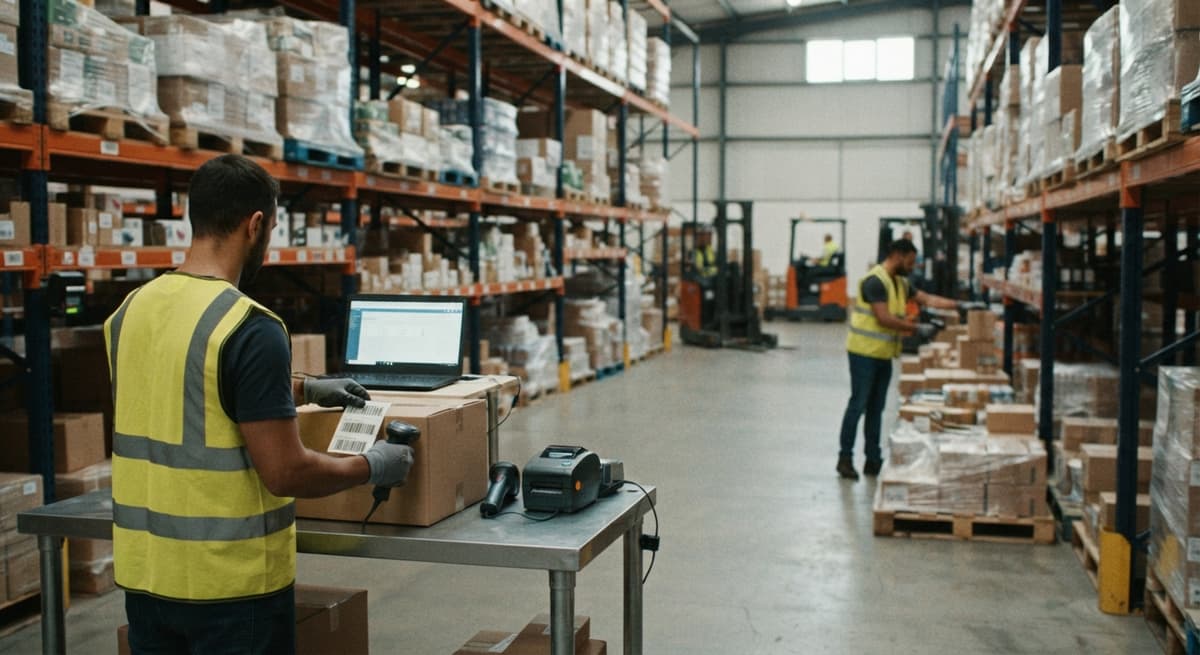
Make Barcode
To make a barcode, pick a barcode type, enter your SKU or item number into a free barcode generator, download the image, and print it on a label. A USB scanner reads it back into QuickBooks or Excel instantly. You do not need special software or a big budget to start.
Reviewed September 2026. Figures are worked from the assumptions stated beside them, so you can substitute your own and the arithmetic still holds.
Reviewed and updated: June 2025
Book a callWhy Small Warehouses Need to Make Barcodes
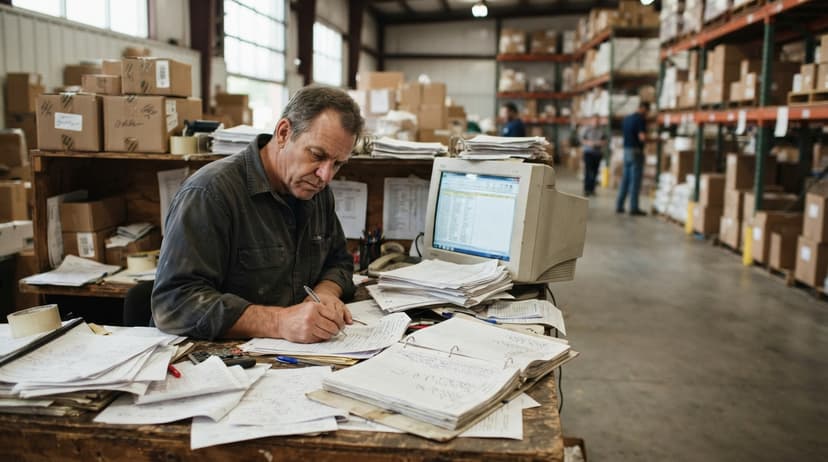
Spreadsheets and printed pick sheets get the job done until they do not. A mis-keyed number on a receiving sheet, a count sheet left on a forklift, a SKU typed wrong on a sales order: each one costs time and creates a customer problem. Barcodes remove hand-keying from the loop entirely. Your team scans instead of types, and the right number lands in the right field every time.
You do not need a large ERP or an IT department to get started. Operations running on QuickBooks today can add barcodes without replacing a single piece of software. The IRS reminds businesses that "to figure taxable income, you must value your inventory at the beginning and end of each tax year" (IRS Publication 538). Accurate counts are a legal need, not just a convenience. Barcodes make those counts faster and more reliable.
We build it for your operation, and the first look is free
If you would rather not compare products, describe how your operation already works and we build the system around it.
No build cost. You see it running on your own process first, and the monthly subscription starts only once it is live.
Book a callWhat a Barcode Actually Is
A barcode is a machine-readable pattern that stores a number or short string of text. A scanner reads the pattern and sends that data to your software the same way a keyboard does. Nothing is transmitted over a network. Nothing needs an internet connection at the moment of the scan.
As GS1 explains, "barcodes are the most widely used automatic spotting technology in the world, providing a simple and reliable way to encode information." That simplicity is the point. Barcodes cut receiving errors, speed up picking, and give shipping teams a second check without adding a single extra step to the workflow.
What Barcode Type Should a Small Warehouse Use?
Code 128 is the right starting point for most small distributors because it holds both letters and numbers, fits on a small label, and is supported by every warehouse scanner sold today. Most barcode inventory management systems default to it for a reason.
Here is a quick map of the common types:
- Code 128 encodes letters and numbers, works for internal warehouse labels, pick tickets, and bin tags.
- UPC-A is required for retail products sold through grocery stores, big-box retailers, or Amazon.
- ITF-14 goes on shipping cartons and outer cases, not on individual items.
- QR codes store more data and read on smartphones, but a dedicated barcode scanner is still faster on a warehouse floor.
The difference between UPC and Code 128 matters early. UPC numbers are assigned by GS1 and cost money to register. Code 128 barcodes can encode any number you already use, including your QuickBooks item numbers. If you sell only to other businesses and not through retail, Code 128 lets you start today at no cost.
Choosing Your Barcode Format and Numbering Plan
Before you print a single barcode label, decide whether your barcodes are internal only or need to match a trading partner's standard. This one choice shapes everything else.
Internal barcodes can use your existing SKU or item number as the barcode value. There is no second lookup table to keep. If QuickBooks item number 1042 is a case of safety gloves, the barcode encodes 1042. The scanner sends 1042. QuickBooks finds the item. Done.
For bin location barcodes, add a short prefix. A label reading W1-A3-02 tells your system: warehouse 1, aisle A, shelf 3, slot 2. Keep codes short enough to fit on a small label without making the bars too narrow to scan reliably.
Retail or EDI trading partners often need GS1-standard UPC or EAN numbers. Picking the wrong format now means reprinting every label later. Settle the format question before you order label stock.
Two numbering rules that save headaches later:
- Never reuse a barcode number, even after an item is discontinued.
- Keep location codes and item codes in different number ranges so a scanner cannot confuse one for the other.
How to Make a Barcode for Free
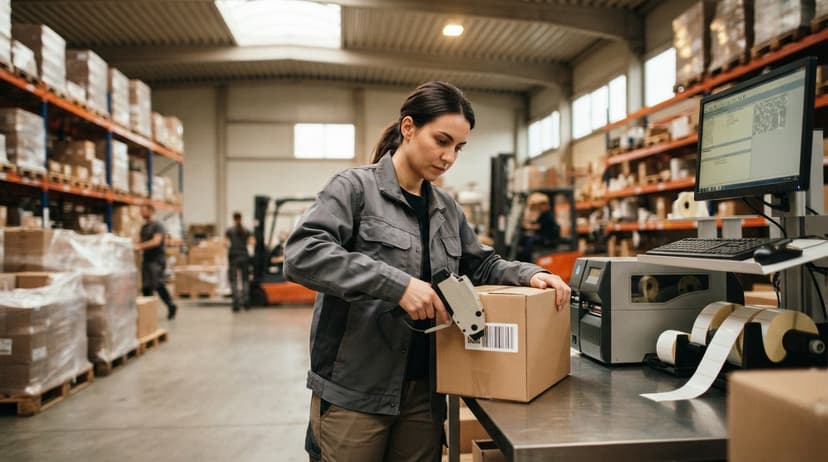
The easiest way to make a barcode for free is to use a web-based barcode generator. You type in a number, pick your barcode type, set the size, and download a PNG or SVG file in seconds. No account required.
Reliable free options include the Barcode Generator by Cognex, the Barcodes Inc generator, and the Free Barcode Generator by Shopify. All three support Code 128 and let you download a print-ready image.
Free generators work well for testing and small label runs before you commit to a full label printing setup. Print a sheet, scan every label, and confirm the data that comes back matches what you typed. That test costs nothing and catches format problems before they reach your shelves.
The comparison is easier when one option is built for you
Off-the-shelf means fitting your process to the software. We do it the other way round, and the first look costs nothing.
Book a callHow to Make a Barcode in Excel or Word
A barcode font turns plain text into a scannable barcode inside Word or Excel. Download a free Code 128 or Code 39 font, install it on Windows, then apply it to the cell or text box that holds your SKU.
One important detail: Code 128 needs a check-digit formula in the cell before the font renders a scannable barcode. Without it, the bars print but most scanners will not read them. Free formula guides are available alongside the font downloads.
This method works for batches of 10 to 20 labels. It breaks down fast when you need hundreds. Formatting shifts, printers scale the font unexpectedly, and quiet zones, the blank space on each side of the barcode that scanners need, get clipped. Use the font method to test a workflow, not to run a warehouse.
Using Dedicated Barcode Software for Larger Runs
Label design programs like Bartender, ZebraDesigner, and NiceLabel connect directly to a spreadsheet or database. You design a template once. The software pulls SKUs, descriptions, and quantities and prints each label correctly without manual formatting.
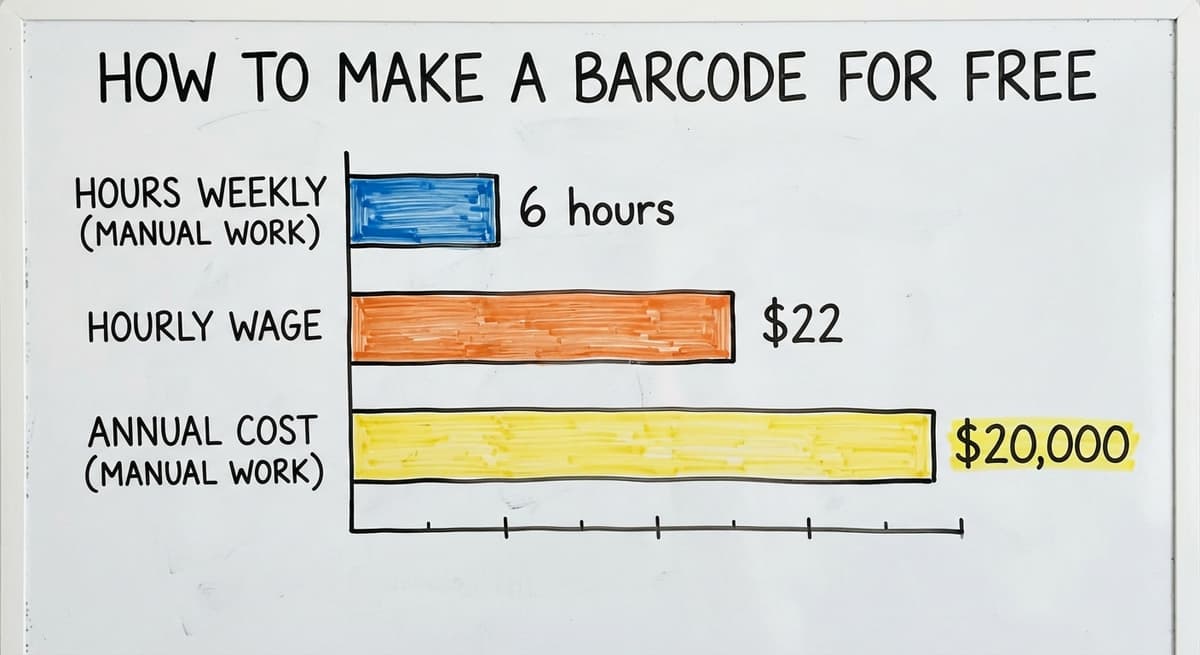
Most thermal label printers ship with a basic version of label software included. That bundled version handles the needs of most small distributors. Print runs of hundreds of labels become fast and consistent once the template is set. A 3-person team spending 6 hours a week on manual label work at $22 an hour spends over $20,000 a year on that task alone. Label software pays back quickly.
What Equipment Do You Need to Print and Scan Barcodes?
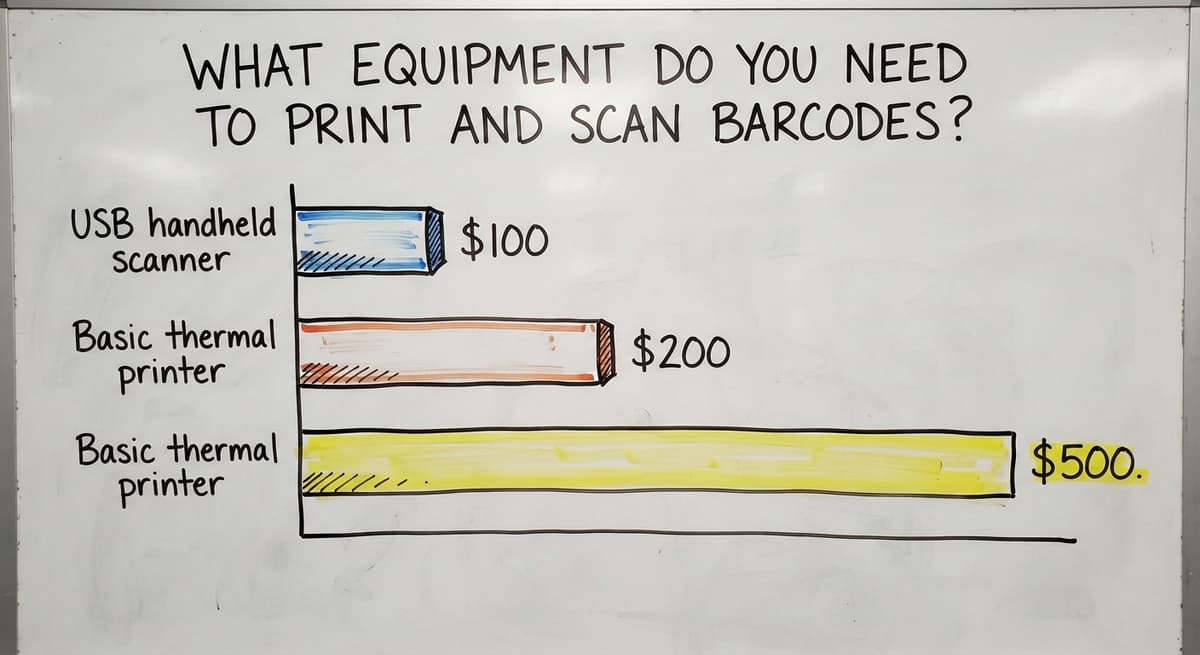
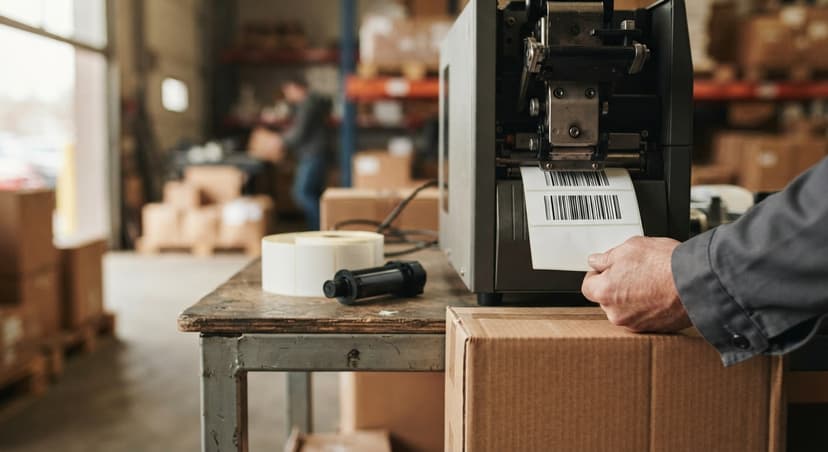
A thermal label printer is the right tool for warehouse barcodes. Thermal printers use heat instead of ink, so labels do not smear, fade, or peel in warehouse conditions. Zebra, Honeywell, and Brother make reliable models. A basic Zebra or Brother thermal printer runs $200 to $500.
Laser printers on plain paper work for a first test but are not a long-term solution. The labels degrade fast in a real warehouse environment.
Match your label stock size to the job before ordering supplies:
- Shelf and bin labels are usually 1" x 1" or 2" x 1".
- Product labels for cases run 2" x 4" or 4" x 6".
- Carton labels for shipping often need 4" x 6" thermal stock.
For scanning, a USB handheld scanner under $100 is enough to test the workflow for a small team. It plugs in and acts like a keyboard, so it works with QuickBooks, Excel, or any text field without drivers or setup. Wireless Bluetooth scanners give workers freedom to move. Mobile computers like Zebra handhelds run apps that connect to your inventory software over Wi-Fi, which makes sense once order volume demands faster throughput.
Linking Your Barcode to QuickBooks
QuickBooks Desktop and QuickBooks Online both support barcode scanning for inventory items. In QuickBooks, each item can be assigned a barcode number that matches the label you printed. Scanning the barcode on a sales order or buy order fills in the item line automatically.
This is the simplest path to barcode benefits without buying new software. Your team scans instead of typing. The item number, description, and price pull in from the existing item record. Receiving, invoicing, and order entry all get faster with one USB scanner and the labels you already made.
The Bureau of Labor Statistics reports that stock clerks and order fillers earn a median wage of around $17 to $19 an hour (BLS OES 43-5071). Cutting 30 minutes of manual entry per shift per worker adds up fast when you run the math across a full year.
See it running on your own process first
No build cost. The subscription starts once it is live and doing the job, not before.
Book a callWhen to Move Beyond the Basic Setup
QuickBooks handles scan-to-field entry well. It does not manage bin locations, lot tracking, or real-time stock counts across multiple warehouse zones. Teams with pick-and-pack workflows or high order volumes hit those limits quickly.
Signs you have outgrown the basic setup:
- Pickers still carry paper because the screen does not tell them where to go.
- Cycle counts take days because no one knows which bin holds what.
- Shipping errors keep happening because there is no scan-to-verify step at the dock.
- A second warehouse zone makes stock levels impossible to trust.
This is the point where a custom barcode inventory management system starts to pay for itself. A custom system is built around the way your operation already runs. It handles receiving, put-away, picking, packing, and shipping with barcode scans at each step. QuickBooks stays in place for accounting and invoicing. No forced migration, no retraining the whole team on a new accounting platform. The NIST Manufacturing Extension Partnership notes that aligning inventory systems to actual shop-floor workflows, rather than forcing generic processes, is a key driver of efficiency gains in small operations (NIST MEP).

Common Mistakes When You Make a Barcode
Most barcode problems show up at print time or scan time, not in the generator. These are the ones that cost teams the most rework:
- Printing too small so bars run together and scanners cannot separate them.
- Using a low-resolution image that makes bars blurry when scaled up for print.
- Clipping the quiet zone, the blank margin on each side of the barcode, so scanners miss the start and stop signals.
- Picking a barcode type the scanner does not support, which is common when mixing older scanners with QR codes.
- Not testing a full print run before applying labels to hundreds of products.
The fix is simple. Print 1 label. Scan it with every scanner model in your warehouse. Scan from the angles workers will actually use, including tilted and at arm's length. Verify the data that comes back matches what you entered. Test on the actual surface the label will stick to, since curved or textured surfaces distort the scan. One test label before a full run prevents a full reprint.
How to Make Barcodes for Bin Locations
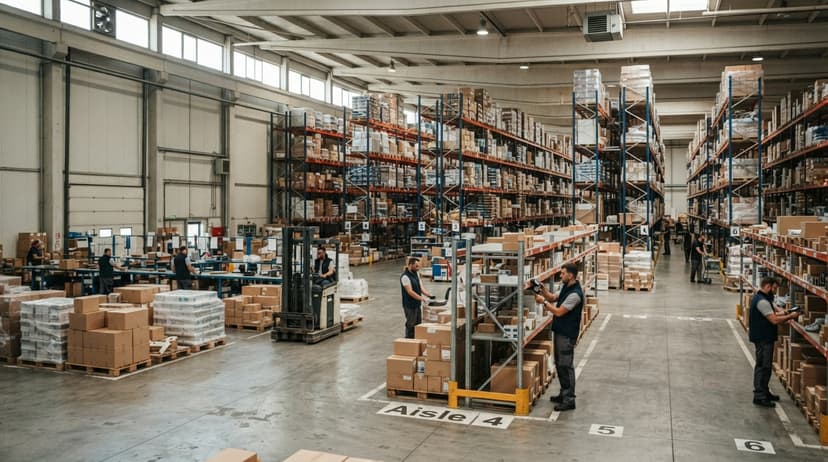
Location barcodes use the same process as item barcodes but encode a location code instead of a SKU. Print them on durable label stock rated for forklift traffic, dust, and moisture. A standard product label will not last on a warehouse shelf for more than a few weeks.
The workflow is straightforward. Your team scans the location barcode first, then the item barcode. The system records a put-away or pick tied to that specific bin. Location barcodes turn a paper bin sheet into a real-time inventory map that anyone in the building can query from a screen.
Start with your highest-traffic aisles. Label those bins first, confirm the workflow holds, then expand zone by zone.
Scaling Up and Cost Breakdown
A phased approach keeps costs manageable and avoids disrupting operations all at once. Here is a realistic cost picture:
| Stage | What You Need | Typical Cost |
|---|---|---|
| Test only | Free online generator, laser printer | Near zero |
| Small label runs | Thermal label printer (Zebra or Brother) | $200 to $500 |
| Scanning | USB handheld scanner | $50 to $150 |
| Label software | Basic subscription or bundled with printer | $0 to $50/month |
| Custom barcode inventory system | Built to fit your operation | Varies by scope |
Start with item labels and 1 USB scanner to prove the concept. Add location labels and a second scanner as confidence grows. Move to mobile computers and a connected inventory app when order volume demands faster throughput.
The goal is not to build everything at once. Each phase delivers a measurable return before the next one starts.
Getting Help Building a Barcode System
A local software partner can build a barcode system around your existing workflow and keep QuickBooks in place. The right partner asks how your operation works first, then designs the system to match, rather than selling a generic product and asking you to adapt.
Look for a team that handles the software, the label design, the scanner setup, and the training together. Columbus-area wholesale and distribution teams can work with a local partner who understands small-scale operations and does not need an enterprise budget or a long rollout timeline.
The best barcode system is the one your team actually uses. If it fits the way you already work, adoption is fast and the errors stop quickly. If it fights your workflow, it sits on a shelf.
Ready to stop counting on paper? Reach out to discuss a barcode setup built around your operation.
Frequently asked questions
What is the easiest way to make a barcode for free?
Use a free web-based barcode generator such as the one from Cognex, Barcodes Inc, or Shopify. Type in your SKU or item number, pick Code 128 as the barcode type, set the size, and download the PNG file. Print it on any printer to test. The whole process takes under 2 minutes.
What is the difference between a UPC barcode and a Code 128 barcode?
UPC barcodes are assigned by GS1 and are required for retail products sold in stores or on Amazon. They cost money to register. Code 128 barcodes can encode any number you already use, including your internal SKUs, at no cost. If you sell business to business and not through retail, Code 128 is the right choice.
How do I connect a barcode to QuickBooks?
In QuickBooks Desktop or QuickBooks Online, open each inventory item and enter the barcode number in the barcode field. That number must match the label you printed. When a worker scans the label on a sales order or buy order, QuickBooks fills in the item line automatically. No extra software is needed for basic scan-to-field entry.
Can I keep using QuickBooks after I add barcodes?
Yes. QuickBooks stays in place for accounting and invoicing. Barcodes plug into QuickBooks at the item level. If you later add a custom barcode inventory system for bin tracking or pick-and-pack workflows, QuickBooks still handles the financial side. Nothing forces you to replace your accounting software.
When should I move from a basic barcode setup to a full barcode inventory system?
Move when pickers still carry paper, cycle counts take more than a day, shipping errors keep repeating, or you manage more than 1 warehouse zone. Those are signs QuickBooks alone cannot track the detail your operation needs. A custom barcode inventory system adds bin locations, lot tracking, and real-time counts without replacing QuickBooks.
How much does it cost to set up barcodes in a small warehouse?
A basic test setup costs near zero using a free generator and a laser printer. A proper thermal label printer runs $200 to $500. A USB handheld scanner costs $50 to $150. Label software is $0 to $50 a month depending on the tool. A custom barcode inventory system varies by scope but is built for small operations, not enterprise budgets.
Start with a free first look
A 30 minute call, your operation mapped, and a clear picture of what we would build. No obligation and nothing to install.
Book a callRelated guides
More on the same work.
Guides
- Barcode Abbreviation
- Barcode Scan Machine
- Tracking Number Barcode
- Barcode Reader Machine
- Barcode Scanner App Ios
- 2d Barcode Readers
- Barcode Producer
- Barcode Systems for Warehouse
- Barcode Reader Description
- Barcodes and Labels
- Alphanumeric Barcode
- Barcode Scanner Inventory System
- Lpn Barcodes
- Imager Barcode Scanner
- Barcode System for Inventory Free
- Inventory Management Software Barcode Scanner
- 2d Wireless Barcode Scanner