


Easy Inventory
Easy inventory means you know what you have, where it sits and when to reorder, with little typing. Easy means fewer steps and fewer places to look. It does not mean fewer details. Reviewed November 2026 for owners and ops managers at wholesale and warehouse firms with 5 to 100 staff.
Book a callWhat Does Easy Inventory Mean?
Easy inventory is one trusted stock list that every person in the building uses. Stock data now lives in an accounting package, Excel files, Access databases, printed sheets and email. Each copy drifts out of date. No one trusts the numbers.
The cause is scattered data, not lazy staff. Barcodes help fix it. GS1, the standards body, calls its standards "the global language of business". One shared label means every scan reads the same way. One list beats five copies.
We build it for your operation, and the first look is free
If you would rather not compare products, describe how your operation already works and we build the system around it.
No build cost. You see it running on your own process first, and the monthly subscription starts only once it is live.
Book a callHow Do You Know Your Inventory Process Is Too Manual?
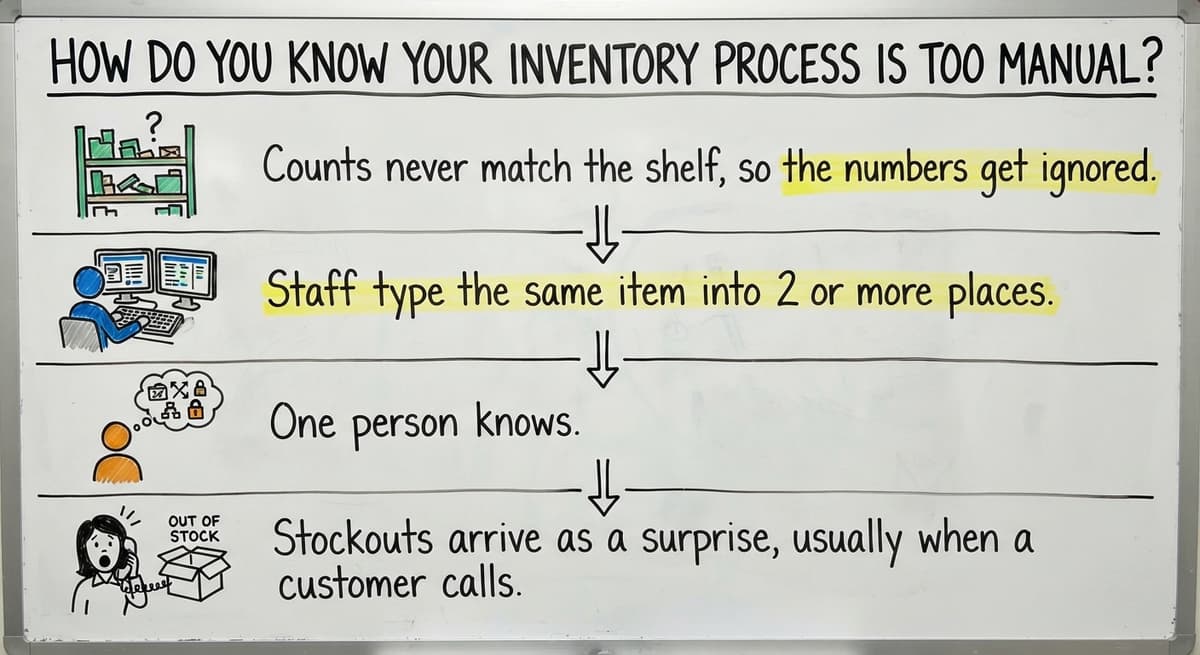
Your process is too manual when people spend more time fixing stock records than moving stock. Look for these signs:
- Counts never match the shelf, so the numbers get ignored.
- Staff type the same item into 2 or more places.
- One person knows where everything is, and work stops when that person is out.
- Stockouts arrive as a surprise, usually when a customer calls.
Cost adds up fast. Say 3 people spend 6 hours a week fixing records at $22 an hour. That is $20,592 a year (3 x 6 x $22 x 52). The US Bureau of Labor Statistics publishes pay data for this kind of work, so you can swap in your own wage.
A spreadsheet is fine at first. Trouble starts when 2 people edit the same file, formulas break and no one can see who changed what. More staff, more locations and more orders are the trigger points. Hit one, and the inventory spreadsheet has done its job.
The Core Parts of Easy Inventory
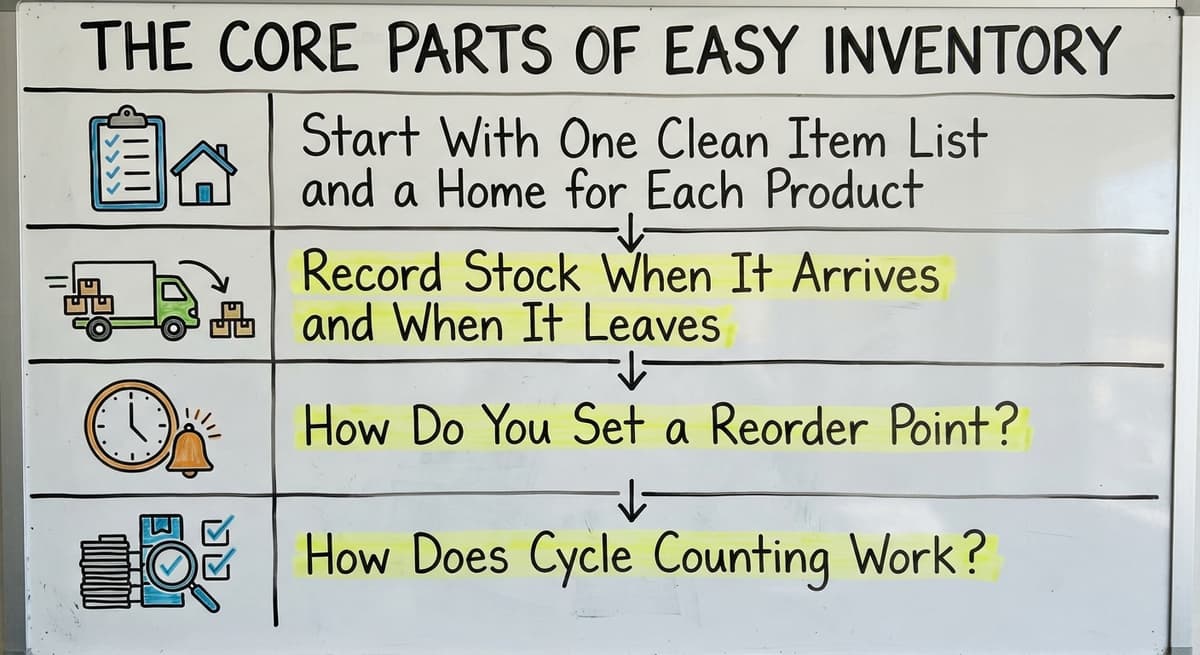
Easy inventory rests on 5 building blocks: an item list, locations, receiving, picking and reorder points. Fix them in that order. Each one cuts a step or a place to look.
Start With One Clean Item List and a Home for Each Product
One product gets one name and one SKU. A SKU is the short code you give each item. Remove duplicates and old items. Decide who may add new items, and let only that person do it.
Then give every product a home. Use a simple label for aisle, shelf and bin, such as A-3-2. Keep the scheme small enough to remember. A labeled spot saves picking time because no one hunts.
Record Stock When It Arrives and When It Leaves
Check received goods against the buy order the same day. Note shortages and damage at the dock. Piles of paper typed in later are where errors begin.
Subtract stock when items are picked or shipped, not days later. Each method has a tradeoff:
- Scanning is fastest and most exact, but you must buy scanners and label everything.
- Tapping a screen costs little, but staff make more typing slips.
- A paper pick sheet is easy to start, but someone must enter it later.
One entry should update every place that shows stock. The FTC expects you to ship when you said you would, and a true count protects that promise.
How Do You Set a Reorder Point?
A reorder point is the stock quantity at which you buy more. Multiply daily use by supplier lead time. Then add a small cushion.
Here is an example. You sell 10 units a day. The supplier needs 7 days. That is 70 units, plus a cushion of 20. Your reorder point is 90 units.
Start with your top 20 items, not the whole catalog. Watch your stock levels for a month. Then adjust.
Not sure this is the right shape for your operation
Describe how the work runs today. We map it on a call and show you what it would look like built around that, before you spend anything.
Book a callHow Does Cycle Counting Work?
Cycle counting means you count a few items or one aisle each day instead of closing for a full count. Count fast movers more often than slow ones. Record each gap and find the cause. Wrong labels, late entries and damaged goods are common culprits. Daily small counts keep records honest without a shutdown.
Counting is also a legal duty. IRS Publication 538 says, "To figure taxable income, you must value your inventory at the beginning and end of each tax year."
Can You Keep Using Your Accounting Package for Inventory?
Yes, you can keep it. An accounting package is good at money and can hold basic stock counts. It strains with bins, lots, picking, several locations and warehouse workflows.
So keep it where it works. Replace only the manual steps around it. A sync to your accounting software can pass stock changes into the books without retyping. Your accountant keeps the tool they know. Your floor staff get a screen built for the floor.
Do You Need a Big ERP for Easy Inventory?
No. Most operations with 5 to 100 people do not need a large ERP, which is a big system that runs every part of a company. Long, costly rollouts are a real worry, and the worry is fair. A smaller tool built around your steps can be enough.

This is where custom inventory software fits. It is built around how you already work, so no one must move to a new way of life. Examples:
- A receiving screen that checks goods against the buy order.
- A pick list that shows the bin for each line.
- A low-stock alert when an item hits its reorder point.
- A sync that sends changes to your accounting package.
Such tools work at small scale too. Vendor-neutral NIST guidance on supply chains is a good place to read more. Good software for a small team copies your steps and removes the retyping.
The comparison is easier when one option is built for you
Off-the-shelf means fitting your process to the software. We do it the other way round, and the first look costs nothing.
Book a callWhat Would a Small Distributor's Week Look Like?
A hypothetical 15-person distributor shows the change. This is an illustration, not a client result. The firm moves from paper sheets and Excel to one shared stock list.
On Monday, a truck arrives. The receiver checks it against the buy order and logs 2 short boxes on the spot. On Wednesday, pickers follow a list that shows each bin. Stock drops as they finish each line. On Thursday, an alert shows an item at its reorder point. The buyer places the order that day.
No one retypes anything. The week ends with one list that matches the shelf.

Get Started This Month and Check That It Works
A 4-week plan keeps each step small:
- Week 1: Clean the item list.
- Week 2: Label every location.
- Week 3: Change receiving and picking habits.
- Week 4: Set reorder points and start cycle counts.
Avoid 3 mistakes. Do not track too many details at first. Do not skip staff training. Do not let side spreadsheets creep back. Also, never trust the system until you count what it says is on hand.
Track a few numbers and review them monthly: count accuracy, stockouts, time spent finding items and late orders. The Census Bureau shares wholesale inventory and sales data if you want a national yardstick. Four numbers, read once a month, show whether the change is working.

Talk Through Your Inventory Setup
Tell us how stock moves through your operation today. The Columbus, Ohio team at The Software Society builds software, websites and search presence together. Describe your receiving, picking and counting, and we will talk through what to fix first. No pressure, just a plain conversation.
Frequently asked questions
How can a small warehouse track inventory simply?
Use one item list, labeled bins, same-day receiving and shipping entries, and a reorder point for top items. Keep all stock in one place. Simple inventory tracking beats a complex tool that no one updates.
How often should I count stock?
Count a little every day. Check fast movers weekly and slow movers monthly. Small, steady counts catch errors early and need no shutdown.
When should I move off spreadsheets?
Move when 2 or more people edit one file, formulas break or you add a location. Missing change history is another sign. Those are the points where an inventory spreadsheet costs more than it saves.
What does custom inventory software do?
It copies your own steps in a few screens. Typical jobs are receiving, pick lists, low-stock alerts and sync to your accounting package. You replace manual work, not your whole operation.
Start with a free first look
A 30 minute call, your operation mapped, and a clear picture of what we would build. No obligation and nothing to install.
Book a callRelated guides
More on the same work.
Guides
- Best Inventory Software
- Classification of Inventory
- Excess Inventory
- Closed for Inventory
- Multi Location Inventory Management Software
- Ms Excel Inventory Template
- Inventory Management for Multiple Locations
- Costing Inventory
- Is Inventory a Long-term Asset
- Inventory Management System for Manufacturing
- Inventory Fixed Assets
- Inventory Management Pics
- Inventory Monitoring
- Excel Inventory Template
- Push and Pull Inventory
- Types of Inventory Control
- Consumable Inventory