

How to Track Inventory in Real-time
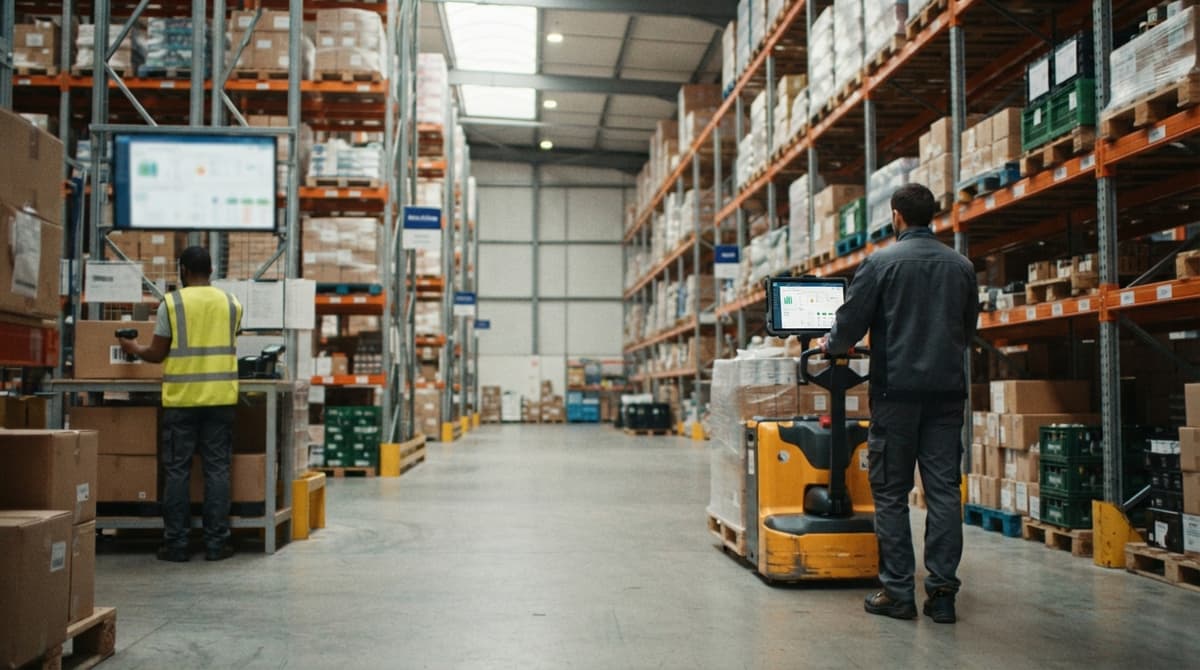
To track inventory in real-time, scan every item the moment it moves and save each scan to one shared system. Stock counts then update at once for everyone.
It is written for wholesalers with 5 to 100 staff.
Book a callWhat Does It Mean to Track Inventory in Real-Time?
Real-time inventory tracking means stock counts change the moment something is received, moved, picked, or shipped. No one waits for an end-of-day or weekly update. Spreadsheets and printed sheets update only when a person types the change in later.
Here is a plain example. A pallet of 40 cases arrives at the dock. A worker scans it. The count goes up by 40 right away. The office, the floor, and sales all see the new number. Real-time inventory management is built on that one habit.
We build it for your operation, and the first look is free
If you would rather not compare products, describe how your operation already works and we build the system around it.
No build cost. You see it running on your own process first, and the monthly subscription starts only once it is live.
Book a callWhy Spreadsheets and Printed Sheets Fall Behind
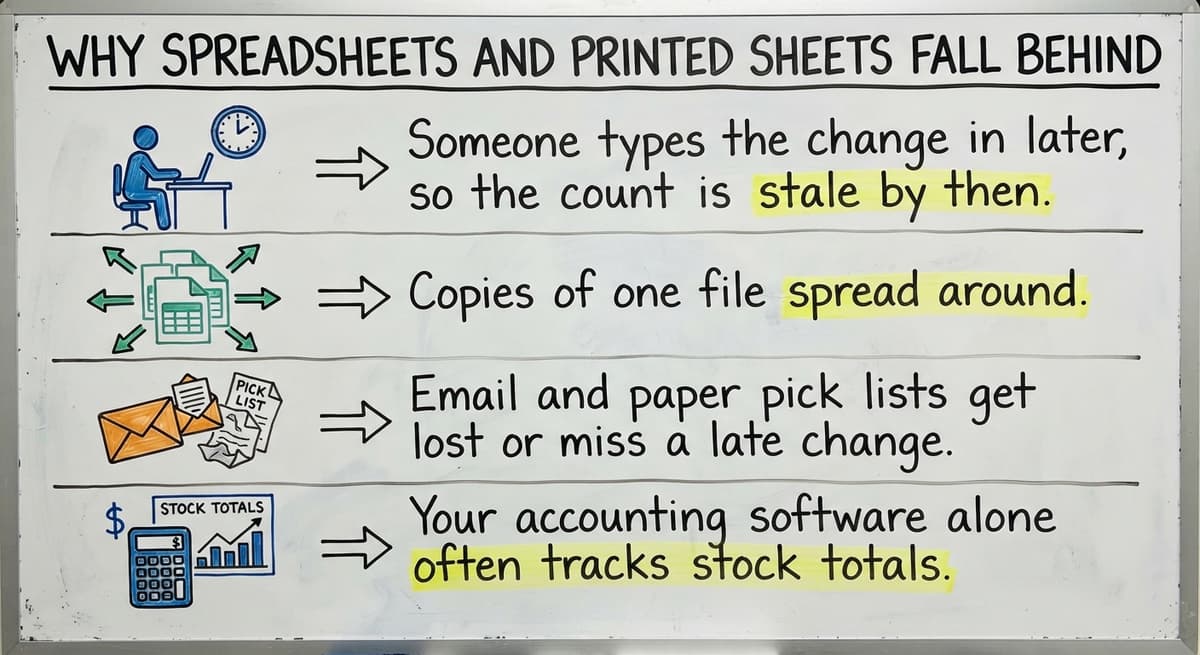
Spreadsheets fall behind because a person must type each change in by hand. The number is old before anyone reads it.
- Someone types the change in later, so the count is stale by then.
- Copies of one file spread around, and each copy shows a different count.
- Email and paper pick lists get lost or miss a late change.
- Your accounting software alone often tracks stock totals, not every move on the floor.
Scans fix the typing gap. The barcode standards body states that GS1 develops standards so that "barcodes" can identify products the same way across the supply chain. A scan is only as good as that shared identity.
An inventory spreadsheet alternative must remove the typing step, not just move it.
How Do You Track Inventory in Real-Time Step by Step?
You track inventory in real-time with 5 short steps. Each step removes a delay between the shelf and the record.
- Give every item a unique SKU, which is a short code for one product.
- Label every shelf, bin, and rack location.
- Scan at each movement of stock.
- Store all counts in one shared system.
- Review exceptions every day.
Each step builds on the one before it. Skip one and the live count breaks. The next 3 sections cover the first steps in detail. The same steps work for how to keep track of inventory in a small shop or a large warehouse.
Five steps, done in order, give you a count you can trust.
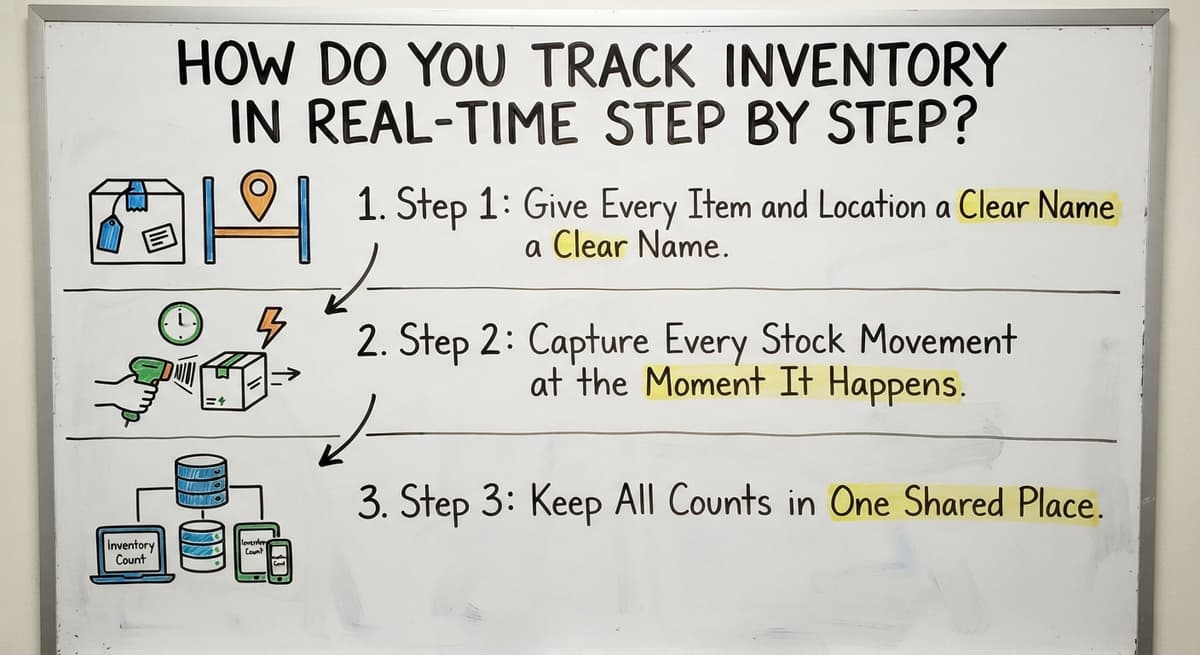
Step 1: Give Every Item and Location a Clear Name
Clear names come first. Use one SKU per product and one label per shelf, bin, or rack.
Clean up duplicate or confusing item names before anything else. If "Blue Widget 6in" and "Widget Blue 6" both exist, scans split the count across two records.
Bad item data breaks any tracking method. A scanner cannot fix a messy list. It only records the mess faster.
Start with your top 50 items. Fix those, then work down the list.
Step 2: Capture Every Stock Movement at the Moment It Happens
Every stock movement needs a record at the moment it happens. That includes receiving, put-away, picking, packing, shipping, returns, and adjustments.
Use a handheld scanner or a phone. Do not write it on paper to type up later. Barcode scanning inventory work takes seconds per item.
The rule is simple: if it moves, it gets recorded right then. A worker who pulls 12 units for an order scans the pick. A worker who finds a damaged case scans an adjustment.
One missed scan makes the count wrong until someone finds it.
Step 3: Keep All Counts in One Shared Place
One shared system holds all counts. The office, the floor, and sales all read the same live record.
Replace separate Excel files and Access databases with that single source. Each extra file is a place where the count can drift.
Picture a sales rep quoting a customer. The rep checks the shared system and sees 85 units on hand. The number is true at that second. No call to the floor is needed.
When everyone sees the same number, stock levels stop being an argument.
Not sure this is the right shape for your operation
Describe how the work runs today. We map it on a call and show you what it would look like built around that, before you spend anything.
Book a callWhat Equipment Do You Need for Real-Time Inventory Tracking?
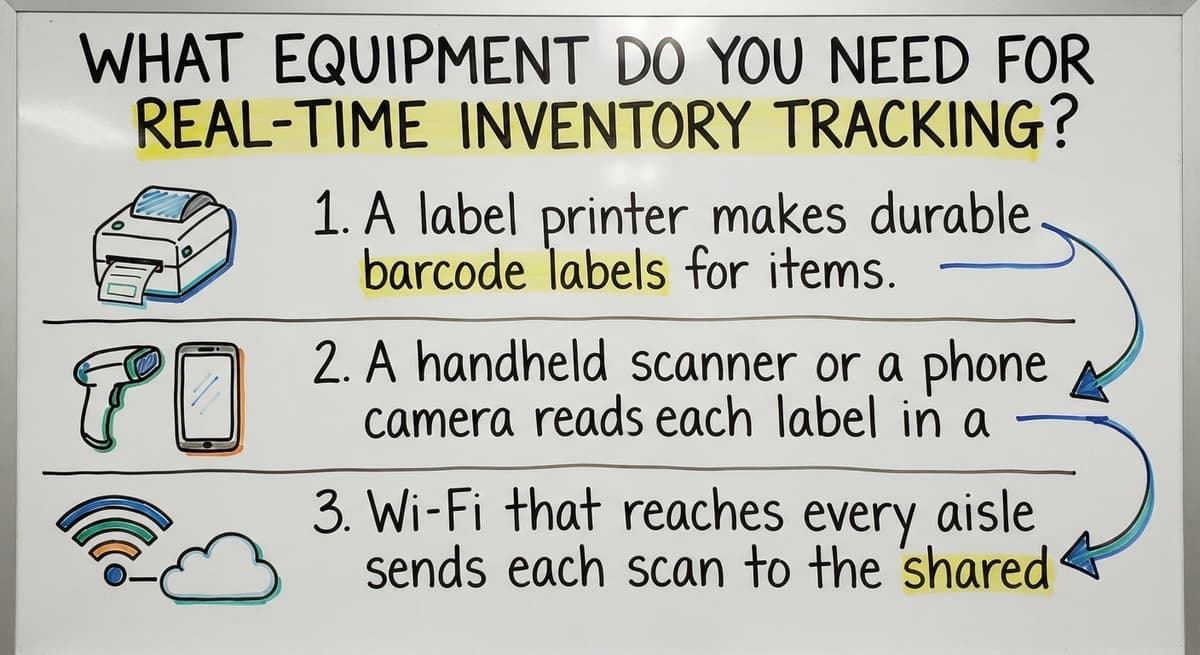
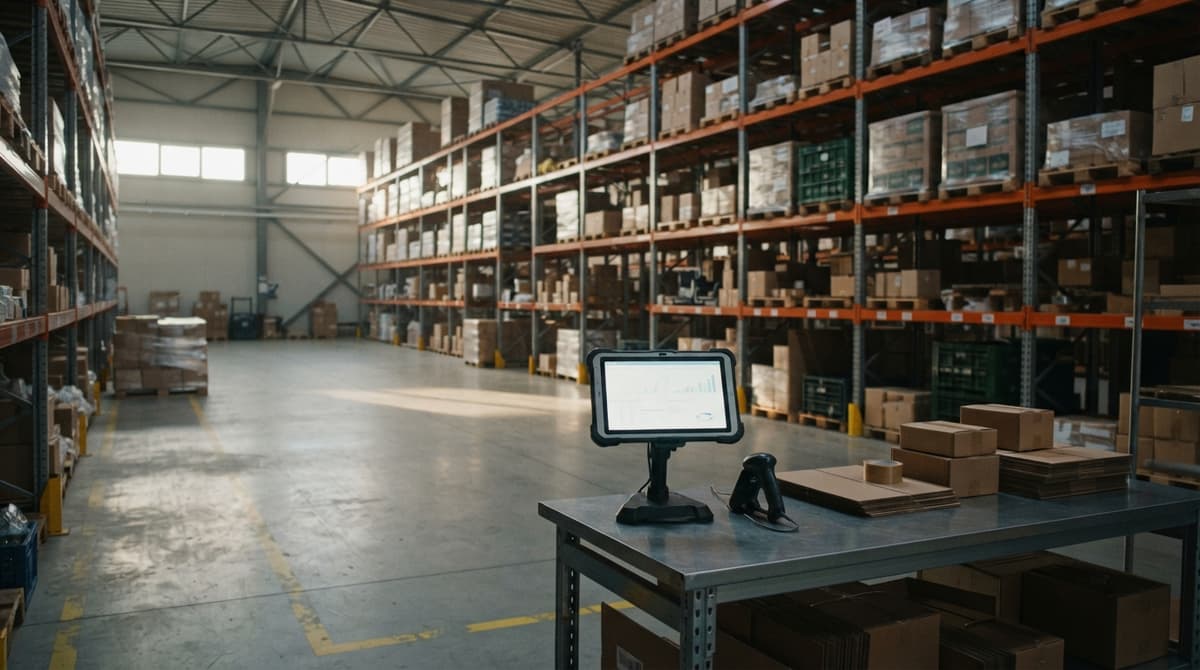
You need 3 things: barcode labels with a label printer, handheld scanners or phones, and reliable Wi-Fi in the warehouse.
- A label printer makes durable barcode labels for items, shelves, and bins.
- A handheld scanner or a phone camera reads each label in a second.
- Wi-Fi that reaches every aisle sends each scan to the shared system.
Small operations do not need heavy hardware to start. A few phones and a basic printer can cover one room. Add gear as the work grows.
Start small, and spend more only when scans prove the habit holds.
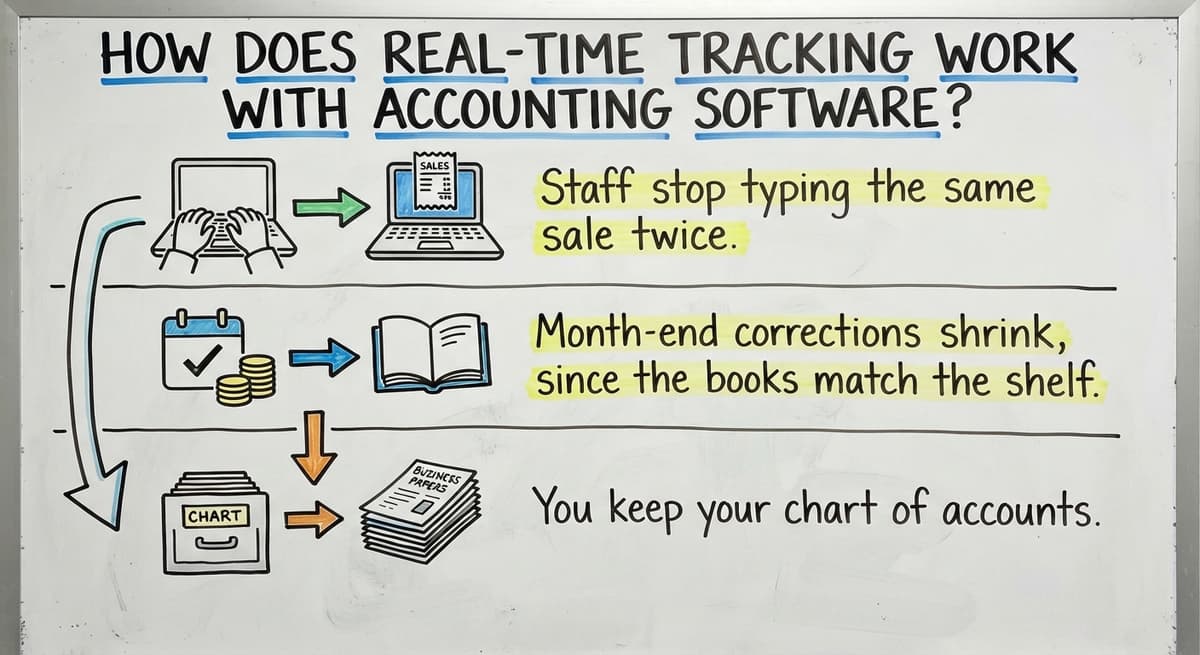
How Does Real-Time Tracking Work With Accounting Software?
Real-time tracking works with your accounting software by letting it stay the accounting system. A connected tool handles live stock movement. Totals and costs then sync to your accounting software.

That split matters. Inventory tracking setups in accounting software often hold totals only. They do not see each pick or put-away. A connected tool sees both.
The gains are easy to count:
- Staff stop typing the same sale twice, once on the floor and once in the books.
- Month-end corrections shrink, since the books match the shelf.
- You keep your chart of accounts, reports, and your bookkeeper's habits.
You do not have to migrate. Replace only the manual parts. The IRS also requires that you value your inventory: "To figure taxable income, you must value your inventory at the beginning and end of each tax year." Clean counts make that job faster.
Keep the books you have and fix only the typing.

Do You Need a Big ERP to Track Inventory in Real-Time?
No, you do not need a big ERP to track inventory in real-time. An ERP is a large system that runs many parts of a company at once. Many 5 to 100 person operations need only a few connected pieces.
Big systems can mean long, costly rollouts. They also change how your crew works. That cost hits a lean team hard.
Custom software is another path. A builder can shape it around how your team already works. The steps your crew knows stay the same. Only the slow, manual parts go away.
Small warehouses rarely need an ERP. They need scans, one shared record, and a link to the books.
The comparison is easier when one option is built for you
Off-the-shelf means fitting your process to the software. We do it the other way round, and the first look costs nothing.
Book a call
When Does Custom Software Make Sense?
Custom software makes sense when off-the-shelf tools force workarounds. Look for these signs:
- You have unusual pick rules that standard tools cannot follow.
- You handle lots or bundles that need special tracking.
- Customers want their own packing steps.
- Staff re-enter the same data in many places.
A custom build keeps the steps your crew already knows. The Software Society is based in Columbus, Ohio. The same team builds software, your site, and your search presence in one connected system.
If you spend more time on workarounds than on work, a custom build is worth a look.

Common Mistakes That Break Real-Time Tracking
Four mistakes break real-time tracking most often. Each one lets the count drift from the shelf.
- Skipping scans when the floor is busy leaves holes in the record.
- Not fixing item data first splits one product across many records.
- Letting people keep side spreadsheets creates a second, wrong count.
- Never doing cycle counts means no one checks if the system is right.
A stockout is a sale lost because an item ran out. One podcast on stockouts calls them "usually costly mistakes in inventory management." Bad counts cause them.
Fix the habits first, and the tools will do their job.
How Do You Know Your Real-Time Counts Are Accurate?
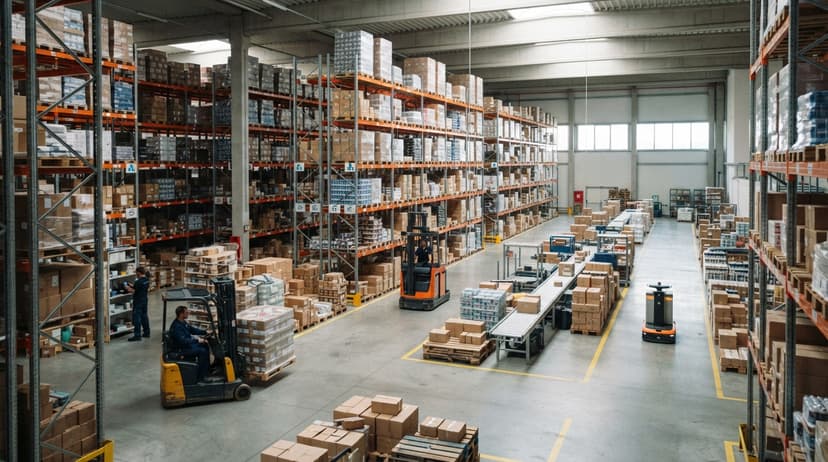
You know counts are accurate when shelf counts match system counts. Cycle counts are small, regular counts of a few items. They replace one big yearly count.
- Count 10 to 20 items each day, and rotate through the whole list.
- Compare the system number to the shelf number, and look into every gap.
- Track 3 simple measures: count accuracy, stockouts, and late orders.
The FTC rule on mail and internet orders expects you to ship when you said you would. Accurate counts protect that promise.
Small daily checks catch errors while they are still small.

Next Step
If your team still types counts from paper into Excel, start with Step 1 this week. Want help adding live tracking on top of your accounting software? Talk to The Software Society about a custom workflow built around how your crew already works.
Frequently asked questions
What is the easiest way to track inventory?
There is no single easiest way. The right choice depends on size, volume, and budget. A spreadsheet is simple for a few items. An off-the-shelf tool suits standard work. A custom build fits odd rules. Scanning each move into one shared record is the easiest habit to keep.
What is real-time inventory tracking?
Real-time inventory tracking means stock counts update the moment an item is received, moved, picked, or shipped. Workers scan each move. Everyone sees the same live number.
Can I use Excel to track inventory?
Yes, for a small stock list. Excel is not real-time, though. Someone must type each change, and copies of the file drift apart. Once you have many moves a day, scanning into a shared system works better.
Do you need barcode scanners to track inventory in real-time?
No. A phone camera can scan barcodes. Handheld scanners are faster in busy rooms. Small teams can start with phones.
Can accounting software track inventory in real-time?
Accounting software tracks stock totals well. It does not see each move on the warehouse floor. A connected tool can capture live moves and sync totals and costs to your accounting software.
Do small warehouses need an ERP for real-time tracking?
No. Most small warehouses need scans, one shared record, and a link to their books. A full ERP can cost more and change how the crew works.
When is custom inventory software worth it?
Custom software pays off when you have unusual pick rules, lot or bundle handling, customer-specific packing, or many manual re-entries. It keeps the steps your crew already knows.
Start with a free first look
A 30 minute call, your operation mapped, and a clear picture of what we would build. No obligation and nothing to install.
Book a callRelated guides
More on the same work.
- How to Keep Track of Inventory
- How to Create an Inventory Tracking System?
- How to Keep Track of Inventory on Clover
- How to Keep Track of Computer Inventory
- How to Keep Track of Consignment Inventory
- How to Keep Track of Alcohol Inventory
- How to Keep Track of Product Inventory
- How to Keep Track of Ebay Inventory
- How to Keep Track of Poshmark Inventory
- How to Track Inventory for Home Staging
- How to Keep Track of Dental Inventory
- How to Keep Track of Boutique Inventory
- How to Keep Track of Vaccine Inventory
- How to Keep Track of Liquor Inventory
- How to Track Non Inventory Items
- How to Keep Track of Grocery Inventory
- How to Keep Track of Lularoe Inventory
- How to Keep Track of Freezer Inventory
- How to Keep Track of Cigarette Inventory
- How to Keep Track of Inventory Electronically
- How to Keep Track of Paparazzi Inventory
- How to Keep Track of Fba Inventory
- How to Track Inventory with Qr Code
- How to Record Inventory on Hand