


How to Track Inventory with Qr Code
You track inventory with QR codes in 4 steps: label, scan, record, review. A small warehouse can start with 1 phone and 1 label printer. Each label holds an ID. The stock count lives in software. You cut the retyping and keep your accounting package.
Book a callHow Do You Track Inventory With QR Codes?
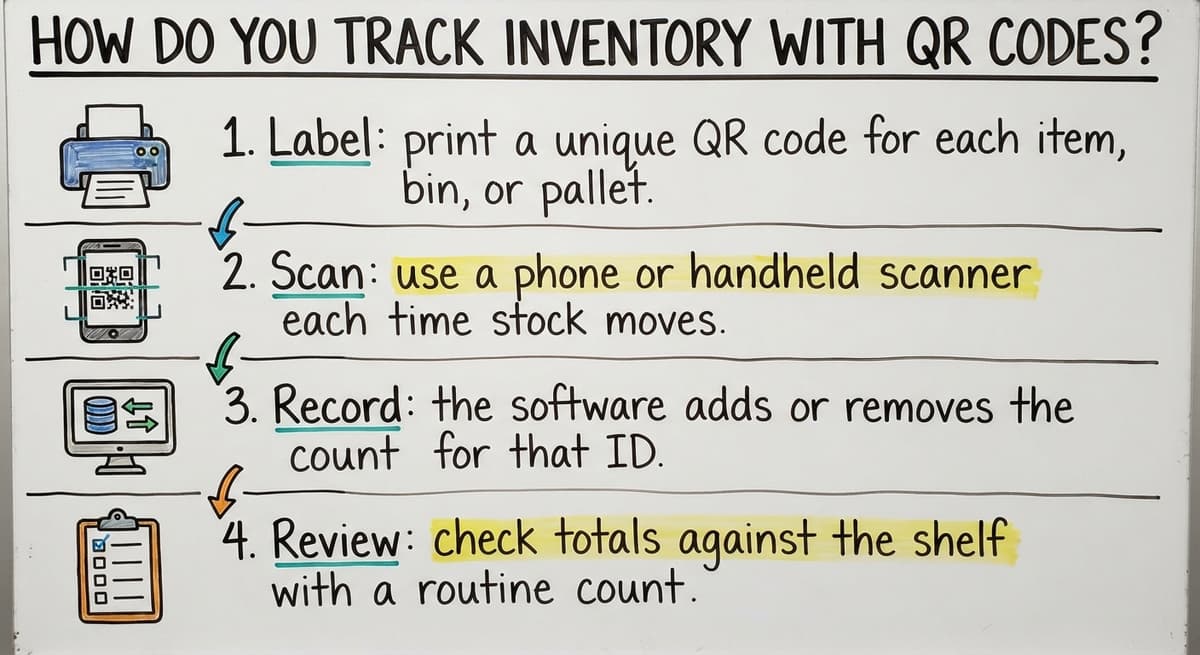
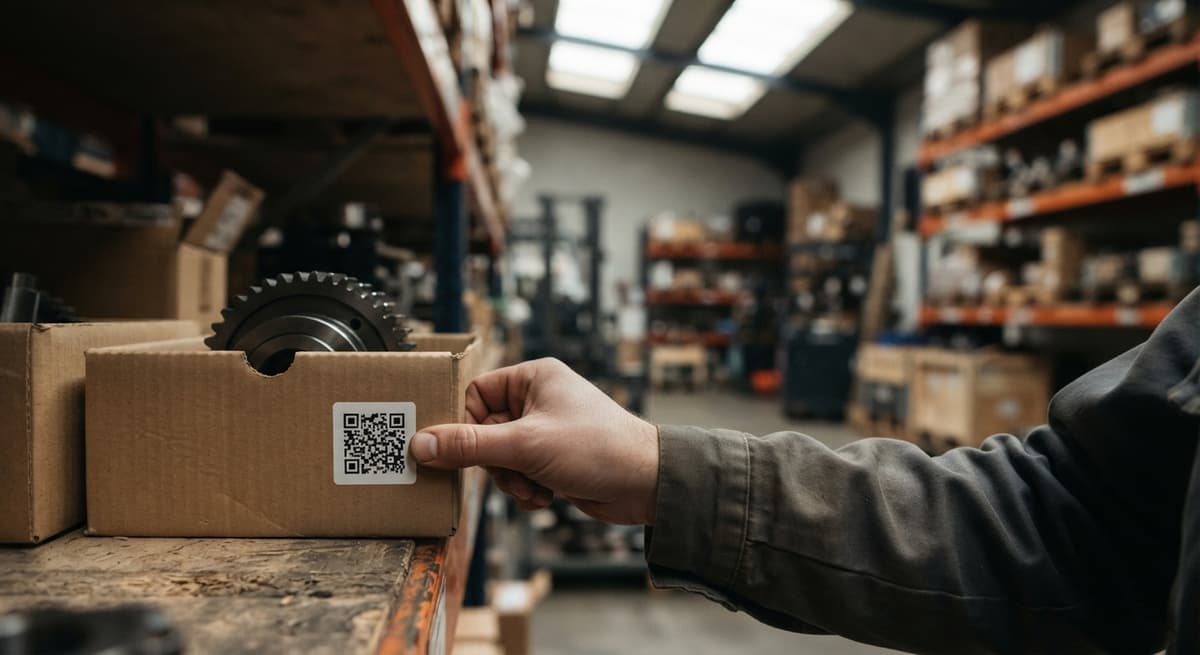
Put a QR label on each item, bin, or pallet. Scan the label whenever stock moves. A system records the change.
The 4 steps are:
- Label: print a unique QR code for each item, bin, or pallet.
- Scan: use a phone or handheld scanner each time stock moves.
- Record: the software adds or removes the count for that ID.
- Review: check totals against the shelf with a routine count.
The QR code holds only an ID. The stock count lives in the software behind it.
We build it for your operation, and the first look is free
If you would rather not compare products, describe how your operation already works and we build the system around it.
No build cost. You see it running on your own process first, and the monthly subscription starts only once it is live.
Book a callWhat Is a QR Code Inventory System?
A QR code inventory system is a set of labels, a scanning device, and a database that logs every move. The QR code is only a pointer. It points to a record, and the record holds the count.
Printed sheets go stale the moment you write on them. Counts typed by hand into Excel carry typos. A scan updates the record in seconds.
GS1, the standards body behind retail barcodes, publishes the "global standards" that scan-based counts rely on, listed on its barcode standards page. A scan replaces a pen.
What Do You Need to Track Inventory With QR Codes?
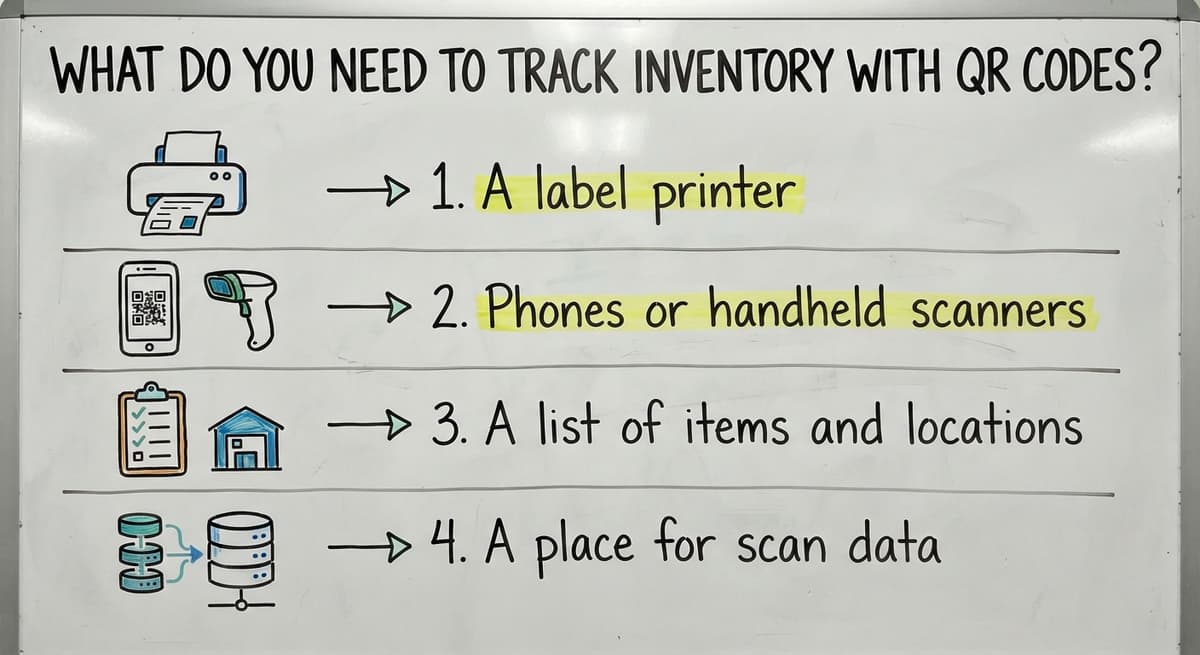
You need 4 things to start: a label printer, scanners, a clean item list, and a place to store scans. Keep the kit small.
- A label printer with durable labels that resist rubbing, water, and dust.
- Phones or handheld scanners that read QR codes and reach your Wi-Fi.
- A list of items and locations with clean names and SKUs (stock keeping units, the short codes for each product).
- A place for scan data: a spreadsheet at first, then custom software.
Start with these 4 and add more only when a step slows you down.
What Should You Put a QR Code On?
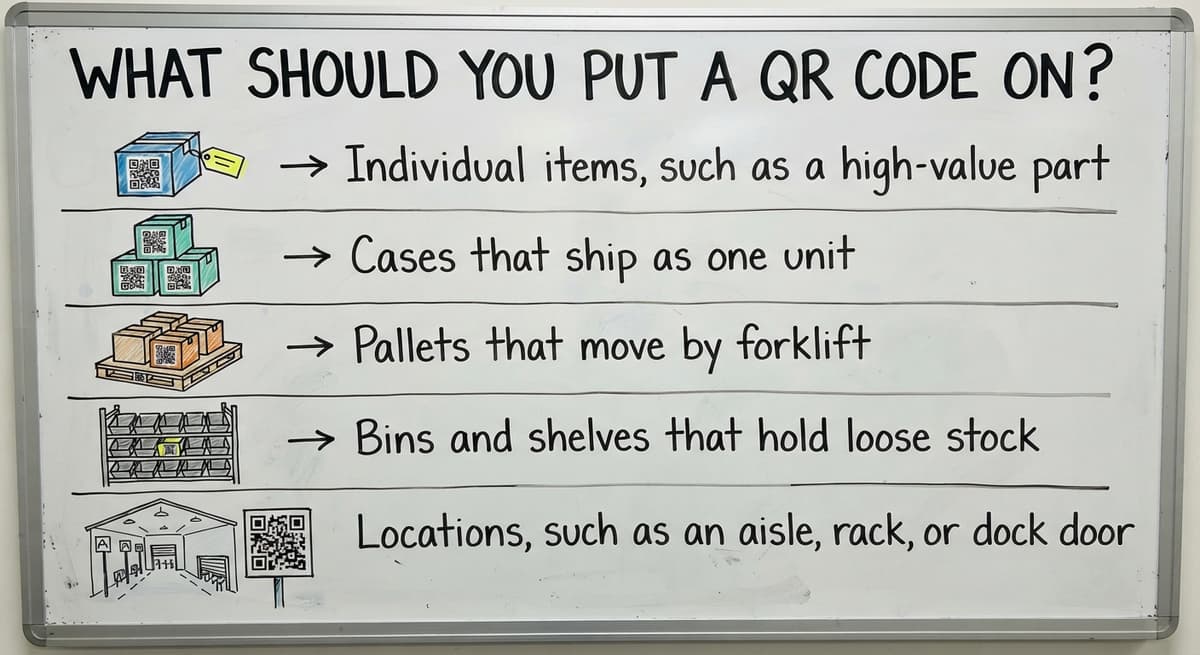
Label the unit you move and count. That is the rule of thumb for any qr code for inventory management plan.
Your options are:
- Individual items, such as a high-value part.
- Cases that ship as one unit.
- Pallets that move by forklift.
- Bins and shelves that hold loose stock.
- Locations, such as an aisle, rack, or dock door.
Take a wholesale distributor. The team labels pallets and bin locations. They skip every small item inside. One scan then moves a whole load.
Label less at the start. You can add labels later, but you cannot easily undo a mess.
Not sure this is the right shape for your operation
Describe how the work runs today. We map it on a call and show you what it would look like built around that, before you spend anything.
Book a call
How Do You Set Up QR Code Labels Step by Step?
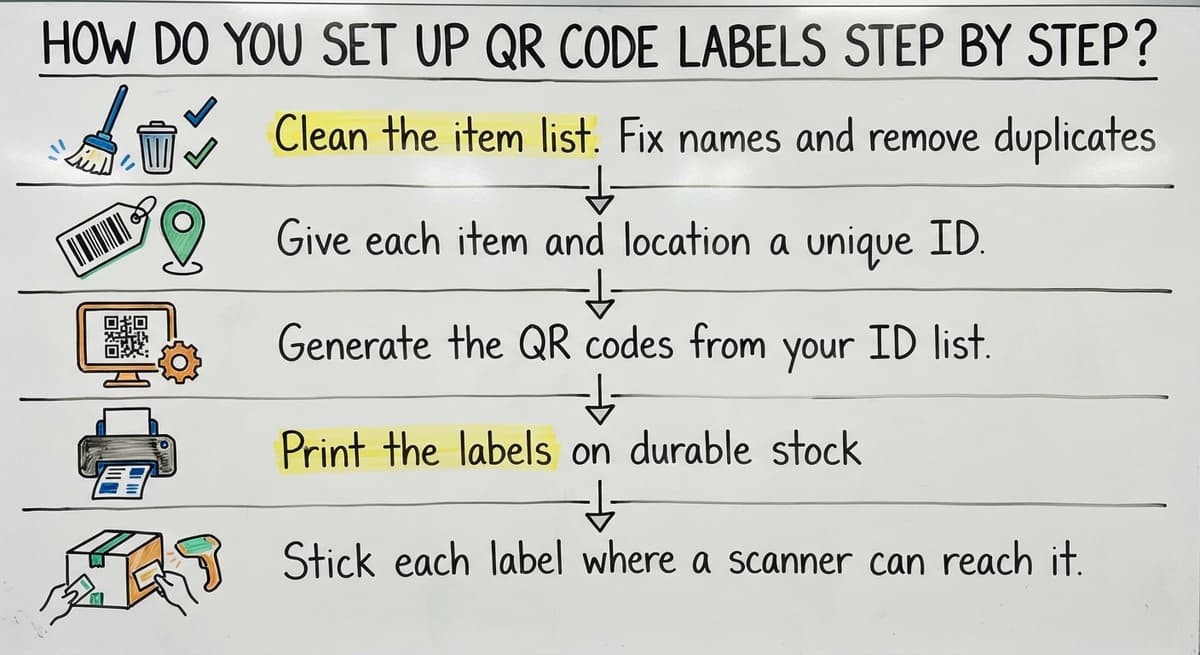
Setup takes 5 steps. People who ask how to create an inventory tracking system? need this same order of work.
- Clean the item list. Fix names and remove duplicates.
- Give each item and location a unique ID.
- Generate the QR codes from your ID list.
- Print the labels on durable stock.
- Stick each label where a scanner can reach it.
Use one ID format across the whole list. Never reuse an ID, even for a retired item. Test 10 labels in real conditions before you print hundreds.
A short test run saves a pallet of bad labels.
How Do You Scan Stock In and Out?
Every stock move gets a scan: receive, pick, ship, or transfer. The steps are short and the same each day.

Receiving
Receiving is the step where new stock enters the system, and every later count depends on it being right. Scan the item to identify it. Enter the quantity you received. Then scan the bin where you put it. The system adds the count to that bin, so the record matches the shelf from the moment the goods are put away. Because each step is a scan, the count is tied to a specific item and a specific location.
Picking and shipping
Picking and shipping is where stock leaves the building, and scanning keeps the count accurate as it does. Scan the bin, then the item, to confirm the right pick. This check catches a wrong item or a wrong location before the order is packed. Scan again at the dock to deduct stock. The count drops when the box leaves, not when the item is picked, so the numbers reflect what has actually shipped.
Transfers
A transfer is a move of stock between locations, and it works scan to scan. Scan the old bin, scan the new bin, and confirm the quantity. Nothing is retyped, which removes a common source of typing errors and mismatched counts. The system removes the count from the old bin and adds it to the new one.
In each case, the scan is the record.

What Information Should Each Scan Record?
Each scan should record 5 facts:
- The item scanned.
- The quantity moved.
- The location.
- The date and time.
- The person who scanned.
These fields build a trail. When a count is wrong, you follow the trail to the move that broke it. Keep the fields few so staff fill them in.
Records matter by law too. IRS Publication 538 states, "To figure taxable income, you must value your inventory at the beginning and end of each tax year." A clean trail makes that count easy.
The comparison is easier when one option is built for you
Off-the-shelf means fitting your process to the software. We do it the other way round, and the first look costs nothing.
Book a callCan You Track Inventory With QR Codes in Excel?
Yes, you can track inventory with QR codes in Excel for a small start. The limits show up fast.
Where a spreadsheet works
A spreadsheet works for 1 or 2 users and a short item list. At that size, the simple setup is enough. Scan data can land in rows, and you total each ID by hand. That manual totaling is the main limit, since it takes more effort as the list grows. In exchange, cost stays near zero, which suits a very small operation.
Signs you have outgrown it
Plan a move when you see these problems:
- Duplicate entries pile up for the same item.
- Two people edit the file and overwrite each other.
- Counts are never live, so a picker finds an empty bin.
- Staff still type scan results by hand.
One sign is a warning. Two signs mean it is time to move on.

How Do QR Code Scans Connect to Your Accounting Software?
Your accounting software stays your accounting record, and scans handle the daily movement of stock. Your team scans at the shelf. The accounting package keeps the books.
Custom inventory management software can sit between the two. It takes each scan, tallies the count, and passes the quantities to your accounting software's inventory. Nobody retypes a number.
This path avoids a move to a big ERP, which is a large all-in-one system for running a whole company. Whether you need the link depends on how your operation already works. Some teams only need a nightly export. Others want a live sync.

QR Codes or Barcodes: Which Is Better for Inventory?
QR codes hold more data than barcodes and scan with a phone camera. Barcodes are already on most supplier and retail labels.
Wikipedia notes that QR codes are used in "commercial tracking applications" as well as phone-based uses, as covered on its QR code page. Damage matters too. The Computer Science Field Guide says "Reed-Solomon error correction has been around since 1960", and QR codes use it, so a scuffed label still reads.
Many operations use both. Pick by the scanners you own and the labels your suppliers print. A qr code vs barcode inventory choice is rarely all or nothing.
What Mistakes Should You Avoid?
Five mistakes cause most failed rollouts.
Label and training mistakes
These are three common mistakes with labels and staff training. Each one can undermine a scanning system, so it helps to avoid them from the start.
- Labels peel or fade in warehouse heat, cold, or dust. Test the stock first.
- Staff get no training. Show each person the scan steps on day one.
- You label everything on day one. Start with pallets and bins.
Data and count mistakes
- Item names stay messy. Clean them before you print.
- Nobody runs cycle counts, which are small, routine counts of a few bins. Counts catch drift early, and accurate stock helps you ship when you said you would, as the FTC's order merchandise rule expects.
The NIST supply chain guidance offers neutral process advice. Fix the process first and the tools work better.
When Does a Custom System Make Sense?
A custom system makes sense when manual steps keep costing you time. Look for these triggers:
- Scans still get retyped into Excel.
- Count errors keep returning.
- Picking is slow.
- Your accounting software falls out of sync with the shelf.
Do the math. 3 people spending 5 hours a week retyping, at $20 an hour, costs $15,600 a year. The Bureau of Labor Statistics lists pay for stock clerks if you want your own wage figure. The Census Bureau tracks wholesale inventories each month, so stock is a big cost for the trade.
A custom build follows how your team already works. It replaces only the manual parts. Our team in Columbus, Ohio builds for small and mid-size teams. If you want to talk it through, ask for a short review of your current steps.
Frequently asked questions
Do I need special scanners to read QR codes?
No. Most phones read QR codes with the camera. A handheld scanner is faster for heavy daily use and holds up better on a warehouse floor. Start with phones, then add handhelds if scan speed becomes a limit.
How to make QR codes trackable?
Give each code a unique ID and store that ID in a database. Every scan then logs the item, time, place, and person. A static code holds the ID itself. A dynamic code points to a web address that you can change and count visits on. For stock work, a static code with a unique ID is the simpler choice.
Can my accounting package see scan data?
Yes, if something passes the numbers along. Scans feed an inventory system first. That system can send updated quantities to your accounting package on a schedule or live. The right link depends on how your team already works.
How many labels should I print first?
Print enough for your pallets and bin locations, then stop. Test 10 labels in real conditions before a big run. Add item-level labels later only where a scan saves real time.
Can ChatGPT generate QR codes?
Some AI chat tools can write a short script that turns your ID list into QR images. They do not print or apply the labels, and they do not track the stock. Scan every code before you print a full run. A chat tool helps you make codes, but you still need a database to keep counts.
Can a QR code hold the stock count itself?
It can hold text, but it should not. A printed code cannot change when stock changes. Store only the ID in the code, and keep the count in your software, where every scan updates it.
How often should I count stock?
Count a few bins every week instead of everything once a year. Start with fast-moving and high-value items. Small, steady counts find errors while the trail is still fresh.
Start with a free first look
A 30 minute call, your operation mapped, and a clear picture of what we would build. No obligation and nothing to install.
Book a callRelated guides
More on the same work.
Guides
Common questions
- How to Keep Track of Inventory
- How to Create an Inventory Tracking System?
- How to Keep Track of Inventory on Clover
- How to Keep Track of Computer Inventory
- How to Keep Track of Consignment Inventory
- How to Keep Track of Alcohol Inventory
- How to Keep Track of Product Inventory
- How to Keep Track of Ebay Inventory
- How to Keep Track of Poshmark Inventory
- How to Track Inventory for Home Staging
- How to Keep Track of Dental Inventory
- How to Keep Track of Boutique Inventory
- How to Keep Track of Vaccine Inventory
- How to Keep Track of Liquor Inventory
- How to Track Non Inventory Items
- How to Keep Track of Grocery Inventory
- How to Keep Track of Lularoe Inventory
- How to Keep Track of Freezer Inventory
- How to Keep Track of Cigarette Inventory
- How to Keep Track of Inventory Electronically
- How to Keep Track of Paparazzi Inventory
- How to Keep Track of Fba Inventory
- How to Track Inventory in Real-time