


How to Track Inventory
To track inventory, you record what you have, how many you have, and where it sits. You also log every item that comes in and goes out. Any method must answer those 3 questions: what, how many, where.
Book a callWhy Does Inventory Tracking Matter for a Warehouse?
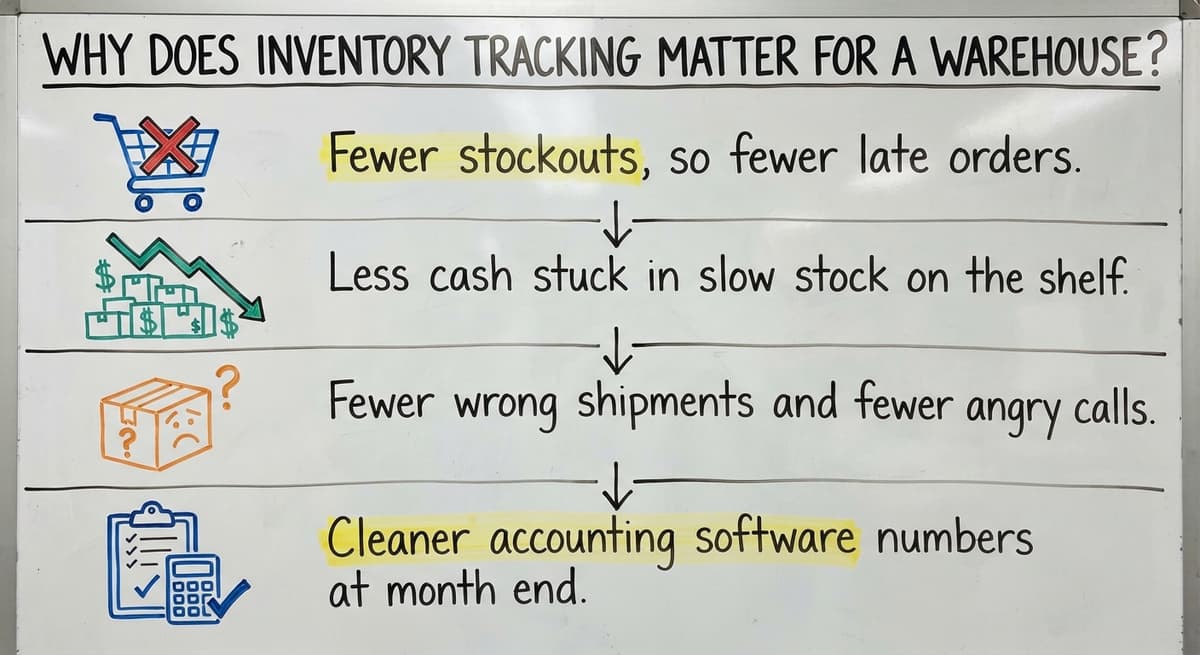
Good inventory tracking protects cash, orders, and trust. Here is what a clean count gives you:
Reviewed November 2026.
- Fewer stockouts, so fewer late orders.
- Less cash stuck in slow stock on the shelf.
- Fewer wrong shipments and fewer angry calls.
- Cleaner accounting software numbers at month end.
The IRS agrees the count matters. IRS Publication 538 says, "To figure taxable income, you must value your inventory at the beginning and end of each tax year." GS1 sets the barcode rules many scanners follow, and it says its barcode standards give each product a unique identity. A true count is not a nice extra.
We build it for your operation, and the first look is free
If you would rather not compare products, describe how your operation already works and we build the system around it.
No build cost. You see it running on your own process first, and the monthly subscription starts only once it is live.
Book a callHow Do You Track Inventory Step by Step?
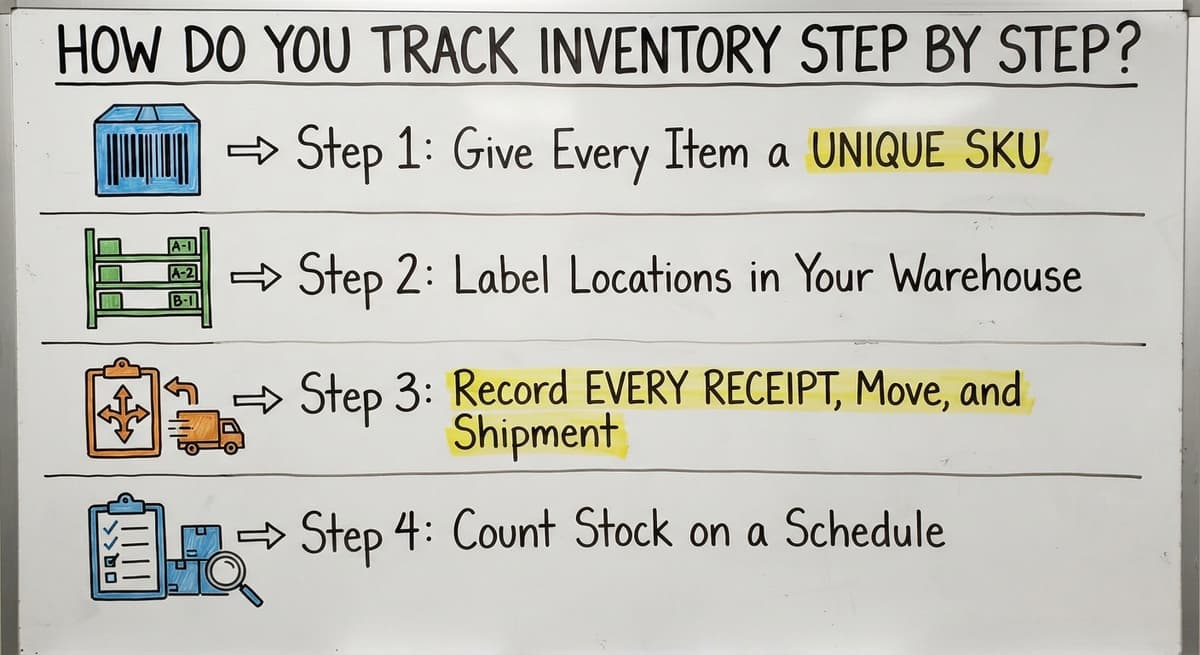
You track inventory in 6 steps: list items, give each a SKU, set locations, record every move, count often, and review the numbers.
- List every item you hold, including pallets, cases, and loose parts.
- Give each item one unique SKU.
- Set a named location for each item.
- Record every receipt, move, and shipment.
- Count stock on a set schedule.
- Review the numbers each month and fix gaps.
The next sections cover steps 2 to 5 in detail. Skip none of them.
Step 1: Give Every Item a Unique SKU
A SKU is a short code for one exact item. Blue, large, 12-pack gets its own code. Blue, large, 24-pack gets another.
- Keep codes short and in one pattern, such as TEE-BLU-L-12.
- Split size, color, and pack size into parts.
- Never reuse a code for a new item.
- Never give one item two codes.
One item with one code means one clean count.
Step 2: Label Locations in Your Warehouse
Good warehouse inventory work starts with bin locations: a bin is a labeled box or shelf slot. Name each aisle, shelf, and bin, such as A-03-2. Write the location next to each SKU. Then pickers read the pick sheet and walk straight to the item.
Set aside separate areas for these:
- Receiving, for goods not yet counted.
- Returns, for goods waiting on a check.
- Damaged stock, so no one ships it by mistake.
A labeled shelf ends the hunt for lost stock.
Step 3: Record Every Receipt, Move, and Shipment
Most errors come from skipped or late entries. A worker moves 4 pallets and plans to log them later. Later never comes. Now the sheet is wrong, and the next picker walks to an empty slot. Tight records also help you ship on time, which the FTC mail order rule expects.
Log stock when it arrives, when it moves, and when it ships. Do it at the moment of the action, not at the end of the day. Match each receipt to a buy order. Match each shipment to a sales order.
Step 4: Count Stock on a Schedule
A cycle count is a small count of one section, done on a set day. You do not shut down for a full count. Count one aisle each week and cover the whole building over time.
Count fast-moving and high-value items more often. Count slow items less often. How often should you count? Weekly for top sellers and monthly or quarterly for the rest works for most teams.
When counts differ from the books, find the cause. A wrong label or a missed receipt is common. Fix that, not just the number.
Not sure this is the right shape for your operation
Describe how the work runs today. We map it on a call and show you what it would look like built around that, before you spend anything.
Book a call
What Tools Can You Use to Track Inventory?
You can use 5 kinds of tools, and the right one matches your size. Each has a place.
- Paper sheets suit a tiny stockroom with a few items.
- An inventory spreadsheet suits low volume and one site.
- Accounting software inventory features track cost and stock value.
- Barcode scanning removes typing and cuts receiving errors.
- Custom software fits work that standard tools do not.
Pick the simplest tool that still keeps your counts true. A small team with 40 items does not need a big system. A team with 4,000 items and 3 shelves of overflow does.

Can You Track Inventory in a Spreadsheet Program or Accounting Software?
Yes, both work for low volume and one location. If you ship a few orders a day, a clean sheet is enough. If you want to know how to keep track of inventory small business style, start there.
The limits show up as you grow:
- Staff type every entry by hand.
- Copies of the file drift apart.
- Neither shows live bin locations.
- Notes spill into email and printed sheets.
Your accounting software is strong on the money side. It tracks cost, sales, and stock value. It is thinner on warehouse detail like aisles and pick paths. Be fair to both tools: they fail only when the work outgrows them.
The comparison is easier when one option is built for you
Off-the-shelf means fitting your process to the software. We do it the other way round, and the first look costs nothing.
Book a call
Signs Your Inventory Tracking System Is Breaking Down
Your inventory tracking system is failing when staff work around it. Watch for these signs:
- Counts never match the books.
- Staff keep their own private sheets.
- Orders ship late because no one can find stock.
- Only 1 person knows how the spreadsheet works.
- Returns and damaged goods sit in no list.
- Several people edit one file and overwrite each other.
Two or more signs mean the tool, not the people, is the problem.
When Does Custom Software Make Sense for Inventory Management?
Custom software fits when your way of working does not match what off-the-shelf tools expect. Maybe you sell by the pallet and ship by the case. Maybe you have odd pick rules.
Custom inventory management gets built around how your team already works. Staff do not relearn everything. Your accounting software stays in place for accounting. The custom tool replaces only the manual parts, such as typed entries and printed sheets. It works at small scale and needs no huge ERP project.
The Software Society team in Columbus, Ohio builds this kind of workflow for lean teams. We start with how you run today.
Common Inventory Tracking Mistakes to Avoid
Five mistakes cause most bad counts. Avoid them and the numbers hold.
- Waiting to log items until later.
- Using unclear or duplicate SKUs.
- Skipping counts when work gets busy.
- Letting many people edit one sheet.
- Ignoring returns and damaged goods.
A small habit, kept daily, beats a big system used badly.
Ready to stop chasing lost stock? Talk to The Software Society about a review of your current process.
Frequently asked questions
Can I use Excel to keep track of inventory?
Yes, for low volume and one location. Give each item a unique SKU, log every move, and let one person own the file. Excel gets weak when many people edit it or when you need live bin locations.
Can accounting software track inventory?
Yes. Accounting software tracks stock counts, cost, and value, which helps with accounting. It offers less detail on aisles, bins, and pick paths, so busy warehouses often add a second tool.
What is a cycle count?
A cycle count is a small count of one section of stock on a set day. You count a bit each week instead of closing for a full count.
How often should you count inventory?
Count top sellers and high-value items weekly. Count slow items monthly or quarterly. Count more often when errors rise.
How do you track inventory in a warehouse?
Give each item a SKU, label every bin location, and log each receipt, move, and shipment as it happens. Then run cycle counts on a schedule.
How do you know when spreadsheets are not enough?
Counts miss the books, staff keep private sheets, and orders ship late because stock is hard to find. Those signs show the work has outgrown the sheet.
When should a small business move to custom inventory software?
Move when your process does not fit standard tools and manual entry costs you time and orders. Custom software can replace the manual parts while your accounting software stays for accounting.
Start with a free first look
A 30 minute call, your operation mapped, and a clear picture of what we would build. No obligation and nothing to install.
Book a callRelated guides
More on the same work.
- How to Keep Track of Inventory
- How to Create an Inventory Tracking System?
- How to Keep Track of Inventory on Clover
- How to Keep Track of Computer Inventory
- How to Keep Track of Consignment Inventory
- How to Keep Track of Alcohol Inventory
- How to Keep Track of Product Inventory
- How to Keep Track of Ebay Inventory
- How to Keep Track of Poshmark Inventory
- How to Track Inventory for Home Staging
- How to Keep Track of Dental Inventory
- How to Keep Track of Boutique Inventory
- How to Keep Track of Vaccine Inventory
- How to Keep Track of Liquor Inventory
- How to Track Inventory Qbo
- How to Track Non Inventory Items
- How to Keep Track of Grocery Inventory
- How to Track Inventory in Salesforce
- How to Keep Track of Lularoe Inventory
- How to Keep Track of Freezer Inventory
- How to Track Ps5 Inventory
- How to Keep Track of Cigarette Inventory
- How to Keep Track of Inventory on Etsy
- How to Keep Track of Inventory Electronically