


Warehouse Management System Pricing
Warehouse management system pricing explained in plain words: the four pricing models, hidden costs, and how to work out your true cost over 3 to 5 years.
Book a callWarehouse Management System Pricing at a Glance
Warehouse management system pricing depends on three things: the model (subscription, license, or custom build), the number of users, and the setup work. Dollar ranges vary by vendor, so check any figure against a current written quote. Reviewed November 2026.
We build it for your operation, and the first look is free
If you would rather not compare products, describe how your operation already works and we build the system around it.
No build cost. You see it running on your own process first, and the monthly subscription starts only once it is live.
Book a callWhat Is a Warehouse Management System?
A warehouse management system (WMS) is software that tracks stock, bin locations, receiving, picking, packing, and shipping. Accounting software such as a popular small-business bookkeeping program records money. It does not record which bin holds a pallet or who picked an order.
The work itself carries risk. The OSHA warehousing page states: "The warehousing and storage industry includes establishments operating facilities for general merchandise, refrigerated goods, and other products." Good tracking keeps people and stock moving in order.
What Are the Main Ways Warehouse Management Systems Are Priced?
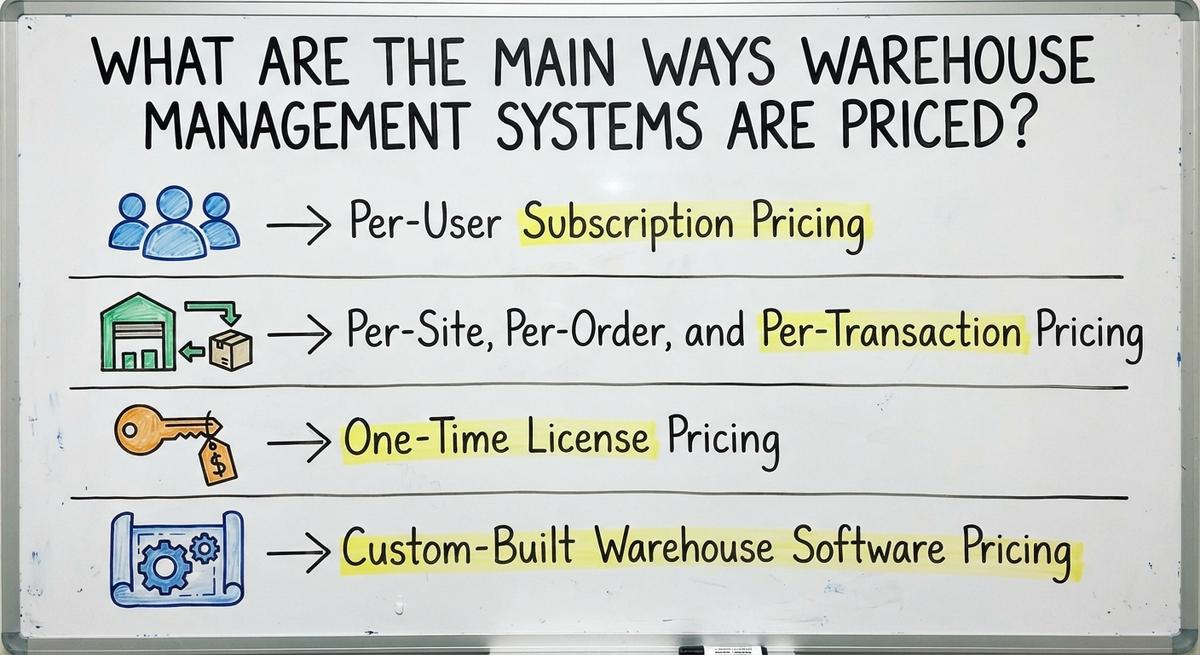
WMS pricing models fall into 4 groups: per-user subscription, per-site or per-transaction fees, a one-time license, and a custom build. The cheapest sticker price is not always the lowest total cost. A low monthly fee can grow past a custom build within a few years.
Per-User Subscription Pricing
A per-user plan charges a monthly fee for each person who logs in. Small teams like it because the start-up cost is low. Costs rise with every hire.
Watch for two traps:
- A minimum user count can make a 4-person team pay for 10 seats.
- Tiered plans can lock the features you need behind the top tier.
A subscription is cheap on day one and costs more with each new hire.
Per-Site, Per-Order, and Per-Transaction Pricing
Ask how overage is billed. Ask if the rate drops at higher volume. Ask for a sample invoice from a peak month.
Some vendors bill by warehouse, order count, or shipment count. Slow months cost less. Busy seasons cost more, and the bill jumps.
A fee tied to volume feels fair until your busiest month arrives.
One-Time License Pricing
A one-time license means a large upfront payment. Yearly support fees usually follow. Updates and help can cost extra.
This model still suits a firm that wants to own the software and run it on its own servers. It is less common now because most buyers prefer smaller monthly payments and automatic updates.
A license saves money only if you plan to run the same system for many years.
Custom-Built Warehouse Software Pricing
You can start with one painful process, such as receiving or pick sheets. Then you add more later. No price is fixed in advance, because cost depends on how much you ask the team to build.
Custom warehouse software cost follows scope. A builder studies how your operation already works. You pay for the parts you need and skip the rest.
A tight scope keeps a custom build affordable.
Not sure this is the right shape for your operation
Describe how the work runs today. We map it on a call and show you what it would look like built around that, before you spend anything.
Book a callWhat Does a Warehouse Management System Cost Beyond the Software Fee?
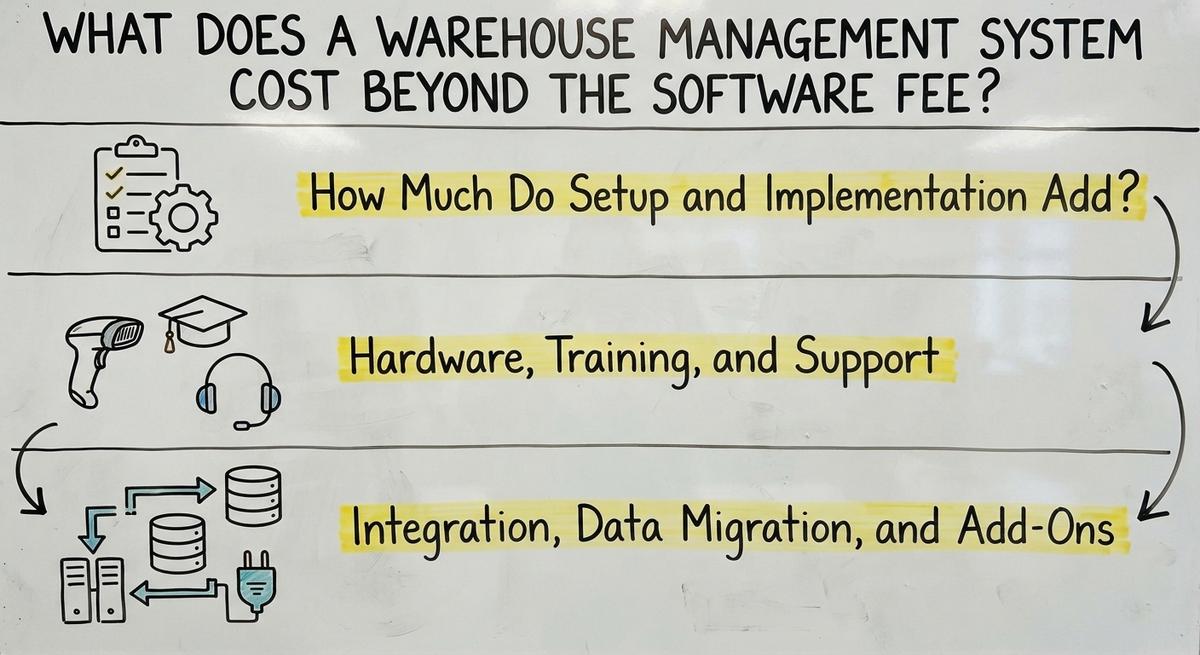
The quote is only part of the warehouse management system cost. WMS hidden costs sit in setup, hardware, training, integrations, and add-on modules. Ask every vendor for a full cost list in writing.
How Much Do Setup and Implementation Add?
Long projects cost more and disrupt the floor. That hurts a 5 to 100 person operation most, since one slow week touches every order. Ask what the setup fee includes and what runs hourly.
Warehouse software rollout cost adds a separate fee on top of the license or subscription. Setup covers setup, process mapping, and loading your data. Some vendors bill a flat fee. Others bill by the hour.
Hardware, Training, and Support
Hardware is its own line item. You may need barcode scanners, label printers, and tablets. Some work can start on phones you already own. GS1 sets the barcode standards, so a code printed by one company scans at another.
Training costs floor hours. Support tiers, response terms, and upgrade charges differ by vendor. Confirm each one before you sign.
Treat hardware and training as budget lines, not afterthoughts.
Integration, Data Migration, and Add-Ons
Integration is the most common hidden charge. Accounting software warehouse integration, shipping tools, and online stores each need a link. Ask which links come built in and which cost extra.
Migration moves data out of Excel files, Access databases, and printed sheets. Messy data takes time to clean.
Packaged systems also charge for add-on modules that match your workflow. Skip them and staff build workarounds that cost time every day. Compare the add-on price against a tailored build.

What Drives Warehouse Management System Pricing Up or Down?
Six factors move the price more than any other. Count them before you ask for a quote.
- Users: each extra login adds a monthly fee on most plans.
- Locations: each new site adds setup work and fees.
- Order volume: more orders raise per-transaction bills.
- Process complexity: lot tracking, many bins, returns, and kitting all add work.
- Integrations: each link to an accounting package or store adds cost.
- Messy data: dirty records take hours to clean.
Complexity and integrations move the price faster than headcount does.
Should You Buy Packaged Software or Build Custom?
Buy packaged software if your process is standard and you need to start fast. Build custom if your process is unusual and you can scope it clearly.
Packaged tools start quickly. You adapt your work to the tool, though. Custom tools fit your process, but they need a clear plan up front.
Subscription costs can pass a custom build over 3 to 5 years. Which is cheaper depends on scope, users, and how many add-ons you need. Get both quotes and compare totals, not monthly fees.

Do You Need a Full Warehouse System or Just Fixes for the Manual Parts?
Many small operations do not need a full system. They need fixes for the manual steps. Keep your accounting software where it works and replace only the weak parts.
Good targets include:
- Pick lists printed on paper.
- Stock counts kept in Excel.
- Orders that arrive by email and get retyped.
This path lowers cost and risk. You skip a big migration, and your team keeps tools it knows. Smaller warehouse inventory management software projects also finish faster. A WMS with accounting software warehouse integration is possible, but a tailored fix can cost less.
The comparison is easier when one option is built for you
Off-the-shelf means fitting your process to the software. We do it the other way round, and the first look costs nothing.
Book a callHow to Estimate Your Total Cost of Ownership
Total cost of ownership is every dollar you spend over 3 to 5 years. Follow these steps:
- Add the software fee for each year.
- Add setup and data migration.
- Add scanners, printers, and tablets.
- Add training hours at your staff pay rate.
- Add integrations and yearly change requests.
- Subtract the cost of the status quo.
Price the status quo too. Say 3 people lose 6 hours a week to errors and rework at $22 an hour. That is $20,592 a year. The Bureau of Labor Statistics publishes pay data for this work, so use your own numbers.
Inventory also has a legal side. IRS Publication 538 states: "To figure taxable income, you must value your inventory at the beginning and end of each tax year."

Signs You Are Overpaying, and Questions to Ask Before You Sign
You are overpaying if you see any of these signs:
- You pay for modules nobody uses.
- Staff still keep side spreadsheets.
- Every small change needs a paid vendor request.
A quote is easier to judge with a checklist. Ask each vendor:
- What is included, and what costs extra?
- How does the price change when we grow?
- Who owns the data?
- What happens if we leave?
- How does the system connect to your accounting software?
- Who handles changes after launch?
Written answers to these six questions expose the real price.
How The Software Society Approaches Warehouse Software Costs
The Software Society builds custom software around how your operation already works. No forced migration is needed. We keep your accounting software where it helps and replace only the manual parts.
The team works at small scale and is based in Columbus, Ohio. The same team builds the software, the website, and your search presence. That keeps one partner accountable for the whole job.
You pay for what you need, not for a long list of modules.
Next Steps: Get a Clear Price for Your Warehouse
Know the pricing model. Count the extras. Match the tool to the process. Before any vendor call, list your top 3 manual headaches. Each one is a place a tailored fix can save time.
Talk through your operation with The Software Society. We will help you see what a fix would cost before you commit to a bigger system.
Frequently asked questions
How much does a warehouse management system cost?
Cost depends on the pricing model, the number of users, and the setup work. A per-user subscription starts low and grows with each hire. A license costs more upfront. A custom build follows scope. Check any range against a current written quote.
What are the common pricing models for a WMS?
There are 4 common models: per-user subscription, per-site or per-transaction fees, a one-time license, and a custom build. Each one changes how cost grows as you add staff, sites, or orders.
Is subscription or custom-built software cheaper over time?
It depends on scope and users. A subscription costs less on day one but grows with each hire and add-on. A custom build costs more up front but fits your process. Compare the total over 3 to 5 years.
Can a warehouse system work with accounting software?
Yes. Many systems link to common accounting software. Ask each vendor whether the link is built in or costs extra. You can also keep your accounting software for the books and replace only the manual warehouse steps.
Which company has the best warehouse management system?
No single company is best for everyone. The right choice depends on your size, process, budget, and accounting tools. Compare a spreadsheet, a packaged tool, a hired service, and a custom build against those criteria.
What costs are not included in the quoted software price?
Setup, hardware, training, support tiers, integrations, data migration, and add-on modules are often billed apart. Ask for every item in writing before you sign.
Does a small warehouse need a full WMS?
Not always. A small team with a few manual steps can fix those steps and keep its accounting software for the books. This path often lowers cost and risk.
Start with a free first look
A 30 minute call, your operation mapped, and a clear picture of what we would build. No obligation and nothing to install.
Book a callRelated guides
More on the same work.
Guides
- Price of Inventory Management Software
- Warehouse Management System Open Source
- Warehouse Management Cost
- Warehouse Inventory Management Software
- Warehouse Inventory Management Systems
- Warehouse Stock Management Software
- Warehouse Management System Top 10
- Software for Warehouse Management System
- Inventory and Warehouse Management Software
- Small Business Warehouse Management System
- Cloud Based Warehouse Management
- Warehouse Management System Types
- Warehouse Inventory Management System
- List of Warehouse Management Software
- Warehouse Management Costs
- Warehouse Management Cloud
- Warehouse Management System Examples
- Warehouse Management System Implementation
- Online Warehouse Management Software