


Warehouse Software System
A warehouse software system is the set of tools that runs receiving, storage, picking, and shipping from one record. Running a warehouse on spreadsheets and printed pick sheets works until it stops working: the errors stack up, the reconciling takes hours, and growth stalls because the current process cannot carry more volume. This guide, reviewed in September 2026, covers what the system does, the features that matter, and what a realistic rollout looks like for a warehouse of 5 to 100 people.
Published 28 July 2026. Reviewed and updated 15 September 2026.
Book a callWhat Does a Warehouse Software System Actually Do?
A warehouse software system connects every step of your warehouse operation into one tracked process. Receiving, storage, picking, packing, and shipping all run through the same system, so nothing falls through the cracks and everyone sees the same information.
The arithmetic is worth doing before the software conversation. 3 people spending 6 hours a week between them chasing the same questions, at 22 dollars an hour, is 936 hours a year of paid time spent confirming what a system would already know. Over 3 years that is 2,808 hours.
The Reality Most Small Warehouses Are Living With
Most small warehouses piece together several tools. The accounting software handles the financials. Spreadsheet tracks inventory counts. Pick sheets come off the printer each morning and go stale by noon.
Orders come in by email and get copied into a spreadsheet by hand. Each tool works on its own, but none of them talk to each other. That gap is where errors happen.
What the System Replaces and What It Does Not
A warehouse software system does not replace the accounting software. It replaces the manual steps that happen around the accounting software. Your accounting team keeps working exactly as they do now.
The warehouse system handles the operational layer, then syncs the relevant data back to the accounting software automatically. No double entry. No reconciling at the end of the month.
A Simple Before and After
A single fulfillment cycle looks very different with and without warehouse management software. Before: A picker gets a printed sheet, walks to the wrong aisle, cannot find the item, and asks a manager. The order slips.
After: The system tells the picker the exact bin location, the correct quantity, and the right sequence to walk the floor. The order ships on time. That is what Warehouse Inventory Management Software is built to do at the shelf level.
Would you rather have it built around your operation?
The first look is free. If you would rather not compare products, describe how your operation already works and we build the system around it.
No build cost. You see it running on your own process first, and the monthly subscription starts only once it is live.
Book a callSigns Your Operation Needs a Warehouse Software System
The signs are operational, not technical. You do not notice them as software problems. You notice them as business problems.
The obligation behind all of this is not optional. IRS Publication 538 states: “To figure taxable income, you must value your inventory at the beginning and end of each tax year.” A stock figure nobody trusts makes that number a guess.
Reviewed August 2026. Each figure comes from the assumptions stated beside it, so you can substitute your own and the arithmetic still holds.
The Day-to-Day Friction That Adds Up
Small warehouse operations accumulate friction in predictable ways. If your team spends hours each week reconciling spreadsheets against the accounting software, that is a sign. If your inventory counts never quite match what is actually on the shelf, that is a sign.
If orders ship wrong or late because pick sheets were out of date, that is a sign. These are not one-off mistakes. They are symptoms of a process that has outgrown its tools.
The People Problems That Follow
Warehouse staffing and training problems are systems problems in disguise. New hires taking weeks to learn where things are and how things work is a real cost.
When the process lives in someone's head rather than in a system, training is slow and turnover is expensive.
The owner or manager ends up personally fixing errors because no one else can see the full picture. That is not a management problem. It is a systems problem.
Workplace organization in a warehouse also has safety implications. As OSHA notes directly, "warehousing operations present a variety of hazards," and a disorganized, hard-to-navigate floor makes those hazards worse.
A system that tells people exactly where to go and what to do reduces that risk.
When Growth Stalls Because the Process Cannot Scale
The clearest sign of all is when growth stops because the current process cannot handle more volume.
You could take on more orders, more SKUs, or a second location, but the manual process would break under the weight. That is the moment when a warehouse software system stops being a nice-to-have and becomes a requirement.

Core Features to Look for in a Warehouse Software System
Not every warehouse needs every feature. But there is a core set that nearly every small or mid-size operation will use from day one.
Inventory and Receiving Features
The foundation of any warehouse software system is real-time inventory tracking by location, SKU, and quantity. You need to know what you have, where it is, and how much of it is available right now, not as of last Tuesday's count.
A solid receiving workflow logs stock as it arrives without requiring anyone to enter the same data twice. That alone eliminates a common source of inventory discrepancy.
Barcode scanning connects the physical shelf to the digital record. When a picker scans a bin location or a product label, the system updates automatically.
Inventory tracking software for small businesses built around scan support is significantly more accurate than one that relies on manual entry.
Pick, Pack, and Order Fulfillment Features
Pick and pack support is the part that guides staff through the correct steps in the correct order. The system assigns tasks, confirms quantities, and flags exceptions before they become shipping errors.
Order status visibility means anyone on the team can answer a customer question without hunting through email threads or calling the warehouse floor. Order fulfillment stops being a guessing game.
Reporting and Integration Features
Reporting and integration features are what decide if a warehouse system earns its place in daily operations.
Good reporting shows what is moving, what is sitting, and where errors happen. That information is how you make decisions about purchasing, staffing, and layout. accounting integration for warehouse operations is non-negotiable for most small warehouses.
The system should sync automatically, not require a manual export at the end of each day. A sync that actually works keeps the accounting team happy and the warehouse team out of the accounting software entirely.
Is the comparison easier when one option is built for you?
Yes. Off-the-shelf means fitting your process to the software, and custom is the other way round. The first look costs nothing.
Book a callHow Does a Warehouse Software System Work with Your Accounting Software?
How a warehouse software system works with the accounting software is the question most small warehouse owners ask first. They have used the accounting software for years and do not want to change that. The good news is they do not have to.
What the accounting software Does Well
The accounting software is excellent at what it was built for: invoicing, payments, accounts payable, and financial reporting. Your accountant knows it. Your bookkeeper knows it. The data is already there. There is no reason to move any of that.
What the accounting software Was Not Built For
The accounting software was not built for bin locations, pick sequences, or real-time inventory movement at the shelf level. It does not know that a picker is standing in aisle 3 looking for a product someone moved last week. It does not guide a receiving team through a workflow. It does not flag a short pick before the order ships. Those gaps are not flaws in the accounting software. They sit outside its purpose.
How the Two Systems Work Together
The picture is 2 systems side by side. The accounting software sits on one side handling your financials. Your warehouse software system sits on the other side handling your operations.
A clean sync in the middle keeps both current without anyone entering data twice. When an order ships, the warehouse system records it.
The sync pushes the relevant update to the accounting software. Your accounting team sees what they need. Your warehouse team sees what they need.
Nobody is doing the same work twice. That is what a real accounting integration for warehouse operations looks like, and it is the model that works for most small and mid-size distributors.

Off-the-Shelf vs. Custom Warehouse Software Systems
The choice between off-the-shelf and custom warehouse software systems is a real decision and it deserves an honest answer.
The Case for Off-the-Shelf and Its Limits
Off-the-shelf warehouse software systems are widely available and often sold on a monthly subscription. They follow a generic warehouse workflow, so they work well if your operation happens to match that workflow. The problem is that most operations do not.
The software assumes a receiving process you do not use, or a pick sequence that does not match your floor layout, or an order management flow that requires you to change how your team works. That friction is real and it costs time and money.
Long implementation timelines and expensive consulting fees to configure a generic system are common complaints. You pay for features you will never use and spend months adapting your process to fit the software.
The Case for Custom Warehouse Software
Custom workflow implementation for distributors means the system is designed around the specific workflows already in place at your operation. Custom does not mean slower. It means the system fits from day one rather than requiring your team to spend months adapting.
A picker who has worked your floor for three years does not have to relearn their job. They just get a tool that supports the job they already know how to do.
How to Frame the Decision
The right question is not which system has more features. It is which system fits the way your operation actually works. A system with fewer features that your team uses every day is worth more than a system with every feature that nobody touches.
Custom warehouse software is realistic for small and mid-size operations when the partner listens before building and designs around your process rather than a template.
| Factor | Off-the-Shelf | Custom Built |
|---|---|---|
| Initial cost | Lower upfront | Higher upfront |
| Fit to your process | Generic, may require adaptation | Designed around your workflow |
| Implementation time | Varies, longer than expected | Focused, faster to productive use |
| Ongoing flexibility | Limited by vendor roadmap | Can change as your operation changes |
| Support | Ticket-based, vendor-managed | Partner relationship |
What does it look like running on your own process?
The first thing you see is it running on your own process, at no build cost. The subscription starts once it is live and doing the job, not before.
Book a callWhat Does a Warehouse Software System Implementation Look Like?
Many owners have heard horror stories about software implementations that took years and cost a fortune. A focused warehouse software system does not have to work that way.
The Realistic Timeline for a Small Operation
A well-run implementation is a clear sequence of 5 steps:
- Discovery: Understanding your current process, where it breaks down, and what the new system needs to do
- Design: Mapping the workflows the system will support before a single line of code is written
- Build: Building the system to match those workflows
- Test: Running the system against real scenarios before go-live
- Go-live: Introducing the system in stages so the team keeps running throughout
The team does not stop working while this happens. The new system arrives in stages, not overnight.
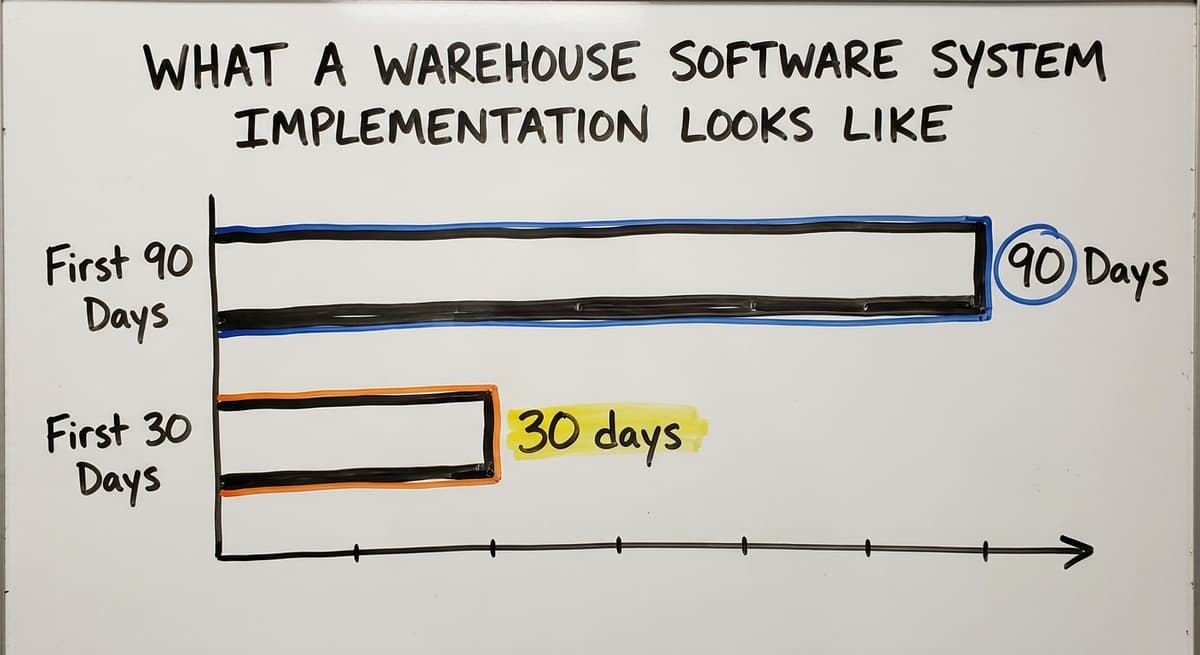
What to Expect in the First 90 Days
The first 30 days of a new warehouse system are about getting comfortable. Staff learn the system and the team identifies anything that needs adjustment.
Days 31 through 60 are when the system starts paying off. Errors drop. Reconciling gets faster. Order fulfillment becomes more predictable. By day 90, the system is running the operation and the manual workarounds are gone.
Staff training should be simple enough that a new hire can learn it in a day or two. If it takes longer than that, the system is too complicated for the problem it is solving.
Ongoing Support After Go-Live
Your business will change. You will add SKUs, add locations, or change how you receive product. The system should be able to change with you. Ongoing support is not a bonus feature. It is a requirement.
Fulfillment center software solutions that are handed off and forgotten do not serve a growing operation. The partner relationship matters as much as the software itself.

Questions to Ask Before Choosing a Warehouse Software System
Choosing a warehouse software system deserves careful scrutiny before committing to anything. These are the questions a smart operations manager asks before committing to anything.
Questions About Fit and Integration
- Does this system fit the way we already work, or do we have to change our process to fit the software?
- How does it connect with the accounting software? Is it a real sync or a manual export?
- Can the system grow with us if we add a second location or double our SKU count?
The the accounting software question is important. A real sync updates automatically. A manual export means someone is still doing the work by hand, just in a different place.
Questions About Implementation and Accountability
- How long will implementation take and who is responsible for keeping it on track?
- What does the go-live process look like? Will our team keep running during the transition?
- Who builds it? A local team we can talk to, or a vendor we file a ticket with?
Accountability matters. If something goes wrong during implementation, you need to know who picks up the phone.
Questions About Support and the Long Term
- What does ongoing support look like after go-live?
- How does the system handle changes to our process over time?
- What happens if we outgrow the current setup?
These questions separate a vendor from a partner. A vendor sells you software. A partner helps you run a better operation. For a small or mid-size warehouse, the difference is significant.
How Do You Know When You Are Ready to Move Forward?
Moving forward with a warehouse system does not require having everything figured out before starting a conversation.
Starting With What Is Breaking
Describing the part of the operation that is breaking down is enough to start. Maybe it is the inventory count that never matches.
Maybe it is the orders that ship wrong. Maybe it is the new hire who takes three weeks to get up to speed.
Any one of those is a starting point. A good implementation partner will ask the right questions and map the rest. You do not need a requirements document. You need a clear description of the problem.
The Cost of Waiting
Delaying a move to a proper warehouse system is not free: $22 an hour for every hour of re-keying, and $50 to $150 for every mis-shipped order. Errors cost time to fix.
Overtime adds up. Lost orders cost customers. Growth that cannot happen because the current process cannot scale is the most expensive cost of all, because it is invisible on a spreadsheet.
If the signs described in this guide sound familiar, the process has already outgrown its tools.
The question is not whether to act. It is how to act without disrupting the operation in the process. That is a solvable problem, and it starts with a conversation, not a commitment.
Frequently asked questions
Frequently asked questions
What software do warehouses use?
Most warehouses use some combination of tools depending on their size and complexity. Small operations run on an accounting package for financials, a spreadsheet for inventory, and printed pick sheets for fulfillment.
As operations grow, they add a warehouse management system to handle inventory tracking, receiving workflows, pick and pack, and order fulfillment in one place.
Some use off-the-shelf cloud platforms. Others work with a partner to build a custom system around their specific workflows. The right answer depends on the size of the operation, the complexity of the process, and whether an off-the-shelf workflow actually matches how the business runs.
What are the four types of WMS?
WMS stands for warehouse management system. The four common types are: standalone systems focused only on warehouse operations, ERP-integrated modules that are part of a larger enterprise platform, cloud-based subscription systems accessible through a browser, and custom-built systems designed around a specific operation's workflows. Each has trade-offs.
Standalone systems are focused but may not integrate well with existing tools. ERP modules are powerful but built for large enterprises.
Cloud-based systems are accessible and lower cost upfront but may not fit every workflow. Custom systems fit from day one but require a clear process and a partner who builds to spec.
Is an ERP the same as a WMS?
No. An ERP is a large enterprise resource planning platform that includes a warehouse management module among many other modules. A WMS, or warehouse management system, is a focused system built specifically to manage warehouse operations.
An ERP's warehouse module is one type of WMS, but most small and mid-size warehouses do not run an ERP. It is built for large enterprises with complex multi-location operations and significant IT resources.
A small or mid-size distributor running on the accounting software needs a warehouse software system that fits their scale, not an enterprise platform designed for a company ten times their size.
What is the most popular WMS?
There is no single most popular WMS because the right system depends on the size and type of operation. Large enterprises tend to run one of the big warehouse suites. Mid-market operations tend to run lighter cloud systems.
For small warehouses running on the accounting software, the most useful system is one that integrates cleanly with the accounting software and fits the specific workflows already in place, whether that is an off-the-shelf option or a custom-built system. Popularity is less important than fit.
Can a warehouse software system work alongside my accounting software instead of replacing it?
Yes, and that is exactly how it should work for most small and mid-size operations. The accounting software handles invoicing, payments, and financial reporting. The warehouse software system handles receiving, inventory tracking, pick and pack, and order fulfillment.
A sync between the two keeps financial data current in the accounting software without requiring anyone to enter data twice. The accounting team keeps working in the accounting software. The warehouse team works in the warehouse system. Neither team has to learn the other's tools.
How long does it take to implement a warehouse software system?
For a focused system built for a small or mid-size operation, a realistic implementation follows five stages: discovery, design, build, test, and go-live.
The team keeps running throughout the process. The new system is introduced in stages rather than switched on overnight. Staff training should take a day or two, not weeks.
The first 30 days after go-live are about getting comfortable. By day 90, the system is running the operation and the manual workarounds are gone.
Timelines vary based on the complexity of the operation and how clearly the current process is documented before the build begins.
Is custom warehouse software realistic for a small or mid-size operation?
Yes, when the partner listens before building. Custom does not mean expensive or slow. It means the system is designed around the workflows already in place rather than forcing the operation to adapt to a generic template.
For a small warehouse with specific receiving, storage, or fulfillment workflows that off-the-shelf systems do not support, custom is the more practical choice.
The key is working with a partner who maps the current process first and builds to match it, rather than selling a platform and then configuring it to approximate what the business actually does.
What features does a small warehouse actually need in a warehouse software system?
The core features most small warehouses use from day one are: real-time inventory tracking by location and SKU, a receiving workflow that logs stock without double entry, pick and pack support that guides staff through the correct steps, order status visibility so anyone can answer a customer question, accounting integration that syncs automatically, and barcode scanning for accuracy at the shelf level.
Reporting that shows what is moving, what is sitting, and where errors happen is also valuable from early on.
Most small warehouses do not need the full feature set of an enterprise system. They need a focused tool that solves the specific problems their current process cannot handle.
What is the best warehouse management software for a small business?
The best warehouse software system for a small business is the one that matches how orders already move through the building, connects to the accounting package without replacing it, runs on the scanners or phones the team carries, and is live in weeks.
Where no packaged product fits without a process change, a custom system scoped to the real bottlenecks serves a 10 to 50 person warehouse better than a large platform.
How much does warehouse management software cost?
The answer depends on the model. Subscription products charge by user, by order or by location, with setup, hardware and support tiers underneath the monthly fee.
A custom warehouse software system is a one-time build, comparable to a year of subscription fees for a larger platform, with a smaller ongoing charge. Compare total cost over three years against the manual hours and the stock errors the system removes.
What is the difference between WMS and ERP software?
An ERP covers the whole business: finance, purchasing, HR, sales and often a warehouse module. A WMS covers only the physical side of the warehouse, receiving, put-away, locations, picking, packing and shipping, in more depth than an ERP module offers.
Most small and mid-size warehouses keep their accounting software and add a focused warehouse software system beside it rather than moving to an ERP.
What is the difference between WMS and inventory management software?
Inventory management software answers what you have, what you sold and when to reorder. A warehouse software system answers where each item sits, who is picking it and in what order, and what has been received but not yet put away.
Small operations start with inventory software and outgrow it the day two pickers disagree about where something is.
What is in a free first look?
A 30 minute call, your operation mapped, and a clear picture of what we would build. No obligation and nothing to install.
Book a callRelated guides
The rest of this guide, for the parts of the job this page does not cover.
Guides
- Software for Warehouse Management System
- Warehouse Inventory Management Software
- Warehouse Inventory Tracking Software
- Warehouse Receiving Software
- Warehouse Stock Management Software
- Inventory and Warehouse Management Software
- List of Warehouse Management Software
- Online Warehouse Management Software
- Warehouse Stock Software
- Warehouse Inventory Software Programs
- Inventory Software Warehouse
- Software Warehouse Management
- Warehouse Inventory Management Systems
- Warehouse Inventory Systems
- Warehouse Management System Top 10
- Warehouse Tracking System
- Small Business Warehouse Management System
- Warehouse Management System Types
- Warehouse Inventory Management System
- Warehouse Management System Examples
- Warehouse Management System Implementation