

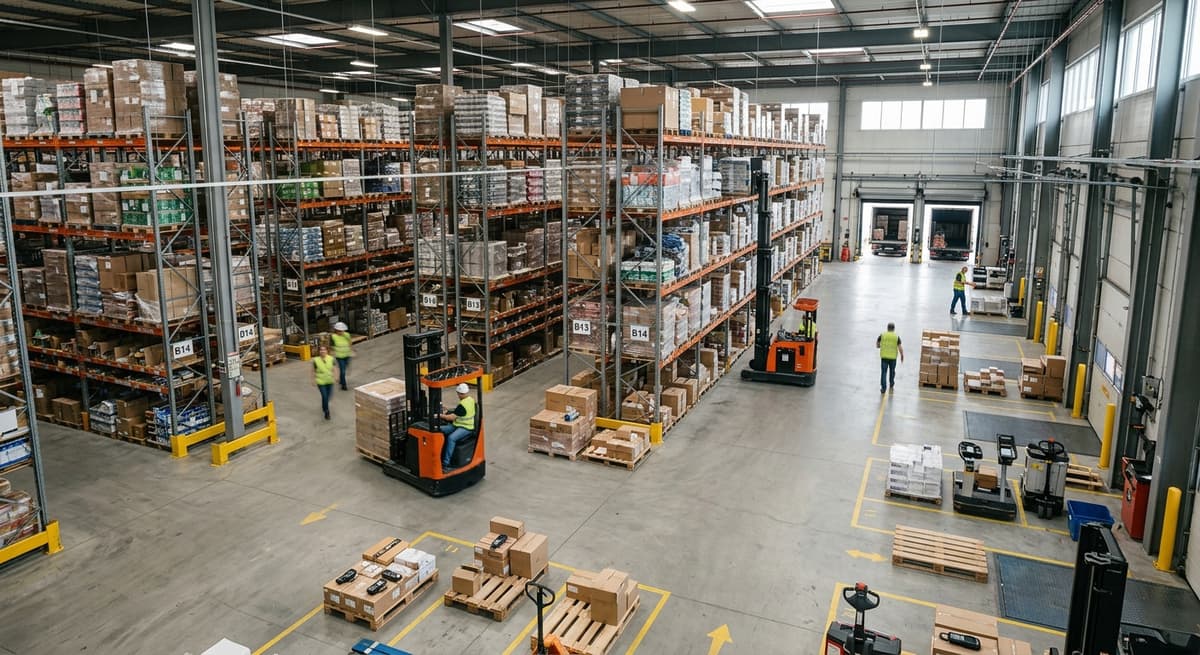
Software Warehouse Management
Software warehouse management is a digital system that tracks what comes in, what goes out, and where every item sits at any moment. It replaces clipboards, spreadsheets, and guesswork with one live record, and it works alongside the accounting package instead of replacing it. For a team of 5 to 100 people, that record is the difference between a count that takes a day and a count that takes an hour, and between an order picked from memory and an order picked from a screen. This guide, reviewed in September 2026, explains what the software does, how it hands off to accounting, the 3 types you can buy or build, and the signs that a warehouse has outgrown its tools.
Published 10 August 2026. Reviewed and updated 15 September 2026.
Book a callWhat Does Software Warehouse Management Actually Mean?
Software warehouse management is the term for running the warehouse floor from one system instead of from paper, and the sections below take it a job at a time.
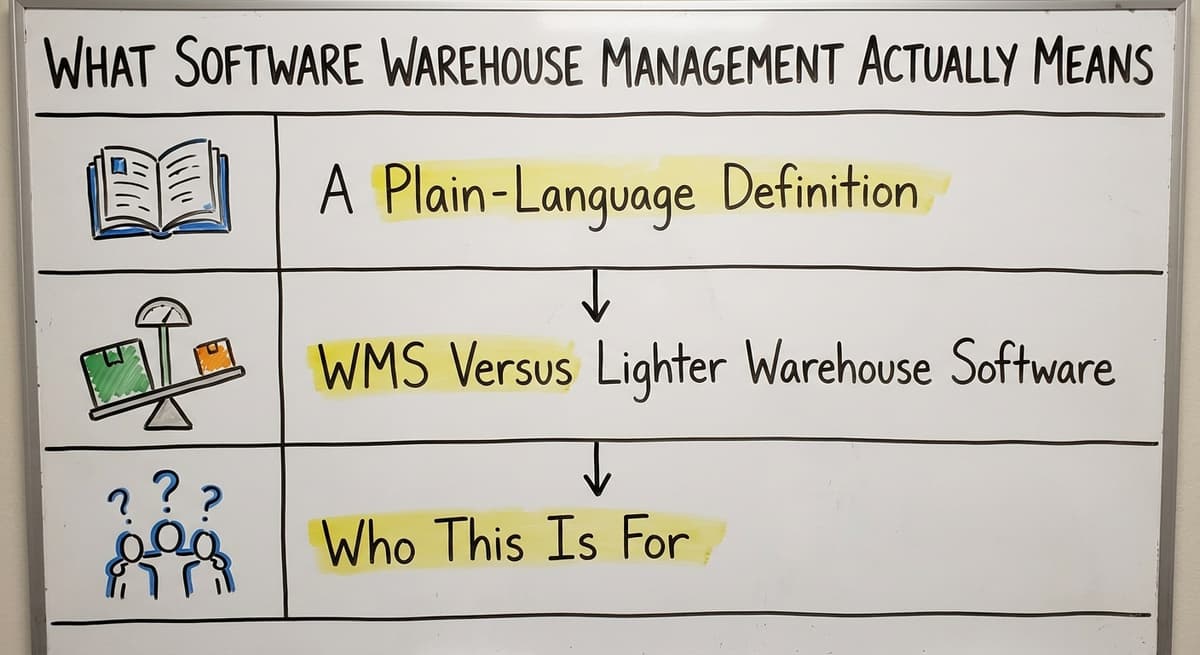
A Plain-Language Definition
Software warehouse management means using a digital tool to control what happens on your warehouse floor. Every item that arrives gets logged. Every order that ships gets tracked. Every bin location gets recorded.
Your team stops guessing and starts knowing. The system holds the truth about your inventory so you do not have to carry it in your head or on a clipboard.
The arithmetic is worth doing before the software conversation. 3 people spending 6 hours a week between them chasing the same questions, at 22 dollars an hour, is 936 hours a year of paid time spent confirming what a system would already know. Over 3 years that is 2,808 hours.
Reviewed August 2026. Each figure comes from the assumptions stated beside it, so you can substitute your own and the arithmetic still holds.
WMS Versus Lighter Warehouse Software
A warehouse management system, or WMS, is the full version. It handles receiving, put-away, picking, packing, shipping, and reporting. Lighter warehouse management software does a focused set of those jobs.
For a 10 to 50 person operation, the lighter version does everything you actually need. Nobody needs the enterprise version to solve a real problem.
Who This Is For
Owners and operations managers of small and mid-size warehouses, fulfilment centres, and wholesale distributors are the readers here.
If your team runs between 5 and 100 people, you use small business accounting software, and you are drowning in spreadsheets, this is for you. Your current tools got you this far. The goal here is to stop doing the manual parts by hand.
Would you rather have it built around your operation?
The first look is free. If you would rather not compare products, describe how your operation already works and we build the system around it.
No build cost. You see it running on your own process first, and the monthly subscription starts only once it is live.
Book a callThe Problem Software Warehouse Management Is Built to Solve
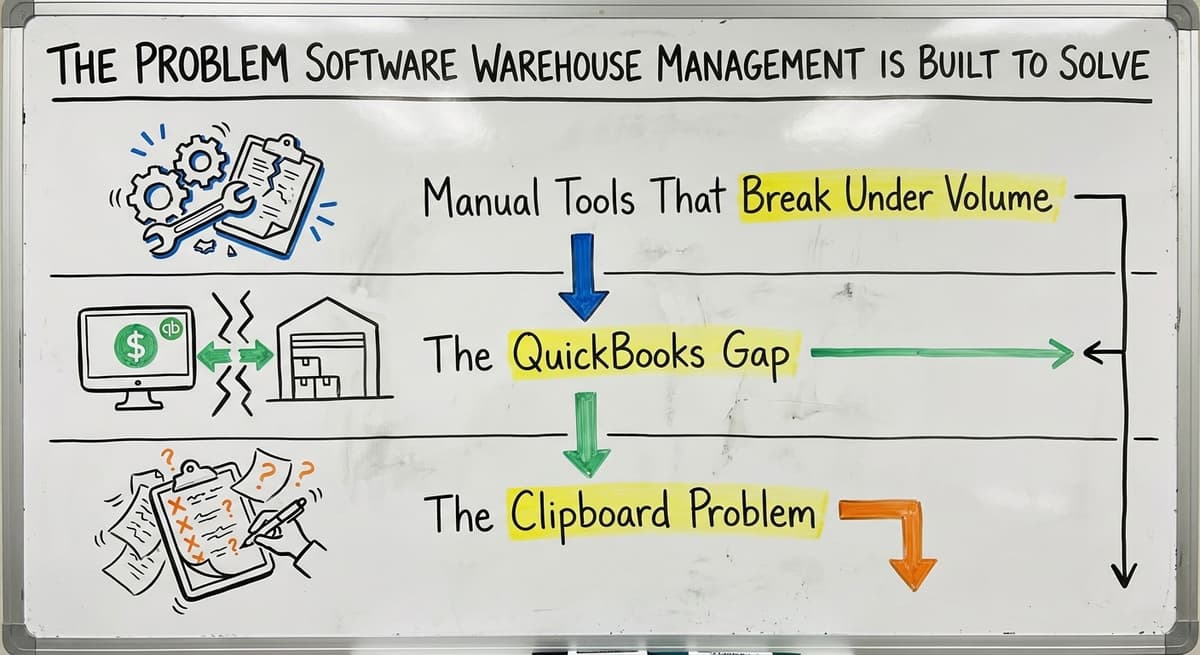
The problem is a gap: the accounting package knows the money, the floor knows the stock, and nothing connects the two until someone types.
Manual Tools That Break Under Volume
Most small warehouses start with spreadsheets, and 9 in 10 of the ones we meet still run at least one. Orders come in by email.
Pick lists get printed and handed to staff. Counts happen on paper and then get typed into a spreadsheet. That works when volume is low.
As orders grow, the cracks appear. Items get shipped to the wrong address. Stock runs out before anyone notices. Staff spend hours each week copying numbers from one place to another.
The Accounting Software Gap
Accounting software handles accounting well. It was built for that job. But it was never designed to manage warehouse floor activity in real time. It cannot tell your picker which bin to walk to. It does not flag when a received shipment does not match the purchase order. It does not guide your team through a pick sequence to cut walk time. That gap is exactly what warehouse inventory management software fills.
The Clipboard Problem
Picture a warehouse manager walking the floor with a clipboard, trying to reconcile what the screen says versus what is actually on the shelf. That gap costs time every single day.
OSHA notes that "The warehousing and storage industry includes establishments operating facilities for general merchandise, refrigerated goods, and other products", and the physical nature of that work means errors on the floor have real costs: wrong shipments, wasted labour, and missed orders.
Core Functions of Warehouse Management Software
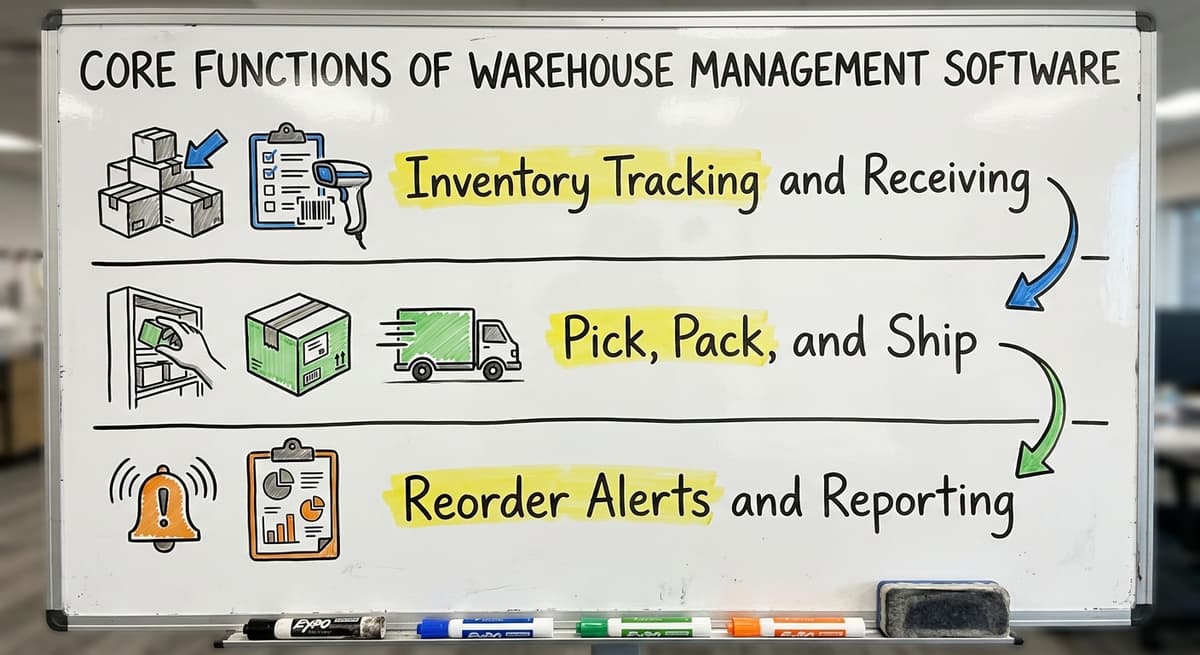
There are 3 core functions every warehouse management software package has to cover, and each one is a place paper fails.
Inventory Tracking and Receiving
Warehouse management software starts with two jobs: knowing what you have and logging what arrives.
- Inventory tracking shows how much of each SKU is on hand, in which location, and in what condition
- Receiving logs inbound shipments, matches them against purchase orders, and flags any gaps before stock is put away
- Location management assigns each item to a bin, shelf, or zone so nothing gets lost in a large warehouse
Inventory tracking software removes the need to walk the floor to answer a basic question. The answer is on the screen.
Pick, Pack, and Ship
Pick pack ship software guides your workers through each order without paper pick lists. The system tells the picker where to go, what to grab, and in what order. That cuts walk time and errors at the same time.
A worker following a screen prompt makes fewer mistakes than one reading a printed list that was accurate two hours ago.
Reorder Alerts and Reporting
Good warehouse management software watches your stock levels and sends a flag when something falls below a set point. Reorders happen before a stockout, not after. Reporting shows simple dashboards: what is moving fast, what is sitting still, and where errors are happening.
The IRS requires businesses to value inventory at the start and end of each tax year.
As IRS Publication 538 states, "To figure taxable income, you must value your inventory at the beginning and end of each tax year." A live inventory system makes that job far easier.
Is the comparison easier when one option is built for you?
Yes. Off-the-shelf means fitting your process to the software, and custom is the other way round. The first look costs nothing.
Book a callHow Does Software Warehouse Management Work Alongside Your Accounting Software?
The short answer is a handoff: the warehouse system owns the floor, the accounting package owns the books, and confirmed movements flow one way.
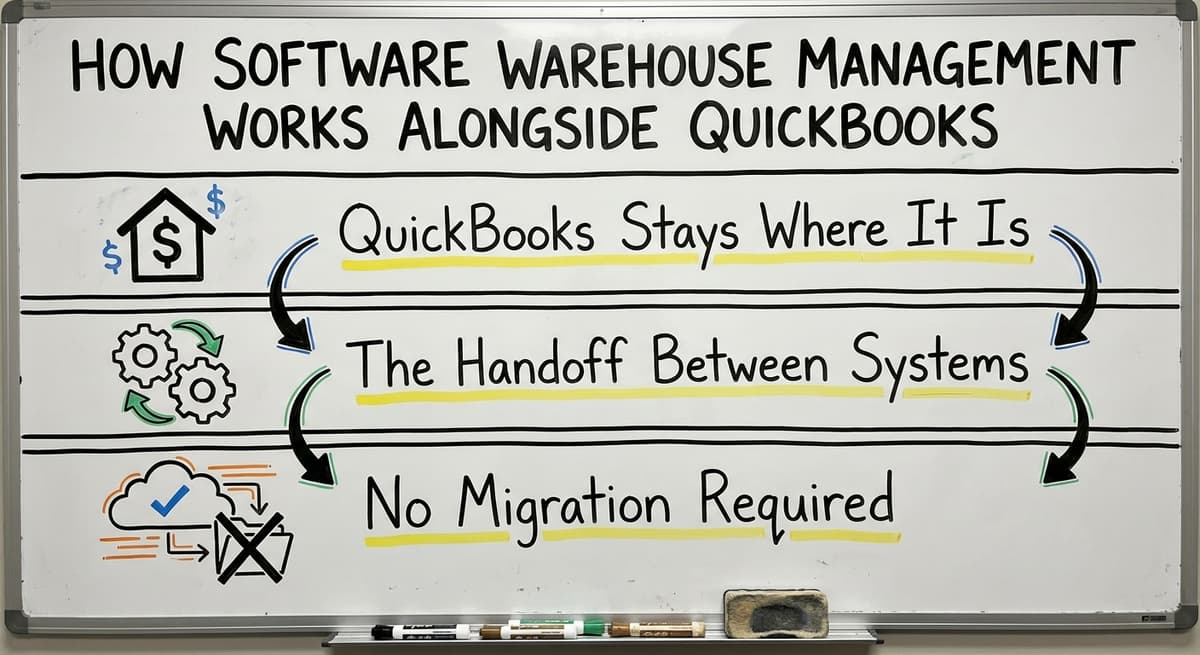
Your Accounting Software Stays Where It Is
You do not have to abandon your accounting software. Most small distributors have years of accounting history in it, and their bookkeeper knows it well.
Good warehouse management software does not replace it. It connects to it. Accounting integration for warehouse operations means the two systems talk to each other so your team is not doing double entry.
The Handoff Between Systems
Here is how the split between accounting software and warehouse management software works in practice:
- Warehouse software manages physical inventory and order activity on the floor
- Accounting software handles invoicing, payments, and accounting
- Data flows between the two systems automatically
When an order ships, the warehouse system records it. The accounting software picks up the data and creates the invoice. No one has to type the same information twice. That handoff is clean, and it protects the workflows your team already knows.
No Migration Required
Adding warehouse management software does not force a migration. Your accounting stays in your existing accounting software. Your warehouse activity moves into a system built for the floor.
The two work together. Staff who know that accounting software keep using it for the jobs it does well. The warehouse team gets a tool built for what they actually do.

Types of Warehouse Management Software
Warehouse management software comes in 3 forms, and the right one is decided by the shape of the operation, not by the brochure.
Off-the-Shelf and Accounting Software Add-Ons
Off-the-shelf WMS platforms target general use. Many target enterprise warehouses with hundreds of staff and complex logistics networks. They have settings for smaller operations, but that configuration takes time and money.
Accounting software add-ons and plugins extend its native inventory features. They are faster to set up but still limited to what the plugin was built to do. If your process does not match the plugin's assumptions, you hit a wall.
Custom Warehouse Management Software
Custom warehouse software follows your specific workflows. Nothing is forced to fit a generic template. Adoption is faster because nothing about the day changes except the tool.
For a 10 to 100 person operation, a focused custom build can cost less than a multi-year enterprise license. Custom does not mean slow or expensive when the scope is kept tight.
What does it look like running on your own process?
The first thing you see is it running on your own process, at no build cost. The subscription starts once it is live and doing the job, not before.
Book a callCloud-Based Versus On-Premise
| Option | Best For | Key Trade-Off |
|---|---|---|
| Cloud-based | Teams that need access from multiple locations | Requires reliable internet |
| On-premise | Operations with strict data control needs | Higher upfront IT cost |
| Hybrid | Growing operations with mixed needs | More setup complexity |
For most small and mid-size warehouses, cloud-based small warehouse software is the practical choice. It is easier to maintain and scales without new hardware.

Signs Your Warehouse Needs Management Software
The signs are the same in most warehouses: the counting takes too long, the data lives in too many places, and the cost of doing nothing is invisible until it is added up.
Counting and Shipping Problems
The clearest signs your warehouse's current tools are not keeping up are these:
- Inventory counts take a full day or more and still come back wrong
- Orders ship late or incorrectly because pick lists are out of date
- Nobody can say what is in stock without a trip to the shelf or a phone call
If any of these sound familiar, the problem is not your team. The problem is the tool. Manual processes break at scale. That is not a failure of effort. It is a limit of the method.
Data and Knowledge Problems
- Staff spend hours each week copying data between spreadsheets and accounting software
- Reorders happen too late because no one noticed stock was running low
- New hires take weeks to learn the process because it lives in people's heads, not in a system
Replacing spreadsheet-based inventory tracking with real software does not just save time. It captures the process so it can be repeated by anyone, not just the person who built the spreadsheet.
The Cost of Doing Nothing
The US Bureau of Labor Statistics tracks wages for warehouse and distribution staff. Manual data entry is paid work. Every hour your team spends copying numbers between tools is an hour not spent on orders.
The BLS wage data for shipping and receiving clerks makes the cost of manual processes concrete. Software that removes that work pays for itself.

What Should You Look for in Warehouse Management Software for Small Operations?
The checklist is short: fit, scale, and room to grow, and a warehouse under 100 staff should weigh them in that order.
Fit and Integration
The right warehouse management for small business fits the way your operation already works. It does not require a process overhaul on day one. Look for:
- Clean integration with accounting software without replacing it
- A short setup timeline, measured in weeks rather than months
- Pricing that does not jump as your team grows
Software that forces you to change every workflow before it goes live is a risk. Software that maps to your current habits and improves them over time is a tool your team will actually use.
Scale and Support
Many WMS platforms target enterprise warehouses. They work at small scale only with significant configuration. Look for a system designed for operations your size.
Support matters too. You want help from people who understand wholesale distribution software and the warehouse floor, not just the code.
Room to Grow
Choose a system that can expand as your business grows. The features you need today are not the same ones you will need in three years. A good wholesale distribution software platform adds capability over time without forcing a full replacement.
The Warehousing Education and Research Council publishes benchmarks for distribution centre performance that can help you measure where you are and what to aim for at werc.org.
What is in a free first look?
A 30 minute call, your operation mapped, and a clear picture of what we would build. No obligation and nothing to install.
Book a call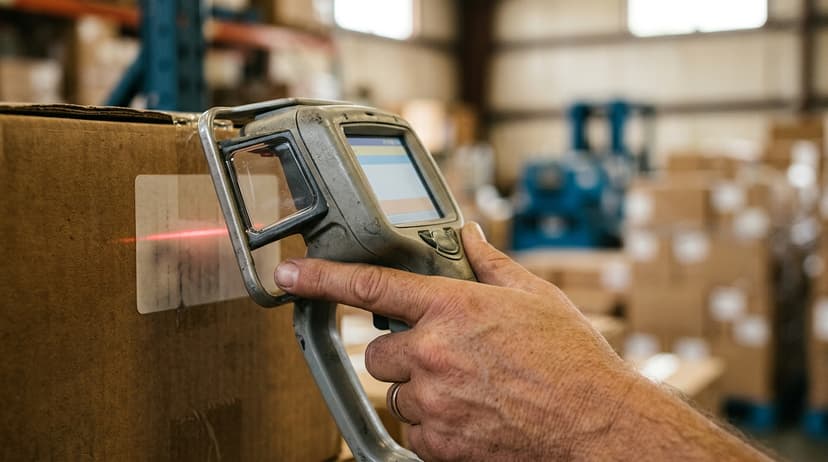
Custom Software Warehouse Management Versus Off-the-Shelf
The comparison is between software that assumes an average warehouse and software that starts from yours.
The Off-the-Shelf Problem
Off-the-shelf systems target the average warehouse. Your warehouse is not average. It has specific receiving steps, specific pick sequences, and specific customer rules that a generic system does not know about.
When the software and the process disagree, staff build workarounds. Shadow spreadsheets appear. The new system adds work instead of removing it.
Why Does Custom Work Better for Focused Operations?
Custom operational software for wholesale distributors follows your actual workflows. Your team does not change their habits to match the software.
The software matches their habits. Adoption is faster. Errors are fewer. The system gets used because it feels like help, not like a new obstacle.
Custom does not always mean expensive. At that size, a focused build undercuts years of enterprise licensing. The trade-off is upfront planning. That planning pays off in a system the team actually uses every day.
Local Context Matters
Software developers building tools for local and regional distributors, including those based in Columbus, Ohio, understand the scale and the specific problems that come with mid-size warehouse operations. They are not selling a platform built for a 500-person fulfilment centre and hoping it fits. They build for the operation in front of them.
How Does Implementation Work for a Small Warehouse?
Implementation for a small warehouse is 3 steps: discovery, build, and a go-live measured in weeks.
Discovery and Build
A good implementation starts by mapping what your team already does. Not by selling a product.
The first step is understanding your current process: how orders arrive, how stock is received, how picks are organised, and where the errors happen. That map becomes the blueprint for the software.
Testing and Go-Live
A realistic timeline for a small distributor looks like this:
- Discovery: map current workflows and identify gaps (one to two weeks)
- Build: configure or develop the system around those workflows (two to four weeks)
- Testing: run the software alongside the current process to catch issues (one to two weeks)
- Go-live: switch over with staff trained and supported
Data from spreadsheets or desktop databases can be imported during setup. History is not lost. A phased approach means not everything changes overnight. Risk stays low.
Staff Training Is Shorter Than You Think
When the software mirrors how your team already works, training is short. Staff are not learning a new process. They are doing their current process with a better tool.
Fulfilment centre software solutions built around real workflows get adopted faster and stay in use longer than generic platforms that require staff to change everything at once.

Frequently Asked Questions About Software Warehouse Management
Do I need to replace my accounting software?
No. The right warehouse management software connects to your accounting software and handles what it cannot. The accounting software keeps doing accounting. The warehouse system handles the floor. Data flows between them so no one types the same thing twice.
Is warehouse management software only for large companies?
No. Systems built for small scale are available and often more effective for smaller teams than enterprise platforms. A 10 to 50 person operation does not need the same tool as a 500-person fulfilment centre.
What happens to my existing spreadsheet and database data?
Existing spreadsheet and desktop database data move into the new system during setup. Your history is not lost. The migration is manageable and does not require starting from scratch.
How much does warehouse management software cost?
Cost varies widely: an accounting add-on runs $30 to $200 a month, a standalone platform $300 to $2,000 a month, an enterprise suite $50,000 and up before implementation, and a focused custom build $8,000 to $40,000 once with a $300 to $900 monthly subscription after go-live.
Off-the-shelf licenses, custom builds, and hybrid options all have different structures. For a small operation, the arithmetic favours the focused build: $8,000 to $40,000 once against $2,000 to $5,000 a month for an enterprise licence. The right conversation starts with your workflow, not a price list.
Your current tools built a real business. The goal of software warehouse management is not to replace what works. It is to stop doing the manual parts by hand.
If your team is counting inventory by walking the floor, copying data between spreadsheets, or shipping orders from a pick list that was printed this morning and is already out of date, a connected warehouse system removes those steps.
The Software Society builds custom workflow systems for operations exactly like yours. If you want to map your current process and see where software can remove the manual work, start that conversation today.
Frequently asked questions
Frequently asked questions
Do I need to replace my accounting software to use warehouse management software?
No. The right warehouse management software plugs into the ledger and takes over the floor work the ledger was never built for. The accounting software keeps managing your accounting and invoicing.
The warehouse system tracks inventory, orders, and shipments. Data flows between the two so your team is not entering the same information twice.
How long does implementation take for a small warehouse?
A focused build for a 10 to 50 person operation takes weeks, not months. Discovery and workflow mapping takes one to two weeks.
The build and testing phase runs two to four weeks. A phased go-live keeps risk low. The timeline shrinks when the software mirrors the way the crew already moves.
What are the signs that a warehouse needs management software?
The clearest signs are: inventory counts that take a full day and still come back wrong, orders shipping late or incorrectly, staff spending hours copying data between spreadsheets and accounting software, and no way to check stock without walking the floor.
If reorders happen too late or new hires take weeks to learn an undocumented process, those are signs too.
What is the difference between custom warehouse software and off-the-shelf systems?
Off-the-shelf systems target the average warehouse. If their assumptions miss your process, your team builds workarounds. Custom warehouse software takes its shape from your actual workflows.
Adoption is faster, errors are fewer, and the system gets used. At 10 to 100 people, the licence bill for an enterprise platform passes the cost of a focused build inside 2 years.
Is warehouse management software only for large or enterprise warehouses?
No. Systems built for small scale are available and often more effective for smaller teams than enterprise platforms.
A 10 to 50 person warehouse does not need the same tool as a 500-person distribution centre. The right system is sized for your operation, not for the biggest possible customer.
What happens to existing spreadsheet and database data when switching to warehouse software?
Your data move into the new system during setup. Inventory history, SKU lists, and supplier records come across in the migration, not by re-typing.
A good implementation includes a data migration step so your team starts with real data on day one, not an empty system.
Will my staff actually use the new warehouse management software?
Adoption climbs when nobody has to learn a new process to use the tool. Staff are not learning a new process. They are doing their current process with a better tool.
Generic systems that force process changes see lower adoption. Systems built around existing habits get used every day.
How much does warehouse management software cost for a small distributor?
Cost varies widely depending on whether you choose an off-the-shelf license, an accounting software add-on, or a custom build.
A small operation pays less for a focused build than for a multi-year enterprise licence, and it pays it once. The right starting point is a conversation about your workflow and order volume, not a standard price list.
Which warehouse management features are most important?
The most important features are inventory tracking, receiving, and location management, so every item's quantity, condition, and bin location is known. Guided pick, pack, and ship functions reduce walk time and errors compared to paper lists.
Reorder alerts prevent stockouts by flagging low stock before it runs out, and reporting dashboards show what is moving, what is sitting still, and where errors occur.
How do I choose the right WMS for my business?
Choosing the right system starts with matching it to your operation's size and workflows rather than buying more than you need. A ten to fifty person operation needs only lighter warehouse software, not a full enterprise system.
Consider whether it integrates with your existing accounting tool, how well it fits your current process, and whether it can be running quickly without a costly, lengthy configuration.
Not sure this is the right shape for your operation?
The call is free. Describe how the work runs today. We map it on a call and show you what it would look like built around that, before you spend anything.
Book a callRelated guides
The rest of this guide, for the parts of the job this page does not cover.
Guides
- Warehouse Inventory Management Software
- Warehouse Stock Management Software
- Software for Warehouse Management System
- Inventory and Warehouse Management Software
- List of Warehouse Management Software
- Online Warehouse Management Software
- Warehouse Inventory Tracking Software
- Warehouse Receiving Software
- Warehouse Stock Software
- Warehouse Inventory Software Programs
- Inventory Software Warehouse
- Warehouse Software System
- Quickbooks Inventory Management Software
- Custom Inventory Management Software
- Warehouse Inventory Management Systems
- Warehouse Management System Top 10
- Small Business Warehouse Management System
- Cloud Based Warehouse Management
- Warehouse Management System Types
- Warehouse Inventory Management System
- Warehouse Management Costs