


Warehousing Operations
Warehousing operations are every step between a product arriving at your dock and a customer receiving their order. Those steps are receiving, putaway, picking, packing, shipping, and returns, and each one is a place the record can drift from the shelf. This guide, reviewed in September 2026, takes warehousing operations one step at a time, with the problems a 5-to-100-person warehouse meets at each and the software that fixes them without a full replacement.
Reviewed August 2026. Each figure comes from the assumptions stated beside it, so you can substitute your own and the arithmetic still holds.
Published 7 August 2026. Reviewed and updated 15 September 2026.
Book a callWhat Do Warehousing Operations Actually Include?
The Physical Steps
Warehousing operations are the physical and administrative work that moves goods through your building.
On the physical side, that means unloading trucks, counting items, putting them away, pulling them for orders, boxing them up, and handing them to a carrier. Most people in a warehouse spend their day doing one or more of these tasks.
Each step is straightforward on its own. The challenge is doing all of them accurately, in sequence, every day, with a team of 10 to 50 people who may not all be working from the same information.
The Paperwork and Coordination Behind Each Step
Behind every physical step is a layer of communication and record-keeping. Someone has to match the inbound shipment to a purchase order.
The storage location must be decided and written down. Then a pick list has to be generated, with the right items confirmed into the right box.
In most small warehouses, this coordination runs across a mix of tools that were never built to work together: QuickBooks for orders and invoices, a spreadsheet for inventory counts, printed sheets for picking, and email or text for everything in between. That mix works until it does not. This page focuses on where each part of the operation tends to break, and what you can do about it.
Would you rather have it built around your operation?
The first look is free. If you would rather not compare products, describe how your operation already works and we build the system around it.
No build cost. You see it running on your own process first, and the monthly subscription starts only once it is live.
Book a callReceiving and Putaway in Warehousing Operations
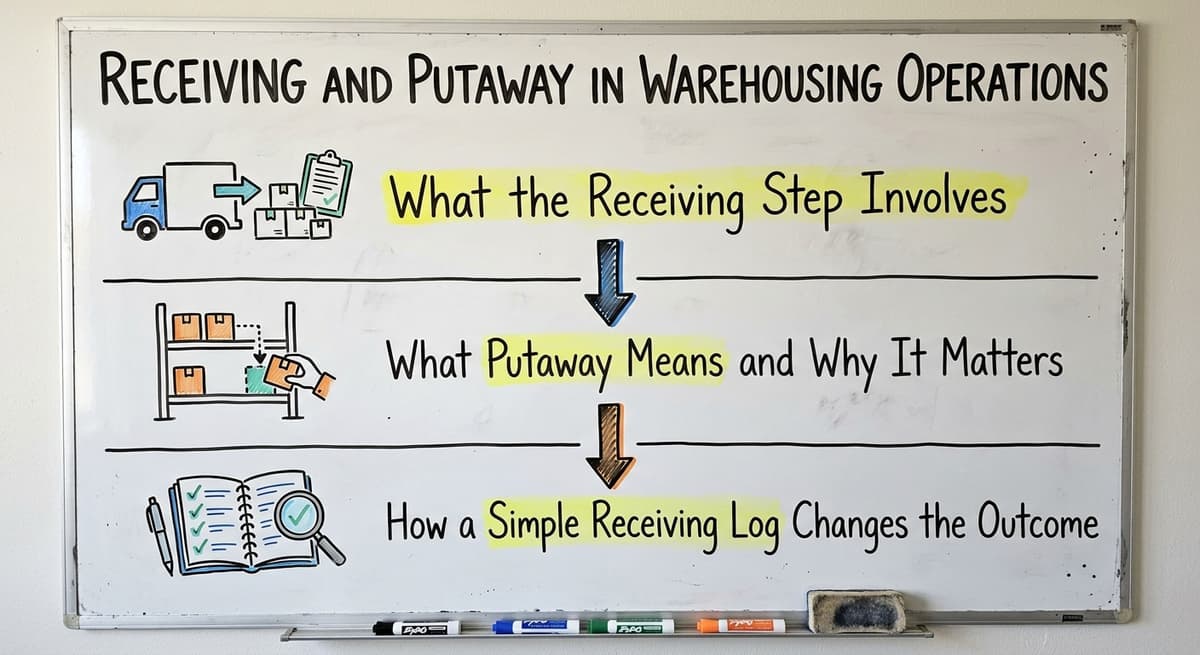
Receiving and putaway are the first 2 warehousing operations, and errors here travel through every step after.
What Does the Receiving Step Involve?
Receiving is the first step in any warehouse workflow. When a shipment arrives, your team checks it against the purchase order, counts the items, and flags anything that does not match. Short shipments, damaged goods, and wrong items all need to be caught here.
If your team is working from a printed PO and a pen, that process works when the shipment is simple. It breaks down when a truck arrives with 12 line items, 3 of which are partial, and the driver wants a signature in 5 minutes.
The IRS makes the stakes clear. IRS Publication 538 states: "To figure taxable income, you must value your inventory at the beginning and end of each tax year." What goes wrong at receiving does not just cause operational problems. It creates errors that show up in your financials.
What Does Putaway Mean and Why Does It Matter?
Putaway is deciding where inventory goes and recording that location. A bin number, a shelf label, a zone code: whatever system you use, the record has to be made at the moment the item is placed.
If it is not, the item is effectively lost until someone finds it by walking the floor.
Errors at putaway cause problems in every step that follows. A picker who cannot find an item either ships the wrong thing or wastes time searching.
A manager who cannot see what was received cannot plan replenishment. The whole operation pays for a mistake made at the dock.
How Does a Simple Receiving Log Change the Outcome?
A basic receiving screen or log, built around your actual process, is enough to catch most errors before they enter the system. It prompts your team to count against the PO line by line, flags mismatches in real time, and records the putaway location before the item leaves the dock area.
This does not require a full Warehouse Inventory Management Software platform. A lightweight custom screen tied to your existing purchase order data can do most of the work.
The goal is to catch the error at the door instead of discovering it during a pick two days later.
Inventory Tracking and Location Management
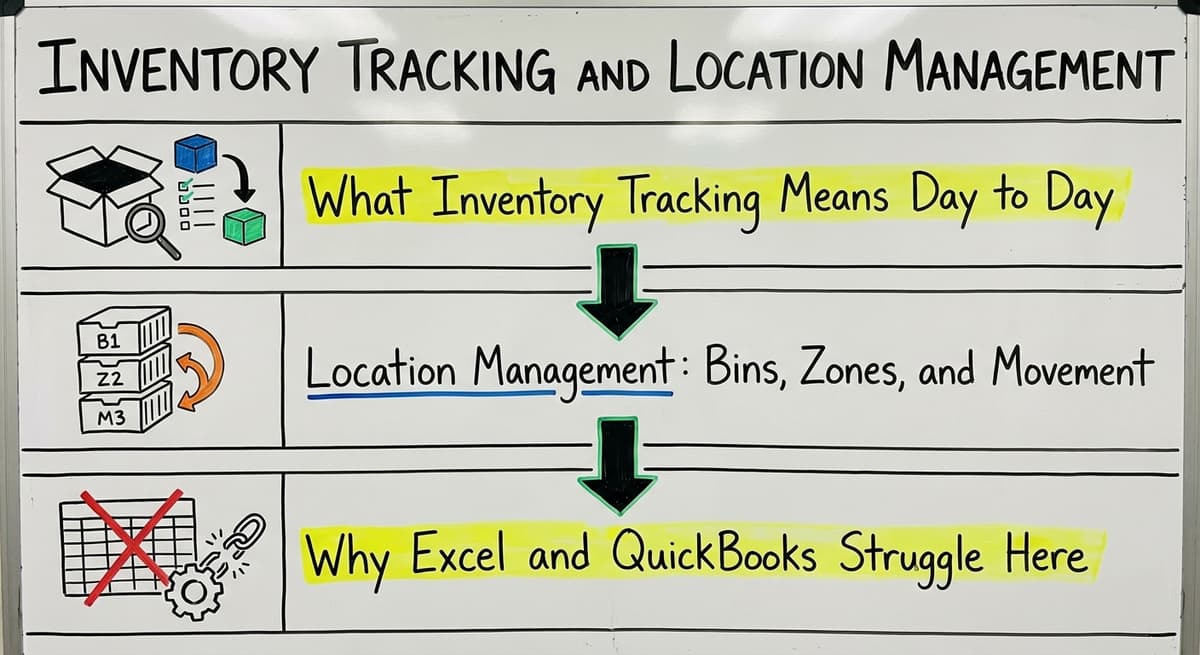
Inventory tracking is the warehousing operation that answers where everything is right now.
What Does Inventory Tracking Mean Day to Day?
Inventory tracking means knowing what you have, where it is, and what condition it is in. Not at the end of the month when you do a count. Right now, when a customer calls to ask if something is in stock.
For most small warehouses, that real-time view does not exist. QuickBooks can tell you what you ordered and what you sold. It cannot tell you that 40 units are in bin 3B, 12 are on the receiving dock, and 6 are set aside because they came in damaged.
Location Management: Bins, Zones, and Movement
Location management is the system that tracks where items live inside your building. That includes bin numbers, zone labels, shelf codes, and any movement between locations.
A product might start in a receiving area, move to a storage zone, get pulled to a pick face, and return to storage if the order is cancelled.
Every one of those moves needs a record. Without one, your on-hand count and your physical count will drift apart. That drift causes inventory counts that do not match reality, the most common complaint we hear from operations managers running small warehouse operations.
Why Do Spreadsheet Software and Accounting Software Struggle Here?
Excel and QuickBooks are not designed for real-time location data. They target financial records and batch updates.
You can enter a location into a spreadsheet, but you cannot scan a barcode, trigger a location update, and have that change visible to 3 pickers at the same time.
The cost of not knowing where something is adds up fast. If 2 workers spend 45 minutes each day searching for misplaced inventory, that is 7.5 hours a week.
At the Bureau of Labor Statistics median wage for warehouse workers, that is real money leaving your operation every week, for a problem that a lightweight location tracking tool can largely eliminate.
Location tracking does not require a full WMS. A simple custom tool built around your bin structure can handle it for a 10-person operation.
The comparison is easier when one option is built for you
Choosing between off-the-shelf software and a custom-built solution is easier when one option is built around how you already work. Off-the-shelf means fitting your process to the software. We do it the other way round, and the first look costs nothing.
Book a call
Picking and Packing
Picking and packing are the warehousing operations where most order errors are born.
The Picking Step
Picking is pulling the right items in the right quantities for a specific order. It sounds simple. In practice, it is where most small operations lose the most time and make the most errors.
A picker works from a pick list, which tells them what to pull and where to find it. If the list is accurate and the location data is current, picking is fast.
If either is wrong, the picker either pulls the wrong item or walks the floor looking for something that is not where the system says it is.
How Do Small Operations Generate Pick Lists?
Most small operations generate pick lists from QuickBooks sales orders, either printed or exported to a spreadsheet. That works when order volume is low.
As volume grows, the manual steps multiply. Someone has to print the list, hand it to a picker, and then manually confirm the pick was completed.
There is no automatic link between the pick list and the inventory location.
The picker has to know where things are from memory or from a separate location sheet. That knowledge lives in people's heads, which means it walks out the door when a team member leaves.
Common Picking Errors and What They Cost
The most common pick errors are wrong item, wrong quantity, and wrong address on the label. Each one costs time and money.
A wrong item means a return, a replacement shipment, and an unhappy customer. A wrong quantity means either a short shipment or wasted product.
A digital pick list tied to inventory locations fixes most of this. The picker sees the bin location on the screen, scans the item to confirm, and the system updates the inventory count automatically. This does not mean replacing QuickBooks.
Custom Warehouse Software for Small Operations can sit alongside QuickBooks and handle the physical workflow while QuickBooks handles the financials.

Shipping and Fulfillment Operations
Shipping is the last warehousing operation the customer never sees and always feels.
The Shipping Step
Shipping is 4 things: carrier selection, label generation, handoff to the carrier, and updating the order record.
In a small warehouse, this means logging into a shipping tool like ShipStation or Pirateship, generating a label, printing it, and then manually copying the tracking number back into QuickBooks or emailing it to the customer.
That manual copy step is where data falls through the cracks. A tracking number that does not make it back into the order record means a customer service call later. A label printed with the wrong address means a returned shipment and a reshipment cost.
Fulfillment as the Full Cycle
Fulfillment covers the full cycle from order receipt to delivery confirmation. Shipping is one part of it. The rest includes order entry, pick and pack, and the confirmation that goes to the customer when the order ships.
In most small operations, these steps live in separate tools. The order is in QuickBooks. The shipping label is in a carrier tool. The customer confirmation is in email. No single view shows you where every open order stands right now.
Where Does Automation Pay Off Most?
Connecting your shipping tool to QuickBooks is one of the highest-value improvements a small warehouse can make.
When a label is generated, the tracking number writes back to the order automatically. When the order ships, the customer gets a notification without anyone typing an email.
QuickBooks Integration for Warehouses and Distributors makes this possible without replacing either tool. You keep the workflow your team already knows and remove the manual steps that cause errors.
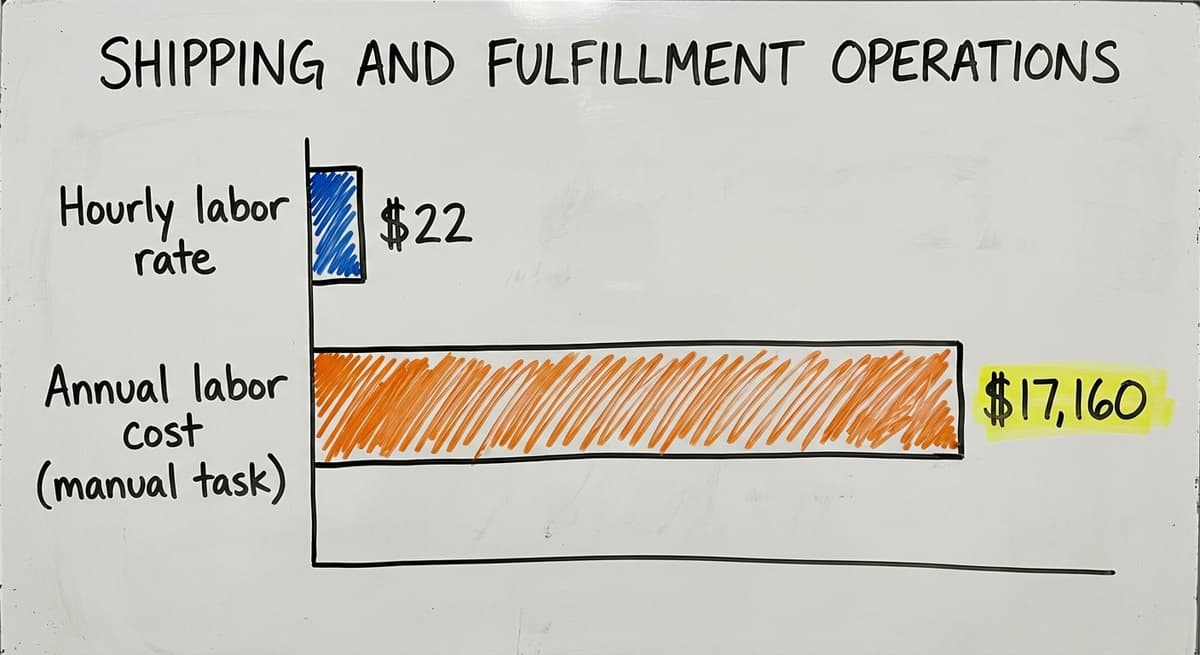
The time saved is real: if 3 people each spend 1 hour a day on manual shipping data entry at $22 an hour, that is $17,160 a year in labor on a task that automation can handle in seconds.

Returns and Reverse Logistics
Returns are the warehousing operation most small teams leave to memory, and it shows in the count.
What Does Reverse Logistics Mean?
Reverse logistics is the process of receiving returned goods, checking their condition, deciding what to do with them, and updating your inventory.
A returned item might go back to stock, get sent to a vendor for credit, be marked as damaged, or be disposed of. Each outcome needs a record.
In smaller warehouses, returns are handled informally. A box arrives, someone opens it, and it gets set aside until someone figures out what to do with it. There is no consistent process and no system entry until someone remembers to do it.
What does it look like running on your own process?
The first thing you see is it running on your own process, at no build cost. The subscription starts once the system is live and doing the job, not before.
Book a callThe Downstream Effects of Poor Returns Handling
When returns are not processed correctly, 3 things go wrong. First, your inventory count shows items as available that are not actually sellable. That is phantom inventory, and it leads to overselling.
Second, your financials do not reflect the credit or the write-off, which creates problems at month end. Third, the customer who returned the item may not get their refund processed on time, which damages the relationship.
A simple returns workflow built into a custom system fixes all 3 of these. The return is logged when it arrives, the condition is recorded, the disposition is selected, and the inventory and financial records update automatically.
You do not need a full ERP to do this. A lightweight screen built around your actual returns process is enough for most small warehouse operations.
The Role of Software in Warehousing Operations
Software is the layer that turns warehousing operations from a chain of notes into a chain of records.
The Spectrum of Warehouse Software
Warehouse software runs from a basic spreadsheet at one end to a full enterprise WMS like Manhattan Associates or Blue Yonder at the other.
In between, there are mid-market tools like Fishbowl, Cin7, and Extensiv that offer more structure than a spreadsheet without the cost and complexity of an enterprise system.
Each option is right for a different size and type of operation. A spreadsheet works for a very small team with low volume.
An enterprise WMS works for a large distribution center with complex fulfillment needs. The question for a 10 to 50 person warehouse is what sits in the middle.
Why Do Enterprise Warehouse Management Systems Often Not Fit Small Operations?
Enterprise WMS platforms target scale. They come with long implementation timelines, large licensing fees, and a level of complexity that requires dedicated IT support.
For a 15-person warehouse, that is too much. The tool ends up running the operation rather than supporting it.
The NIST Manufacturing Extension Partnership offers vendor-neutral guidance on supply chain process improvement and consistently notes that the right tool depends on the scale and complexity of the operation, not on what the largest companies use.
A small warehouse does not need a six-figure WMS. It needs a system that fits the actual workflow.
The Gap Between QuickBooks and a Full WMS
Most small operations are in a gap. QuickBooks handles the financials well. It tracks sales orders, invoices, and payments.
What it cannot do is manage physical operations in real time: where a specific pallet is, what a picker is working on right now, or whether the receiving count matched the PO.
Wholesale Distribution Software and custom operational tools fill this gap. They sit between QuickBooks and a full WMS, handling the physical workflow while leaving the financial records in QuickBooks where they belong. This is the realistic middle path for a small warehouse that needs more than a spreadsheet but is not ready for an enterprise system.
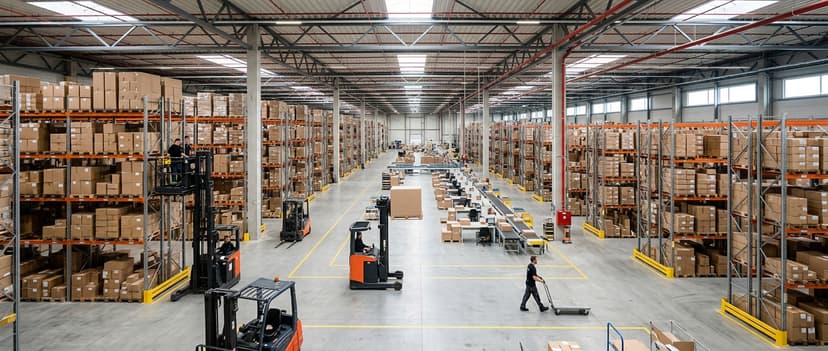
Common Problems in Small Warehouse Operations
The problems in small warehousing operations are the same 4 almost everywhere.
Inventory Counts That Do Not Match Reality
Inventory counts that do not match reality are the most common pain point. Your system says you have 200 units.
You count the shelf and find 163. The gap comes from receiving errors, putaway mistakes, picks that were not confirmed, and returns that were never logged.
Each one is a process gap, not a people problem. Your team is doing their best with tools that were not designed to catch these errors automatically.
The fix is not a full count every week. The fix is closing the gaps at each step so that errors are caught before they compound.
Orders Shipped Late or Wrong
Late and wrong shipments trace back to one of 3 causes. The pick list was inaccurate. The inventory location was wrong. The shipping step was missed or delayed because the information lived in a different tool.
Each cause points to a gap in the current process. A pick list that does not include bin locations forces pickers to rely on memory.
A shipping step that requires manual data entry creates a bottleneck when volume spikes. Fulfillment Center Operations Software that connects these steps removes the gap without requiring a new system from scratch.
Staff Who Cannot Find Things and Managers Who Cannot See What Is Happening
When your team does not know where to find items, they search. Searching takes time. When your manager cannot see what is happening in real time, they ask.
Asking interrupts work. Both problems come from the same root cause: the information is not in one place.
A simple dashboard that shows open orders, current pick activity, and inventory by location gives your manager a real-time view without requiring a phone call or a walk around the floor. This is not a complex feature. It is a basic output of a system that is actually tracking the work as it happens.
What is in a free first look?
A 30 minute call, your operation mapped, and a clear picture of what we would build. No obligation and nothing to install.
Book a call
How Does Custom Software Fit Into Existing Warehousing Operations?
Custom software fits existing warehousing operations by replacing the manual parts and leaving the rest alone.
You Do Not Have to Start Over
Custom software does not mean replacing everything you have. It means building around what already works. QuickBooks can stay in place for invoicing, accounting, and sales orders. A custom layer handles the physical operation: receiving, putaway, then picking, packing, and returns.
The two systems share data where it matters. When an order ships, QuickBooks is updated. When a purchase order is received, the inventory count in the custom system reflects it.
Your team keeps the tools they know. The manual steps that cause errors are replaced with screens built around the actual workflow.
Replacing Only the Manual Parts
The goal is not to automate everything. The goal is to replace the parts that cause the most errors and waste the most time.
Those parts are: the printed pick sheet without bin locations, the spreadsheet that tracks inventory separately from QuickBooks, and the email chain that manages returns.
Replacing those 3 things with a connected system removes most of the common pain points without disrupting the rest of the workflow. Your team learns 1 new screen, not a new platform. The change feels like an improvement, not an upheaval.
A Phased Approach That Works for a 15-Person Warehouse
A phased approach starts with the biggest pain point. If picking errors are costing you the most time and money, start there. Build a digital pick list with bin locations and order confirmation. Prove it works. Then add receiving, then shipping integration, then returns.
Each phase delivers a result before the next one starts. Your team builds confidence in the system. Your manager sees the data improving.
By the time the full system is in place, it feels like a natural part of the operation rather than a forced change. This approach is realistic for a 15-person warehouse. It does not require a large IT team or a long implementation timeline.
What Should You Look for When Improving Warehousing Operations?
Improving warehousing operations is a 3-step exercise: find the worst step, fix it, and measure the change.
Start With the Step That Causes the Most Errors
The first step is your operation, not the software. Walk through each step and ask: where do errors happen most often? Where does your team spend time on work that should not be necessary? Where do you lose visibility?
The answer to those questions tells you where to start. If receiving errors are poisoning everything downstream, start at the dock.
If picking errors are driving returns and customer complaints, start with the pick list. Fix the biggest problem first and measure the result before moving on.
Choose a Software Partner Who Understands the Workflow First
The right software partner is the one who asks about your operation before writing a line of code. They want to know how you receive, where you store things, how your team generates pick lists, and what happens when something goes wrong.
If a partner skips those questions and goes straight to a demo, that is a warning sign.
A partner who understands the workflow can build a tool that fits it. A partner who does not understand the workflow builds a generic tool that your team will work around, which puts you back where you started.
What Should You Avoid When Evaluating Solutions?
There are 3 things to avoid, and the first is a solution that requires a long implementation before you see anything working. Be cautious of tools that need a full data migration from QuickBooks before they can be used.
Be cautious of any vendor who tells you that you need to replace QuickBooks to get real-time inventory visibility. You do not.
Ask for a working demo of the specific screens your team will use. Ask how long it takes to go from sign-off to a live receiving screen.
Ask what happens if your process changes and the tool needs to adapt. The answers will tell you whether the solution is built for your operation or for a much larger one.
Frequently Asked Questions About Warehousing Operations
Frequently asked questions
Frequently asked questions
What are the 5 warehouse processes?
The 5 core warehouse processes are receiving, putaway, picking, packing, and shipping. Most operations also include a returns process, sometimes called reverse logistics.
Each process depends on accurate data from the one before it. Errors in receiving show up as picking errors, and picking errors show up as shipping errors.
Can I improve my warehousing operations without replacing QuickBooks?
Yes. QuickBooks handles financials well and most small operations should keep it in place. The gap is in physical operations: real-time inventory location, pick list accuracy, and shipping data.
A custom layer that sits alongside QuickBooks can handle those physical steps and share data with QuickBooks without replacing it.
What is the highest paying job in a warehouse?
Warehouse manager and logistics coordinator roles pay the most in a warehouse setting. According to the Bureau of Labor Statistics, wages vary by role and region. Specialized roles in inventory control, quality assurance, and operations management tend to sit above general material handling roles.
What are the four major types of warehousing?
The 4 main types are private warehouses, public warehouses, bonded warehouses, and distribution centers. Private warehouses are owned and operated by the business that uses them.
Public warehouses offer shared space on a rental basis. Bonded warehouses store imported goods before customs duties are paid. Distribution centers focus on moving goods quickly rather than storing them long term.
What are the 5 key skills of a warehouse worker?
The 5 key skills are attention to detail, physical stamina, ability to follow process, basic numeracy for counts and quantities, and familiarity with the software or tools the operation uses.
As warehouses add digital pick lists and scanning tools, comfort with basic technology is becoming more important at every level of the team.
How long does it take to implement custom warehouse software for a small operation?
A focused custom build for a specific pain point, such as a receiving screen or a digital pick list, can go from scoping to live use in 4 to 8 weeks for a small operation.
A phased approach means your team is using working tools within the first month rather than waiting for everything to be complete.
What is the first step when warehousing operations are breaking down?
Walk the floor and identify where errors happen most often. Do not start with software. Start with the process.
Map each step, find where data goes missing or where your team has to work around the system, and fix the biggest gap first. A software partner should help you do this before building anything.
Do I need a barcode scanner or special hardware to improve warehouse operations?
Not necessarily. A well-designed custom screen on a tablet or phone can improve accuracy and speed without dedicated scanning hardware.
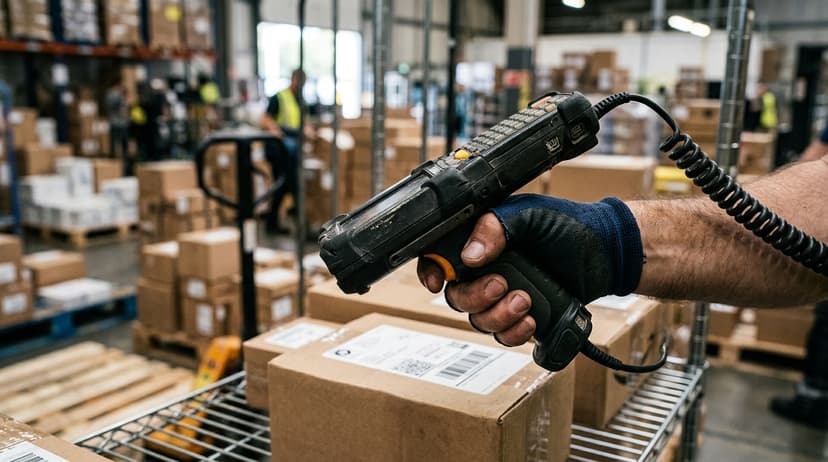
Barcode scanning does add speed and reduces manual entry errors, and basic scanners are inexpensive. But the bigger gain comes from having the right information on the screen at the right step.
What are the six main warehouse operations processes?
The six main processes are receiving, putaway, picking, packing, shipping, and returns. Each step covers everything from a product arriving at the dock to a customer receiving their order, and each depends on the one before it.
When one step breaks down, the problems carry through to every later step in the workflow.
How can warehouse efficiency and productivity be improved?
Efficiency improves by fixing the coordination behind each physical step, such as replacing printed sheets and scattered spreadsheets with accurate, real-time records.
Catching errors at receiving, recording putaway locations immediately, keeping pick lists tied to current inventory data, and reducing time spent searching for misplaced items all help small warehouses run faster with fewer mistakes.
Which warehouse KPIs should be tracked?
Warehouses should track accuracy at receiving, putaway location errors, inventory count discrepancies between on-hand and physical counts, time lost searching for misplaced items, and picking errors such as wrong item, wrong quantity, or wrong address on the label. These indicate where breakdowns are occurring and how much time and money they are costing the operation.
What is the role of a warehouse management system?
This kind of system connects the physical and paperwork sides of operations, giving real-time visibility into what inventory you have, where it is, and its condition. It links receiving, putaway, location tracking, and picking so records stay accurate and current, replacing disconnected tools like QuickBooks, spreadsheets, and printed sheets that were never built to work together.
Not sure this is the right shape for your operation?
The call is free. Describe how the work runs today. We map it on a call and show you what it would look like built around that, before you spend anything.
Book a callRelated guides
The rest of this guide, for the parts of the job this page does not cover.
Guides
- Warehouse Operations
- Operations Management Suite
- Warehouse Inventory Management Software
- Warehouse Inventory Tracking Software
- Warehouse Inventory Management Systems
- Pick and Pack in Warehouse
- Warehouse Receiving Software
- Warehouse Inventory Systems
- Warehouse Stock Management Software
- Warehouse Management System Top 10
- Software for Warehouse Management System
- Warehouse Shipment
- Warehouse Tracking System
- Inventory and Warehouse Management Software
- Small Business Warehouse Management System
- Cloud Based Warehouse Management
- Warehouse Management System Types
- Warehouse Inventory Management System
- List of Warehouse Management Software