

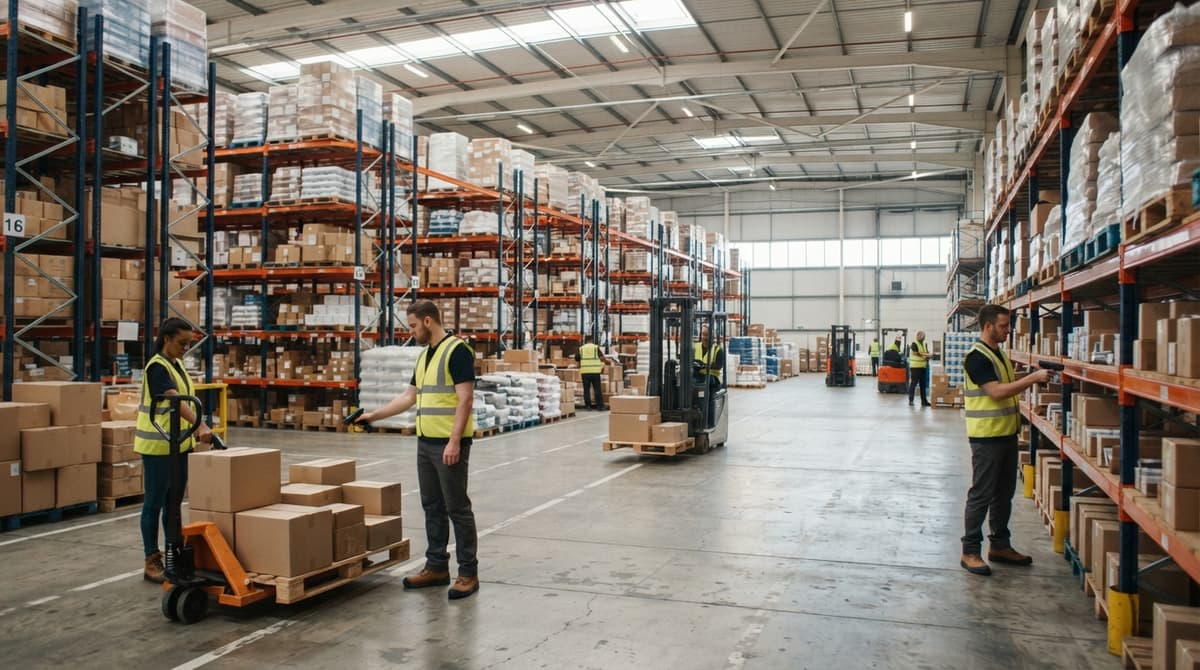
Warehouse Scanning System
A warehouse scanning system captures item data the moment stock moves, using barcode scanners tied to inventory software. Every scan updates the record in real time. No manual entry. No end-of-day catch-up. If you run on an accounting package and spreadsheets and want to know whether scanning is worth the switch, this guide addresses you.
Reviewed September 2026. Each figure comes from the assumptions stated beside it, so you can substitute your own and the arithmetic still holds.
Published 21 July 2026. Reviewed and updated 15 September 2026.
Book a callWhat Does a Warehouse Scanning System Actually Do?
A warehouse scanning system reads a barcode on a product or shelf location and sends that data straight to your inventory software. The record updates the moment the scan happens. Compare that to writing something on a clipboard and entering it later, or updating a spreadsheet at the end of a shift.
By the time you type it in, the floor has moved on. Scanning closes that gap. The system knows what you have, where it is, and when it moved, without anyone stopping to type.
Would you rather have it built around your operation?
The first look is free. If you would rather not compare products, describe how your operation already works and we build the system around it.
No build cost. You see it running on your own process first, and the monthly subscription starts only once it is live.
Book a callThe Core Parts of a Scanning System
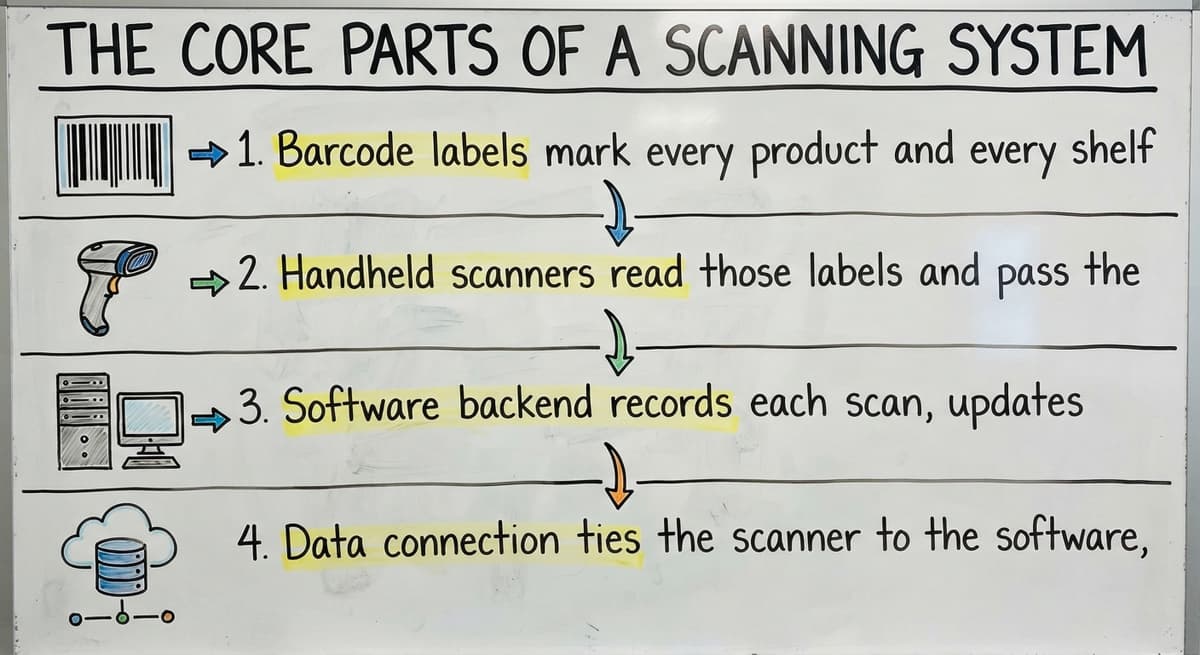
Four things have to work together for a scanning system to run. Each one matters, but the software layer is where most of the real work happens.
- Barcode labels mark every product and every shelf location with a machine-readable ID.
- Handheld scanners read those labels and pass the data to the system instantly.
- Software backend records each scan, updates inventory counts, and tracks locations.
- Data connection ties the scanner to the software, either over Wi-Fi or a wired dock.
OSHA notes that "The warehousing and storage industry includes establishments operating facilities for general merchandise, refrigerated goods, and other products", and the physical movement of those goods is exactly where scanning adds the most control.
A scan at the moment of movement is more reliable than a note written after the fact.
How Do Barcodes and Scanners Work Together?
A barcode is a machine-readable version of a product ID or bin location, nothing more. The scanner reads the pattern of lines or dots and sends the matching code to the software in under a second. 1D barcodes (the classic striped kind) carry a single string of characters.
2D barcodes like QR codes hold more data in a smaller space and work well on small labels or tight shelves. Either type works with most modern handheld scanners. The scanner does not need to know what the code means; the software figures that out.
Where Does Scanning Fit Into the Warehouse Workflow?
Scanning is not a one-time event at the dock. A well-built warehouse scanning system touches every step of the workflow, and each scan updates inventory in real time.
Receiving, Put-Away, and the 'Where Did We Put It' Problem
When a delivery arrives, a receiving scan matches each item against the buy order. If the count is wrong or the wrong product showed up, you know before it goes to the shelf. That is far better than finding out during a pick.
Put-away scanning ties the item to a specific bin or shelf location. The system records that SKU 1042 is now in Row C, Shelf 3, Bin 2.
Put-away scanning is what kills the "where did we put it" problem. When a worker scans a bin label before setting the product down, the location is locked in. No one has to remember it.
Picking, Packing, and Shipping Confirmation
A pick list tells a worker which bin to go to. Scanning confirms the right item came off the right shelf. That one step removes most mis-pick errors before they reach the customer.
Packing scans verify the order contents before the box closes. If an item is missing or wrong, the system flags it on the spot.
A final scan at the dock marks the order as shipped, closes the inventory loop, and can trigger downstream steps like a shipping alert or an invoice. The pick and pack workflow, covered end to end by scanning, is where most shipping errors are caught and stopped.
Is the comparison easier when one option is built for you?
Yes. Off-the-shelf means fitting your process to the software, and custom is the other way round. The first look costs nothing.
Book a callSigns Your Warehouse Needs a Scanning System
You probably already know if your current process is breaking down. These are the patterns that show up most often.
- Inventory counts never match what the system says, so you stop trusting the system.
- Workers spend real time searching for items that should be in a known location.
- Shipping errors reach customers because the wrong item went into the box.
- One person carries the warehouse in their head, and when they are out, things slow down.
- Cycle counts take so long that you have stopped doing them.
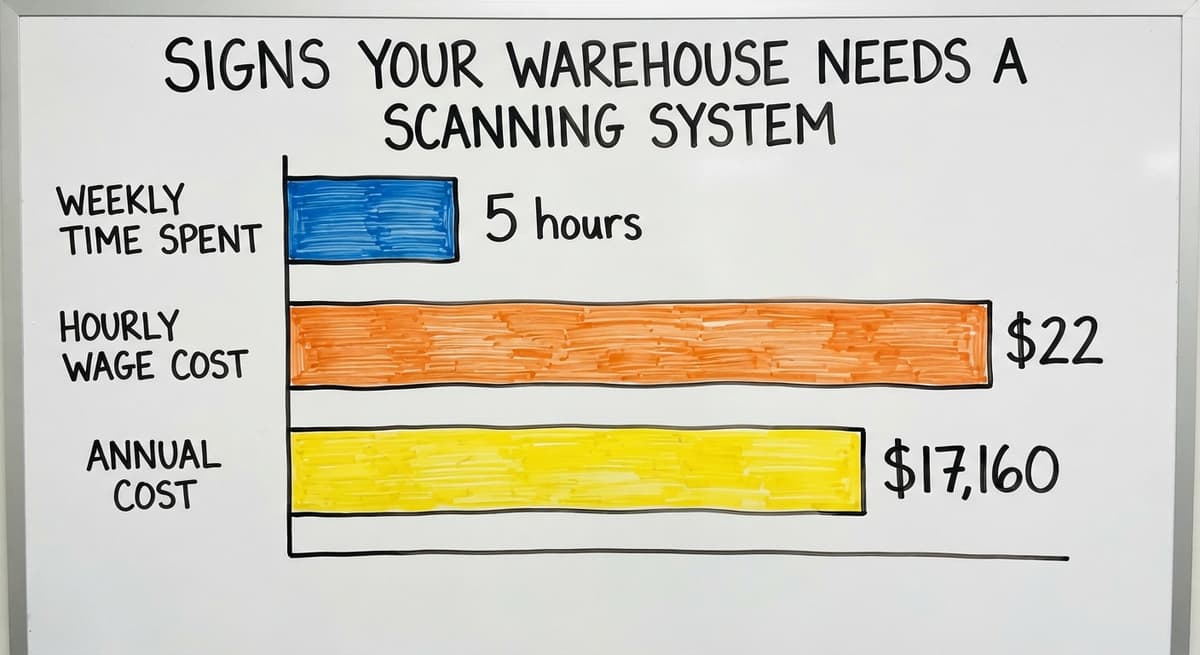
Think about the labor cost alone. If 3 workers each spend 5 hours a week resolving inventory discrepancies at $22 an hour, that is $17,160 a year spent on a problem a scanning system is built to prevent.
The Bureau of Labor Statistics tracks what warehouse staff earn, and the math gets uncomfortable fast when you run it against the hours lost to manual error.

How Does a Scanning System Connect to Barcode Inventory Management?
The scanner is the input device. The Barcode Inventory Management System is the brain. Every scan feeds the inventory record automatically, without anyone typing a number or updating a row. The two are not the same thing, but they depend on each other. A scanner with no software behind it is just a reader.
Software with no scanner feeding it still relies on manual entry. Together, they create a closed loop where the record reflects reality. Inventory tracking becomes automatic rather than a task someone has to remember to do. This is the foundation of real-time inventory accuracy.
Will a Warehouse Scanning System Work With the accounting software?
Yes, and this is the question most small warehouse operators ask first.
A well-built scanning system does not replace the accounting software. It handles what the accounting software does not do well: real-time bin-level tracking, scan-based receiving, and pick confirmation. The accounting software stays where it is, handling financials, invoicing, and reporting.
Inventory updates from scanning flow back to the accounting software on a schedule or when a trigger fires, such as a shipment going out.
You do not need to abandon the tool your accountant already knows. This approach also avoids a full ERP migration, which is a months-long project that most small operations have no reason to take on. The accounting software inventory integration through a scanning layer is a focused fix, not a platform replacement.
The IRS notes that "To figure taxable income, you must value your inventory at the beginning and end of each tax year." Keeping the accounting software accurate is a legal obligation, not just a preference. Scanning makes that easier, not harder.
What does it look like running on your own process?
The first thing you see is it running on your own process, at no build cost. The subscription starts once it is live and doing the job, not before.
Book a call
Types of Scanners and Where Each One Fits
Choosing the right hardware depends on the task, not the spec sheet. Here are the main types used in warehouse work.
- Wired handheld scanners work well at a fixed receiving desk where the worker stays in one spot.
- Wireless handheld scanners give workers freedom to move through the floor without a cable.
- Mobile computers combine a scanner with a small screen, useful for workers who need to read pick lists while scanning.
- Wearable ring scanners fit on a finger and leave both hands free, common in high-volume picking operations.
Most small warehouses start with wireless handhelds because they are affordable, simple to use, and flexible enough to cover receiving, picking, and put-away.
Fixed scanning stations mounted at a dock or packing bench make sense when the work always happens in one spot. Many operations use both: a fixed station at the dock and mobile scanners on the floor.
Real-Time Inventory Visibility and Location Accuracy
Real-time inventory means the system knows what is on hand the moment a scan happens, not at the end of the day.
A manager can check stock from a screen without walking the floor. That matters when a customer calls asking about availability or when a buyer is placing a replenishment order.
Can a scanning system track exactly where in the warehouse an item is? Yes, and this is one of its most practical benefits. Bin labels work alongside product barcodes. When a worker scans both the bin and the product during put-away, the system records the exact location.
When a picker needs that item, the system sends them to the right spot. No guessing. The Warehousing Education and Research Council tracks location accuracy as a core distribution center benchmark because the time spent searching for misplaced stock is one of the most measurable drains on warehouse labor.
GS1 standards define how barcodes are structured so that a label printed by one company scans correctly at another. Using GS1-compliant labels for bin locations keeps your system compatible with supplier labels and carrier labels without extra setup.

Cycle Counting With a Scanning System
Cycle counting means counting a portion of inventory on a rolling basis rather than shutting down for a full physical count.
Instead of closing the warehouse for a day or a weekend, a team counts a section each week. The record stays current without a major disruption.
Scanning makes cycle counts faster and more accurate. A worker scans the bin, then scans each item in it. The system compares the scan result to the expected count and flags any gap at once. There is no paper tally to transfer later.
A small warehouse doing weekly cycle counts on a 6-week rotation can keep inventory accuracy high year-round. The NIST Manufacturing Extension Partnership supports cycle counting as a best practice for operations that cannot afford the disruption of an annual full count.
Common Mistakes When Setting Up a Warehouse Scanning System
Most setup problems are avoidable. These four come up most often.
- Skipping label standardization before go-live. If bin labels are inconsistent or missing, the system cannot track locations. Fix the labels first.
- Choosing hardware without checking software compatibility. Not every scanner works with every platform. Confirm the connection before you buy.
- Skipping staff training before launch. A new workflow fails if the people using it do not understand it. Train on the actual process, not just the device.
- Trying to scan every workflow at once. Start with one workflow, such as receiving, get it right, then expand. A phased rollout is more reliable than a big-bang launch.
Not sure this is the right shape for your operation?
The call is free. Describe how the work runs today. We map it on a call and show you what it would look like built around that, before you spend anything.
Book a call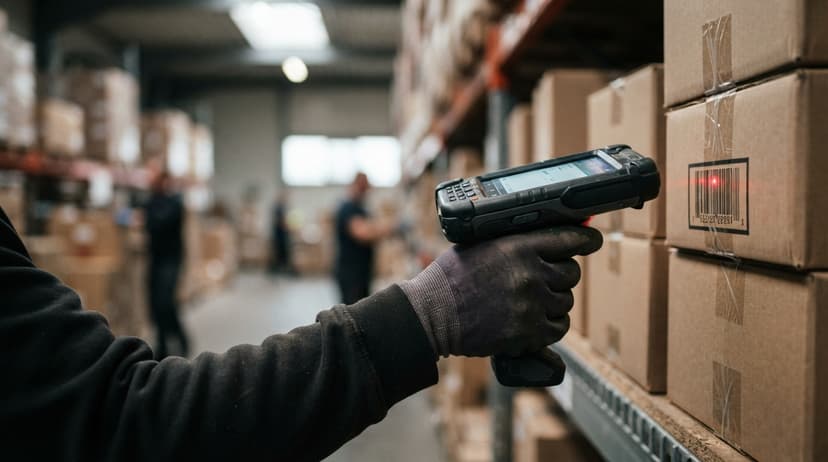
Custom vs Off-the-Shelf Scanning Software
Off-the-shelf scanning software is faster to start. It comes pre-built, has records, and usually connects to common platforms like the accounting software out of the box.
The tradeoff is that it may not match how your operation actually works. You end up changing your process to fit the software.
Custom warehouse software for small operations is built around how you already work. That does not have to mean expensive or slow. A focused build covering two or three key workflows, receiving, put-away, and picking, can be scoped and delivered without a multi-year project.
The NIST MEP recommends mapping your actual workflow before evaluating any software, custom or off-the-shelf. That map is what tells you whether a packaged tool will fit or whether you need something built to your process.
What Should You Look For and Ask Before You Buy?
Before you commit to any system, four things matter most.
- Ease of use for warehouse staff who are not tech-savvy. If it takes 20 minutes to figure out a scan, adoption will fail.
- Compatibility with your existing software, especially the accounting software, so you are not rebuilding your financial process.
- Fit to your specific workflows, not just generic warehouse workflows that may not match what you do.
- Rollout support, not just a software license. A tool with no one to help you set it up is a risk.
What questions should I ask before buying a warehouse scanning system? Start with these, and press for specific answers rather than sales talk.
- Does it connect to the software we already use, and how does that sync work?
- Can it handle our specific workflow, or will we have to change how we work to fit the system?
- What does rollout look like, and who supports us after go-live?
- Is it built for operations our size, or is it an enterprise tool scaled down?
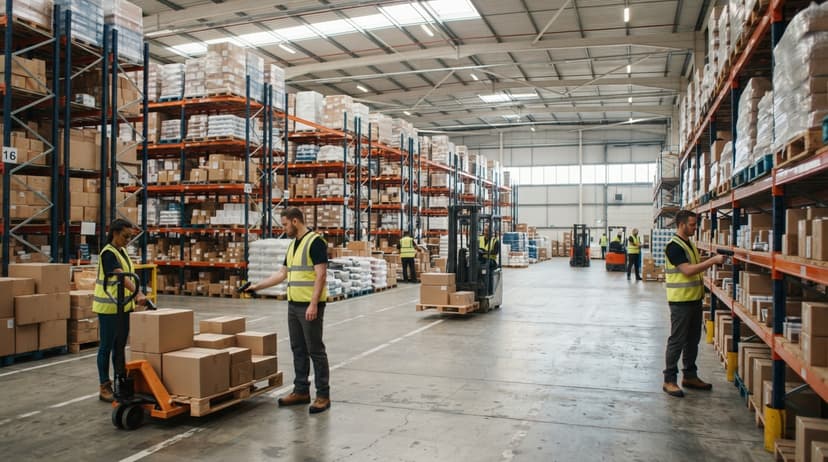
How Small Warehouses Use Scanning Without Enterprise Budgets
Scanning systems are not only for large operations. A warehouse with 10 to 30 staff can get most of the value from a focused build covering receiving, put-away, and picking. That covers the three points where errors cost the most time and money.
Starting small and expanding is a valid approach. Get receiving right first. Once that workflow runs cleanly, add put-away scanning. Then picking. Each phase pays for itself before the next one starts.
Inventory tracking for distributors at this scale does not need a full WMS. It needs a system that matches the operation, not one built for a warehouse ten times the size.
Next Steps for Getting a Scanning System in Your Warehouse
The right starting point is not a buy. It is a clear picture of where your current process breaks down. Identify the one workflow that causes the most errors or the most lost time.
Map how that workflow actually runs today. Then evaluate whether an off-the-shelf tool fits it or whether a custom build makes more sense.
If you are not sure where to start, a short conversation with someone who has built these systems before is worth more than an hour of reading product pages.
The Software Society works with warehouse operations to map workflows and build scanning systems that fit what is already in place, including the accounting software. Start with a conversation, not a contract.
Frequently asked questions
What scanners do warehouses use?
Most warehouses use wireless handheld barcode scanners for general work because they are affordable and flexible. High-volume picking operations add wearable ring scanners to keep both hands free. Fixed scanners mounted at a dock or packing station work well when the task always happens in one place.
Mobile computers, which combine a scanner with a small screen, are common where workers need to read a pick list while they scan. The right choice depends on the task, not the spec sheet.
What are the four types of WMS?
Warehouse management systems are grouped into four types: standalone WMS (software built only for warehouse operations), ERP-integrated WMS (a module inside a larger business system), cloud-based WMS (hosted software accessed over the internet with lower upfront cost), and supply chain management platforms (broader tools that include WMS features alongside demand planning and logistics).
Small warehouses most often use standalone or cloud-based options because they are faster to implement and do not need a full ERP.
Is an ERP the same as a WMS?
An ERP, which stands for enterprise resource planning, covers financials, HR, procurement, and many other business functions. The large ERP suites include a warehouse management module, but the full platform is far broader than a WMS.
For most small and mid-size warehouses, a standalone or cloud-based WMS is a better fit than an ERP, which carries rollout costs and timelines that smaller operations cannot justify.
What are the top 10 WMS systems?
There is no single ranked list that fits every operation. The right WMS depends on warehouse size, industry, existing software, and budget.
Enterprise suites target large, complex operations; lighter cloud platforms and custom builds are more common in small to mid-size warehouses. Evaluate on your workflow, not a ranked list.
How does a warehouse scanning system improve inventory accuracy?
Every scan updates the inventory record at the moment of movement. There is no manual entry step where a number can be misread or forgotten. Receiving scans confirm what arrived. Put-away scans record where it went.
Pick scans confirm what left the shelf. Each step closes a gap where errors used to enter the record. Operations that replace manual entry with scanning see fewer discrepancies between what the system says and what is actually on the floor.
How long does it take to implement a warehouse scanning system?
A focused rollout covering one or two workflows, such as receiving and put-away, can go live in 4 to 8 weeks for a small warehouse. A full rollout covering receiving, put-away, picking, packing, and shipping takes 2 to 4 months depending on how much custom setup is needed.
A phased rollout, starting with one workflow and expanding, is faster and more reliable than trying to launch everything at once. This is far shorter than a full ERP rollout, which commonly runs 6 to 18 months.
Can a small warehouse afford a scanning system?
Yes. A focused scanning system covering two or three key workflows costs far less than a full WMS or ERP. Hardware costs for wireless handheld scanners start under $300 per device. Cloud-based software options charge monthly fees that scale with the number of users.
A small warehouse with 5 to 15 staff can implement a working scanning system for less than the annual cost of the labor hours currently lost to manual errors and inventory searches.
What is the best warehouse scanning system for a small business?
A cordless 2D imager per active worker, thermal labels on every bin and product, and inventory software that treats each scan as a stock movement. The software is the part that decides accuracy; the scanner is the cheapest part of the system.
How much does a warehouse barcode scanning system cost?
Hardware for a 5-person floor runs $1,000 to $2,500: scanners at $150 to $400 each, a label printer at $150 to $500, and labels.
Software is $50 to $300 a month for a packaged tool or $8,000 to $25,000 once for a build scoped to your process.
How does a warehouse scanning system integrate with a WMS or ERP?
The scanner types the code into whatever screen is open; the WMS decides what the code means there.
Receiving screens treat it as an inbound count, pick screens as a confirmation, count screens as a tally. The integration lives in the software, and a good one needs no middleware.
Should a warehouse use barcodes or RFID?
Barcodes, for almost every warehouse under 100 staff. They cost cents per label and read reliably on every surface.
RFID pays off at high SKU counts, pallets that cannot be broken down to count, or sealed cases, and it starts at $1,000 per reader plus tags.
What is in a free first look?
A 30 minute call, your operation mapped, and a clear picture of what we would build. No obligation and nothing to install.
Book a callRelated guides
The rest of this guide, for the parts of the job this page does not cover.
Guides
- Barcode Systems for Warehouse
- Warehouse Scanner System
- Package Scanning
- Barcode Scan Machine
- Scanning Manual
- 3pl Warehouse Management System
- Warehouse Inventory Systems
Common questions
- How Barcode Scanning Works
- What Do Barcode Scanners Scan
- What is a Warehouse Management System Example
- How to Create a Warehouse Management System
- How to Set up a Warehouse Management System
- What is the Point of Warehouse Management System
- What is Asn in Warehouse Management System
- What is a Warehouse Management System Pdf
- What is a Warehouse Management System Used For
- Meaning of Warehouse Management System
- What Are the Benefits of Warehouse Management System
- How to Design a Warehouse Management System
- What is the Purpose of a Warehouse Management System
- How to Build a Warehouse Management System
- Warehouse Execution System vs Warehouse Management System
- Why Warehouse Management System
- Warehouse Management System vs Warehouse Control System