

3pl Warehouse Management System
A 3PL warehouse management system is a WMS for a warehouse that holds other companies' stock. A 3PL warehouse management system keeps each client's inventory separate, bills each client for storage and handling, and gives each client a portal, at $500 to $3,000 a month packaged or $15,000 to $40,000 once for a build.
Published 24 August 2026. Reviewed and updated 15 September 2026.
Reviewed August 2026. Each figure comes from the assumptions stated beside it, so you can substitute your own and the arithmetic still holds.
Last reviewed: June 2025. All vendor and cost references reflect current market conditions.
Book a callWhat Is a 3PL Warehouse Management System?
A 3PL WMS, short for third-party logistics warehouse management system, is software built for warehouses that store goods on behalf of other businesses.
Your building holds inventory for Client A, Client B, and Client C. The system keeps those records separate, tracks every move, and makes billing each client straightforward.
On a normal Monday morning, a 3PL WMS tells your team what arrived over the weekend, which orders need to ship today, and what each client owes for last month. It replaces the spreadsheet open on three different computers and the email thread nobody can find.
The key word is multi-client. One roof, many owners. The software has to know whose goods are whose at every moment.
Would you rather have it built around your operation?
The first look is free. If you would rather not compare products, describe how your operation already works and we build the system around it.
No build cost. You see it running on your own process first, and the monthly subscription starts only once it is live.
Book a callHow Does a 3PL WMS Differ from a Standard WMS?
A standard warehouse management system manages one company's inventory. A 3PL WMS manages many companies' inventory inside the same building. That gap is bigger than it sounds.
Standard systems track SKUs and quantities. A 3PL WMS tracks who owns each SKU, who is billed for each pallet, and who can see which report.
Every client needs a separate login, a separate rate card, and a separate activity log. If Client A calls about a missing pallet, you need to pull their record without touching Client B's data.
As OSHA notes, "The warehousing and storage industry includes establishments operating facilities for general merchandise, refrigerated goods, and other products." That breadth means the goods in your building may belong to a dozen different owners, each with their own liability, their own insurance, and their own expectations.
Multi-client billing, separate portals, and per-client reporting are the three features that make a 3PL WMS different from every other warehouse tool.
When you evaluate software, those three things should be your first test. If the demo does not show them clearly, keep looking.
Who Uses a 3PL Warehouse Management System?
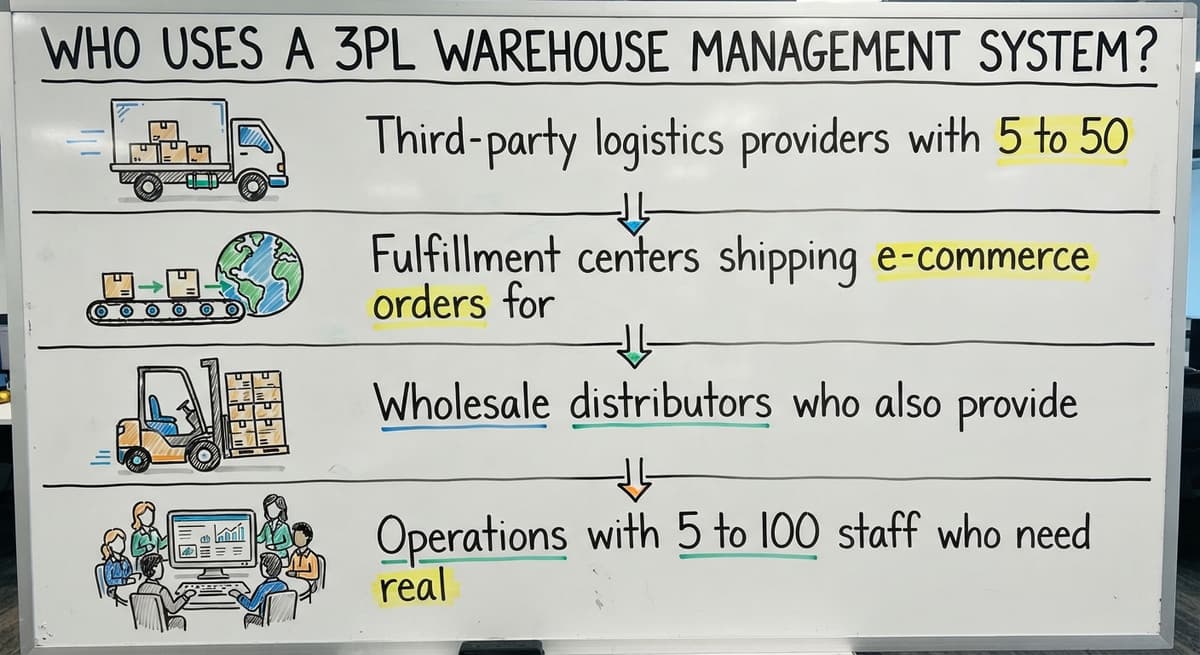
Any business that stores and ships goods on behalf of other companies can benefit from a 3PL WMS. The most common users are:
- Third-party logistics providers with 5 to 50 clients under one roof
- Fulfillment centers shipping e-commerce orders for multiple brands
- Wholesale distributors who also provide warehousing to their suppliers
- Operations with 5 to 100 staff who need real structure but not an enterprise system
Smaller operations feel the pain of missing software more sharply. With a lean team, one billing error or one mislabeled pallet affects a bigger share of the day.
The system does not need to be large. It needs to be right.
The Core Problem a 3PL WMS Solves
Most small 3PLs start with spreadsheets. That works for 2 clients. By client 5, the cracks show.
Staff maintain one sheet for receiving, another for inventory, and a third for billing. The accounting software handles the accounting side well, but it does not track real-time inventory movement.
Nobody can answer a client's question about their stock level without opening 3 files and doing math.
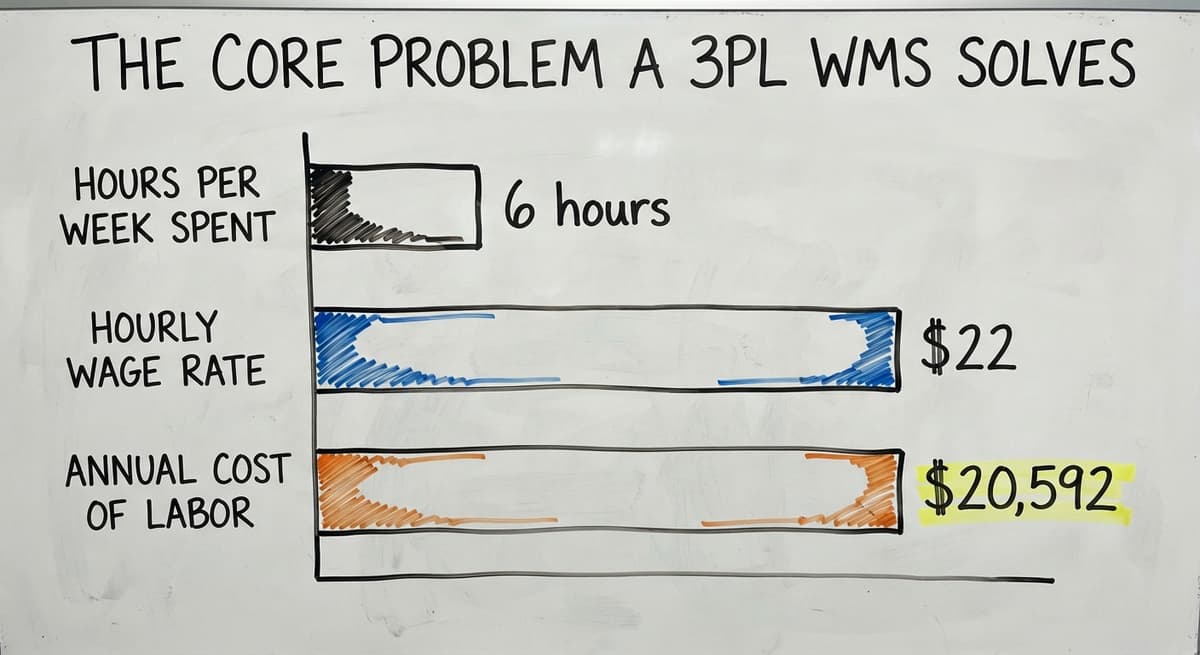
Consider the cost in plain numbers. If 3 staff members each spend 6 hours a week reconciling inventory records at $22 an hour (the current median wage for stock clerks and order fillers, per the US Bureau of Labor Statistics), that is $20,592 a year spent on work the system should do automatically.
Clients call, nobody can answer quickly, and trust erodes. A 3PL WMS fixes that by keeping one live record that every team member and every client can access.
Signs Your Current System Is No Longer Enough
You may not need a formal audit to know your tools are failing. Watch for these signs:
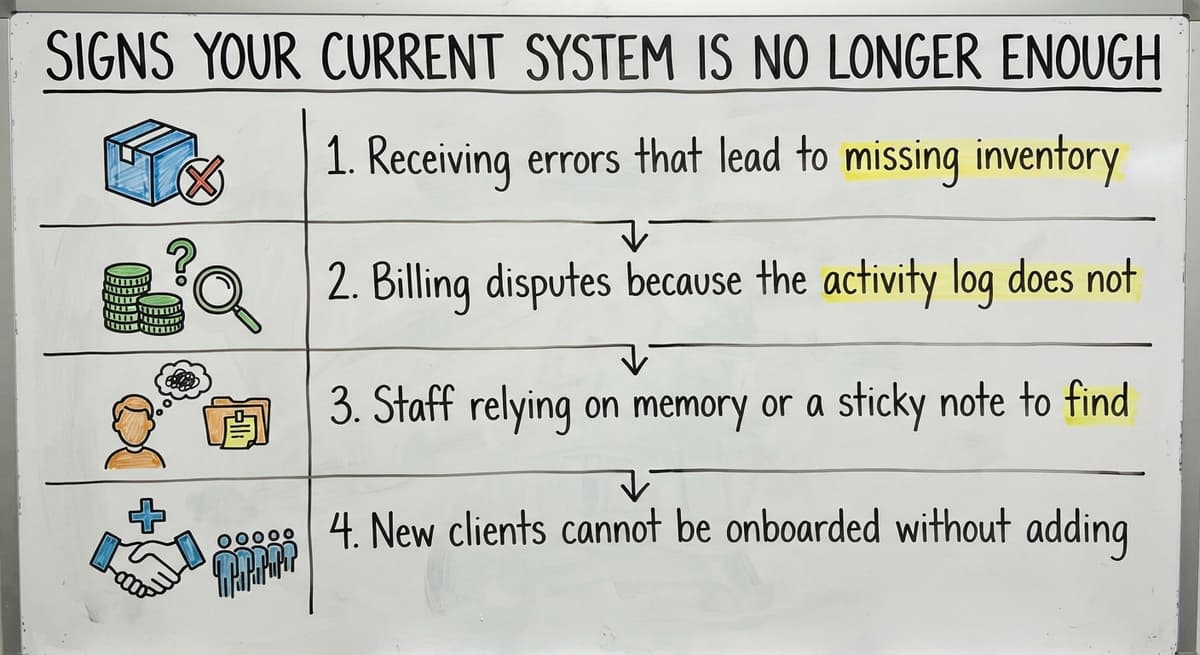
- Receiving errors that lead to missing inventory with no paper trail
- Billing disputes because the activity log does not exist or is incomplete
- Staff relying on memory or a sticky note to find where a pallet is located
- New clients cannot be onboarded without adding another manual step to an already full process
Any one of these is a signal. All four together means the current system is costing you clients and money.
Core Features Every 3PL WMS Should Have
Not every operation needs every feature on day one. Use this section as a checklist when you evaluate any system. Know which items are required from the start and which can wait.
Is the comparison easier when one option is built for you?
Yes. Off-the-shelf means fitting your process to the software, and custom is the other way round. The first look costs nothing.
Book a callHow Does a 3PL WMS Connect to Your Other Tools?
A WMS that does not connect to anything creates more manual work, not less. The goal is a system where data flows between tools automatically. Three connections matter most for small and mid-size 3PLs.
Connecting a 3PL WMS to the accounting software
The accounting software handles accounts payable, receivable, and payroll well. Keep it there. A good WMS pushes billing totals and invoice data to the accounting software automatically, mapping WMS billing records to the accounting software line items.
No double entry. The WMS does the warehouse work. The accounting software does the accounting. The two talk to each other so your team does not have to be the bridge.
For more on making this connection work cleanly, see our guide to accounting integration for warehouse operations.
How Do You Connect a 3PL WMS to Shipping Carriers?
Carrier connection means the WMS pulls live rates from the parcel carriers at the moment of shipment. Staff select the best rate or the system selects it automatically based on rules you set.
Tracking numbers push back to the order record and the client portal the moment the label prints. Nobody copies and pastes tracking numbers from a carrier website again.
GS1 barcode standards make this possible at scale. A barcode printed in your building scans at a carrier facility because both sides follow the same standard.
Connecting to Client Order Sources
Clients send orders in different ways. Some use EDI, a structured data format common in wholesale and retail. Others send a spreadsheet or an order from their online store.
A good WMS accepts orders in the format clients already use. Store and marketplace connections serve e-commerce clients. EDI connections serve wholesale and retail clients. The system adapts to the client, not the other way around.
For a deeper look at this topic, our fulfillment center software guide covers order source connections in detail.
Barcode Scanning and Mobile Devices in a 3PL WMS
Barcode scanning cuts receiving errors sharply. When a staff member scans a label instead of typing a number, the chance of a transposition error drops to near zero.
Modern 3PL WMS platforms run on standard Android devices, not proprietary hardware that costs thousands per unit.
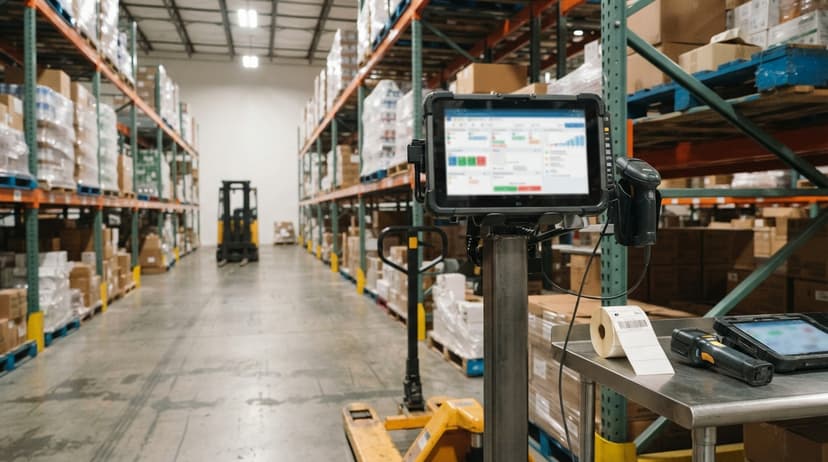
Staff use handheld scanners or mobile devices to confirm receipts, picks, and put-aways in real time. The scan writes directly to the system.
No paper, no later data entry, no lag between what is on the floor and what the system shows. For more on setting this up without a big hardware budget, see barcode scanning for small warehouses.

How Does Billing Work in a 3PL Warehouse Management System?
3PL billing is complex because every client has a different agreement. One client pays per pallet per month. Another pays per order picked.
A third has a flat monthly fee plus accessorial charges for special projects. The WMS has to log every billable activity as it happens so the end-of-period invoice is a summary, not a research project.
The IRS requires that businesses "value your inventory at the beginning and end of each tax year." That legal obligation means your clients need accurate inventory records too, and your billing records have to match.
Storage Billing Models Explained
The most common storage billing model is per pallet per month. Per bin or per cubic foot suits smaller or irregular goods.
Some 3PLs bill on peak inventory during the period. Others bill on the average. The WMS should support whichever model each client contract requires, not force every client into the same structure.
Handling and Activity-Based Billing
Storage is only one revenue line. Charge per inbound pallet received, per order picked, or per line item fulfilled. Track special project work like kitting, relabeling, or repackaging separately from standard handling.
Each activity logged in the WMS becomes a billable line item. Disputes drop when clients can see the activity log behind each charge rather than receiving a number with no explanation.
What Makes a Good 3PL WMS for Small and Mid-Size Operations?
The right system for a small 3PL is not a smaller version of an enterprise system. It is a different kind of system entirely.
Enterprise platforms target thousands of SKUs and dozens of clients with a dedicated IT team to run them. A 3PL with 10 clients and 50 staff needs speed of setup, ease of use, and short training time.
The NIST Manufacturing Extension Partnership recommends that small operations focus on process fit before feature count.
A system with 200 features that staff avoid is worth less than a system with 20 features that staff use every hour.
For operations in this range, consider custom warehouse software for small distributors as an alternative to off-the-shelf platforms.
Ease of Use for Warehouse Staff
Staff turnover is high in warehousing. Training has to be fast. Screens should show only what is needed for each task. Color coding, large buttons, and scan-first workflows reduce errors and cut training time.
If staff find a workaround instead of using the system, data quality collapses within weeks.
What does it look like running on your own process?
The first thing you see is it running on your own process, at no build cost. The subscription starts once it is live and doing the job, not before.
Book a callImplementation Time and Go-Live Risk
A long setup costs money and creates uncertainty. A phased approach keeps the operation running while the system is built. Start with receiving and inventory.
Add billing and client portals in a second phase. Avoid systems that require months of data migration before a single order can be processed.
Total Cost of Ownership
Monthly fees are only part of the cost. Factor in setup fees, training, and ongoing support. Per-user pricing can become expensive as the team grows.
A custom-built system has a higher upfront cost but lower ongoing cost because you are not paying for features you will never use.
| Cost Type | Off-the-Shelf | Custom Build |
|---|---|---|
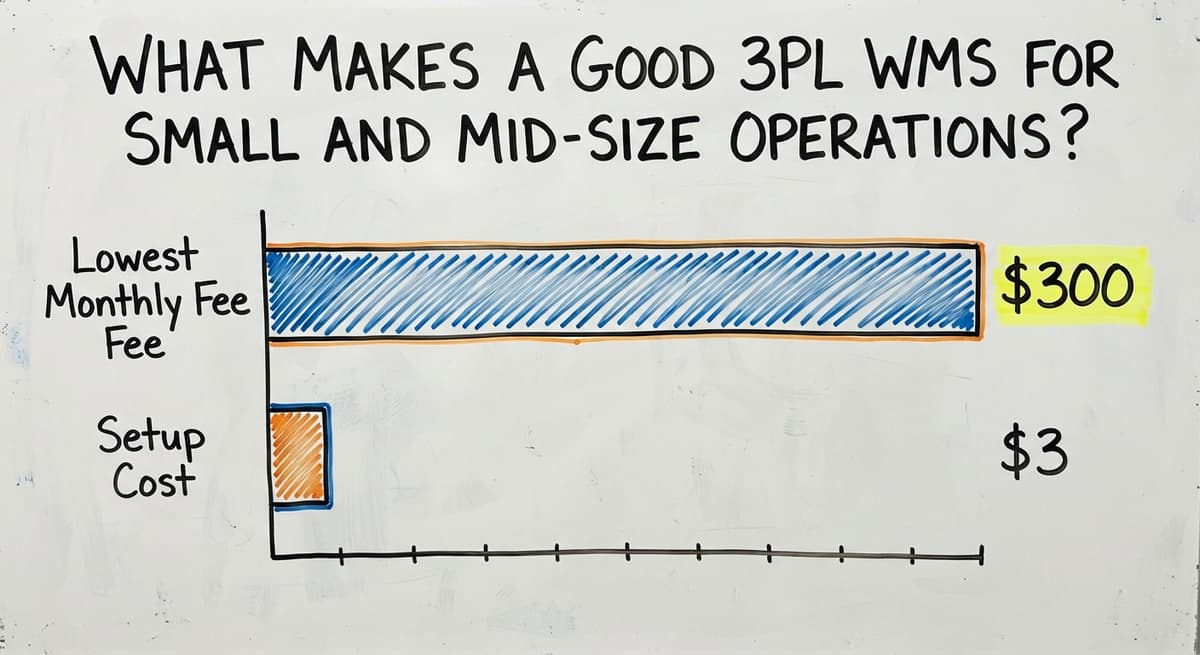
| Monthly fee | $300 to $3,000+ | Low or none |
| Setup cost | Low to moderate | Moderate to high |
| Training time | Moderate | Short (built for your process) |
| Long-term fit | May require workarounds | Built to match your workflow |

Cloud-Based vs On-Premise 3PL Warehouse Management Systems
Cloud is the default for a 3PL under 100 staff, and on-premise is the exception with a reason behind it.
Cloud systems run in a browser. No local server required. Staff in the warehouse and staff in the office see the same data at the same time.
Updates happen automatically. On-premise systems run on hardware your business owns. You control the data and the environment, but your IT team carries the maintenance burden.
Cloud is faster to deploy and easier to access from multiple locations.
On-premise gives more control but requires IT resources most small 3PLs do not have. For most operations under 100 staff, cloud is the practical choice.
Off-the-Shelf vs Custom 3PL Warehouse Management Systems
Off-the-shelf software is built for a general audience. You adapt your process to match what the software expects. Custom software is built around how your operation already works. Both have a place.
When Is Off-the-Shelf the Right Choice?
Off-the-shelf makes sense when your operation is new and your processes are not yet set. It also works when your workflow closely matches what the software was designed for.
Budget is limited and a proven system reduces risk. The team has the capacity to adapt their process to the software without it causing daily friction.
When Is Custom the Right Choice?
Custom software is the right call when:
- Your billing structure is unique and no off-the-shelf system supports it cleanly
- Previous software failed because staff worked around it instead of in it
- Your business runs on the accounting software and replacing it is not an option
- Specific client requirements cannot be met by standard software
Custom is slower to build but eliminates workarounds from day one. For a business built around a handful of long-term clients with complex rate agreements, that trade-off is worth it.

How Do You Evaluate a 3PL Warehouse Management System?
The right questions matter as much as the demo. A vendor who cannot answer your specific billing questions in detail during the sales process will not answer them after you sign either.
Common Mistakes When Implementing a 3PL WMS
Most failed WMS projects fail for the same 4 reasons. Avoid these:
- Going live with all features at once instead of in phases
- Not training staff before go-live day
- Importing dirty inventory records without cleaning the data first
- Choosing software based on price alone without checking fit
The Warehousing Education and Research Council tracks distribution center performance benchmarks. Inventory accuracy is one of the core measures. A bad implementation can drop accuracy below the benchmark and take months to recover.

How Do You Get Staff to Actually Use the System?
Poor adoption is the most common reason WMS projects fail. The software works. The people do not use it. That gap is a people problem, not a technology problem.
Involve warehouse staff in the selection process. When staff help choose the system, they feel ownership over it. Make the system easier than the old way, not harder.
Designate a go-to person on each shift who knows the system well and can answer questions without calling the vendor.
If staff find a workaround, treat it as a signal that the system needs adjustment, not that the staff are wrong.
Key Metrics a 3PL WMS Should Help You Track
A WMS is only useful if it helps you measure what matters. Track these four numbers:
- Inventory accuracy rate per client: what the system says versus what a physical count finds
- Order fill rate and on-time shipment percentage
- Receiving cycle time from dock to put-away
- Billing cycle time from period end to invoice sent
The Warehousing Education and Research Council publishes standard benchmarks for each of these. Knowing where you stand against the benchmark tells you where to focus.
What is in a free first look?
A 30 minute call, your operation mapped, and a clear picture of what we would build. No obligation and nothing to install.
Book a call
How Does a 3PL WMS Help You Win and Keep Clients?
Prospects ask one question before signing: will you know where my inventory is? A live client portal answers that question before they finish asking it.
Accurate billing with a visible activity log turns a potential dispute into a clear conversation. Faster onboarding of new clients becomes a competitive advantage when your competitor is still setting up a new spreadsheet tab.
Inventory accuracy and transparent billing are not just operational goals. They are the reason clients stay.
Scaling Your 3PL Operation with the Right WMS
A system that works for 5 clients should also work for 20. Adding a new client should not require a new spreadsheet or a new manual process.
The WMS should let you grow volume without growing headcount at the same rate.
Automation of billing and reporting frees staff to focus on warehouse work. The US Census Bureau Monthly Wholesale Trade data shows that inventory-to-sales ratios shift constantly.
Operations that can adjust quickly have an edge. A WMS gives you the visibility to adjust.

Why Does a Local Partner Differ from a National Software Vendor?
A local implementation partner can walk your warehouse floor and see how work actually happens. They watch where staff pause, where the paper piles up, and where the process breaks down.
Changes and fixes happen in days, not months of support tickets routed through a help desk that has never seen your building.
The team that built the system is the same team that supports it. There is no handoff between sales, implementation, and support.
When something breaks on a Monday morning, you call the person who built it.
The Software Society works this way. Implementation is led by people who understand real operations, not a vendor playbook written for a different kind of business.
What Should You Expect During a 3PL WMS Implementation?
A well-run implementation has 4 phases:
- Discovery: map current workflows and client billing rules
- Build or configuration: set up the system to match the operation
- Testing: run real orders and real inventory through the system before go-live
- Go-live support: staff have help on the first real day, not just a manual
Skipping any phase creates problems that show up after go-live, when fixing them is more expensive and more disruptive.

Frequently Asked Questions About 3PL Warehouse Management Systems
Next Steps for Choosing a 3PL Warehouse Management System
The key decision points come down to 3 questions: How many clients do you need to support?
How complex is your billing? And how much can your team adapt to new software versus needing software that adapts to them?
Before you talk to any vendor, write down your top 5 operational pain points.
Be specific. "Billing takes too long" is less useful than "we spend 12 hours at the end of every month reconciling storage fees manually." Specific problems lead to specific solutions.
If your operation runs on the accounting software, manages inventory across multiple clients, and is ready to replace the spreadsheet with something that actually works, The Software Society can walk through what a custom system built around your workflow would look like.
No pitch deck. No generic demo. A real conversation about your real operation.
Reach out when you are ready to talk through what the right fit looks like for your team.
Frequently asked questions
Frequently asked questions
What is a 3PL warehouse management system and how does it work?
A 3PL warehouse management system is software that tracks inventory, orders, receipts, and billing for multiple clients inside one warehouse. It keeps each client's records separate, logs every activity as it happens, and connects to tools like the accounting software and shipping carriers so data flows automatically without manual re-entry.
How is a 3PL WMS different from a standard warehouse management system?
A standard WMS manages one company's inventory. A 3PL WMS manages many companies' inventory in the same building.
The key differences are multi-client billing, separate client portals, and per-client reporting. Each client has their own rate card, their own login, and their own activity log.
How does multi-client billing work in a 3PL WMS?
The WMS logs every billable activity as work happens, whether that is a pallet received, an order picked, or a special project completed.
At the end of the billing period, the system generates an invoice for each client based on their own rate agreement. Billing data then exports to the accounting software without manual re-entry.
Should a small 3PL use off-the-shelf or custom software?
Off-the-shelf works well when your processes are new or standard and your budget is tight.
Custom software is the better choice when your billing structure is unique, when previous software failed because staff worked around it, or when specific client requirements cannot be met by standard platforms.
Does a 3PL WMS replace the accounting software?
No. A 3PL WMS handles warehouse operations and billing activity tracking. The accounting software handles the accounting side and should stay in place.
The two systems connect so data flows automatically between them without manual re-entry.
How much does a 3PL warehouse management system cost?
Off-the-shelf systems range from a few hundred to several thousand dollars per month. Custom systems have a build cost that varies by scope and complexity.
Total cost includes setup, training, and ongoing support, not just the monthly license fee.
How long does it take to implement a 3PL WMS?
Off-the-shelf systems can go live in weeks if the operation adapts to the software. Custom systems take 2 to 4 months depending on complexity.
A phased rollout gets core functions live faster while other features are built in parallel.
Can a 3PL with fewer than 20 staff benefit from a WMS?
Yes, and smaller operations benefit more because errors are more visible at smaller scale. The system does not need to be enterprise-grade to be effective.
Right-sized software avoids paying for features that will never be used, and a lean team with a clean system outperforms a larger team running on spreadsheets.
What features should a 3PL WMS include?
Client-separated inventory, per-client billing on storage, receiving, picking, and packaging, a client portal, order import from each client's sales channels, multi-carrier label printing, and an export to the accounting package. Those 6 are the difference from a standard WMS.
What is the difference between a 3PL WMS and an ERP system?
An ERP runs a whole company: accounting, sales, purchasing, and HR. A 3PL WMS runs the warehouse and the client billing and hands the invoices to the accounting package.
A 3PL under 50 staff needs the WMS and an accounting package, not the suite.
What is the best 3PL warehouse management system for a small business?
The one that bills clients the way you already bill them and connects to the accounting package you run.
Under 10 clients and 500 orders a day, a build around your own rate card costs less over 3 years than a platform priced for 50 clients.
How does a 3PL WMS integrate with ecommerce platforms?
Through each platform's order API: the WMS pulls new orders every few minutes, pushes the tracking number when the label prints, and writes the stock count back so the client's store never oversells. One connection per client store, set up once at onboarding.
Not sure this is the right shape for your operation?
The call is free. Describe how the work runs today. We map it on a call and show you what it would look like built around that, before you spend anything.
Book a callRelated guides
The rest of this guide, for the parts of the job this page does not cover.
Guides
- 3pl Software
- 3pl Companies
- Best 3pl Wms Software
- Warehouse Inventory Management Systems
- Warehouse Management System Top 10
- Software for Warehouse Management System
- Small Business Warehouse Management System
- Warehouse Management System Types
- Warehouse Inventory Management System
- Warehouse Management System Examples
- Warehouse Management System Implementation
- Cloud Warehouse Management System
Common questions
- 3pl vs 4pl
- 3pl Meaning
- What Are the Benefits of Warehouse Management System
- What is the Point of Warehouse Management System
- How to Choose a Warehouse Management System
- What is Asn in Warehouse Management System
- How to Create a Warehouse Management System
- What is a Warehouse Management System
- Which Warehouse Management System Would a Jeweler Most Likely Use
- How to Build a Warehouse Management System
- What is a Warehouse Management System Used For
- Warehouse Management System vs Warehouse Control System