

Accounting And Inventory Software For Small Business
Accounting and inventory software for small business means one connected system that tracks your stock and your money together. If your business sells physical products, you need both. Most small businesses already have the accounting software for accounting. The gap is on the inventory side. This guide helps you find the right fix without replacing what already works.
Reviewed September 2026. Each figure comes from the assumptions stated beside it, so you can substitute your own and the arithmetic still holds.
Published 15 August 2026. Reviewed and updated 15 September 2026.
Book a callWhat Does Accounting and Inventory Software for Small Business Actually Do?
Two jobs run side by side in any product business. One job is tracking money: what came in, what went out, what you owe, and what you are owed. The other job is tracking stock: what you have, where it is, and when to order more.
When these two jobs run in separate systems, the numbers never quite match. Accounting and inventory software for small business connects them so that a sale in one place updates both your stock count and your books at the same time.
Would you rather have it built around your operation?
The first look is free. If you would rather not compare products, describe how your operation already works and we build the system around it.
No build cost. You see it running on your own process first, and the monthly subscription starts only once it is live.
Book a callWhy Do Small Businesses Struggle With Inventory and Accounting Together?
Most small wholesale and distribution businesses use a standard accounting package for accounting and a spreadsheet for inventory. That split is rational at first. It becomes a problem as volume grows.
The typical pain looks like this: a buy order gets typed into the accounting software and also written on a paper receiving sheet.
The counts on the sheet rarely match the system. Staff spend hours each week reconciling the two. Orders get delayed because no one is sure what is actually in stock.
Manual Data Entry Is the Root Cause
The root cause is manual data entry at every handoff. GS1, the global standards body behind barcodes, notes that scan-based receiving removes the transcription errors that manual entry creates.
Without a scan, every count is only as good as the last person who wrote it down.
The IRS needs that businesses "value your inventory at the beginning and end of each tax year." A spreadsheet that drifts from reality makes that valuation unreliable and potentially wrong.
Is the accounting software Plus a Spreadsheet Good Enough?
For many small businesses, yes, at first. The accounting software handles the accounting side well. A spreadsheet handles a small product list. The combination works until order volume climbs or the product catalog grows past a few hundred SKUs.
The breakdown is gradual. One person owns the spreadsheet. When that person is out, no one else trusts the numbers. Month-end counts take a full day. Reorder decisions get made from memory rather than data.
The the accounting software-plus-spreadsheet setup is not a failure. It is a rational starting point that most small distributors outgrow. The question is not whether it worked before. The question is whether it is still working now.
What Should You Look For in Accounting and Inventory Software for Small Business?
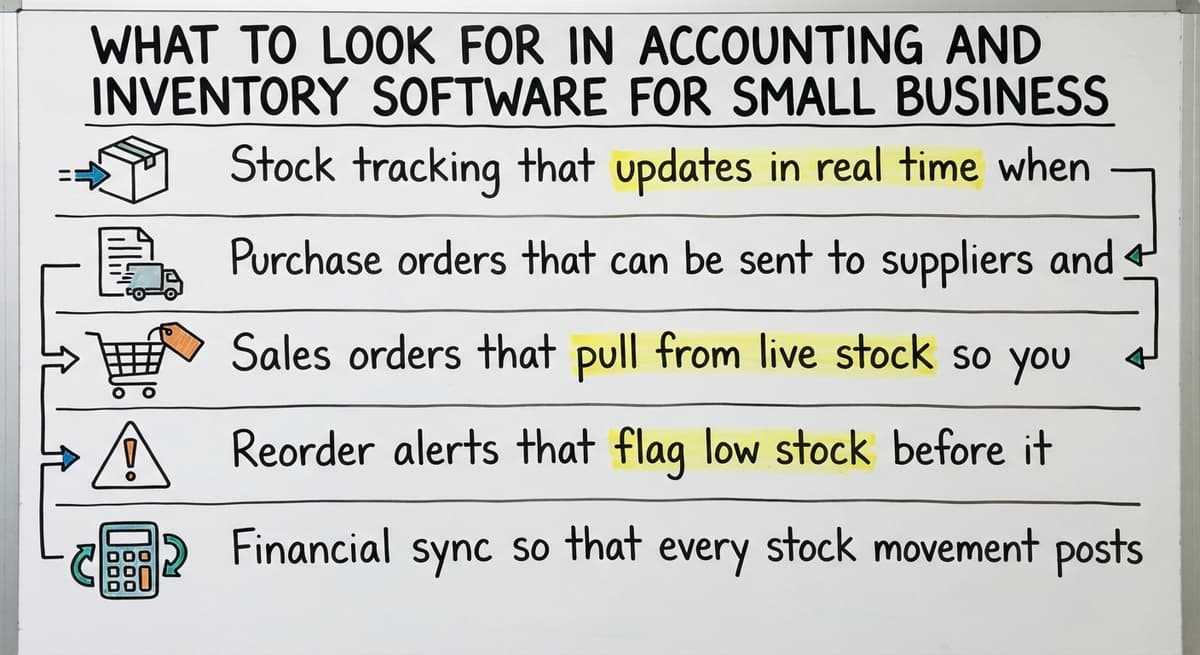
The features that actually matter for a small operation are a short list. Start here before looking at any vendor demo.
- Stock tracking that updates in real time when goods move in or out
- Buy orders that can be sent to suppliers and matched against what arrives
- Sales orders that pull from live stock so you never promise what you do not have
- Reorder alerts that flag low stock before it becomes a problem
- Financial sync so that every stock movement posts to your books without manual entry
Ease of Use Matters as Much as the Feature List
If warehouse staff will not use it, it solves nothing. A low training burden means the system fits how people already work, not the other way around.
Most small businesses do not need a full ERP, complex manufacturing modules, or enterprise licensing. Those tools target much larger operations and bring cost and complexity that a 10 to 30 person business cannot absorb.
Is the comparison easier when one option is built for you?
Yes. Off-the-shelf means fitting your process to the software, and custom is the other way round. The first look costs nothing.
Book a callDoes a Small Business Need to Replace the accounting software to Get Better Inventory?
No. The accounting software handles accounting well. The problem is almost always on the inventory side, not the accounting side. Replacing the accounting software means migrating years of financial history, retraining your bookkeeper, and disrupting a system that works.
A better path for most small businesses is to keep the accounting software and add a connected inventory layer on top. That layer handles the working work: receiving, picking, stock counts, and buy orders. It syncs back to the accounting software so the books stay current. The accounting stays put. The inventory gets fixed.
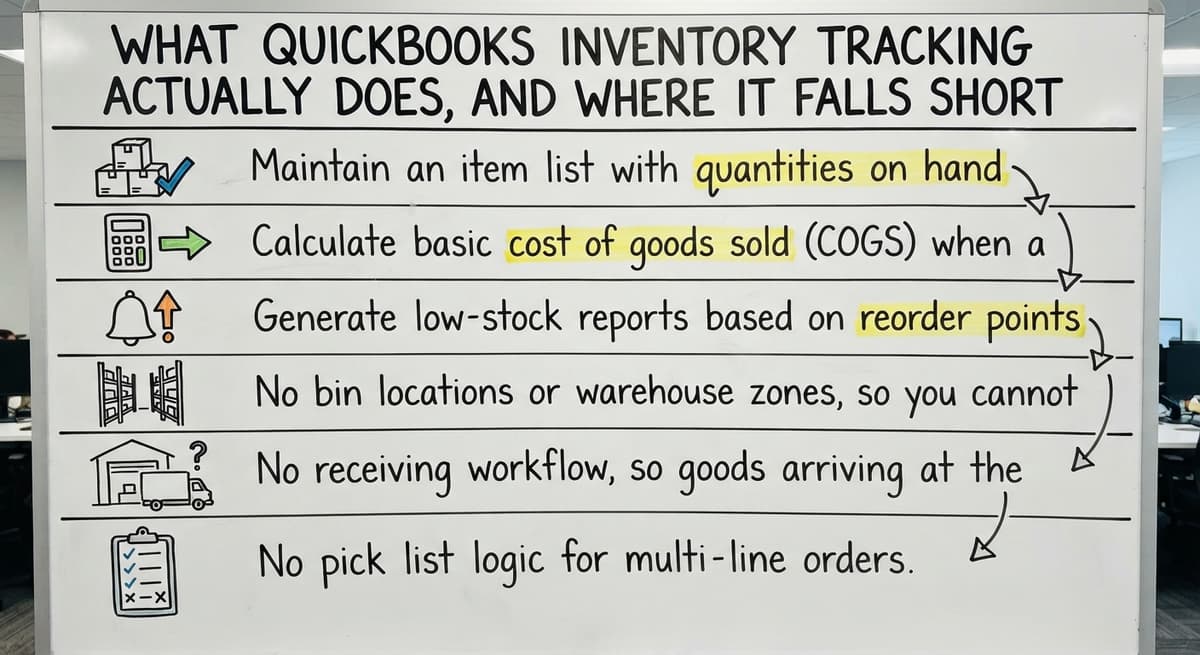
What Does the Accounting Software Inventory Tracking Actually Do, and Where Does It Fall Short?
The online and the desktop editions of the accounting software both include basic inventory tracking, and these built-in tools are useful for simple operations.
What the built-in tools can do:
- Keep an item list with quantities on hand
- Calculate basic cost of goods sold (COGS) when a sale is recorded
- Generate low-stock reports based on reorder points you set manually
Where they fall short:
- No bin locations or warehouse zones, so you cannot track where in a building stock sits
- No receiving workflow, so goods arriving at the dock still get counted by hand
- No pick list logic for multi-line orders
- Reorder rules are simple flags, not dynamic triggers based on lead time or sales velocity
For a business with 1 location, under 200 SKUs, and low daily order volume, the built-in tools are often enough. For anything more complex, they create the same manual gaps as a spreadsheet.
When Is the Accounting Software Inventory Enough, and When Is It Not?
When do the built-in tools work?
The accounting software inventory handles a small product catalog at a single location with low order volume. Fewer than a few hundred SKUs, no warehouse complexity, and orders that come in slowly enough for one person to manage are the right conditions.
If your month-end count takes an afternoon and the numbers match, you are probably fine where you are.
When do you need something more?
The built-in tools break down in specific situations.
- Multiple warehouses or bin locations that need separate stock counts
- Order volume high enough that manual entry creates a backlog by midday
- Receiving, picking, and shipping workflows that need step-by-step tracking
- Real-time stock visibility across more than one person or location
The US Census Bureau's wholesale trade data shows that inventory-to-sales ratios in wholesale distribution are tight. Carrying too much stock costs money. Carrying too little loses orders. Neither outcome is acceptable when the margin is already thin.

What Are the Most Common Inventory Software Options for Small Business?
No single tool is the right answer for every operation. The fit depends on your order volume, your product mix, and how your team works. Here is a neutral overview of the options most small businesses consider.
- The accounting software with built-in inventory works for simple, low-volume operations
- A broader inventory platform connects to the accounting software and suits growing wholesale businesses
- A the accounting software add-on built for manufacturing and warehouse management
- An entry-level inventory app targets small distributors with a simpler interface and lower cost
- A suite vendor's inventory module connects to that suite's own books and suits businesses already in it
When Do None of the Standard Options Fit?
Each option has trade-offs in cost, complexity, and fit. A wholesale distributor with 3 warehouses and 500 SKUs needs a different tool than a single-location retailer with 50 products. Start with your operation, not the feature list.
For businesses with unique workflows, none of these may fit well. That is when a custom inventory system connected to the accounting software becomes the practical choice.
A accounting integration services approach lets you keep your accounting intact while building the working layer around how your business actually runs.
The accounting software Add-Ons That Extend Inventory Without Replacing Accounting
A the accounting software add-on is a separate inventory app that connects to the accounting software and syncs data between the two systems.
The add-on handles the warehouse side. The accounting software handles the books. Stock movements in the add-on post to the accounting software automatically.
These tools add:
- Barcode scanning at receiving, which removes the manual entry step that causes most count errors
- Buy order management with supplier tracking and arrival matching
- Warehouse locations so you know which shelf holds which item
The trade-off is that off-the-shelf add-ons target a general audience. They assume a standard workflow.
If your operation has steps that do not fit that workflow, you either adapt your process to the software or pay for custom fields and workarounds that add up fast.
The monthly cost also grows. Most add-ons charge per user or per order volume. A business processing 50 orders a day pays more than one processing 10.
What does it look like running on your own process?
The first thing you see is it running on your own process, at no build cost. The subscription starts once it is live and doing the job, not before.
Book a call
The Real Cost of Manual Inventory Work
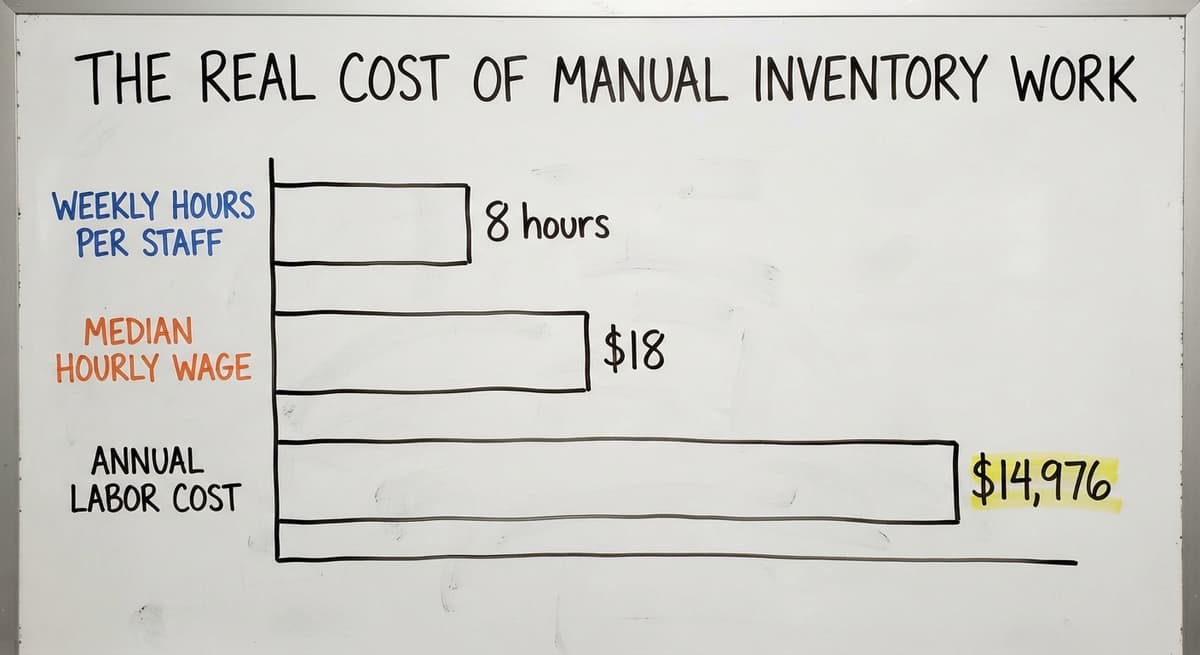
Manual inventory work is not free. Consider 2 staff members spending 8 hours each per week on data entry, receiving sheets, and count matching.
At the median wage for stock clerks of around $18 per hour, according to Bureau of Labor Statistics occupational data, that is $14,976 a year in labor alone. That figure does not include the cost of stock errors, delayed orders, or the time a manager spends cleaning up the accounting software reports before anyone trusts them.
The FTC's Mail and Internet Order Rule needs businesses to ship within the time they promise. An inaccurate stock count is one of the most common reasons a business cannot meet that obligation.
The Manual Steps That Software Should Replace
- Receiving stock by hand and updating a spreadsheet after the fact
- Printing pick lists and crossing items off with a pen
- Emailing buy orders and chasing suppliers for confirmation
- Counting inventory at month-end because the system numbers have drifted
How Does Inventory Software Connect to Accounting Software in Practice?
The sync between inventory software and the accounting software is a defined connection, not automatic magic.
When a sale is recorded in the inventory system, it sends a transaction to the accounting software: revenue is posted, COGS is updated, and stock on hand drops. When a buy order is received, accounts payable increases and stock levels rise.
The connection works in both directions. Payments recorded in the accounting software can update supplier balances in the inventory system. Stock adjustments in the warehouse post as journal entries in the books.

Sync Timing Varies and the Difference Matters
The quality of this sync varies by tool. Some add-ons sync in real time. Others batch-sync once a day.
For a business running tight on cash flow, a one-day lag in accounts payable can matter. Ask any vendor to show you exactly when and how the sync runs before you commit.
The NIST Manufacturing Extension Partnership recommends that small manufacturers and distributors map their data flows before selecting any tool. Knowing where data moves helps you spot the gaps before they become problems after go-live.
What Does a Custom Inventory System Connected to the Accounting Software Look Like?
A custom inventory system is not a large ERP project. It is software built around how your business already works, rather than a packaged tool you adapt to.
The accounting software stays in place for accounting. The custom layer handles the working work: a receiving screen that matches arrivals to buy orders, pick lists generated from live stock, stock count tools that update the system directly, and reorder triggers based on your actual lead times and sales patterns.
How Do Staff Experience a Custom System?
Every action in the custom layer feeds back to the accounting software through a accounting integration. Staff see screens built for their role. A warehouse picker does not see the accounting dashboard.
A buyer sees reorder alerts and supplier lead times. The system fits the job rather than asking each person to navigate a tool built for someone else.
This is the model the custom warehouse software approach is built on: scope the problem, build only what is needed, and leave the accounting where it already works.
Not sure this is the right shape for your operation?
The call is free. Describe how the work runs today. We map it on a call and show you what it would look like built around that, before you spend anything.
Book a call
How Does Custom Software Avoid a Long, Expensive Project?
The fear of custom software is reasonable. Big ERP projects run long, cost more than quoted, and often fail to deliver what was promised. That fear is based on real experience.
A focused custom build is different. The scope is limited to the parts of the operation that are broken.
If the problem is receiving and stock counts, the build covers receiving and stock counts. It does not rebuild your CRM, your accounting, or your sales process.
A scoped build replaces the spreadsheets and the manual steps, not the whole business system. A small wholesale distributor can go from scoping to go-live in weeks, not months, when the project is defined tightly.
The wholesale distribution software built this way fits the operation from day one rather than requiring months of setup.
How Do You Know When Your Current Setup Is No Longer Working?
The signs are specific. If any of these describe your operation, the current setup is costing you more than a fix would.
- Stock counts that never match the system, even after a full manual count
- Staff spending more than 3 hours a week on data entry that a scan could handle in minutes
- Orders delayed or lost because the process depends on one person who holds the spreadsheet
- The accounting software reports that need manual cleanup before a manager will trust the numbers
- Reorder decisions made from memory because no one is sure what the system says
The test is simple: if your operation would break for a week if one person left, the process is the problem, not the person.
Questions to Ask Before Choosing Any Software
Answering these questions before talking to a vendor puts you in a much stronger position.
- How many SKUs do you manage, and is that number growing?
- Do you have more than 1 warehouse or storage location?
- How many orders do you process per day at peak?
- What does your team actually do today that you want the software to handle instead?
- Do you want to keep the accounting software, or are you open to replacing it?
- What would a fix look like in daily work, not in a demo?
The answers shape the scope. A business with 80 SKUs and 15 orders a day has a different problem than one with 800 SKUs and 150 orders. The right tool for one is wrong for the other.

Red Flags When Evaluating Software Vendors
Not every vendor is a good fit. Watch for these signals during any sales conversation.
- The vendor demos features without asking how your operation works. A tool that fits your business starts with your business, not a slide deck.
- The rollout timeline is vague. Long timelines with no clear milestones are a sign the vendor is not sure what the project involves.
- Pricing scales steeply with users or transaction volume. A cost that doubles when you grow is a hidden tax on your success.
- There is no named contact after the sale. Offshore support queues and generic help articles are not a substitute for someone who knows your operation and can be reached when something breaks.
A Simple Framework for Choosing the Right Path
Three options cover most small business situations. Pick the one that matches your current volume and complexity.
Option 1: Stay with the accounting software built-in tools if your catalog is small, your order volume is low, and your counts match. Add discipline to the process before adding software.
Option 2: Add an off-the-shelf inventory add-on if your operation fits a standard workflow and the monthly cost is justified by the time you will save. Test the sync before you commit.
Option 3: Build a custom inventory layer if your operation has steps that packaged software cannot handle, or if you have already tried an add-on and found it forces you to change how you work. Keep the accounting software. Replace only what is broken.

Next Steps for Small Businesses Ready to Fix Their Setup
Before talking to any vendor, map the manual steps your team does today. Write down what breaks, who owns it, and what a fix would look like in a normal working day.
Be specific. "Receiving takes too long" is not specific. "Two people spend 90 minutes each morning matching paper sheets to the accounting software because the counts never match" is.
That description is worth more than any feature list. It tells a software partner exactly what to build or configure, and it gives you a way to measure whether the fix actually worked.
The Software Society builds around how your operation works, not around a product to sell. If your inventory and accounting setup is breaking your team's day, start a conversation about your specific situation.
Bring the description of what is broken. That is where a real fix begins.
Frequently asked questions
What is the best inventory management software for small businesses?
There is no single best answer. The right tool depends on your order volume, number of SKUs, warehouse complexity, and whether you want to keep the accounting software. For simple operations, the accounting software built-in inventory is enough.
For growing wholesale or distribution businesses, the dedicated inventory platforms are worth evaluating. For operations with unique workflows, a custom inventory system connected to the accounting software fits better than any packaged tool.
Which accounting software is best for inventory management?
The accounting software is the most widely used accounting software among small businesses that also need inventory tracking. It includes basic inventory features in both its Online and Desktop versions.
For more advanced inventory needs, businesses keep the accounting software for accounting and add a separate inventory tool that syncs with it, rather than switching to a different accounting platform.
What are the top 5 inventory management software?
Among small and mid-size businesses, the most commonly used options are the accounting software with built-in inventory and 4 or 5 dedicated inventory platforms.
Each suits a different type of operation: some work well for wholesale and distribution, some target smaller distributors, and some fit businesses already inside a software suite. None is universally best. The fit depends on your specific workflow.
Which inventory system is best for small business?
The best inventory system for a small business is the one that matches the size and shape of the operation. A business with under 200 SKUs and one location may not need anything beyond the accounting software.
A business with multiple warehouses and high daily order volume needs a dedicated inventory tool. Start by listing what is breaking in your current process, then match the tool to those specific gaps.
Does a small business need to replace the accounting software to get better inventory management?
No. The accounting software handles accounting well. The problem for most small businesses is the inventory side, not the accounting side. The practical fix is to keep the accounting software and add a connected inventory layer that handles receiving, picking, stock counts, and buy orders.
Every stock movement in the inventory system syncs back to the accounting software automatically, so the books stay current without manual entry.
How does inventory software connect to accounting software in practice?
The connection is a defined sync between two systems. When a sale is recorded in the inventory tool, it posts revenue and cost of goods sold to the accounting software and reduces stock on hand.
When a buy order is received, accounts payable increases and stock levels rise. The sync can run in real time or on a scheduled batch, depending on the tool. Ask any vendor to show you exactly how and when the sync runs before you commit.
What does a realistic rollout look like for a small wholesale or distribution business?
A focused rollout covers four stages. First, data migration: moving your item list, vendor records, and opening stock counts into the new system. Second, staff training: keeping it role-specific so a warehouse picker learns only what they need.
Third, a brief parallel run where both old and new systems operate together before the switch. Fourth, ongoing adjustments as the operation changes. A well-scoped project for a small distributor can reach go-live in weeks rather than months.
What questions should a small business ask before choosing inventory and accounting software?
Ask how many SKUs you manage and whether that number is growing. Ask whether you have more than one warehouse or storage location. Ask how many orders you process per day at peak.
Ask what your team does manually today that you want the software to handle. Ask whether you want to keep the accounting software or replace it. The answers define the scope and rule out tools that are the wrong size for your operation.
Is the built-in inventory in accounting software good enough?
For one location, under 500 items, and no bins, yes: it counts what was bought and sold and values the stock for the books. It has no locations, no scanning, no lots, and no pick lists, which is where a connected inventory system takes over and the accounting package keeps the ledger.
What software is best for wholesale or multi-location inventory?
A dedicated inventory system that holds one count per SKU per location and posts stock values to the accounting package, at $100 to $300 a month packaged or $10,000 to $30,000 once for a build. The accounting package alone cannot see a second location.
How do I choose accounting software for a wholesale or retail business?
Pick the accounting package your accountant already works in, then choose the inventory system by how it connects to it. Every mainstream package has an API and a set of inventory tools that sync to it, so the accounting choice is rarely the constraint.
How much does accounting software with inventory cost?
The accounting tier that includes inventory runs $60 to $100 a month. A connected inventory system adds $50 to $300 a month packaged, or $8,000 to $25,000 once for a build scoped to your operation, plus $150 to $400 per scanner.
What is in a free first look?
A 30 minute call, your operation mapped, and a clear picture of what we would build. No obligation and nothing to install.
Book a callRelated guides
The rest of this guide, for the parts of the job this page does not cover.
Guides
- Inventory Tracking Software for Small Business
- Inventory Control Software for Small Business
- Inventory Sales Software Small Business
- Free Inventory Management Software for Small Business
- Best Inventory Management Software for Small Businesses
- Small Business Stock Management Software
- Simple Inventory System for Small Business
- Inventory Control for Small Business
- Inventory Management Small Businesses
- Inventory System for Small Business
- Small Business Inventory Management System
- Small Business Inventory Management
- Inventory Tracking Systems for Small Businesses
- Inventory Reserve Account
- Erp System for Small Businesses
- Small Business Warehouse Management System
- Wms for Small Business
- Warehouse Management System for Small Business
Common questions
- What is the Best Inventory Management Software for Small Business
- How to Organize Inventory for Small Business
- How to Keep Track of Inventory Small Business
- Why is Inventory Management Important for Small Businesses
- How to Manage Inventory for Small Business
- What is the Best Inventory Management System for Small Businesses?