


How to Track Hardware Inventory
Give every item a unique ID, note where it sits, and log every move. That is how to track hardware inventory. Four basics hold it up: an item list, set locations, counts, and a log of changes. A spreadsheet, an accounting package, or custom software can hold them. The habits matter more than the tool. It gives 6 steps for wholesale and warehouse teams of 5 to 100 people.
Book a callWhat counts as hardware inventory?
Hardware inventory is physical stock you sell or use by count, box, or weight. Think bolts, washers, tools, pipe fittings, wire connectors, and bulk bins. Small, cheap items with high counts are the hard part. Scan-based counts rely on GS1 barcode standards, the shared rules for printed codes. Good hardware inventory tracking starts with knowing what you hold and how you sell it.
Reviewed October 2026.
Why is tracking hardware stock so hard?
Hardware stock is hard to track because thousands of small items look alike. A 1/4 inch zinc bolt and a 1/4 inch steel bolt share a bin shelf. Units also change. You buy a case, store a box, and sell each. Loose parts mix in bins, and staff grab items with no record. Paper sheets and Excel files then drift away from the books.
The cost adds up. Say 2 people spend 5 hours a week fixing counts at $22 an hour. That is $11,440 a year.
We build it for your operation, and the first look is free
If you would rather not compare products, describe how your operation already works and we build the system around it.
No build cost. You see it running on your own process first, and the monthly subscription starts only once it is live.
Book a callHow do you set up an inventory tracking system?
An inventory tracking system starts with two things: a clean item list and a home for each item. Build both before you count anything. Teams asking how to keep track of inventory in a small business get the most from these two steps.
Step 1: Give every item a unique SKU
A SKU is a short code that names one item. Good SKU numbers use one pattern, such as type, size, finish. A bolt might read BOLT-025-ZN. Follow these rules:
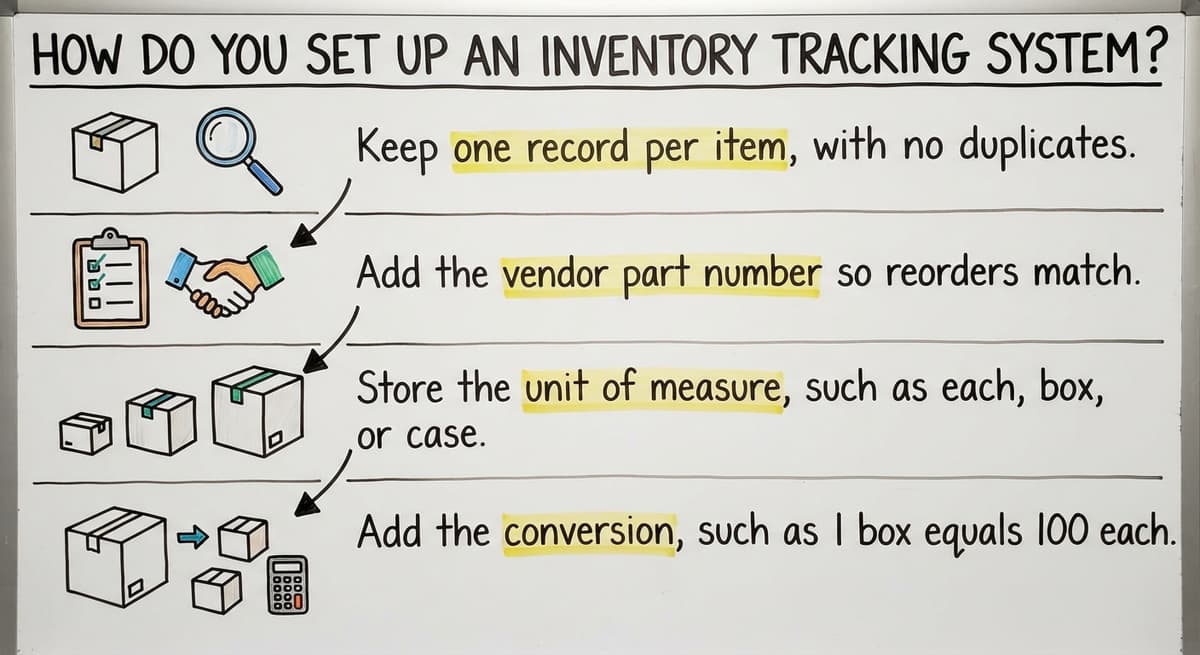
- Keep one record per item, with no duplicates.
- Add the vendor part number so reorders match.
- Store the unit of measure, such as each, box, or case.
- Add the conversion, such as 1 box equals 100 each.
Keep the rule short so staff follow it. A rule that fits on one card gets used.
Step 2: Set up clear bin locations
Bin locations are labeled spots for each item. Label aisles, shelves, and bins. Then record one bin for each SKU. Give every item one home. Label overflow spots too, and note them in the record. Clear labels cut pick time and stop mix-ups between look-alike parts. The same habit applies to anyone studying how to keep track of inventory in a warehouse.
How do you count and log hardware stock?
You count stock by the simplest method your team will use every day. Then you log every change the same day. Both habits protect inventory accuracy.
Step 3: Choose how you will count
Three methods work for hardware:
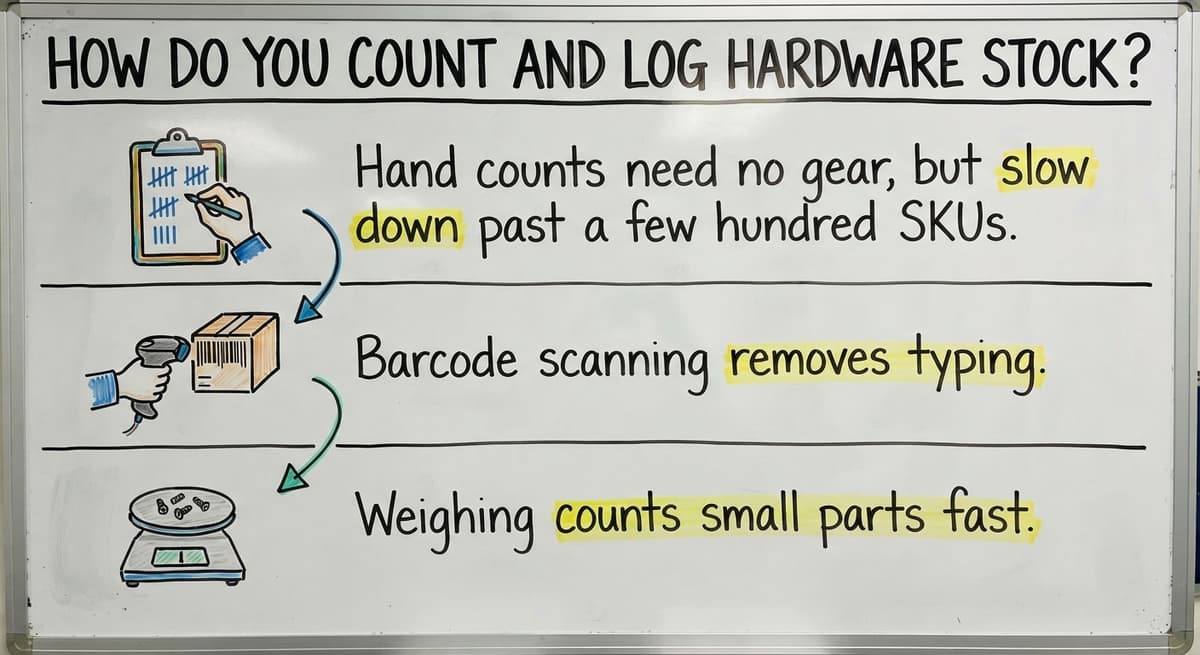
- Hand counts need no gear, but slow down past a few hundred SKUs.
- Barcode scanning removes typing, which is where most receiving errors start.
- Weighing counts small parts fast. Weigh 100 screws once, then weigh the bin.
For bulk fasteners, use weight or bagged counts of 50 or 100. Pick one method per item type.
Step 4: Log every receipt, sale, and adjustment
The rule is simple: no item moves without a record. Log stock when it arrives, ships, or moves bins. Log returns, damage, and write-offs with a reason. Enter each one the same day. End-of-week catch-up loses details, and staff forget which bin they pulled from. Same-day entry keeps the count true and your promised ship dates honest.
Not sure this is the right shape for your operation
Describe how the work runs today. We map it on a call and show you what it would look like built around that, before you spend anything.
Book a call
How often should you run cycle counting?
Cycle counting means counting a small section of stock each week, not everything once a year. Count fast movers and high-value items more often. Slow, cheap items need less. Compare each count to the system and note the gap. Then find the cause. A wrong bin label or a missed return needs fixing, not just a new number. Cycle counting keeps hardware inventory management steady all year. A yearly count still matters. The IRS says in Publication 538: "To figure taxable income, you must value your inventory at the beginning and end of each tax year."

What is a reorder point and how do you set one?
A reorder point is the stock level that tells you to buy more. The formula is daily use times lead time, plus a safety cushion. Say you sell 6 hex bolt boxes a day. The vendor takes 5 days. You add a cushion of 10 boxes. So 6 times 5 is 30, plus 10 is 40. Reorder at 40 boxes.
Flag slow movers too. A box that sells twice a year ties up cash. Mark it and stop buying more.
The comparison is easier when one option is built for you
Off-the-shelf means fitting your process to the software. We do it the other way round, and the first look costs nothing.
Book a callCan your accounting package or a spreadsheet track hardware inventory?
An accounting package tracks quantity and cost well for basic needs. Teams that track inventory in their accounting software often keep it for the books. It is weaker for bin locations, scanning, unit conversions, and pick lists. So keep the accounting tool for money and add only what is missing. Excel can track a small list. Past that, it strains.

When do spreadsheets stop working?
Spreadsheets stop working when manual steps outgrow the people doing them. Watch for these signs:
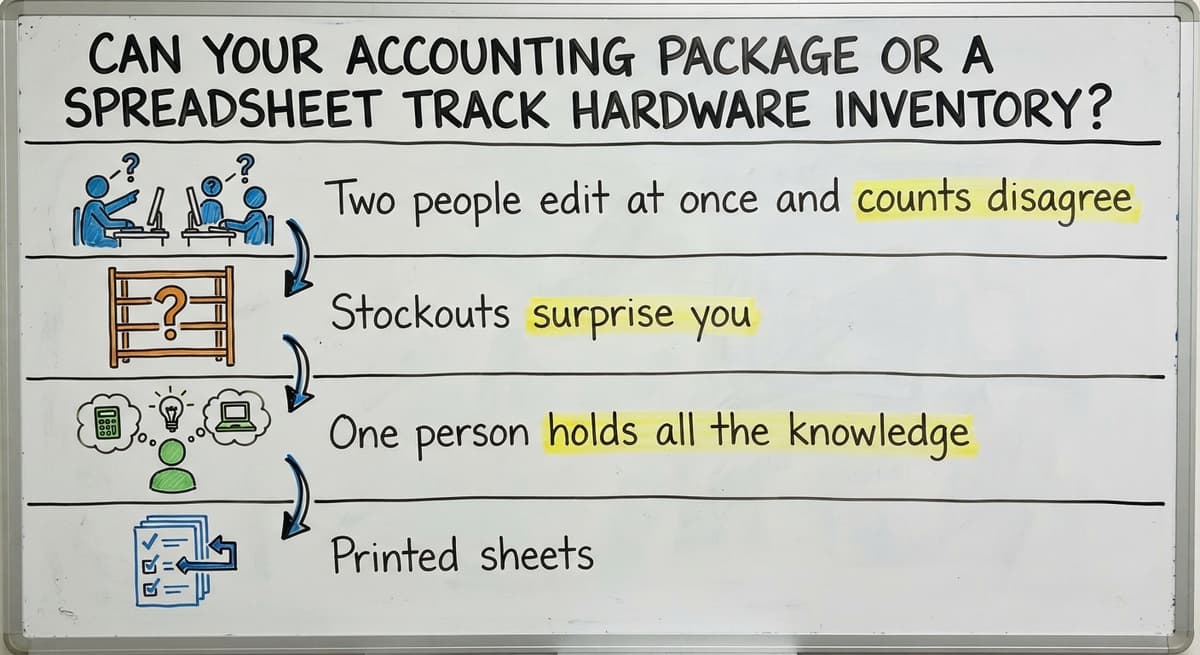
- Two people edit at once and counts disagree.
- Stockouts surprise you.
- One person holds all the knowledge.
- Printed sheets, small databases, and email each hold part of the truth.
You do not need a big ERP, which is a large system that runs a whole company. You need to close the manual gaps. The same advice covers how to manage hardware inventory as you grow.

What if you need a system built around how you work?
Custom software can replace only the manual parts and leave your accounting package in place. The Software Society, based in Columbus, Ohio, builds around how your team already works. There is no forced move to a new platform. Small teams fit well. Start by listing your 3 messiest steps, such as counts, receiving, or reorders. Then talk with us about replacing those first.

Frequently asked questions
What is the easiest way to track small parts and fasteners?
Weigh them. Weigh 100 screws once, then weigh the full bin to get a count. For small bins, use bagged counts of 50 or 100. Give each bin one label and one SKU.
Can I track hardware inventory in Excel?
Yes, for a small list with one editor. Excel strains when 2 people edit at once, counts disagree, or the file drifts from your accounting records.
How do I track items sold in different units?
Store the unit you buy and the unit you sell on each SKU. Add the conversion, such as 1 box equals 100 each. Then the count stays right when you split a box.
How often should I count hardware stock?
Count a small section every week. Count fast movers and costly items more often. Keep one full count at year end for your tax records.
Start with a free first look
A 30 minute call, your operation mapped, and a clear picture of what we would build. No obligation and nothing to install.
Book a callRelated guides
More on the same work.
- How to Manage Hardware Inventory
- How to Keep Track of Inventory
- How to Create an Inventory Tracking System?
- How to Keep Track of Inventory on Clover
- How to Keep Track of Computer Inventory
- How to Keep Track of Consignment Inventory
- How to Keep Track of Alcohol Inventory
- How to Keep Track of Product Inventory
- How to Keep Track of Ebay Inventory
- How to Keep Track of Poshmark Inventory
- How to Track Inventory for Home Staging
- How to Keep Track of Dental Inventory
- How to Keep Track of Boutique Inventory
- How to Keep Track of Vaccine Inventory
- How to Keep Track of Liquor Inventory
- How to Track Inventory Qbo
- How to Track Non Inventory Items
- How to Keep Track of Grocery Inventory
- How to Track Inventory in Salesforce
- How to Keep Track of Lularoe Inventory
- How to Keep Track of Freezer Inventory
- How to Track Ps5 Inventory
- How to Keep Track of Cigarette Inventory
- How to Keep Track of Inventory on Etsy