

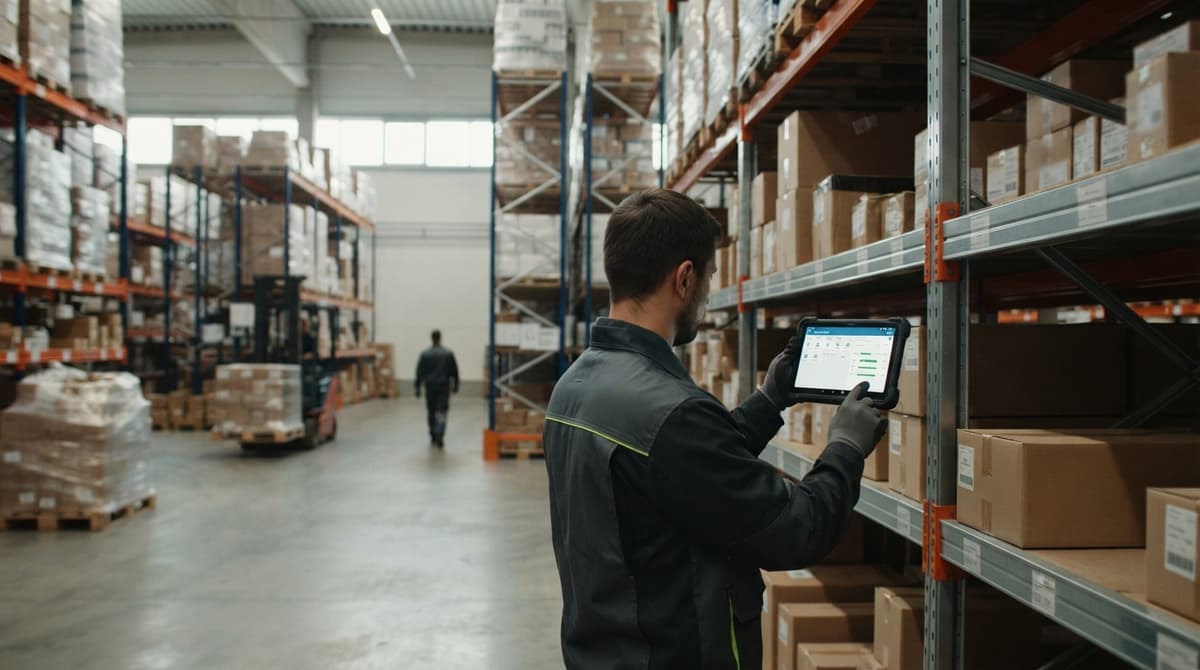
Inventory Control App for Android
An inventory control app for Android tracks stock with phone scans. Learn the features, offline use, QuickBooks link, cost drivers and how to switch from paper.
Book a callWhat Is an Inventory Control App for Android?
An inventory control app for Android is a program on a phone or handheld scanner that tracks your stock as it moves. Staff scan items in and out. The count updates at once. It replaces clipboards, printed sheets and Excel counts. Reviewed November 2026.
An android inventory app also suits a small crew. Low-cost phones and rugged handhelds both run it. The built-in camera works as a barcode scanner, so you need no extra gear to start. GS1 sets the standards behind the "barcodes" already printed on most products. A phone can read them today.
The point: one phone in a worker's hand can replace the clipboard.
We build it for your operation, and the first look is free
If you would rather not compare products, describe how your operation already works and we build the system around it.
No build cost. You see it running on your own process first, and the monthly subscription starts only once it is live.
Book a callIs Your Paper and Excel Process Holding You Back?
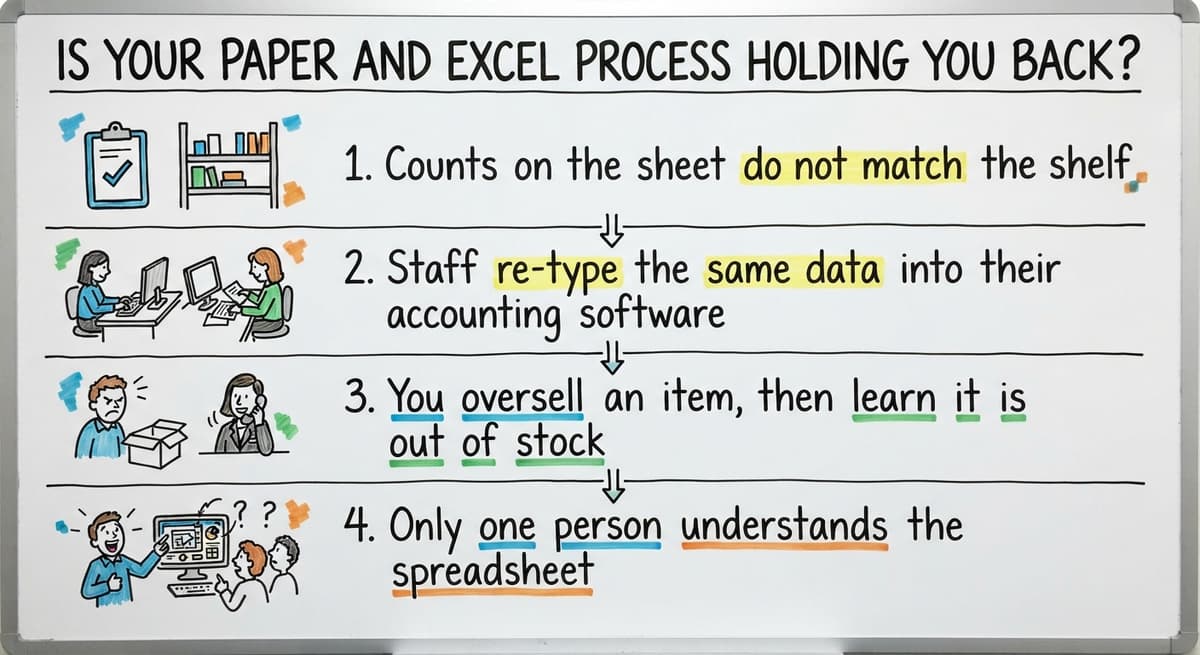
Yes, if any of the signs below sound familiar. Inventory control with Excel works at a small scale. It breaks as volume grows.
- Counts on the sheet do not match the shelf.
- Staff re-type the same data into their accounting software.
- You oversell an item, then learn it is out of stock.
- Only one person understands the spreadsheet.
Manual work also costs real money. Say 2 people spend 5 hours a week on counts and re-typing at $20 an hour. That is $10,400 a year (2 x 5 x 52 x $20). The counts still miss.
When the sheet and the shelf disagree, the sheet costs you money.
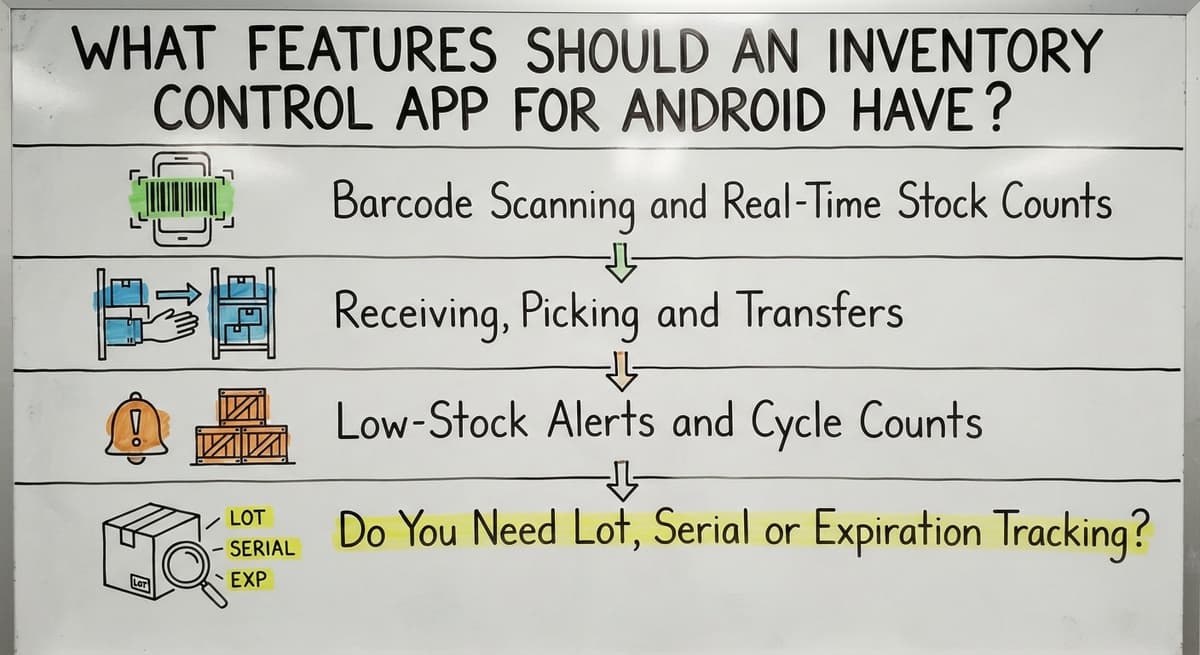
What Features Should an Inventory Control App for Android Have?
A good inventory management app for a 5 to 100 person team needs six daily tools. Skip the rest at first. Each tool below does one job on the floor.
Barcode Scanning and Real-Time Stock Counts
Real-time inventory tracking means the count changes the moment an item moves. It covers shelves, bins, trucks and buildings. Everyone sees the same number.
Barcode scanning inventory work starts with the phone camera. Add a Bluetooth scanner or a rugged handheld when volume grows. Scanning cuts typing mistakes. It also speeds up receiving and picking.
One shared number ends most arguments about what is on hand.
Receiving, Picking and Transfers
A warehouse inventory app handles three moves. Staff check in a buy order as boxes arrive. They follow a guided pick list to fill an order. They move stock between bins or sites with a scan at each end.
IRS Publication 538 puts it plainly: “To figure taxable income, you must value your inventory at the beginning and end of each tax year.”
Each move leaves a record. A worker who skips a step gets a prompt, not a silent error.
Guided steps turn a new hire into a reliable picker faster.
Low-Stock Alerts and Cycle Counts
A reorder point is the stock level that triggers a new order. Set a minimum for each item. The app sends an alert to the right buyer. Fewer rush orders follow.
Cycle counting means you count a few items each day. You never shut the floor down for a full count. The app also keeps an audit trail. It shows who changed what and when.
Small daily counts catch errors before they grow.
Do You Need Lot, Serial or Expiration Tracking?
You need it only if you sell food, parts or regulated goods. A lot is a batch made together. A serial number marks a single unit. Expiration dates tell staff what to ship first.
If none of that applies, leave it off. Add it later when the work calls for it.
Not sure this is the right shape for your operation
Describe how the work runs today. We map it on a call and show you what it would look like built around that, before you spend anything.
Book a callDoes an Android Inventory App Work Offline?
Ask one thing before you commit: how does it handle sync conflicts? Two people may scan the same item while offline. The app must decide whose count wins. A clear rule, with a log of the clash, is the right answer.
A good offline inventory app does. Big warehouses and trucks have weak Wi-Fi. The app stores each scan on the device. It sends the data when the signal returns.
Offline mode is not a bonus feature. It decides whether the app works on your dock.

How Does an Inventory App Connect to Accounting Software?
Accounting software inventory integration lets you keep your current accounting software for accounting. The app handles stock movement. It then sends item and quantity data across. Nobody types the same number twice.
Check three things. Does the link run both ways? How often does it sync? What happens when an item name does not match? Clean item names make the link work.
The Census Bureau tracks wholesale inventories and sales each month. Your own books deserve the same steady feed.
The app moves the stock. Your accounting software keeps the books.
Off-the-Shelf App or Custom-Built App?
Both off-the-shelf and custom-built inventory apps work. The right pick depends on how rigid your process is. An off-the-shelf inventory tracking app gives you a fast start. The workflow is fixed. You adapt to it.
For a small operation, the honest rule is simple. If a generic app fits 90% of your steps, buy it. If you would bend your process to fit, build.
Custom inventory software matches the steps your team already takes. It uses your own terms for bins and orders. It costs more to start. It fits better after that.
Buy when the fit is close. Build when the workaround is the problem.

Do You Need a Full ERP?
No. An ERP is a large system that runs every part of a company. Many owners fear the long, costly setup. You do not have to take that on.
Replace only the manual parts. Start with scanning and counts. Link your accounting software. Add pick lists, alerts or lot tracking later. This path suits small warehouse inventory work. You can also read about NIST's supply chain guidance for vendor-neutral process advice.
Start small, and the system grows only where you need it.
The comparison is easier when one option is built for you
Off-the-shelf means fitting your process to the software. We do it the other way round, and the first look costs nothing.
Book a callWhat Would a Custom Android Inventory App Look Like?
A custom app follows your own steps from the dock to the invoice. Here is an illustrative scenario, not a client result.
- A worker scans a box at the dock.
- The app asks for a bin location.
- An order arrives and a pick list appears.
- The picker scans each item.
- The app sends item and quantity data to your accounting software.
Every screen uses your words. A bin is called what your crew calls it.
A custom app should feel like your process, only faster.
How Do You Choose and Roll Out the Right App?
Use this checklist to choose an inventory control app for small business use:

- Workflows: does it match your receiving and picking steps?
- Devices: does it run on phones you own or can afford?
- Accounting software link: does data flow with no re-typing?
- Users: does the price fit your headcount?
- Support: does a real person answer?
Ask the seller four more questions. Who owns the data? What happens when the internet drops? How do you train staff? What does a change cost later?
Then move off paper in four steps:
- Map your current inventory control procedure.
- Clean the item list and name every bin.
- Pilot in one area.
- Train the crew, then expand.
A short pilot shows problems while they are still cheap to fix.
Getting Your Team to Actually Use It
Staff use tools that save them effort. Keep screens simple. Ask floor workers for input early. They know where the pain is. Fix friction the same week it appears. A slow button costs more than it seems.
Avoid four mistakes:
- Buying too many features.
- Skipping item clean-up.
- Having no plan for devices.
- Ignoring offline use.
When the app saves the picker a step, the picker adopts it.
How Much Does an Inventory Control App Cost?
A subscription spreads cost over time. It adds up per user. A one-time build costs more up front. It can cost less over several years. Count the hours your staff lose today, as in the $10,400 example above. Compare that to either option.
Cost depends on four drivers: users, devices, custom work and integrations. We list no price figures here, because yours depends on your setup.
The cheapest app is the one that stops the most re-typing.
Next Steps: Talk Through Your Warehouse Workflow
The Software Society is local to Columbus, Ohio. We build custom software around how you already work. You keep your accounting software. We replace only the manual parts, and nothing else. The same team builds your software, website and search presence, so one group handles all of it. Bring your current process. We will talk it through with you, step by step, so you can see which manual parts we would replace.
Frequently asked questions
Can an Android phone scan barcodes for inventory?
Yes. The built-in camera reads standard barcodes. A phone is enough to start. Add a Bluetooth or rugged handheld scanner when your crew scans all day and needs more speed.
Are free inventory apps enough?
Free apps work for a small list of items. Most lack an accounting software link, offline use and audit trails. Once you have several users or locations, those gaps cost more than a paid or custom app.
Does an Android inventory app work without internet?
A good one does. The app stores each scan on the device. It sends the data when the signal returns. Ask how it handles sync conflicts when two people scan the same item offline.
Can an inventory app connect to accounting software?
Yes. You keep your accounting software for accounting. The app tracks stock movement and sends item and quantity data across. Nobody types the same number twice, and clean item names keep the link working.
Start with a free first look
A 30 minute call, your operation mapped, and a clear picture of what we would build. No obligation and nothing to install.
Book a callRelated guides
More on the same work.
Guides
- Types of Inventory Control
- Inventory Control Procedure
- Inventory Control Example
- Types of Stock Control Systems
- Procedure for Stock Control
- Inventory Control Software for Small Business
- Inventory Control with Excel
- Inventory Control for Small Business
- Barcode Scanner App Ios
- Best Inventory Software
- Classification of Inventory
- Excess Inventory
- Closed for Inventory
- Multi Location Inventory Management Software
- Ms Excel Inventory Template
- Inventory Management for Multiple Locations
- Costing Inventory
- Is Inventory a Long-term Asset