

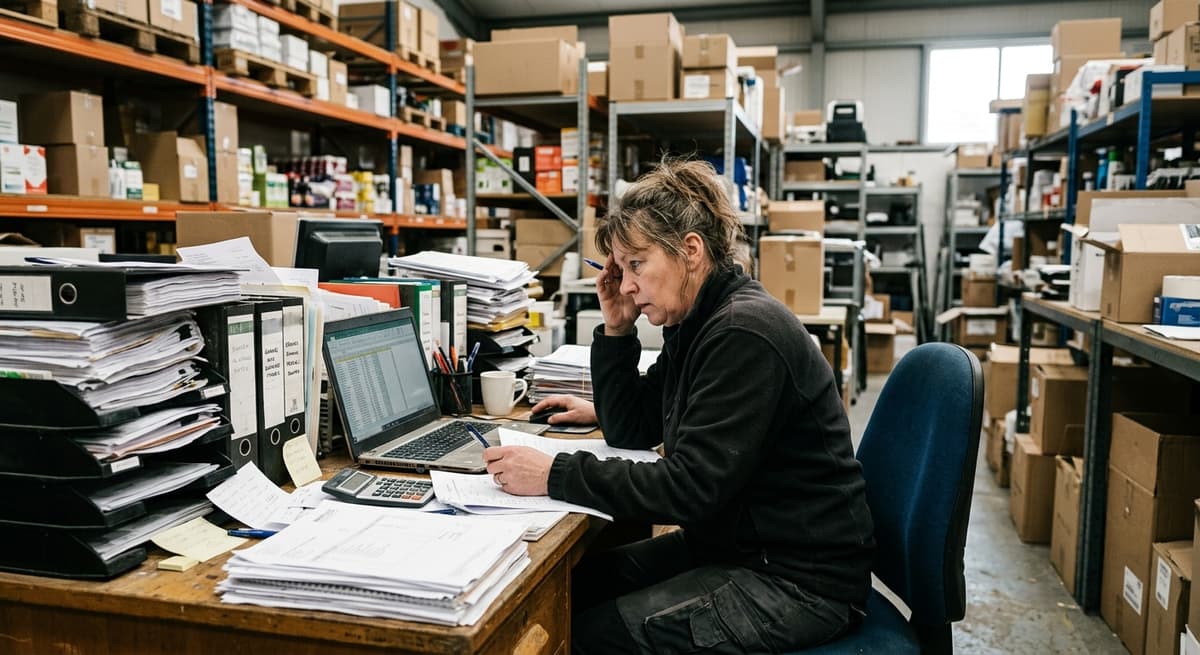
Stockroom
A stockroom is the space where a business keeps the stock it sells or uses, and running one without a clear system is like cooking in a kitchen where nothing is in the same place twice. You can do it, but it costs time every single day. This guide, reviewed in September 2026, covers what a stockroom is, how a good one runs day to day, the 5 problems that show up in most of them, and the point where software beats the spreadsheet.
Published 22 July 2026. Reviewed and updated 15 September 2026.
Book a callWhat Is a Stockroom?
A stockroom is a dedicated space where goods, supplies, or inventory are stored until they are needed. It is the physical home of your stock between the time it arrives and the time it ships or gets used.
A Stockroom vs. a Warehouse
A stockroom is not the same as a warehouse. A warehouse is a large, standalone building used to store goods in bulk, for multiple customers or long periods. A stockroom is smaller. It sits inside or directly attached to the facility it serves.
A retail store has a back room. A wholesale distributor has a stockroom behind the counter or off the loading dock. A fulfilment centre may have a dedicated pick area that functions as a stockroom within a larger space.
The key difference is purpose. A warehouse stores. A stockroom actively supports the daily work of the operation in front of it.
What Happens in a Stockroom Every Day?
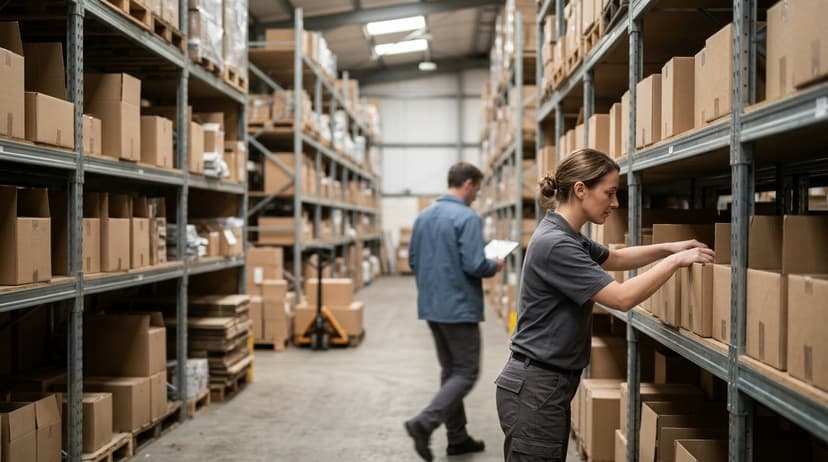
The stockroom is where most of the daily inventory activity takes place. Goods arrive and are checked in. Items are labelled and placed in a location. When an order comes in, someone walks to that location, picks the item, and sends it out.
In between, staff run stock counts, restock shelves, and manage reorder points. In a small operation with five to fifty staff, one or two people handle all of this. That is exactly why clear systems matter so much.
When one person carries all the stockroom knowledge in their head, the operation is one absence away from a problem.
Would you rather have it built around your operation?
The first look is free. If you would rather not compare products, describe how your operation already works and we build the system around it.
No build cost. You see it running on your own process first, and the monthly subscription starts only once it is live.
Book a callHow Does a Stockroom Work Day to Day?
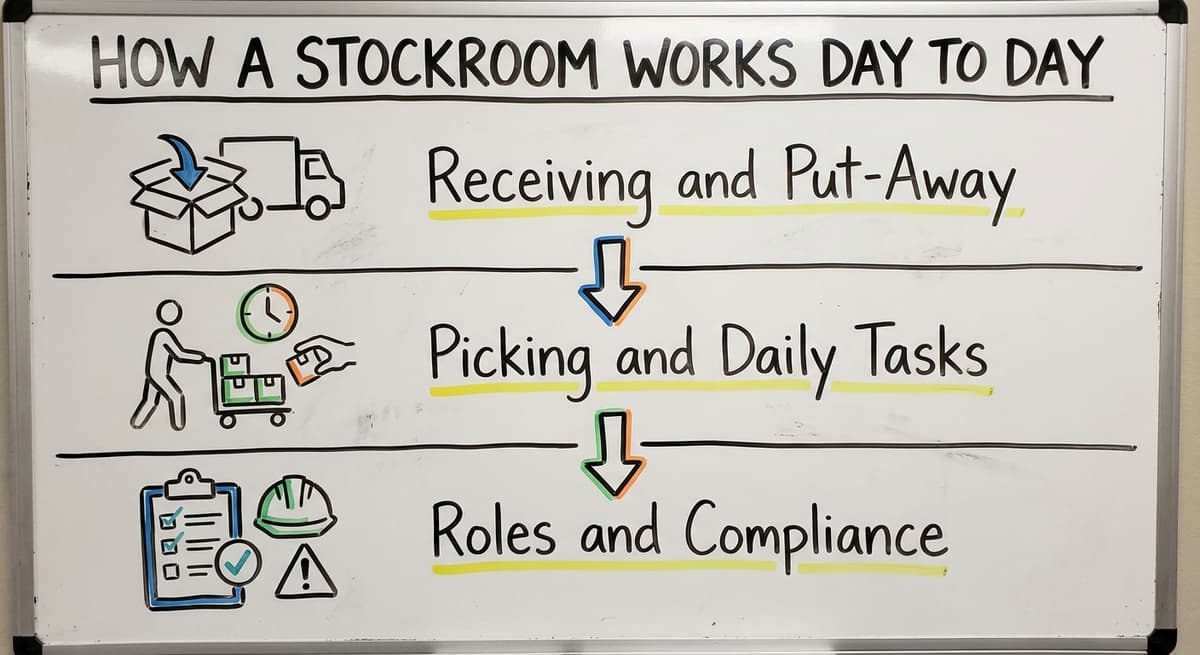
A well-run stockroom follows a predictable rhythm. Goods come in. They get checked, logged, and put away. When they are needed, someone picks them and sends them out. The cycle repeats.
The arithmetic is worth doing before the software conversation. 3 people spending 6 hours a week between them chasing stock questions, at 22 dollars an hour, is 936 hours a year of paid time spent confirming numbers the system already knows. Over 3 years that is 2,808 hours.
The arithmetic is worth doing before the software conversation. A team of 3 spending 6 hours a week between them chasing stock questions, at $22 an hour, is $20,592 a year. That is the number the system has to beat, and it is the number nobody has written down.
Reviewed August 2026. Each figure comes from the assumptions stated beside it, so you can substitute your own and the arithmetic still holds.
Receiving and Put-Away
When a delivery arrives, the receiving process starts. Someone checks the delivery against the purchase order, counts the items, and notes any discrepancies. Items are then labelled with a SKU or bin location reference and placed in their assigned spot.
This step is where most stockroom errors begin. If receiving is recorded on a paper form or in an email and never entered into the system, the stock count is wrong before the items even hit the shelf.
A clean put-away process means every item has a known location the moment it is stored.
Picking and Daily Tasks
Picking is the process of pulling items from their bin location to fill an order. In a small operation, the picker is the same person who received the stock.
Products can be organized by SKU, category, velocity (how often they move), or bin location. Fast-moving items belong near the pick area to cut travel time.
Daily tasks that keep a stockroom running include:
- Cycle counts to verify on-hand quantities
- Restocking shelves when bin levels drop
- Updating records after each pick or receipt
- Checking reorder points and flagging items that need to be ordered
Roles and Compliance
In larger operations there are 3 roles: a receiving clerk, a stock picker, and a stockroom manager. In smaller ones, the same person fills all three roles.
Inventory accounting also has a compliance dimension. The IRS sets out the rules for how businesses must account for inventory, and as the agency states in IRS Publication 538, "you must use a consistent accounting method that clearly reflects income." That consistency starts in the stockroom, where accurate receiving and count records form the foundation of your financial data.
Common Stockroom Problems Small Operations Face
Most stockroom problems in small businesses are not caused by careless staff. They are caused by manual systems that made sense when the business was smaller and have not kept up with growth.
Items That Cannot Be Found Quickly
When a stockroom has no consistent labelling system, finding a specific SKU means walking the shelves and looking. This costs time on every pick. It also leads to duplicate orders when staff assume an item is out of stock because they could not locate it.
The fix is not complicated. Label every shelf, rack, and bin with a consistent naming system. Use that same system in every record you keep.
Warehouse inventory management software tools are built around this principle: a bin location in the system matches a physical label on the shelf.
Is the comparison easier when one option is built for you?
Yes. Off-the-shelf means fitting your process to the software, and custom is the other way round. The first look costs nothing.
Book a callStock Counts That Do Not Match
If your accounting software shows you have forty units on hand and the shelf holds twenty-six, you have a reconciliation problem. This happens when picks are not recorded, when receiving is logged late, or when returns are placed back in stock without an entry.
Stock count discrepancies are a normal growing pain. They happen when the volume of transactions outpaces the speed of manual recording. The answer is a system that captures each movement at the point it happens, not at the end of the day.
Over-Ordering and Under-Ordering
Without real-time stock levels and tracked reorder points, stockroom ordering becomes guesswork. Staff over-order because they are not sure what is on hand. Or they under-order because no one flagged that a fast-moving item was running low.
Both mistakes cost money. Over-ordering ties up cash and fills space. Under-ordering delays fulfilment and frustrates customers. A simple reorder point system, even a basic one, removes most of this guesswork.
The Role of Software in Stockroom Management
Stockroom management software does one core thing: it keeps an accurate, live record of what is in your stockroom. What comes in, what goes out, and what is currently on hand.
What Does Software Actually Replace?
Inventory management software is the replacement for the clipboard, the spreadsheet, and the whiteboard in the stockroom. Instead of writing a count on paper and entering it later, a staff member scans a barcode and the system updates instantly.
Instead of emailing a receiving note, the receipt is logged in the same system that tracks stock levels.
This is not about technology for its own sake. It is about removing the gap between what happens in the stockroom and what the record shows. That gap is where errors live.
Key Features to Look For
Not every operation needs the same features. But most small stockrooms benefit from:
- Barcode scanning or mobile item lookup
- Bin location tracking so every item has a known address
- Receiving logs that create a record at the point of delivery
- Reorder alerts when stock drops below a set level
- Reporting that shows on-hand quantities without manual counting
Inventory tracking for fulfilment centres and small distributors does not require a full ERP system. The right tool fits the scale of the operation.
Software and Your Accounting Software
One concern small operations raise is whether stockroom software will conflict with their existing bookkeeping setup. The answer is that good software works alongside your accounting software, not replace it.
Accounting integration for distributors means your financial records stay intact. Stock movements are captured in the inventory system, and the relevant data flows into your ledger without double entry. The two systems do different jobs and do them better together.
Stockroom Organization Tips That Make Software Work Better
Software amplifies what is already happening in your stockroom. If the physical setup is organised, software makes it faster and more accurate. If the physical setup is chaotic, software records the chaos more efficiently. The physical work comes first.
Label Everything Before You Go Live
Before adding any software, label every shelf, rack, and bin with a consistent naming system. Use short, logical codes. Aisle A, Bay 3, Shelf 2 becomes A3-2. Every location in the system should match a physical label in the stockroom.
This step takes a day or two. It is the most important preparation you can do. Without it, bin location tracking in the software is meaningless.
Set a Standard Process for Receiving and Put-Away
Every team member should follow the same steps every time a delivery reaches the stockroom:
- Inspect the delivery for damage
- Count the items against the purchase order
- Log the receipt in the system
- Label items with the correct SKU or location reference
- Place items in their assigned bin location
When everyone follows the same process, the data stays clean. When each person does it differently, errors accumulate.
Start With a Clean Count
Before going live with any new system, run a full physical count of the stockroom. This is your starting point. If the opening data is wrong, every report and alert the software produces will be wrong too.
A clean count takes time, but it means the system reflects reality from day one. Replacing spreadsheets in a warehouse operation always starts the same way, with accurate opening stock.
What does it look like running on your own process?
The first thing you see is it running on your own process, at no build cost. The subscription starts once it is live and doing the job, not before.
Book a callWhen Should You Move Beyond Spreadsheets and Paper?
Most small stockrooms start with spreadsheets and paper. That is not a failure. It is the right tool for a small, simple setup. The problem is that businesses grow and the tools do not always grow with them.
Signs It Is Time to Upgrade
You are ready for stockroom software when manual tracking is causing regular, visible problems:
- Stock discrepancies show up every week
- Orders are delayed because no one knows what is actually in stock
- Staff spend hours each week reconciling counts or correcting errors
- Receiving records live in emails or on paper and never make it into the system
- A key staff member leaving would mean losing critical stockroom knowledge
These are not signs of a poorly run business. They are signs that the business has outgrown the tools it started with.
The Hidden Cost of Staying Manual
Manual stockroom management has 4 costs that do not always show up on a report. Labour time spent searching for items, re-counting stock, and correcting errors adds up.
Missed sales from stockouts that were not caught in time add up. Excess stock from over-ordering ties up cash.
The question is not whether software costs money. It is whether the current manual process costs more.
Software Does Not Have to Be a Big Project
Many small distributors and fulfilment operations wait too long to upgrade because they assume software means a long, expensive implementation. That assumption is outdated.
Custom software for wholesale operations scopes down to fit a single operation and go live in weeks. The decision is a practical business choice, not a technology project.

What Should You Look for in Stockroom Management Software?
The right stockroom software fits the way your operation already works. It does not force staff to change every process at once.
Fit, Scale, and Integration
Before choosing a stockroom software tool, there are 3 questions to ask:
| Question | What to look for |
|---|---|
| Does it fit how we work? | Screens and workflows match your existing process |
| Does it scale to our size? | Built for 10 to 100 staff, not a 500-person distribution centre |
| Does it work with your accounting software? | Data flows between systems without duplication |
A tool that fails any of these three tests will create more problems than it solves.
Reporting and Ease of Use
Good reporting software for a small operation should be usable by an operations manager without IT help. If the reporting requires training or a consultant, the tool is too complex for a small operation.
Look for software where the most common tasks, checking stock levels, logging a receipt, running a count, take fewer steps than the manual version. If the software is slower than the clipboard, staff will go back to the clipboard.
Support and Implementation
Implementation is as important as features for a stockroom tool. A tool with a six-month rollout and a remote support team does not fit a small operation.
Look for a partner who understands your business, can move quickly, and will be available when something needs adjusting.
Local, human support is not a luxury for small operations. It is the difference between a system that gets used and one that gets abandoned.
Start with a free first look
A 30 minute call maps your operation and gives you a clear picture of what we would build. No obligation and nothing to install.
Book a callHow Does Custom Stockroom Software Differ from Off-the-Shelf Tools?
Off-the-shelf tools target an average operation. Custom software is built for your operation.
Built Around Your Workflow
When stockroom software follows the way your team already works, adoption is faster. Staff do not have to learn a new way of doing their job. They do the same job with better tools.
The screens match the workflow. The reports answer the questions your team actually asks. The pick process reflects your product categories, not someone else's.
No paying for features you will never use. No fighting with a system that does not match your process.
Local Knowledge Makes a Difference
A local partner who builds the software can walk the stockroom, understand the layout, and talk to the staff who use it every day. That knowledge produces better software than a generic platform built without ever seeing your operation.
Custom does not always mean expensive. For small and mid-size operations, a focused custom build can cost less than a poorly fitted enterprise subscription over two years.
The math changes when you factor in the time spent working around a tool that does not quite fit.
The Right Fit for Small and Mid-Size Operations
Wholesale distributors and fulfilment centres in the five to one hundred staff range are the ideal fit for a focused custom build. They have enough complexity to need a real system. They do not have the volume or the IT budget to justify a full ERP. Custom software for wholesale operations fills that gap directly.
Frequently Asked Questions About Stockrooms
Basic Questions About What a Stockroom Is
What is a stockroom? A stockroom is a dedicated space inside or attached to a facility where goods and supplies are stored until they are needed. It is the physical location where receiving, put-away, picking, and stock counting happen on a daily basis.
Is it stock room or stockroom? Both spellings are used, but "stockroom" written as one word is the more common and widely accepted form in business and retail contexts.
What is another word for stockroom? Common alternatives include storeroom, back room, stock area, storage room, and inventory room. In larger operations, the term pick area or warehouse is sometimes used, though these imply different scales.
What is a stockroom used for? A stockroom is used to receive, store, organise, and retrieve goods or supplies.
In a wholesale or distribution business, it is where inventory is held between arrival and fulfilment. In a retail setting, it holds backup stock before items move to the sales floor.
Software and Operations Questions
How is a stockroom different from a warehouse? Scale and purpose. A warehouse is a large, standalone building used for bulk storage, serving multiple customers or long-term storage needs.
A stockroom is smaller, attached to or inside the facility it serves, and supports the daily operational needs of that facility.
Can stockroom software work with your accounting software? Yes. Good stockroom management software is designed to complement your accounting system, not replace it.
Stock movements are captured in the inventory system and the relevant data flows into your books, so financial records stay accurate without double entry.
How long does it take to set up stockroom management software? It depends on the scope. A tailored build sized to a compact team can go live in weeks.
Large off-the-shelf platforms take months to configure and train. The key is choosing a tool scoped to the size of the operation.
What if my team is not tech-savvy? Software built around familiar workflows requires far less training than a generic platform.
When the screens and steps match what staff already do, the learning curve is short. The biggest barrier is the initial setup, not day-to-day use.
Frequently asked questions
The sources behind this guide
This article is for operations managers and business owners who run a small distribution, wholesale, or fulfilment operation. If you are tracking stock in accounting software or on printed sheets and things are starting to slip, this addresses you.
Frequently asked questions
What is a stockroom?
A stockroom is a dedicated space inside or attached to a facility where goods and supplies are stored until required. This is the physical location where receiving, put-away, picking, and stock counting happen on a daily basis.
Is it stock room or stockroom?
Both spellings are used, but "stockroom" written as one word is the more common and widely accepted form in business and retail contexts.
What is another word for "stockroom"?
Common alternatives include storeroom, back room, stock area, storage room, and inventory room. In larger operations, the term pick area or warehouse is sometimes used, though these imply different scales and purposes.
What is a stockroom used for?
A stockroom is used to receive, store, organise, and retrieve goods or supplies. In a wholesale or distribution business, it holds inventory between arrival and fulfilment. In a retail setting, it holds backup stock before items move to the sales floor.
What is the difference between a stockroom and a warehouse?
Scale and purpose. A warehouse is a large, standalone building used for bulk storage, serving multiple customers or long-term needs. A stockroom is smaller, sits inside or attached to the facility it serves, and supports the daily operational needs of that specific facility.
Can stockroom software work with your accounting software?
Yes. Good stockroom management software is designed to complement your bookkeeping software, not replace it. Stock movements are captured in the inventory system and the relevant data flows into your accounts, so financial records stay accurate without double entry.
How long does it take to set up stockroom management software?
The answer depends on the scope. A tailored build sized to a lean team can go live in weeks rather than months. The key is choosing a tool scoped to the actual size and complexity of that operation rather than a large enterprise platform.
Is stockroom software worth it for a business with fewer than 50 staff?
Yes, once manual tracking is causing regular stock discrepancies, delayed orders, or hours of weekly reconciliation work. The labour time, missed sales, and excess stock from manual errors cost more than a right-sized software solution.
How should a stockroom be organized?
A stockroom should use a consistent labelling system where every shelf, rack, and bin has a clear reference that matches the records kept for it.
Items can be arranged by SKU, category, or velocity, with fast-moving products placed near the pick area to cut travel time. The goal is that each product has a known, findable location the moment it is put away.
What equipment is needed in a stockroom?
A stockroom needs shelving, racks, and labelled bins so each product has a defined location, along with tools for checking in deliveries against purchase orders.
Barcode scanning or mobile lookup devices help staff record movements as they happen rather than on paper afterward. Basic signage and consistent labelling materials for SKUs and bin locations are also essential to keep physical space matching the stock records.
How can stockroom inventory be tracked?
Stockroom inventory can be tracked by recording every movement, receiving, picking, and restocking, at the point it happens rather than at the end of the day. This includes checking deliveries against purchase orders, labelling items with SKU or bin references, running regular cycle counts, and setting reorder points to flag low stock.
Capturing data as transactions occur, rather than relying on paper or memory, keeps counts accurate.
What are common stockroom safety rules?
Common stockroom safety practices focus on keeping items in clearly labelled, assigned locations so shelves are not overloaded or disorganized, reducing the risk of falling stock or blocked walkways. Consistent receiving and put-away procedures prevent clutter from unprocessed deliveries.
Keeping accurate, up to date records also supports safety, since staff who know exactly what is stored and where can move through the space efficiently and avoid unnecessary handling or confusion.
Not sure this is the right shape for your operation?
The call is free. Describe how the work runs today. We map it on a call and show you what it would look like built around that, before you spend anything.
Book a callRelated guides
The rest of this guide, for the parts of the job this page does not cover.
Guides
- Warehouse Inventory Management Software
- Warehouse Inventory Tracking Software
- Warehouse Inventory Management Systems
- Pick and Pack in Warehouse
- Warehouse Receiving Software
- Quickbooks Inventory Management Software
- Warehouse Inventory Systems
- Warehouse Stock Management Software
- Warehouse Management System Top 10
- Software for Warehouse Management System
- Warehouse Shipment
- Warehouse Tracking System
- Warehousing Operations
- Inventory and Warehouse Management Software
- Small Business Warehouse Management System
- Custom Inventory Management Software
- Cloud Based Warehouse Management
- Warehouse Management System Types
- Warehouse Inventory Management System
- List of Warehouse Management Software
- Warehouse Management Costs