


Warehouse Ideas Improvement
The best warehouse improvement ideas are the ones that start without a budget. Bin labeling, velocity slotting, and a one-page receiving checklist each take less than a day to set up and pay back inside a month. This guide, reviewed in September 2026, lists 18 warehouse improvement ideas in the order a small warehouse should try them, from the free ones to the ones that need software, with the number each one moves.
Reviewed August 2026. Each figure comes from the assumptions stated beside it, so you can substitute your own and the arithmetic still holds.
Published 16 August 2026. Reviewed and updated 15 September 2026.
Book a callWhy Does Warehouse Improvement Matter for Small Operations?
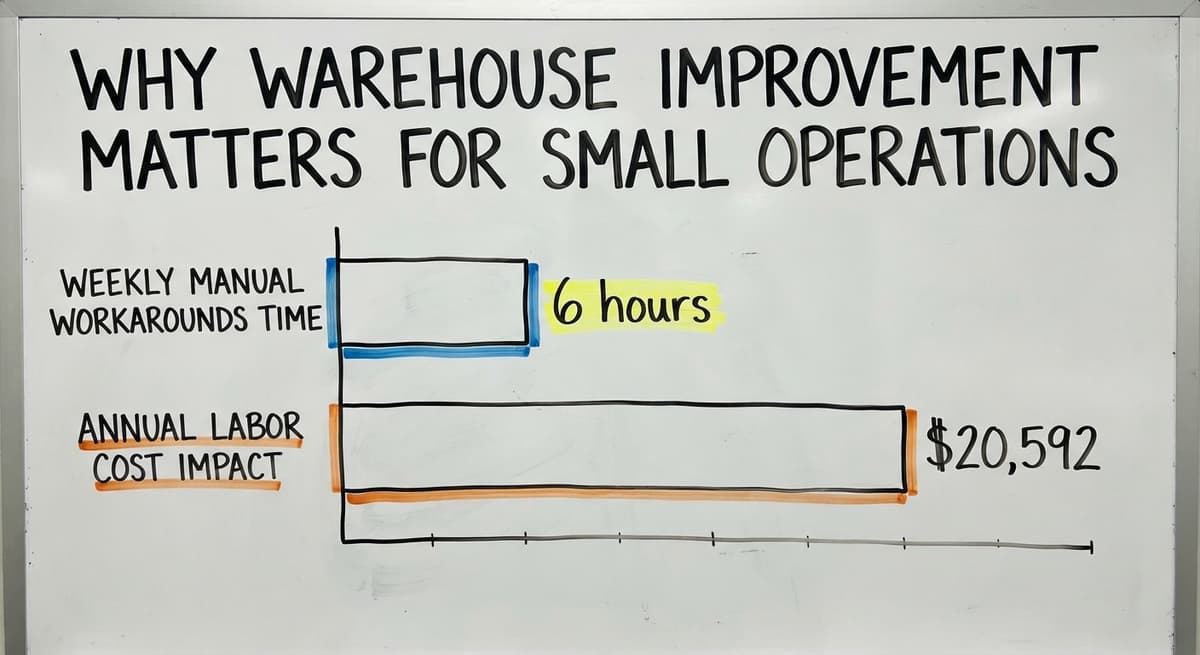
Small warehouses lose real time every week to manual workarounds. Paper pick sheets, shared spreadsheets, and handwritten counts all take time. That time adds up fast.
Take 3 people spending 6 hours a week on manual workarounds at the current median wage for stock clerks and order fillers. That is $20,592 a year in labor before you count the errors those workarounds create.
Errors compound quickly in small teams. One wrong count on a receiving sheet becomes a bad reorder point, which becomes a stockout, which becomes a lost sale. With a team under 100 people, there is no buffer to catch mistakes in transit.
The good news: improvement does not require a full ERP system or a six-month project. This article covers practical warehouse ideas improvement that works at the 5 to 100 staff scale. Start with one idea. Build from there.
Would you rather have it built around your operation?
The first look is free. If you would rather not compare products, describe how your operation already works and we build the system around it.
No build cost. You see it running on your own process first, and the monthly subscription starts only once it is live.
Book a callStart With a Warehouse Bottleneck Audit
Walk the floor before you change anything. Watch where people stop moving. Note every spot where a picker writes something down, looks something up, or waits for someone else. Those pauses are your bottlenecks.
List your top 3 slowdowns by frequency, not by how bad they feel. The thing that happens 40 times a day matters more than the thing that causes a big problem once a month.
Talk to the people doing the picking and packing, not just the managers. Managers see outcomes. Pickers see causes.
OSHA notes that "The warehousing and storage industry includes establishments operating general merchandise, refrigerated goods, and other products," and the people moving those goods every day know exactly where the friction lives.
A one-page bottleneck list is enough. Three problems, ranked by how often they happen, with a note on who feels each one most. That list becomes your improvement roadmap.
What Should You Look for During Your Walk?
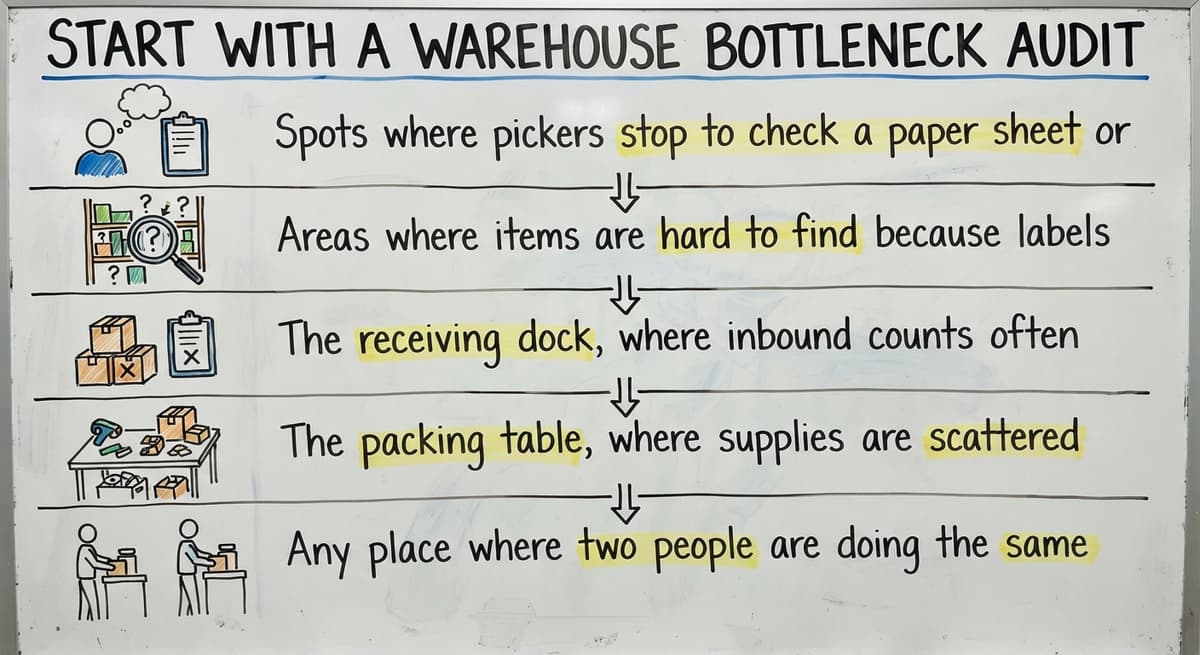
- Spots where pickers stop to check a paper sheet or phone
- Areas where items are hard to find because labels are missing or faded
- The receiving dock, where inbound counts happen on scraps of paper
- The packing table, where supplies are scattered and packers move around to find things
- Any place where two people are doing the same count because no one trusts the first one
How Do You Fix Bin Labeling in a Small Warehouse?
Clear bin labels cut picking errors faster than almost any software change. A picker who can read the bin code at a glance does not need to guess, and a wrong guess is a mispick.
Use a four-part code: aisle, bay, level, and bin. For example, A-03-2-B means Aisle A, Bay 3, Level 2, Bin B. Make sure that code matches exactly what your inventory system shows.
If the system says A-03-2-B and the label says "Aisle A, shelf 3," pickers will make up their own shorthand and errors follow.
Laminated printed labels or thermal barcode labels cost very little and last for years. A roll of thermal label stock and a basic label printer runs under $150. You can label an entire small warehouse in a single day. The payoff starts the next morning.
This is a one-day project. Do it first.
Organize Inventory by Velocity, Not by SKU Number
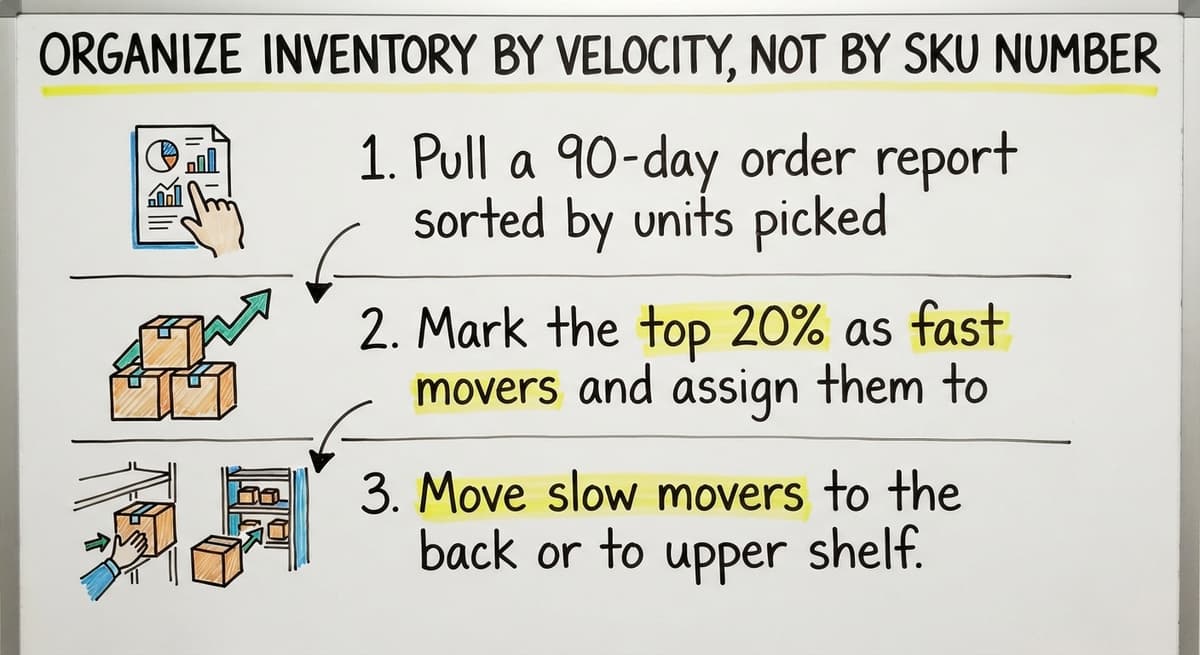
Velocity slotting means placing fast-moving items close to the packing or shipping area, and slow movers in the back or on upper shelves. SKU number is a database concept. It has no physical meaning on the floor.
When your top 20 SKUs by volume sit near the pack station, pickers travel less per order. Less travel means faster picks and fewer opportunities to grab the wrong item.
Review velocity at least twice a year. Product mix shifts with seasons and promotions. An item that moved slowly in January may be your fastest mover in July.
A quick sort of your order data by SKU volume takes about 20 minutes and tells you whether your slotting still makes sense.
How Do You Slot in Three Steps?
- Pull a 90-day order report sorted by units picked per SKU
- Mark the top 20% as fast movers and assign them to the front zone
- Move slow movers to the back or to upper shelf positions
Do not try to move everything at once. Start with the top 20 SKUs. The walk-time savings will be visible within a week.
Replace Printed Pick Sheets With a Digital Pick List
A printed pick sheet is out of date the moment it leaves the printer. If a customer cancels an order or a bin goes empty between print and pick, the picker does not know. The mispick happens anyway.
A live pick list on a tablet or handheld updates in real time. When a bin goes to zero, that item drops off the active list. When an order changes, the picker sees the change before they walk to the wrong location.
Pickers confirm each item as they go. That confirmation creates an automatic audit trail. You know who picked what, and when. That trail replaces the recount step that many small warehouses do at the end of every shift.
This single change reduces mispicks and removes a manual reconciliation step. The Warehousing Education and Research Council tracks pick accuracy as one of the core benchmarks for distribution center performance. The digital pick list is the lowest-cost way to move that number.
Is the comparison easier when one option is built for you?
Yes. Off-the-shelf means fitting your process to the software, and custom is the other way round. The first look costs nothing.
Book a callUse Barcode Scanning to Confirm Every Pick
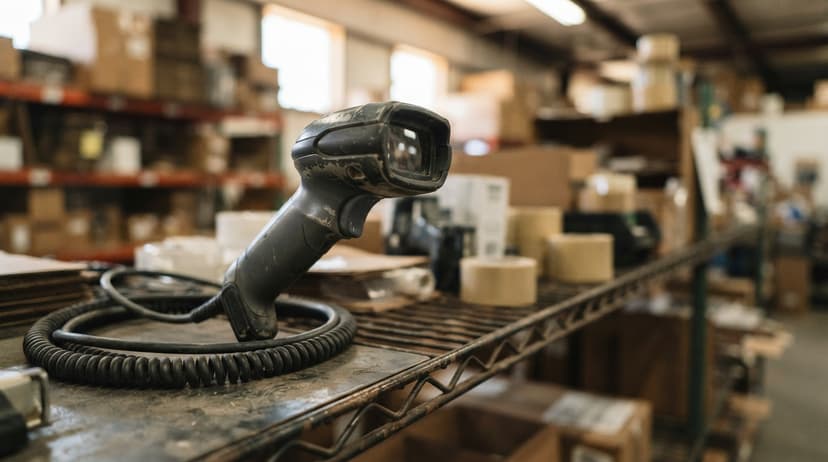
Scanning a barcode takes less than 1 second. It prevents wrong-item errors by checking the scanned code against the open pick list before the item goes in the tote.
Entry-level barcode scanners cost under $200 per unit. Most staff learn to use one in under an hour. There is no scanning experience needed. If you can point and click, you can scan.
GS1 sets the global standards for barcodes so that a label printed by one company scans correctly at another. If your suppliers already label with GS1 barcodes, you can scan inbound items at receiving with no extra setup.
Scanning ties the physical pick to the inventory record automatically. No one has to type a confirmation. The system records it when the beam hits the label.

Standardize Your Warehouse Receiving Process
Receiving errors cause downstream inventory problems that are hard to trace. A short count on a pallet becomes a phantom unit in your system. That phantom triggers a reorder you do not need, or hides a stockout you do not see coming.
Create a one-page receiving checklist. Five steps:
- Count every item against the packing slip
- Inspect for damage before signing anything
- Label each item with your internal bin code
- Put away to the correct location
- Confirm receipt against the purchase order in your system
Match every inbound shipment to a purchase order before anything goes on a shelf. If there is no purchase order, nothing gets shelved until someone creates one. That rule alone stops most receiving errors.
A consistent process beats expensive receiving software. The checklist costs nothing to print and laminate.
Can I Improve My Warehouse Without Replacing Your Accounting Software?
Yes. Your accounting software handles bookkeeping well and most small warehouses should keep it. The problem is not that software. The problem is the manual work that happens before and after each entry.
A custom operational layer can handle picking, receiving, and warehouse inventory management without touching your accounting setup. When a pick is confirmed, the data flows into your bookkeeping platform automatically. No double entry. No copying numbers from one screen to another.
This approach is covered in more detail in our guide to accounting software integration for wholesale distributors, but the short version is: keep what works, fix what does not. Your accounting system is not the bottleneck. The spreadsheets around it are.

How Do You Replace Spreadsheets and Your Database Software Without a Long Project?
Multiple spreadsheets mean multiple versions of the truth. When one person updates the receiving sheet and another updates the inventory sheet, those two files will disagree by end of day. Someone has to reconcile them. That reconciliation is pure waste.
Simple desktop database tools carry a different risk. They work fine until the person who built them leaves. Then no one knows how the queries work, and the database becomes a black box that everyone is afraid to touch.
A single shared system gives everyone the same live data at the same time. Replacing spreadsheet software with a custom operations system does not have to happen all at once.
Begin with the spreadsheet that causes the most pain. That is the inventory count sheet or the open orders list.
Move that one file into a shared system. Let the team use it for 30 days. Then move the next one.
A phased move is slower but it sticks. A big-bang cutover fails because the team reverts to the spreadsheet the first time something breaks.
Signs Your Spreadsheets Have Outgrown Their Job
- Two people edited the same file and overwrote each other's work
- A formula broke and no one noticed for a week
- You have more than 5 spreadsheets that all touch inventory data
- Staff email each other to ask which version is current
What does it look like running on your own process?
The first thing you see is it running on your own process, at no build cost. The subscription starts once it is live and doing the job, not before.
Book a callRun Cycle Counts Instead of Annual Physical Inventory
The IRS is clear on why inventory must be counted at all. IRS Publication 538 states: "To figure taxable income, you must value your inventory at the beginning and end of each tax year." That is a legal requirement, not a preference.
Annual counts meet that requirement, but they shut down operations for a full day or more. Every hour the warehouse is closed for counting is an hour no orders ship.
Cycle counting means counting a small section of inventory every week rather than everything at once. By the end of the year, every location has been counted at least once. Errors are caught sooner. The full inventory stays more accurate year-round.
Assign counts by zone. Zone A this week, Zone B next week. The work spreads evenly across the team and no single count day becomes a crisis.
| Method | Frequency | Downtime | Error Detection |
|---|---|---|---|
| Annual count | Once per year | Full day or more | Late, after errors compound |
| Cycle count | Weekly by zone | Near zero | Early, while errors are small |

Set Reorder Points for Your Top 50 SKUs
A reorder point is a minimum quantity. When stock drops to that number, a purchase order goes out. The math is simple: average daily sales times lead time in days, plus a safety buffer.
Stockouts and overstock both cost money. A stockout loses the sale and sometimes the customer. Overstock ties up cash and floor space. Reorder points prevent both.
Focus first on the 50 items that move most often or cost the most to run out of. Set a reorder point for each one.
Even a basic alert in a shared system beats walking the shelves to check manually. The NIST Manufacturing Extension Partnership recommends clear reorder triggers as a core practice for small and mid-size supply chain operations.
A reorder point is not a forecast. It is a floor. When you hit it, you buy. Review the points twice a year as your sales mix changes.
Improve Packing Station Layout to Speed Up Shipments
Everything a packer needs should be within arm's reach: tape, labels, void fill, and a scale. A cluttered packing table adds 10 to 30 seconds per order.
At 200 orders a day, that is 33 to 100 minutes of lost time, every day, just from a messy table.
Label printers belong at the station, not across the room. Walking to a shared printer takes 20 seconds each way. That adds up to hours per week across a team.
Small layout changes at the pack station show up in shipping speed the same day. Spend one hour reorganizing the table before the next shift. Time a few packs before and after. The difference will be visible.
Create Visual Work Instructions for Repeated Tasks
Staff turnover is common in warehouses. A new picker cannot learn your process from a conversation alone. Verbal instructions fade. Written paragraphs go unread.
Laminated step-by-step cards posted at each station work better than verbal training. Photos beat words for showing how to pack a fragile item or label a pallet. A card with 5 photos and 5 captions trains a new hire faster than a 30-minute walkthrough.
Update the cards whenever the process changes. A card that shows the old process is worse than no card. Assign one person to own each card so updates happen.
Track a Few Key Metrics Every Week
You cannot improve what you do not measure. Three numbers are enough to start:
- Orders shipped on time: the share of orders that left by the promised time
- Pick accuracy rate: the share of picks with no error, measured by returns or recount flags
- Inventory variance: the gap between your system count and your physical count, expressed as a percentage
Post the numbers where the team can see them. A whiteboard near the pack station works. Weekly visibility creates accountability without adding a management layer.
The Warehousing Education and Research Council publishes benchmark ranges for each of these metrics across distribution centers. Use those benchmarks to set a target, then close the gap over time.
What is in a free first look?
A 30 minute call, your operation mapped, and a clear picture of what we would build. No obligation and nothing to install.
Book a call
How Can You Get Your Team Involved in Warehouse Improvement Ideas?
The people doing the picking and packing see problems that managers miss. A picker who walks the same aisle 80 times a day knows exactly which bin label is faded, which shelf is too high to reach safely, and which step in the process makes no sense.
A short weekly standup, 10 minutes, collects ideas cheaply. A simple suggestion board, physical or digital, works too. The format matters less than the habit.
Act on at least 1 team suggestion per month. When staff see their idea become a change, they bring more ideas. When suggestions disappear without a response, the ideas stop coming.
Bottom-up improvement ideas tend to stick because the team owns them. A process that a picker helped design is a process a picker will follow. That is more valuable than any software feature.
Avoid the Big ERP Trap
Large ERP systems target enterprise companies with dedicated IT staff. Implementation projects can run 6 to 18 months and cost more than the original budget. A small warehouse with under 100 staff rarely needs that level of complexity.
The NIST Manufacturing Extension Partnership advises small manufacturers and distributors to match their tools to their actual process complexity.
An ERP built for a 500-person operation will not simplify a 30-person warehouse. It will add process steps that exist to serve the software, not the operation.
Targeted fixes to specific pain points deliver faster results at lower cost. Fix the bin labels. Add cycle counting. Replace the worst spreadsheet. Each of those changes is done in days, not months.

When Does a Warehouse Need Custom Software Instead of an Off-the-Shelf Tool?
Off-the-shelf tools are built around a generic warehouse process. They work well when your operation matches that generic model. When it does not, you spend time and money bending your process to fit the software.
Custom warehouse software is built around how your operation already works. It handles your specific bin codes, your receiving checklist, and your accounting software's chart of accounts. There is no need to retrain your team to match a vendor's assumptions.
Custom software is not always more expensive. Factor in the cost of workarounds: the spreadsheets, the manual reconciliation, the training time when a new hire cannot figure out why the system does not match the floor. Those costs are real even when they do not show up on an invoice.
The right fit for a small Columbus-area distributor is different from the right fit for a national chain. A national chain has an IT department, a change management budget, and a team dedicated to the rollout.
A small warehouse has an operations manager and a deadline. Custom operational software for small warehouses is built for the second situation, not the first.
For operations that have outgrown manual workarounds but are not ready for an ERP, a custom operational layer is the right next step. It sits between your existing tools and your day-to-day work. It handles the picking, receiving, and inventory tracking. It feeds your bookkeeping software automatically.
And it is built to match your process, not a vendor's template.
Build a Warehouse Improvement Roadmap You Can Actually Follow
Pick 1 improvement per month. Not 5. Not a project plan with 40 tasks. One change, done well, documented, and measured.
Sequence improvements so each one builds on the last. Bin labels come before barcode scanning, because scanning a label that does not exist does nothing. Cycle counting comes before reorder points, because reorder points need accurate counts to work.
Document what changed and what result it produced. A shared note or a one-page log is enough. When something works, you want to know why. When something does not, you want to know that too.
A 12-month roadmap with small monthly wins beats a big project that never finishes. By month 12, you have 12 real changes in place, each one measured and owned by the team.
A Sample 12-Month Sequence
- Month 1: Bin label audit and reprint
- Month 2: Velocity slotting for top 20 SKUs
- Month 3: One-page receiving checklist
- Month 4: Digital pick list on tablets
- Month 5: Barcode scanning for pick confirmation
- Month 6: Replace the worst inventory spreadsheet
- Month 7: Start weekly cycle counts by zone
- Month 8: Set reorder points for top 50 SKUs
- Month 9: Packing station layout reset
- Month 10: Visual work instruction cards at each station
- Month 11: Weekly metrics board
- Month 12: Team suggestion review and next roadmap
Next Steps for Warehouse Improvement
Small practical changes add up to big operational gains. You do not need to replace your accounting software. You do not need an ERP. You need a bottleneck list, a roll of label stock, and a plan to fix one thing per month.
Start with the bin labels. They cost almost nothing, take one day, and cut errors immediately. Then slot your fast movers. Then fix your receiving checklist. Each step makes the next one easier.
When manual workarounds are gone and you need a system that ties everything together, that is the moment to look at a custom operational layer.
Our warehouse inventory management overview covers what to look for, and our guide to inventory tracking for fulfillment centers goes deeper on accuracy and audit trails.
The biggest bottleneck in most small warehouses is not the software. It is the gap between what the system shows and what is actually on the floor. Close that gap one improvement at a time.
Describe your biggest warehouse bottleneck. A short conversation is enough to figure out which improvement to tackle first and whether a custom system makes sense for your operation.
Frequently asked questions
Frequently asked questions
What improvements can be done in a warehouse?
The most effective warehouse improvements fall into a few clear categories: layout changes like velocity slotting and bin labeling, process changes like a receiving checklist and cycle counting, and digital changes like replacing printed pick sheets with a live tablet pick list and adding barcode scans.
Start with layout and process changes because they cost little and show results fast. Add digital tools only where they solve a specific problem you have already identified.
What are good process improvement ideas?
Good process improvement ideas for a warehouse include: creating a single-page receiving checklist, running weekly cycle counts instead of an annual physical inventory, setting minimum restock levels for your top 50 SKUs, standardizing the packing station layout so everything is within arm's reach, and posting laminated visual work instructions at each station.
Each of these can be done in a day or less and does not require new software.
What are the five S's in a warehouse?
The five S's are Sort, Set in Order, Shine, Standardize, and Sustain. Sort means removing anything from the floor that does not belong there. Set in Order means giving every item a fixed location. Shine means keeping the space clean so problems are visible.
Standardize means writing down the right way to do each task. Sustain means building habits so the first four steps do not slip. The five S's are a practical starting framework for any warehouse improvement effort.
What are the 5 ways of improving the efficiency of a warehouse?
Five concrete ways to improve warehouse efficiency are: (1) slot fast-moving items close to the packing area to cut walk time per pick, (2) replace printed pick sheets with a screen-based pick list that updates in real time, (3) add barcode scanning to confirm every pick and remove wrong-item errors, (4) run cycle counts weekly so inventory accuracy stays high year-round, and (5) set reorder points for your top SKUs so stockouts and overstock are caught before they become problems.
What is the difference between cycle counting and annual physical inventory?
An annual physical inventory counts everything at once, shutting down operations for a full day or more. Cycle counting spreads the same work across every week of the year, counting one zone at a time.
Cycle counting catches errors sooner, keeps the full inventory more accurate year-round, and avoids the operational shutdown. Both methods satisfy the legal requirement in IRS Publication 538 to value inventory at the beginning and end of each tax year.
How do I know which warehouse improvement to tackle first?
Walk the floor and list every place a person stops to write something down or look something up. Rank those stops by how often they happen, not by how bad they feel.
The most frequent pause is your first fix. In most small warehouses, that turns out to be bin labeling or receiving, because errors at those two points create problems everywhere else downstream.
When does a warehouse need custom software instead of an off-the-shelf tool?
A warehouse needs custom software when off-the-shelf tools require you to change your process to match their design, when workarounds and manual steps pile up around the tool, or when the tool cannot connect to your accounting software without double entry.
Custom software is worth considering when you have outgrown spreadsheets but are not large enough to justify an ERP. It is not always more expensive once you count the cost of workarounds.
What metrics should a small warehouse track to measure improvement?
Start with 3 numbers: orders shipped on time, pick accuracy rate, and inventory variance. Orders shipped on time tells you whether the whole operation is keeping pace with demand.
Pick accuracy rate tells you whether pickers are pulling the right items. Inventory variance tells you how far your system count drifts from the physical count. Post all 3 weekly where the team can see them.
What are the cheapest ways to improve warehouse efficiency?
The cheapest fixes are bin labeling, velocity slotting, and a short receiving checklist, each doable in a day without new software. Laminated or thermal bin labels cost very little and can label an entire small warehouse in a day.
Sorting your top movers closer to packing takes about twenty minutes of review. A printed receiving checklist costs nothing beyond paper and lamination, yet stops most inventory errors before they start.
How should I organize warehouse racks and storage locations?
Organize racks using a clear four-part bin code covering aisle, bay, level, and bin, such as A-03-2-B, so it matches your inventory system exactly.
Then slot by velocity rather than SKU number, placing your top moving items near the packing or shipping area and slow movers toward the back or upper shelves. Review this slotting at least twice a year since seasonal demand shifts which items move fastest.
How can I reduce picking errors and labor costs?
Reduce errors by pairing clear bin labels with an electronic pick list that updates in real time, so cancelled orders or empty bins never send a picker to the wrong spot.
Add barcode scanning to confirm each pick against the open list before an item goes into the tote. These steps remove manual recounts and reconciliation, cutting both mispicks and the labor hours spent double checking work.
When is warehouse automation worth the investment?
Automation is worth it once simple fixes like labeling, slotting, and checklists are in place and manual workarounds still consume significant staff hours every week.
If your team keeps compounding small errors into stockouts or bad reorders despite these basics, and you have outgrown spreadsheets and paper counts, that is the point to consider heavier tools. Avoid jumping straight to a large system before proving the simpler steps first.
Not sure this is the right shape for your operation?
The call is free. Describe how the work runs today. We map it on a call and show you what it would look like built around that, before you spend anything.
Book a callRelated guides
The rest of this guide, for the parts of the job this page does not cover.
Guides
- Warehouse Organization Ideas
- Warehouse Inventory Management Software
- Warehouse Inventory Tracking Software
- Warehouse Inventory Management Systems
- Pick and Pack in Warehouse
- Warehouse Receiving Software
- Warehouse Inventory Systems
- Warehouse Stock Management Software
- Warehouse Management System Top 10
- Software for Warehouse Management System
- Warehouse Shipment
- Warehouse Tracking System
- Warehousing Operations
- Inventory and Warehouse Management Software
- Small Business Warehouse Management System
- Cloud Based Warehouse Management
- Warehouse Management System Types
- Warehouse Inventory Management System
- List of Warehouse Management Software
- Warehouse Management Costs