


Warehousing Management Pdf
If you searched for a warehousing management PDF, you already know what you need: a clear, usable guide to running a warehouse without the chaos. This article delivers that content directly. It also shows you, honestly, where a PDF stops being useful and where a working system has to take over.
Published 13 August 2026. Reviewed and updated 15 September 2026.
Book a callWhy Do People Search for a Warehousing Management PDF?
Most people searching for a warehousing management PDF are not looking for theory. They want something they can hand to a new supervisor, use to train a receiving crew, or reference when a process breaks down. A PDF feels like the fastest path to that.
Reviewed August 2026. Each figure comes from the assumptions stated beside it, so you can substitute your own and the arithmetic still holds.
The arithmetic is worth doing before the software conversation. 3 people spending 6 hours a week between them chasing the same questions, at 22 dollars an hour, adds up to 936 hours a year of paid time spent confirming what a system would already know. Over 3 years that is 2,808 hours.
The appeal makes sense. A single downloadable document feels concrete and actionable, especially when your current process lives in someone's head or a patchwork of spreadsheets.
The problem is that most PDFs address large logistics operations with dedicated staff, software budgets, and formal training programs. If your warehouse runs on five to fifty people, the advice does not translate.
This article gives you the practical content a PDF would cover, explains where those concepts apply to smaller operations, and is honest about what a document cannot do that a real system can.
Would you rather have it built around your operation?
The first look is free. If you would rather not compare products, describe how your operation already works and we build the system around it.
No build cost. You see it running on your own process first, and the monthly subscription starts only once it is live.
Book a callWhat Does a Warehousing Management PDF Usually Cover?
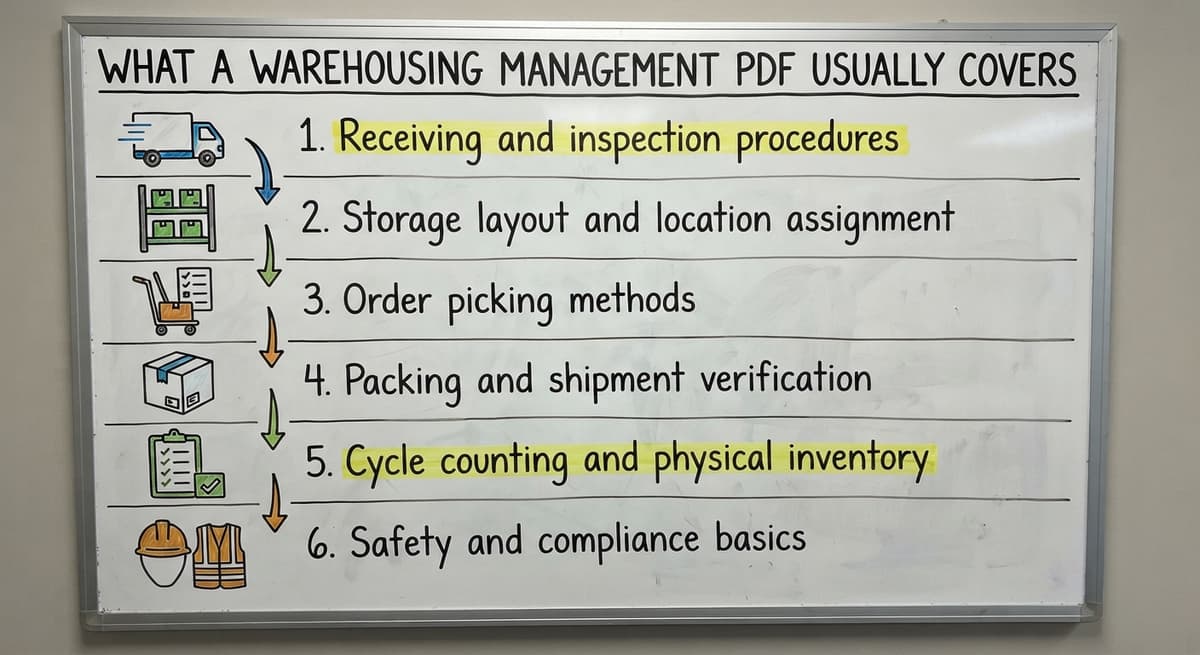
Most PDFs on this topic follow a similar structure. They walk through the warehouse lifecycle in order: receiving, storage, picking, packing, shipping, and inventory counting. Some include diagrams, KPI tables, and process checklists.
Typical sections include:
- Receiving and inspection procedures
- Storage layout and location assignment
- Order picking methods
- Packing and shipment verification
- Cycle counting and physical inventory
- Safety and compliance basics
The content is accurate. The issue is that it addresses a general audience, which means it describes best practices without accounting for how a real small warehouse actually operates.
Where Do Warehousing PDFs Fall Short for Small Operations?
One area where the general-audience problem shows up clearly is accounting. Inventory accounting methods affect how you count and value stock, and the IRS addresses this directly: according to IRS Publication 538, "a taxpayer who wants to change their method of accounting must get consent from the IRS." A PDF rarely helps you connect that kind of compliance requirement to your day-to-day warehouse process.
Small and mid-size operations finish a PDF feeling like they read something useful but cannot figure out where to start.
What Are the Core Principles of Warehousing Management?
Warehousing management is the set of processes that control how goods move into, through, and out of a storage facility. At its core, it covers four areas: receiving, storage, order fulfillment, and shipping.
Here is what each area means in practice for a five-to-one-hundred-staff operation:
Receiving and Putaway
Good receiving means checking what arrives against what was ordered, logging every item into your inventory system, and assigning each product a storage location before it leaves the dock. When that process works, your inventory starts accurate.
Errors at receiving are the most common source of downstream inventory problems. When a team logs the wrong quantity, skips a product, or puts items away without recording the location, those mistakes compound.
A week later, a picker cannot find the product. A month later, your count does not match your records. Tracing the problem back to a receiving error is painful and time-consuming, especially when the original paperwork is gone.
Paper-based receiving is particularly vulnerable. Handwriting gets misread. Sheets get lost. No one flags the discrepancy until a customer calls.
Storage and Location Management
Bin, rack, and zone organization gives every product a defined home. When a location system is in place, any staff member can find any product without asking someone who has worked there for years.
Location tracking directly reduces the time staff spend searching for products, which is one of the most common hidden costs in a small warehouse.
Many small operations rely on informal memory systems. The long-tenured employee knows where everything is. When that person is out sick or leaves, the system breaks.
A formal bin location system, even a simple one, eliminates that dependency.
Picking and Order Fulfillment
A pick list tells a warehouse worker exactly what to pull, in what quantity, and from which location. A good pick path organizes those items in the most efficient order through the warehouse, reducing unnecessary travel.
Manual picking from printed sheets creates two problems. First, sheets go out of date the moment they are printed. Second, there is no built-in accuracy check.
A worker who pulls the wrong item has no system prompt to catch it before the order ships. Pick accuracy connects directly to customer satisfaction, because a wrong item or missing quantity is the customer's problem, not just yours.
Is the comparison easier when one option is built for you?
Yes. Off-the-shelf means fitting your process to the software, and custom is the other way round. The first look costs nothing.
Book a callShipping and Dispatch
Shipping is where a lot of accumulated process gaps become visible. A packing verification step confirms the right items are in the right box before it leaves. Carrier selection and shipment confirmation close the loop on the order.
Updating inventory records at the point of shipment is critical and often skipped in manual operations. If your system does not reflect what left the building, your stock counts are wrong from that moment forward.

Inventory Counting and Cycle Counts
A full physical inventory count stops the warehouse, counts everything, and reconciles the result against your records. It is accurate but disruptive. Most active warehouses cannot afford to shut down for a day or two every quarter.
Cycle counting is the practical alternative. Instead of counting everything at once, cycle counts assign different sections of the warehouse to different days or weeks, so the entire inventory gets counted over a rolling period without stopping operations.
For warehouses using accounting software, paper-based cycle counts create a specific headache. Someone counts by hand, records the result on a sheet, and then manually enters adjustments into the accounting system.
Every step in that chain is a chance for a transcription error. Reconciling those adjustments at month-end takes longer than the count itself.
Why Is a PDF Not Enough for Managing a Real Warehouse Operation?
A PDF describes a process. It cannot run one. That distinction matters more than it sounds.
A static document cannot update when your workflow changes. It cannot alert a receiving clerk that a quantity does not match the purchase order. It cannot flag a bin location as empty when the last unit ships. It cannot sync an inventory adjustment to the accounting software automatically.
A document describes best practices but cannot enforce them. Enforcement requires a system that is part of the daily workflow, not a file saved in a shared folder that gets opened once and forgotten.
For warehouse inventory management software to be worth using, it has to be present at the moment the work happens: at the receiving dock, at the pick station, at the shipping desk. A PDF is never in any of those places.
The Accounting Software Gap in Warehouse Operations
Accounting software handles the books well. Most small operations already rely on it, and replacing it is not the goal. The problem is that it was built for bookkeeping, not for running the floor.
It does not manage real-time bin locations, and it does not generate pick lists. Nor does it guide a receiving workflow or give a supervisor floor-level visibility into what is happening in the warehouse right now.
Integrating accounting software into distributor operations is a common need precisely because the accounting tool and the operational tool have to work together, not replace each other.
The gap between what the accounting system tracks and what the warehouse floor actually needs gets filled with spreadsheet files, printed sheets, and email threads. That combination works until it breaks down.
And when it stops working, the errors are hard to find and harder to fix.
Signs Your Warehouse Has Outgrown Manual Processes
Use this as a quick diagnostic. If three or more of these describe your operation, manual processes are costing you more than you realize:
- Stock counts in your accounting platform do not match what is physically on the shelf
- Orders ship late or incomplete more than once a week
- Staff ask each other where a product is instead of looking it up
- Receiving is logged on paper and entered into a system later, sometimes the next day
- A single experienced employee is the unofficial location system for the warehouse
- Cycle counts require shutting down picking during the count
- Shipping errors trace back to picking errors that trace back to receiving errors
None of these problems are signs of a bad team. They are signs that the process has grown past what manual tools can support.
What does it look like running on your own process?
The first thing you see is it running on your own process, at no build cost. The subscription starts once it is live and doing the job, not before.
Book a call
What Does Warehouse Inventory Management Software Actually Do?
Good warehouse inventory management software handles four things that a PDF cannot:
- Real-time inventory tracking so your stock counts are always current
- Location management that tells every staff member where every product lives
- Receiving workflows that check incoming goods against purchase orders before items are put away
- Pick list generation that gives pickers accurate, sequenced instructions
The contrast with a static PDF is direct. The PDF describes what a receiving workflow should look like. The software presents that workflow to the receiving clerk at the moment goods arrive and does not let the process skip steps.
How to replace spreadsheet-based warehouse tracking is a frequent question small operations ask when they start evaluating software. The answer is simpler than expected: the software takes over the tasks the spreadsheet was doing, but does them automatically and in real time.
Off-the-Shelf Software vs. Custom-Built Solutions
Off-the-shelf warehouse management systems are faster to deploy and often less expensive upfront. They target common workflows and work well when your operation fits the mold they were designed for.
| Factor | Off-the-Shelf | Custom-Built |
|---|---|---|
| Deployment speed | Faster | Depends on scope |
| Workflow fit | Generic | Built to your process |
| your accounting software integration | Varies by product | Designed in from the start |
| Cost | Subscription-based | Project-based, focused scope |
| Flexibility | Limited by vendor | Adjusts as you grow |
Custom operational software for wholesale and distribution gets built around how the operation already works, not the other way around. That matters when your workflow has specific steps that off-the-shelf tools cannot accommodate without workarounds that create new problems.
Custom does not mean enterprise-scale cost or a year-long implementation. A focused scope with clear requirements can produce a working system in weeks, not months.
How Does Custom Warehouse Software Work Alongside Your Accounting Software?
The integration approach is straightforward. The warehouse software handles floor operations: receiving, location management, picking, and shipping. Your accounting software handles the accounting. Data flows between the two systems automatically so neither team has to re-enter information.
What moves between the systems:
- Receipts from purchase orders
- Shipment confirmations that update inventory
- Inventory adjustments from cycle counts
- Cost-of-goods data for accounting
This does not require replacing your accounting software or migrating to a full ERP. The warehouse software sits alongside it and fills the operational gap without touching the accounting setup your team already knows.
What Should You Look for in a Warehousing Management System?
The right system is the one your staff will actually use. A feature-rich platform that confuses a receiving clerk on day one will get abandoned, and you will be back to spreadsheets.
Practical evaluation criteria:
- Ease of use for warehouse staff, not just managers or IT
- Accounting platform compatibility, confirmed before purchase
- Mobile or barcode scanner support for the warehouse floor
- Local or accessible implementation support during rollout
- A training process that fits a lean team
Prioritize fit over feature count. A system with fewer features that matches your workflow will outperform a complex platform that requires months of customization to handle your most basic tasks.
What is in a free first look?
A 30 minute call, your operation mapped, and a clear picture of what we would build. No obligation and nothing to install.
Book a call
Key Metrics Every Warehouse Should Track
The five warehouse KPIs that matter most for a small to mid-size operation are:
- Inventory accuracy: the percentage of SKUs where the system count matches the physical count. Anything below 95% signals a process problem.
- Order fill rate: the percentage of orders shipped complete and on time. This is the customer-facing number.
- Receiving cycle time: how long it takes from goods arriving at the dock to items being available in the system.
- Pick accuracy: the percentage of picks completed without an error. Errors here drive returns and customer complaints.
- Carrying cost of inventory: the cost of holding stock that is not moving. High carrying costs point to purchasing problems or dead stock.
None of these metrics are trackable reliably with manual systems. A spreadsheet can calculate them after the fact, but it cannot catch the error in real time or alert a supervisor before an order ships wrong.
A Practical Checklist for Improving Warehouse Operations
Start here, regardless of whether you pursue software:
- Document your current receiving process, step by step, as it actually happens
- Identify your single biggest source of errors: receiving, picking, or shipping
- Map your bin locations and confirm every product has an assigned home
- Review how your accounting software's inventory records are updated and who is responsible
- Count a sample of twenty SKUs and compare the result to your system records
- Talk to the staff who do the work daily and ask where the process breaks
- Decide whether your biggest problem is a process gap or a tool gap
This checklist takes a few hours. The result is a clear picture of where your operation stands before any software conversation happens.
When Does It Make Sense to Get a Custom System Built?
Custom warehouse software makes sense when three conditions are present. First, your workflow has steps that off-the-shelf tools cannot handle without awkward workarounds.
Second, your accounting platform is already central to how you manage the books, and you need something that integrates cleanly. Third, you have tried a generic tool and found that it created as many problems as it solved.
Small operations qualify for custom software more often than they expect. The scope does not have to be large.
A focused system that handles receiving, location management, and pick list generation alongside your bookkeeping software takes shape and deployed without an enterprise budget or a year-long project.
Local implementation support matters here. A team that can meet with your staff, understand your floor layout, and configure the system around your actual workflow produces a better result than a remote vendor who configures based on a form you filled out.
Next Steps for Getting Your Warehouse Under Control
A warehousing management PDF is a reasonable starting point. It gives you the vocabulary and the framework. But a document cannot run your receiving dock, generate a pick list, or sync a shipment to your accounting software.
The path forward starts with a process review, not a software purchase. Understand where your operation breaks before you choose a tool to fix it.
If you reach the point where the process is clear but the tools are not keeping up, that is the right time to talk to someone who builds warehouse software for operations like yours.
The Software Society builds custom workflow systems for small and growing operations, including warehouse management tools that work alongside your accounting software without replacing it.
Start with a conversation about your current process. No pitch, no pressure. Just a clear look at where you are and what a focused system could do.
Frequently asked questions
Frequently asked questions
What are the five S's of warehouse management?
The five S's come from a Japanese workplace organization method: Sort (remove what is not needed), Set in order (assign a place for everything), Shine (keep the space clean), Standardize (make the first three steps routine), and Sustain (maintain the standard over time).
Applied to a warehouse, the five S's reduce clutter, shorten the time staff spend searching for products, and make problems easier to spot. They are a process discipline, not a software feature, so they apply whether your operation is manual or automated.
What are the 7 types of warehouses?
The seven common warehouse types are: private warehouses (owned and operated by the business using them), public warehouses (shared facilities available to multiple businesses), bonded warehouses (government-licensed facilities for storing imported goods before duties are paid), distribution centers (focused on rapid movement rather than long-term storage), fulfillment centers (typically e-commerce focused, handling picking, packing, and shipping), cold storage warehouses (temperature-controlled for perishables), and automated warehouses (using robotics and conveyor systems to reduce manual labor).
Most small and mid-size operations run private or leased facilities that function as distribution or fulfillment centers.
What are the 7 C's of logistics?
The 7 C's of logistics are: Connect (link suppliers, operations, and customers), Create (build the processes that move goods), Coordinate (align teams and systems), Control (monitor performance and catch errors), Collaborate (work across departments and partners), Communicate (share accurate information at every step), and Comply (meet regulatory and contractual requirements).
Different sources define the 7 C's slightly differently, but the common thread is that logistics performance depends on information flowing accurately across every part of the supply chain.
What are the 5 KPIs for a warehouse?
The five most commonly tracked warehouse KPIs are inventory accuracy (system count versus physical count), order fill rate (orders shipped complete and on time), receiving cycle time (time from goods arriving to items available in the system), pick accuracy (percentage of picks completed without error), and carrying cost of inventory (cost of holding stock that is not moving). These five give a clear picture of how well the warehouse is performing across its core functions.
Manual systems can calculate them after the fact, but real-time tracking requires a warehouse management system.
What does a warehousing management PDF include?
Most warehousing management PDFs cover receiving procedures, storage layout, order picking methods, packing and shipping steps, and inventory counting. They are useful as reference guides and training outlines.
The limitation is that most address large logistics operations, so the advice is too broad for a small or mid-size warehouse to act on directly.
Can warehouse software work alongside your accounting software without replacing it?
Yes. The common integration approach keeps your accounting software handling the books while a separate warehouse management system handles floor operations: receiving, location management, pick lists, and shipping.
Data flows between the two automatically, so receipts, shipments, and inventory adjustments update in both systems without manual re-entry. This does not require migrating to an ERP or changing your accounting setup.
What is the difference between a full physical count and cycle counting?
A full physical count stops the warehouse, counts every SKU at once, and reconciles the result against your records. It is accurate but disruptive.
Cycle counting divides the inventory into sections and counts a portion on a rotating schedule, so the full inventory gets covered over weeks or months without halting operations.
For active warehouses, cycle counting is more practical and catches errors sooner because discrepancies surface during the rolling count rather than at a single annual event.
When does it make sense to get a custom warehouse system built?
Custom warehouse software makes the most sense when your workflow has specific steps that off-the-shelf tools cannot handle cleanly, when integrating with your accounting software is a firm requirement, or when a generic tool has already been tried and failed.
Custom does not mean enterprise-scale cost or a long timeline. A focused scope covering receiving, location management, and pick list generation takes shape and deployed without a large budget, particularly when the implementation team works directly with your staff rather than remotely.
What is a warehouse management system?
A warehouse management system is a working process, not just a document, that controls how goods move into, through, and out of a storage facility. It covers receiving, storage, order fulfillment, and shipping, and unlike a static guide it can update when workflows change, flag quantity mismatches, mark empty bin locations, and keep inventory records accurate as items move through the building.
How can warehouse efficiency be improved?
Warehouse efficiency improves by tightening the four core processes: verifying items at receiving before they leave the dock, giving each item a set storage spot so anyone can find it, using organized pick paths and accurate pick lists to reduce travel and errors, and confirming packing accuracy before shipment.
Adding rolling cycle counts instead of full shutdown inventories also keeps records accurate without halting operations.
What are the main functions of warehousing?
The main functions of warehousing are receiving and putaway, storage and location management, picking and fulfilling orders, and getting shipments out the door. Receiving checks arrivals against orders and logs accurate locations.
Storage gives every product a defined home. Picking pulls the right items efficiently and accurately. Shipping verifies contents and updates inventory records so stock counts stay correct after goods leave the building.
What are the best warehouse management books?
The best warehouse management resources are ones that walk through the full warehouse lifecycle in order: receiving and inspection, storage layout and location assignment, order picking methods, packing and shipment verification, cycle counting and physical inventory, and safety and compliance basics.
Look for material that covers these sections with practical checklists and KPI guidance, then adapt the general advice to the realities of a smaller operation.
Not sure this is the right shape for your operation?
The call is free. Describe how the work runs today. We map it on a call and show you what it would look like built around that, before you spend anything.
Book a callRelated guides
The rest of this guide, for the parts of the job this page does not cover.
Guides
- Warehouse Inventory Management Software
- Warehouse Inventory Management Systems
- Warehouse Stock Management Software
- Warehouse Management System Top 10
- Software for Warehouse Management System
- Inventory and Warehouse Management Software
- Small Business Warehouse Management System
- Cloud Based Warehouse Management
- Warehouse Management System Types
- Warehouse Inventory Management System
- List of Warehouse Management Software
- Warehouse Management Costs
- Warehouse Management Cloud
- Warehouse Management System Examples
- Warehouse Management System Implementation
- Online Warehouse Management Software
Common questions
- What is a Warehouse Management System Pdf
- What Are the Benefits of Warehouse Management System
- What is the Point of Warehouse Management System
- How to Choose a Warehouse Management System
- What Are the Top 5 Warehouse Management Systems?
- What is Asn in Warehouse Management System
- How to Create a Warehouse Management System
- What is a Warehouse Management System