


Why Warehouse Management System
Why warehouse management system? Because your books are accurate, your spreadsheet is up to date, and you still shipped the wrong order last Tuesday. A warehouse management system is the layer between the ledger and the shelf: it knows the bin, the count, and the order queue at the moment anyone asks. This guide, reviewed in September 2026, puts numbers on what running without one costs a warehouse of 5 to 100 people.
Published 13 August 2026. Reviewed and updated 15 September 2026.
Reviewed August 2026. Each figure comes from the assumptions stated beside it, so you can substitute your own and the arithmetic still holds.
Book a callWhat Does a Warehouse Management System Actually Do?
A warehouse management system is software that tracks where inventory is, how it moves, and what its current status is inside your warehouse. It knows the bin that holds your fast-moving SKUs, the orders queued for picking, and what arrived on the dock this morning.
The accounting software tracks money well. It records what you paid for stock and what a customer owes you. It does not track if that stock is in bin A3 or sitting unprocessed on the receiving dock. A WMS fills that gap. The two tools are not competitors; they cover different territory.
Think of it this way: the accounting software is your accountant. A WMS is your floor supervisor.
Would you rather have it built around your operation?
The first look is free. If you would rather not compare products, describe how your operation already works and we build the system around it.
No build cost. You see it running on your own process first, and the monthly subscription starts only once it is live.
Book a callThe Real Cost of Running Without One
Misplaced stock costs you twice: once when you cannot find it, and again when you replace it unnecessarily. Missed shipments cost you the customer relationship. Double-counted inventory costs you the trust of your own numbers.
Staff searching for items, reconciling spreadsheets, or re-picking an order that was pulled incorrectly are not doing productive work. Those hours add up fast across a week.
Errors that reach customers generate returns, credit requests, and the kind of friction that quietly moves buyers toward a competitor.
OSHA notes that warehousing operations carry significant risk when processes are poorly organized, and their guidance at https://www.osha.gov/warehousing states directly that "good housekeeping is the foundation of an effective safety and health program", which applies equally to inventory discipline and physical organization.
None of this is a personal failure. Manual processes break under volume. The tools were not built for what you are asking them to do.
Is a Warehouse Management System Only for Large Operations?
No. A 10-person warehouse makes the same picking mistakes as a 200-person one. The difference is that a smaller team has fewer people to catch errors before they leave the building.
Small wholesale distributors and fulfilment centres lose a higher proportion of revenue to manual errors than their enterprise counterparts, precisely because there is no quality-control layer built into the process.
Enterprise WMS vendors market to large buyers, and that creates the false impression that smaller operations do not qualify or cannot afford the technology.
Right-sized systems exist. They do not require a year-long implementation, a dedicated IT department, or a six-figure budget. Warehouse inventory management software built for small warehouses looks and feels different from the platforms sold to distribution centers with hundreds of staff.

Why Spreadsheets and Printed Sheets Break Down?
Spreadsheets show a snapshot of inventory at the moment someone last updated them. They are not live. By the time a picker reads a printed sheet, a new order may have claimed the last unit of that item.
Multiple people editing the same file creates version conflicts. One person's update overwrites another's.
Printed pick sheets go stale the moment a new order arrives in the queue. These tools were borrowed from accounting, not designed for warehouse movement, and that mismatch is the root of most paper-based fulfillment problems.
Replacing spreadsheet in warehouse operations is not about abandoning a familiar tool. It is about using a tool that was actually built for the job.
How Does a WMS Work With Your Accounting Software, Not Against It?
The accounting software handles invoicing, payments, and financials well. There is no reason to replace it. A WMS handles the physical side: receiving, putaway, picking, packing, and shipping.
The two systems share data through an integration layer. When an order ships in the WMS, the accounting software knows the inventory moved.
When a purchase order is created in the accounting software, the WMS knows what to expect at the dock. accounting integration for distributors keeps financial records and physical stock counts aligned without manual re-entry.
This is the model that works for small distributors already on the accounting software. You keep what works. You add what was missing.
Is the comparison easier when one option is built for you?
Yes. Off-the-shelf means fitting your process to the software, and custom is the other way round. The first look costs nothing.
Book a callReceiving and Putaway: Where Accuracy Starts
Most inventory errors do not begin at picking. They begin at receiving, when items are logged incorrectly, placed without a designated location, or never recorded at all.
A WMS records what arrives, checks it against the purchase order, and assigns a bin location immediately. Putaway instructions remove guesswork and keep fast-moving items in accessible positions so pickers are not walking the length of the warehouse for your top-selling SKUs.
Getting receiving right means every downstream process starts with accurate data.

Pick, Pack, and Ship Without the Paper Chase
Digital pick lists update in real time as orders arrive. Pickers see the exact bin, quantity, and item description on a screen or scanner. No interpretation, no handwriting to decode, no outdated sheet.
Packing confirmation happens in the system. Shipping labels generate from the same platform. Fewer touches between order and shipment means fewer points where a mistake can enter the process.
For a small fulfilment centre handling dozens or hundreds of orders daily, that reduction in manual steps compounds quickly into fewer errors and faster throughput.
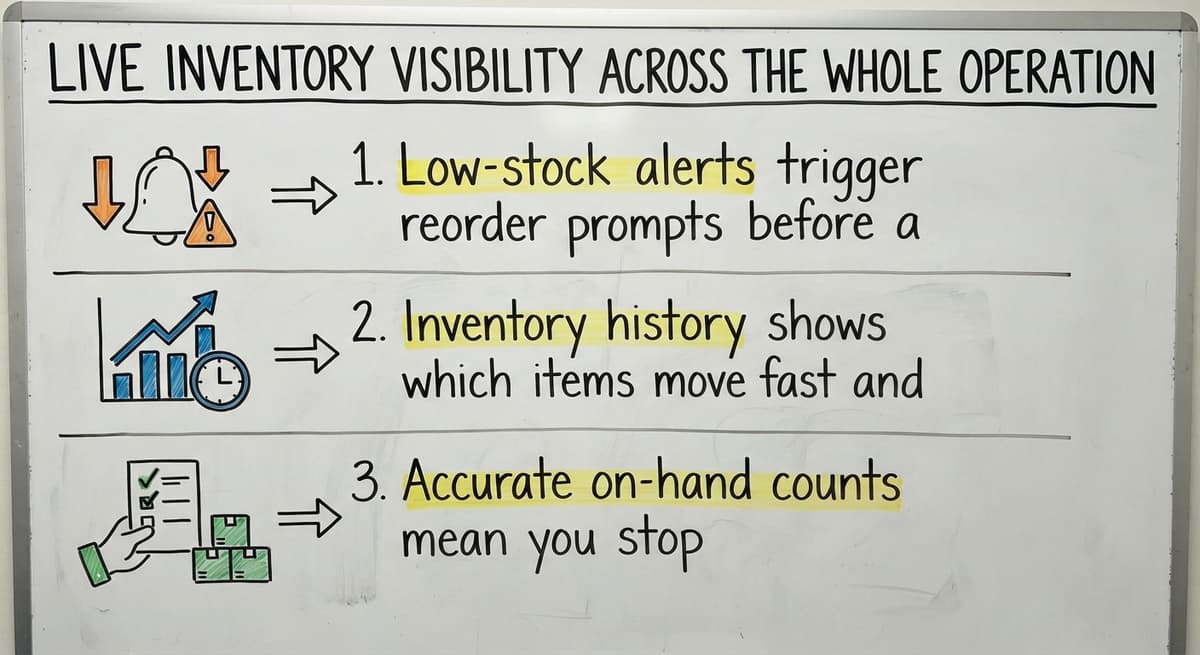
Live Inventory Visibility Across the Whole Operation
Real-time inventory in a warehouse management system means owners and managers see stock levels without walking the floor or waiting for a weekly count. That visibility changes how you make decisions.
- Low-stock alerts trigger reorder prompts before a stockout disrupts an order
- Inventory history shows which items move fast and which have been sitting for 90 days
- Accurate on-hand counts mean you stop over-ordering to compensate for uncertainty
Inventory tracking for wholesale distributors at this level turns reactive firefighting into planned replenishment.
What does it look like running on your own process?
The first thing you see is it running on your own process, at no build cost. The subscription starts once it is live and doing the job, not before.
Book a callWhat Should I Expect From a WMS Implementation?
A good implementation starts with how your operation already works, not a generic template. The first step is mapping your current receiving, storage, picking, and shipping flow so the system reflects reality rather than an idealized version of it.
For a small warehouse, a realistic timeline is weeks, not months or years. Staff training should be short because the system should match workflows your team already knows.
Avoid vendors who require you to change your process to fit their software. That approach shifts the burden onto your team and increases the chance of rejection.
Custom operational software for small warehouses follows your operation, not the other way around.

Signs Your Operation Is Ready for a WMS
You do not need a formal assessment to know a warehouse management system is due; these patterns are enough:
- You have lost track of where specific inventory is located more than once this month
- Order errors are reaching customers more than once a month
- Staff spend meaningful time each week reconciling counts or hunting for stock
- You have outgrown a single spreadsheet but are not ready for a full ERP
- Fulfillment speed is slowing as order volume grows
Any one of these signals is enough to start the conversation. All of them together means the cost of waiting is higher than the cost of changing.
Common Concerns Before Getting Started
Three questions come up consistently before a business commits to a WMS.
| Concern | Honest Answer |
|---|---|
| Will it disrupt daily operations during setup? | A phased rollout keeps the warehouse running while the system is configured and tested section by section |
| Is it too expensive for a small warehouse? | Right-sized pricing for small operations is a fraction of enterprise WMS cost; the comparison to do is cost of errors vs. cost of software |
| Will staff actually use it? | Usability matters more than features; a system that matches familiar workflows gets adopted; one that fights them does not |
The Right Warehouse Management System for Your Operation
The best WMS is the one built around how your team already works. Rigid off-the-shelf tools force compromise. A configurable or custom system fits the operation you actually run, not a hypothetical warehouse.
Local support means faster fixes and a partner who understands your specific flow, not a support ticket that routes to an overseas call center. The transition from spreadsheets and printed sheets should feel like an upgrade, not an overhaul.
If your operation is outgrowing manual processes and you want a system that connects your physical floor to your financial records without replacing what works, that is exactly what a right-sized WMS delivers.
Talk to The Software Society about what a connected, implementation-led approach looks like for your warehouse. No generic demo. A real conversation about your operation.
Frequently asked questions
What the manual process costs, in numbers
Walking is the hidden cost. A picker covering 40 feet to a fast mover 60 times a shift walks 2,400 feet a day, and across 250 days that is 600,000 feet a year per picker.
The sources behind this guide
The public record on this is worth reading directly: GS1 covers why a barcode printed by one company scans at another.
The public record on this is worth reading directly: Auburn University RFID Lab covers independent research on RFID in retail and supply chain.
The public record on this is worth reading directly: Warehousing Education and Research Council covers the standard benchmark set for distribution centre performance.
The public record on this is worth reading directly: IRS Publication 538 covers why inventory has to be counted and valued at all, as a legal obligation rather than a preference.
Frequently asked questions
What is the main purpose of a warehouse management system?
A warehouse management system tracks the location, movement, and status of inventory inside a warehouse in real time. Its core purpose is to make sure the right item is in the right place, picked correctly, and shipped on time. It handles the physical side of operations that financial software like the accounting software does not cover.
Is an ERP the same as a WMS?
No. An ERP (Enterprise Resource Planning) platform covers financials, HR, procurement, and much more, and the large ones include a WMS module as part of that suite.
For small warehouses an ERP is oversized and overpriced. Standalone WMS platforms designed for smaller operations are a more practical fit.
What are the five S's of warehouse management?
The five S's come from the lean manufacturing methodology: Sort (remove what is not needed), Set in order (organize what remains), Shine (clean the space), Standardize (create consistent processes), and Sustain (maintain the standard over time).
A WMS supports all five by enforcing location discipline, standardizing pick and putaway processes, and making inventory status visible.
Is WMS difficult to learn?
A well-built WMS should not be difficult to learn. Systems designed for small warehouses are built around familiar workflows, so staff training takes days rather than weeks.
The systems that feel hard to learn are enterprise platforms forced into operations they were not designed for. Usability is a feature, not a bonus.
Why do small warehouses need a WMS if they already use accounting software?
The accounting software tracks financial transactions but does not track physical stock movement inside the warehouse. A WMS covers receiving, bin locations, pick and pack, and real-time inventory counts.
The two systems work together: the accounting software handles the money side, the WMS handles the floor. Small warehouses that rely on the accounting software alone are missing the layer that prevents picking errors and lost inventory.
How long does it take to implement a warehouse management system?
For a small warehouse, a realistic implementation timeline is a few weeks, not months or years. The timeline depends on the complexity of your SKU count, the number of locations, and how much configuration is needed to match your existing workflows.
Vendors who require a long implementation period are fitting you into a rigid system rather than building around your operation.
What problems does a WMS solve that spreadsheets cannot?
Spreadsheets are static, and a warehouse management system is not. They show inventory as it was when someone last updated the file, not as it is right now.
A WMS updates in real time as items are received, moved, picked, and shipped. It also eliminates version conflicts from multiple editors, replaces printed pick sheets that go stale immediately, and creates an audit trail that a spreadsheet cannot provide.
What are the signs that an operation needs a WMS?
The clearest signs a warehouse management system is due are: inventory location is unreliable, order errors are reaching customers more than once a month, staff spend significant time each week reconciling counts, and fulfillment speed is dropping as order volume grows.
If any of these are true, the cost of manual errors is likely higher than the cost of a right-sized WMS.
What are the main features of a warehouse management system?
The main features of a warehouse management system are receiving against purchase orders, bin and location tracking, barcode scanning at pick and pack, real-time stock levels by location, routed pick lists, cycle counting, returns handling, and a sync to the accounting software so nothing is keyed twice.
Reporting on accuracy and throughput turns those records into decisions. The reason to add one is not the feature list; it is whichever of those removes your biggest manual step.
When should a business implement a WMS?
A business should implement a warehouse management system when two people disagree about where something is or how many there are, when the count on the shelf and the count in the books stop matching, when pick errors reach the customer, or when the end-of-day re-keying takes longer than the work it records.
Order volume is a rough guide, and most operations feel it somewhere between 30 and 100 orders a day, but the real signal is the first hour a week spent reconciling.
How much does a warehouse management system cost?
The answer depends on the model. Subscription products charge by user, by order or by location, with setup, hardware and support tiers underneath the monthly fee. Enterprise platforms run far higher and take months to roll out.
A custom system for a small warehouse is a one-time build, comparable to a year of subscription fees for a large platform, with a smaller ongoing charge. Compare total cost over three years against the manual hours and stock errors removed.
How does a WMS improve inventory accuracy?
A warehouse management system improves accuracy by recording every movement at the moment it happens rather than at the end of the day: a receipt is scanned at the dock, a put-away scan records the location, a pick scan draws stock down, a shipment confirmation closes the order.
Cycle counts catch the rest in days instead of at year-end. The gap between the physical event and the record is where most errors live, and a WMS closes it.
What is in a free first look?
A 30 minute call, your operation mapped, and a clear picture of what we would build. No obligation and nothing to install.
Book a callRelated guides
The rest of this guide, for the parts of the job this page does not cover.
Guides
- Warehouse Inventory Management Systems
- Warehouse Management System Top 10
- Software for Warehouse Management System
- Small Business Warehouse Management System
- Warehouse Management System Types
- Warehouse Inventory Management System
- Warehouse Management System Examples
- Warehouse Management System Implementation
- Cloud Warehouse Management System
- Warehouse Stock Management System
Common questions
- Why is Warehousing and Inventory Management Important
- What Are the Benefits of Warehouse Management System
- What is the Point of Warehouse Management System
- How to Choose a Warehouse Management System
- What is Asn in Warehouse Management System
- How to Create a Warehouse Management System
- What is a Warehouse Management System
- Which Warehouse Management System Would a Jeweler Most Likely Use
- How to Build a Warehouse Management System
- What is a Warehouse Management System Used For
- Warehouse Management System vs Warehouse Control System
- Meaning of Warehouse Management System
- Definition of Warehouse Management System
- Warehouse Management System Comparison