


What Is Roq In Inventory Management
ROQ stands for Reorder Quantity. It is the specific amount of a product you order each time your stock hits a set trigger level. Get it right and your shelves stay stocked without tying up extra cash. Get it wrong and you are either turning customers away or tripping over pallets of product you cannot move. This guide was last reviewed October 2026.
Book a callROQ Defined in Inventory Management
Reorder Quantity is the number of units you add to a buy order each time inventory drops to its reorder point. The reorder point (ROP) is the signal that tells you when to order. ROQ is the answer to what comes next: how much do I buy?
Think of ROP as the alarm and ROQ as the response. A warehouse manager can explain it to a new hire in one sentence: "When we get down to X units, we order Y more." That is inventory management at its most useful.
We build it for your operation, and the first look is free
If you would rather not compare products, describe how your operation already works and we build the system around it.
No build cost. You see it running on your own process first, and the monthly subscription starts only once it is live.
Book a callWhy ROQ Matters for Distributors and Warehouses
Small wholesale distributors running on an accounting package and spreadsheets face a narrow path. Order too little and you hit a stockout, which stops fulfillment and costs you a customer who may not come back. Order too much and cash sits frozen on a shelf, spoilage risk climbs, and you run out of room.
ROQ is the lever that keeps both problems from happening at once.
Accurate Counts Are a Legal Matter
The IRS states in Publication 538 that "[t]o figure taxable income, you must value your inventory at the beginning and end of each tax year," which means sloppy quantity records carry real financial risk. Scanning accuracy underpins those counts. As GS1 notes in its barcode standards, "barcodes are the global language of business," and scan-based receiving is what keeps your counts trustworthy enough to build a ROQ on.
Accurate ROQ math only works when the underlying count is correct.
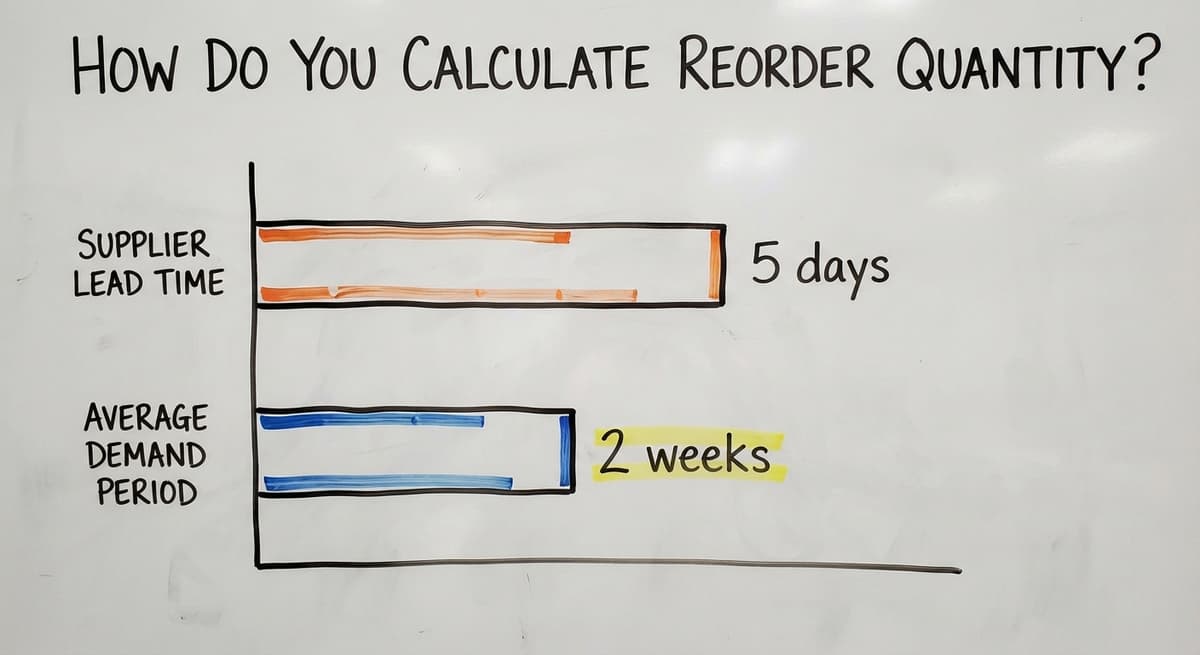
How Do You Calculate Reorder Quantity?
The basic formula is straightforward: ROQ = (Average daily usage × Lead time) + Safety stock, minus current stock on hand.
Here is a simple example. Say you sell 20 units of a product each day. Your supplier takes 5 days to deliver. You keep a safety stock of 30 units as a buffer. You currently have 40 units on hand.
ROQ = (20 × 5) + 30 − 40 = 90 units.
So your next buy order should be for 90 units. Most operations start with a rough estimate like this and sharpen it as real sales data builds up. You do not need a math degree. You need honest numbers for daily usage, lead time, and your safety stock target. Inaccurate inputs produce bad answers, so start simple and adjust as you learn.
Safety Stock: The Buffer That Protects You
Safety stock is the extra inventory you hold to cover demand spikes or late deliveries. A good starting point is 1 to 2 weeks of average demand. If your supplier is often late, push that number higher. Safety stock is not waste. It is insurance against the cost of a stockout.
ROQ vs. EOQ: What Is the Difference?
EOQ stands for Economic Order Quantity. It is a specific formula that finds the order size where your total ordering costs and holding costs are lowest. It needs precise data on the cost to place an order and the annual cost to store one unit.
ROQ is a broader term. It describes any calculated reorder quantity, and EOQ is one method for arriving at it. Many small distributors skip full EOQ because they do not track holding costs precisely enough to feed the formula. A simplified ROQ based on usage, lead time, and safety stock gets them 80 percent of the benefit with far less complexity.
Use EOQ when you have clean cost data. Use a simplified ROQ when you do not, and refine it over time.
The comparison is easier when one option is built for you
Off-the-shelf means fitting your process to the software. We do it the other way round, and the first look costs nothing.
Book a callROQ, EOQ, and ROP at a Glance
These three terms are related but serve different purposes. Understanding which one does what helps you decide where to start.
| Term | What It Does | When to Use It |
|---|---|---|
| ROQ | Sets how much to order each cycle | Always, as a starting point |
| EOQ | Finds the cost-minimizing order size | When holding and ordering costs are known |
| ROP | Signals when to place the order | Always, paired with ROQ |

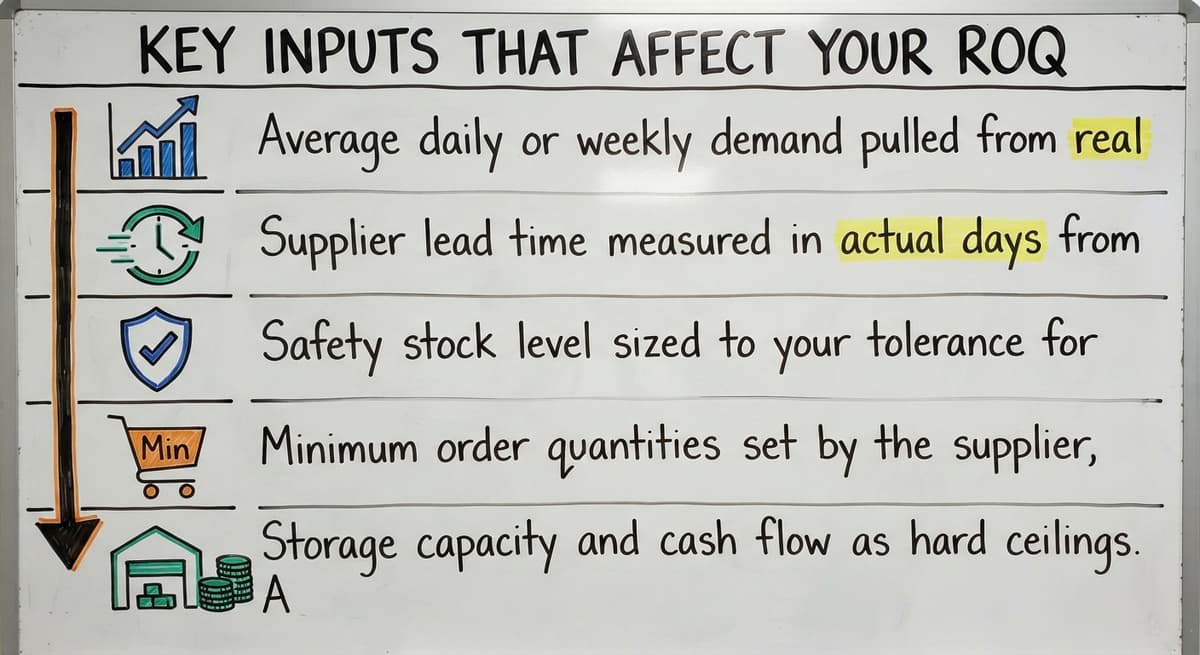
Key Inputs That Affect Your ROQ
A ROQ calculation is only as good as the numbers you put into it. These are the 5 inputs that matter most.
- Average daily or weekly demand pulled from real sales history, not gut feel. One quarter of data is a minimum; a full year catches seasonal swings.
- Supplier lead time measured in actual days from order to receipt, not the number printed on the vendor's website. Track it for each supplier separately.
- Safety stock level sized to your tolerance for stockouts and your supplier's reliability.
- Minimum order quantities set by the supplier, which may force your ROQ higher than the formula suggests.
- Storage capacity and cash flow as hard ceilings. A formula might say order 500 units, but if you only have room or budget for 300, that is your real ROQ.
Why Stale Inputs Break Your ROQ
Operations running on spreadsheets often have stale demand figures or lead times copied from an old email. Bad inputs produce a ROQ that looks precise but is wrong.
Common ROQ Mistakes in Small Wholesale Operations
Most ROQ errors in small distributorships come from the same short list of habits.
- Ordering by feel instead of pulling actual demand data from sales records, which turns ROQ into a guess.
- Setting ROQ once and walking away, even as demand shifts across seasons or as the business grows.
- Treating lead time as fixed when every experienced buyer knows suppliers run late. A lead time that varies by 3 days can swing your ROQ by 60 units on a fast-moving SKU.
- Confusing ROQ with reorder point, which leads to ordering the right amount at the wrong time, or the wrong amount when the alarm fires.
- Tracking orders on printed sheets or email threads, where a missed reply means no one knows what was already ordered.
The fix for most of these is replacing the habit with a process, not a bigger spreadsheet.
See it running on your own process first
No build cost. The subscription starts once it is live and doing the job, not before.
Book a callHow Software Automates ROQ Tracking
Manual ROQ tracking works when you carry 20 SKUs. It breaks down at 200. Each new product line adds another row to keep, another formula to audit, and another chance for a number to go stale.
Inventory management software for small distributors recalculates ROQ automatically each time demand data or lead time changes. When stock drops to the reorder point, the system fires an alert or builds a draft buy order without anyone having to remember to check. Buy order automating removes the human memory requirement from a process that currently depends on it.
Operations running on basic accounting software plus a spreadsheet tool can add an inventory layer that reads from their existing accounting data. That means the ROQ logic runs on current numbers without forcing a full ERP migration. The accounting package stays in place. The manual parts of reordering get replaced.
What to Look for in an Inventory Tool
Not every inventory tool handles ROQ the same way. The features below are the ones that keep your reorder numbers current and reduce the manual work your team has to do each cycle.
- Automatic ROQ recalculation when inputs change, so the number is always current
- Reorder alerts tied to live stock levels rather than a weekly manual count
- Buy order drafts generated from the ROQ so buyers review rather than build from scratch
- Demand forecasting that uses sales history rather than asking you to enter a guess
When to Review and Adjust Your ROQ
ROQ is not a set-and-forget number. Four events should trigger a review.
- Seasonal demand shifts. A summer product's ROQ in January is almost certainly wrong by June.
- Supplier changes. A new vendor brings a new lead time and possibly a new minimum order quantity.
- Business growth. If volume doubles, the old ROQ may leave you short on every cycle.
- A stockout or overstock event. Both are signals that the current ROQ missed reality.
At a minimum, schedule a quarterly review of every active SKU's ROQ. That catches most drift before it becomes a fulfillment problem.
How Do You Put ROQ to Work in Your Operation?
The steps are simpler than most distributors expect. Pull your demand data from sales history, confirm actual lead times with each supplier, set a safety stock level for each SKU, run the formula, and build the result into your ordering process so it fires automatically.
Most small distributors already have the raw data. It lives in their accounting package, their spreadsheets, and their email threads. The problem is not missing information. It is that the information is scattered and no one has connected it into a single reordering process.

A Connected System Replaces Memory and Manual Sheets
Replacing spreadsheets with custom inventory tracking does not need a six-figure ERP. A system built around how the operation already works can pull that data together, keep ROQ numbers current, and trigger buy orders without adding headcount. The goal is a process that runs on real numbers and does not depend on any one person remembering to check.
If your reordering still runs on memory and manual sheets, the next step is a conversation about what a connected system would look like for your specific operation.
Frequently asked questions
What does "roq" mean?
ROQ stands for Reorder Quantity. It is the number of units you order each time your inventory drops to a set trigger level, called the reorder point. ROQ answers the question "how much do I buy?" while the reorder point answers "when do I buy?"
What is the reorder point in inventory management and how is it used?
The reorder point (ROP) is the inventory level that triggers a new buy order. When stock on hand falls to that number, it is time to reorder. ROP is calculated using average daily demand multiplied by supplier lead time, plus safety stock. It works as a pair with ROQ: ROP tells you when to order, and ROQ tells you how much.
What is the economic order quantity (EOQ) in inventory management?
Economic Order Quantity is a formula that finds the order size where the combined cost of ordering and holding inventory is lowest. It needs data on the cost to place a single order and the annual cost to store one unit. EOQ is one specific method for calculating a reorder quantity. ROQ is the broader term that covers EOQ and simpler approaches alike.
What is the acronym for inventory?
There is no single universal acronym for inventory itself. Common related acronyms include ROQ (Reorder Quantity), ROP (Reorder Point), EOQ (Economic Order Quantity), SKU (Stock Keeping Unit), and WMS (Warehouse Management System). Each refers to a specific concept within inventory management rather than inventory as a whole.
What inputs do you need to set an accurate ROQ?
You need 5 key inputs: average daily or weekly demand from real sales history, supplier lead time in actual days, your safety stock target, any minimum order quantities your supplier needs, and your storage capacity or cash flow ceiling. Stale or estimated figures for any of these will produce an inaccurate ROQ.
What happens if your ROQ is too high or too low?
A ROQ that is too low causes stockouts, which stop fulfillment and can cost you customers permanently. A ROQ that is too high ties up cash, fills shelf space with slow-moving product, and raises the risk of spoilage or obsolescence. The goal of setting ROQ correctly is to avoid both outcomes at the same time.
How often should a small distributor review and update ROQ?
A quarterly review is the minimum for most operations. Outside that schedule, review ROQ at once after a stockout or overstock event, when a supplier changes, when a new season begins for seasonal products, or when sales volume shifts significantly. Each of these events can make the current ROQ wrong fast.
Can a small warehouse use ROQ without a full ERP system?
Yes. The basic ROQ formula runs on demand data, lead time, and safety stock figures that most small distributors already track in an accounting package and spreadsheets. Inventory management software built for small distributors can automate ROQ calculations and buy order triggers without replacing the accounting tools already in use.
Start with a free first look
A 30 minute call, your operation mapped, and a clear picture of what we would build. No obligation and nothing to install.
Book a callRelated guides
The rest of this guide, for the parts of the job this page does not cover.
- What is the Difference Between Aggregate and Item Inventory Management
- What is Jit Inventory Management
- What is Kanban System of Inventory Management
- What is the Definition of Inventory Management
- What is an Important Factor in Inventory Management
- What is Abc Classification in Inventory Management
- What is Inventory Management in Working Capital
- What is Poor Inventory Management
- What is Inventory Management and Its Types
- What is the Main Purpose of Inventory Management
- What is Inventory Management in Pharmacy
- What is Effective Inventory Management
- What is Information Technology Inventory Management
- What is Risk Pooling in Inventory Management
- What is Inventory Management Mary Kay
- What is Stock Taking in Inventory Management
- What is Hospital Inventory Management
- What is Bin Number in Inventory Management
- What is the Scope of Inventory Management
- What is the Goal of Inventory Management Quizlet
- What is the Implication of Proper Inventory Management
- What is Omni-channel Inventory Management
- What is Inventory Management and Its Importance
- What is the Importance of Eoq in Inventory Management