


Perpetual Stock System
A perpetual stock system is a way to track inventory that updates the count each time an item is received, moved, picked, or sold. The count stays current all day, not just after a physical count.
Book a callWhat Is a Perpetual Stock System?
A perpetual stock system (also called a perpetual inventory system) updates stock counts at every receipt, move, pick, and sale. The count is always current. You do not wait for a physical count to learn what sits on the shelf. Some call this real-time inventory tracking.
Reviewed November 2026.
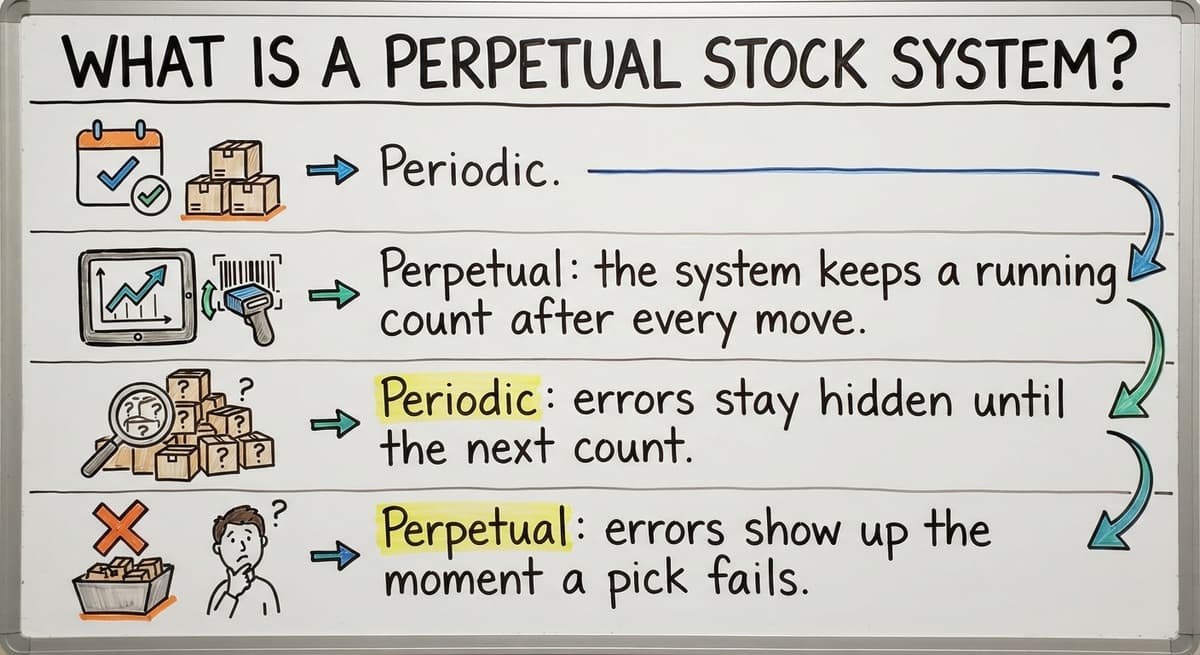
Periodic inventory is the older way. Staff count the shelves at set dates and work out use by math. Here is how perpetual vs periodic inventory compares:
- Periodic: you count shelves on set dates, then subtract to find what sold.
- Perpetual: the system keeps a running count after every move.
- Periodic: errors stay hidden until the next count.
- Perpetual: errors show up the moment a pick fails.
Neither method is magic. A perpetual stock system works only when staff log every move.
We build it for your operation, and the first look is free
If you would rather not compare products, describe how your operation already works and we build the system around it.
No build cost. You see it running on your own process first, and the monthly subscription starts only once it is live.
Book a callHow Does a Perpetual Stock System Work?
A perpetual stock system follows one cycle: receive, put away, pick, ship, adjust. Every move changes the number right away. Each change also saves a record of who did it, what moved, and when. The IRS says in Publication 538: "To figure taxable income, you must value your inventory at the beginning and end of each tax year." Good records make that job easier.
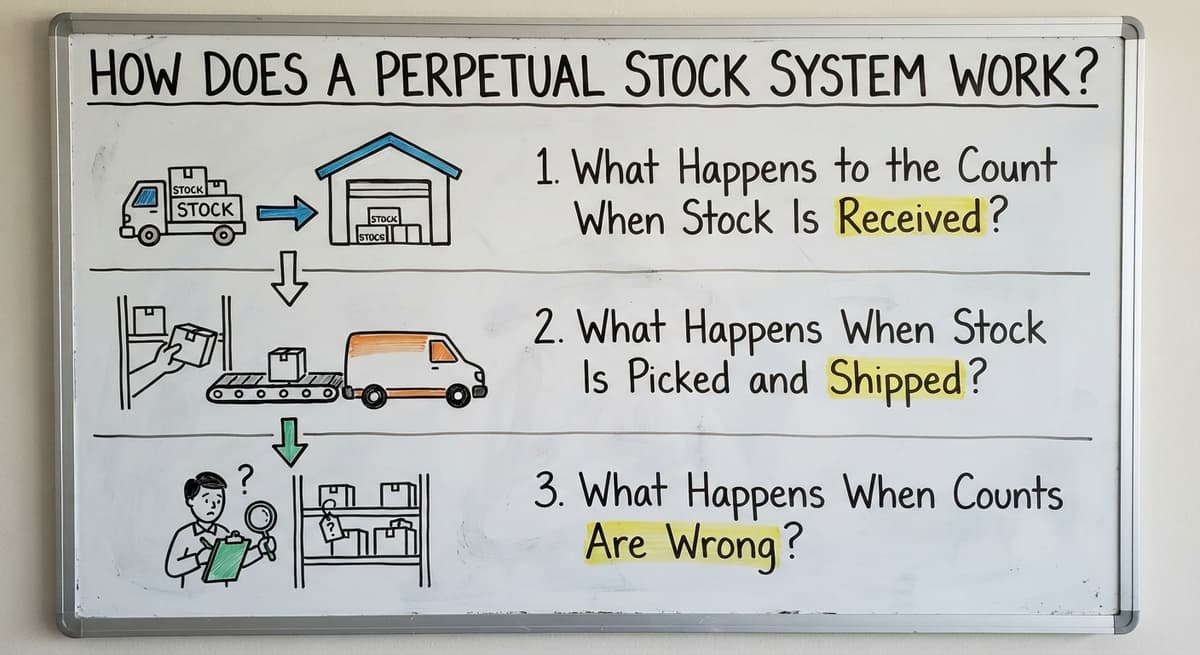
What Happens to the Count When Stock Is Received?
The count goes up when staff check goods in against a buy order. A buy order is the paper that lists what you bought. Staff add the units, then record the location, lot, or date if the business needs it.
The count does not wait for the bill. Goods on the dock are stock. Goods on a bill are only a promise.
What Happens When Stock Is Picked and Shipped?
Picking reserves units, and shipping removes them. A reserved unit is still on the shelf but no longer for sale. Sales staff see true availability before they promise an order.
Short picks and swaps get logged at once. If a picker finds 8 units instead of 10, the count shows 8 now. No one finds out at month end.
What Happens When Counts Are Wrong?
Staff fix a wrong count with a stock adjustment. An adjustment is a change to the count with a reason code, such as damage, loss, or miscount. Every adjustment leaves a trail.
Cycle counts catch small errors early. A cycle count is a small, regular count of a few items. Fixing 2 units today beats finding 200 missing units in December.
Why Do Wholesalers and Warehouses Use a Perpetual Stock System?
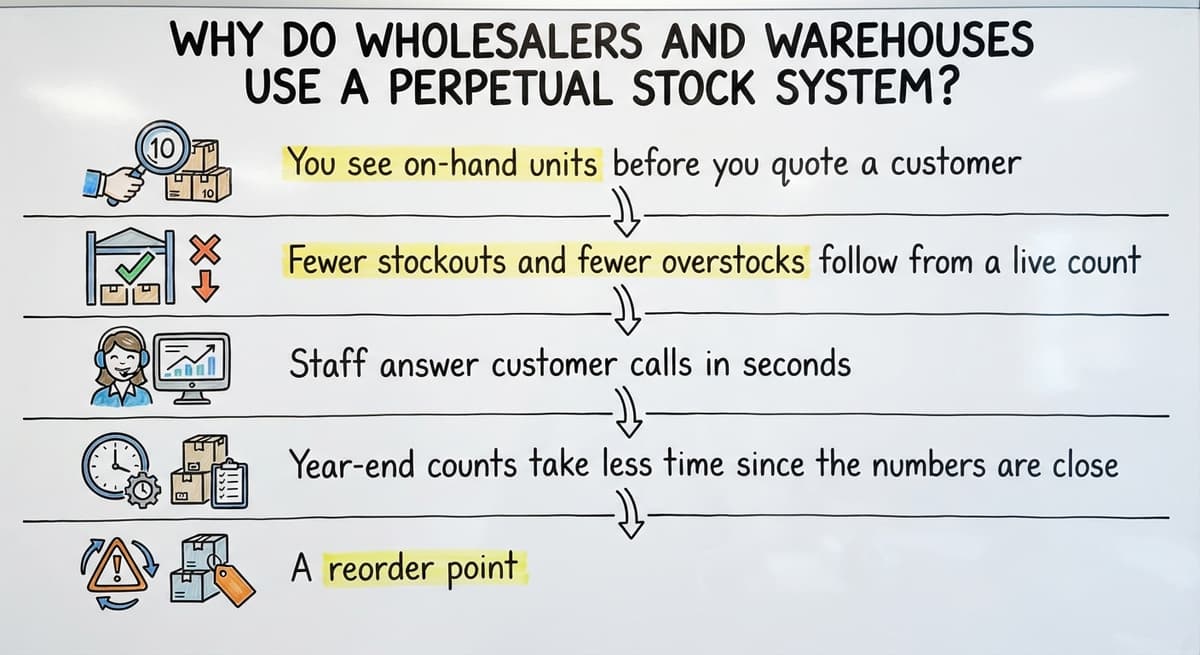
Wholesalers use a perpetual stock system to know what they can sell today. The Census Bureau tracks wholesale inventories and the inventories-to-sales ratio each month. That ratio shows how much stock firms hold against what they sell. A live count helps you manage your own ratio.
- You see on-hand units before you quote a customer.
- Fewer stockouts and fewer overstocks follow from a live count.
- Staff answer customer calls in seconds, not after a walk to the rack.
- Year-end counts take less time since the numbers are close.
- A reorder point, the stock level that triggers a new order, can fire on time.
Small teams gain the most from this. One missed order costs more than the tool.
Not sure this is the right shape for your operation
Describe how the work runs today. We map it on a call and show you what it would look like built around that, before you spend anything.
Book a callWhat Does a Perpetual Stock System Need to Work?
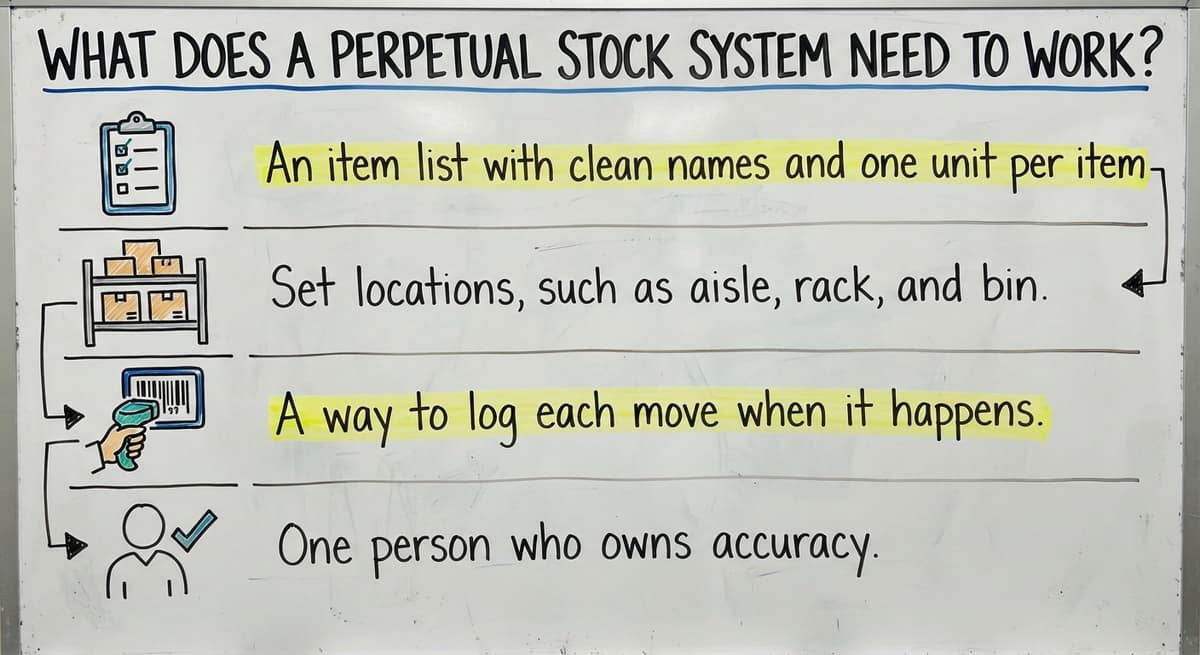
A perpetual stock system needs 4 things in place. Warehouse inventory is only as good as the habits behind it.
- An item list with clean names and one unit per item.
- Set locations, such as aisle, rack, and bin.
- A way to log each move when it happens.
- One person who owns accuracy.
Without the fourth item, the first three fade. Someone must check the numbers each week and ask why they drifted.
Do You Need Barcode Scanners?
Start with the busiest moves, receiving and picking. Add scanners there first. A scanner removes the typing step, and the typing step is where most slips begin. Other moves can stay manual until the habit is firm.
No, you can start without barcode scanners. Typing counts works at low volume. Error rates rise as volume grows, because tired hands mistype.

Is Your Spreadsheet Holding You Back?
Your spreadsheet is holding you back when stock numbers live in too many places. Owners tell us the same pain points again and again:
- Counts sit in Excel, Access, printed sheets, and email.
- Two people edit different copies of the same file.
- Sales sells stock that is not on the shelf.
- Month-end numbers do not match your accounting software's inventory.
Do the math on your own time. Say 3 people spend 6 hours a week fixing counts at $22 an hour. That is $20,592 a year. The Bureau of Labor Statistics lists pay for stock clerks if you want to check your own wage.

How Does a Perpetual Stock System Work With Accounting Software?
You do not need to move everything. Replace only the manual parts, such as the count sheet and the re-keying. Your chart of accounts, bills, and reports stay put. That is the low-risk path for a team that runs on accounting software, Excel, and paper.
A perpetual stock system can feed your accounting software, which stays your tool for the books. Stock moves create the units and values that the accounting side needs. What a given accounting software version can sync varies, so check yours before you plan.
The comparison is easier when one option is built for you
Off-the-shelf means fitting your process to the software. We do it the other way round, and the first look costs nothing.
Book a call
Do Small Businesses Need an ERP, or Custom Software?
No, a small business does not need an ERP, which is a large suite that runs a whole company. Many teams of 5 to 100 staff need one focused tool. Big projects bring high cost and long timelines. Pick only the features you will use.
Off-the-shelf inventory management software can force you to change how you work. It suits you if your steps are simple and standard. Custom inventory software fits your pick sheets, your naming, and your habits. NIST's supply chain guidance offers vendor-neutral advice on process.
A Sample Custom Build for a Small Distributor
Here is an example, not a client claim. A distributor with 20 staff picks from paper sheets and logs counts in Excel. We would build screens that match the current receive and pick steps.
Your accounting software stays for the books. The manual sheets go away. Rollout comes in phases, starting with the biggest pain, such as receiving. Each phase must pay off before the next begins.
How to Set Up a Perpetual Stock System Step by Step
You can set up a perpetual stock system in 5 steps, with no big ERP. Each step is short and stands alone.

Where Does Stock Move Today?
Stock moves from dock to truck, and you must walk that path to see it. Start at the receiving dock and follow a pallet through putaway, storage, picking, packing, and shipping. At each stop, note every sheet, spreadsheet, and email staff use along the way, including paper notes and messages sent by phone. Write down who updates each record and when. These notes show the gaps your new system must close, such as steps where nothing is recorded or where two records disagree.
Steps 2 and 3: Clean the Item List and Count Once
These two steps give your system a trustworthy starting point: a clean item list and one full count. Without both, every later record builds on errors, so do them in this order.
- Clean your item list. Remove duplicates, fix units, and assign codes. Choose case, each, or pallet for every item.
- Do one full count to set the starting numbers. Freeze moves during the count if you can. A clean count is the base of the whole system.
Steps 4 and 5: Log Every Move and Run Cycle Counts
Once the starting count is set, these two steps keep your numbers accurate over time: log every stock move, then check the records with regular cycle counts. Together they catch errors early instead of at year-end.
- Record every move from then on: receive, move, pick, ship, adjust. Train staff on one simple routine.
- Run cycle counts. Count a few items each day or week. Start with fast movers and high-value items.

What Mistakes Make Counts Drift?
Counts drift when people skip steps. These mistakes cause most of the drift:
- Skipping the starting count leaves every number built on a guess.
- Letting people take stock without logging it breaks the trail.
- Starting with too many locations or codes overloads staff.
- Treating the system as done after go-live lets habits decay.
A live count needs upkeep. Plan a monthly review of what slipped.
How Do You Check Whether Your Counts Are Accurate?
You check accuracy by comparing system counts to shelf counts on a sample. Pull 20 items, count them, and note how many match. Track that match rate over time.
Review adjustment reasons for patterns. Many damage codes on one rack point to a handling problem. We cite no benchmark here, because your own trend is the one that counts.
See it running on your own process first
No build cost. The subscription starts once it is live and doing the job, not before.
Book a call
Next Steps for Your Warehouse
A live count, clear records, and steady habits make a perpetual stock system work. Start with a short review of how stock moves in your building today. The Software Society is based in Columbus, Ohio. The same team handles the software, the site, and search. Contact us to book that review.


Frequently asked questions
Do I still need physical counts with a perpetual system?
Yes. Staff still count, but in small batches. Cycle counts check that the system matches the shelf. You fix small errors early and skip the long year-end shutdown that periodic counting needs.
Can a perpetual stock system work with accounting software?
Yes, in many setups. Stock moves can feed unit counts and values to your accounting software, which stays your accounting tool. What syncs depends on your version, so check it before you plan the work.
Do I need barcode scanners to start?
No. You can type counts at low volume. Add scanners first at receiving and picking, where the most moves happen. Scanners cut typing errors as your volume grows.
Is a perpetual stock system worth it for a small warehouse?
Yes, when stockouts, overstocks, or count fixes cost you time. A team of 5 to 100 staff can start with one focused tool and skip a big ERP. Run your own math on hours lost each week.
What causes counts to drift from the real stock?
Unlogged picks, skipped receipts, bad units, and duplicate item names cause most drift. Staff who take stock without a record break the trail. Cycle counts and reason codes show where it starts.
When is custom software better than off-the-shelf?
Custom software wins when your pick sheets, naming, and steps are unique and you do not want to change them. Off-the-shelf tools are enough when your process is simple and standard.
Start with a free first look
A 30 minute call, your operation mapped, and a clear picture of what we would build. No obligation and nothing to install.
Book a callRelated guides
More on the same work.
Guides
- Hospital Stock Management System
- Types of Stock Control Systems
- Cloud Stock Management Software
- Make to Stock Examples
- Stock Software
- Low Stock Alert
- Procedure for Stock Control
- Inventory Management System for Manufacturing
- Top 10 WMS Systems
- Inventory Bin System
- Manual Inventory System
- Automated Inventory Management System
Common questions
- Perpetual Inventory vs Physical Inventory
- How to Stock Control
- How to Calculate Cycle Stock
- What is Stock Taking in Inventory Management
- How to Maintain Stock Levels
- What is Fluctuation Stock in Inventory Management
- How to Prevent Stock Discrepancies
- Why is Stock Rotation Important in Relation to Food Safety
- Stock Inventory Definition
- Why is Safety Shot Stock Dropping
- How to Resolve Stock Discrepancy?
- What is Kanban System of Inventory Management