


Requirements for Inventory Management
The requirements for inventory management are six things: accurate item data, defined storage locations, recorded stock moves, regular counts, clear roles, and one system that ties them together. These hold whether you use paper, Excel, or software.
Reviewed November 2026.
Most of them run on QuickBooks plus Excel, Access, paper and email. The guide separates what you truly need from what a big system would push on you. Below you will find the process steps from dock to door, the data you must keep clean, and the people rules that protect your counts. Then come cycle counts, technology, QuickBooks, and whether you need an ERP, a large system that runs a whole company. The last part shows how to write your own list.
Book a callWhy Inventory Management Requirements Come Before Software
Writing requirements first keeps you from buying too much or too little. A tool built on a fuzzy process fails fast. It also drags out a long, costly rollout, which owners rightly fear. Even a barcode label rests on a standard: GS1 calls its standards "the global language of business". The law adds one more duty. IRS Publication 538 says, "To figure taxable income, you must value your inventory at the beginning and end of each tax year." A clear list of needs comes first, and the tool follows it.
We build it for your operation, and the first look is free
If you would rather not compare products, describe how your operation already works and we build the system around it.
No build cost. You see it running on your own process first, and the monthly subscription starts only once it is live.
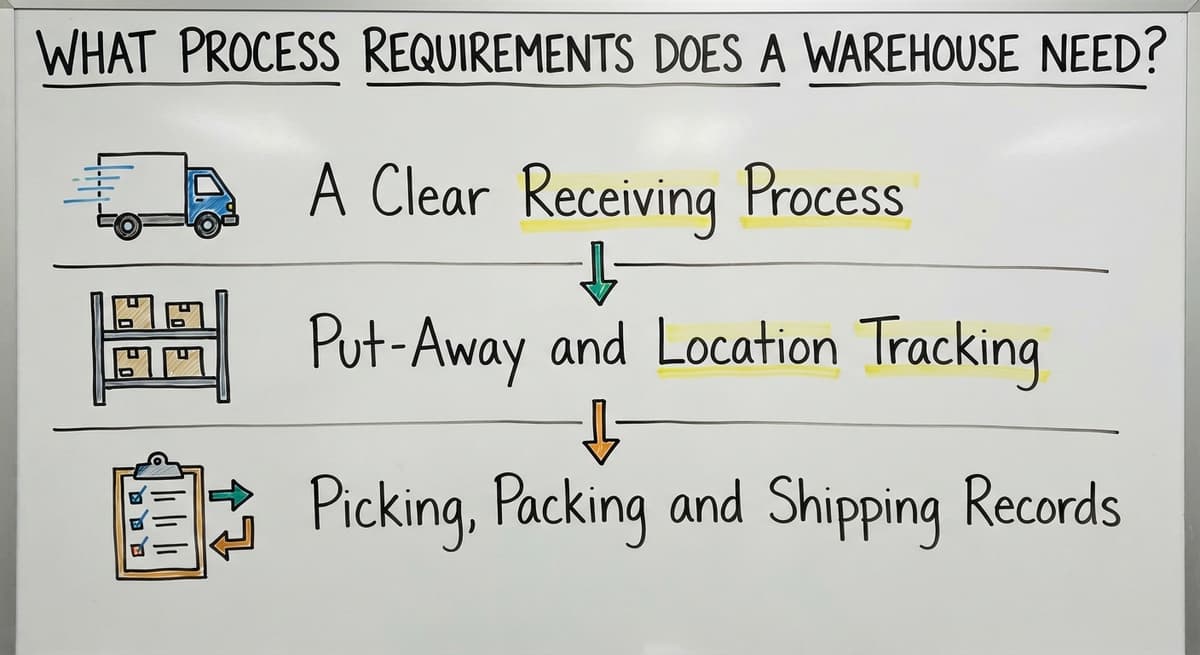
Book a callWhat Process Requirements Does a Warehouse Need?
A warehouse needs 3 written steps that follow stock from dock to door: receiving, put-away, and picking with shipping. Each step must leave a record.
A Clear Receiving Process
Receiving is where bad counts start. Staff check each delivery against the buy order before anyone signs for it. Then they record 3 facts at the dock:
- Quantity received, not the quantity on the packing slip.
- Condition of the goods, including any damage.
- Location where the pallet will go.
Enter all of it the same day. A count that waits until Friday is already wrong by Wednesday.
Put-Away and Location Tracking
Every item needs one home, written as aisle, rack and bin. Pick a naming rule that staff can follow without a map. "A-03-B" means aisle A, rack 3, bin B. Everyone reads it the same way. "Somewhere on the shelf" is how stock gets lost. A box that sits in the wrong bin counts as missing, even when it is in the building. Good location tracking turns a search into a lookup.
Picking, Packing and Shipping Records
Stock drops when staff pick or ship an order, not at the end of the week. Late entries cause oversells. Plan for partial shipments and backorders too. Record what left the dock and what still waits. Printed pick sheets work at low volume. Screens on a handheld save walking and retyping once volume grows. The FTC's mail, internet and telephone order rule expects you to ship when you said you would. An accurate count is what lets you keep that promise.
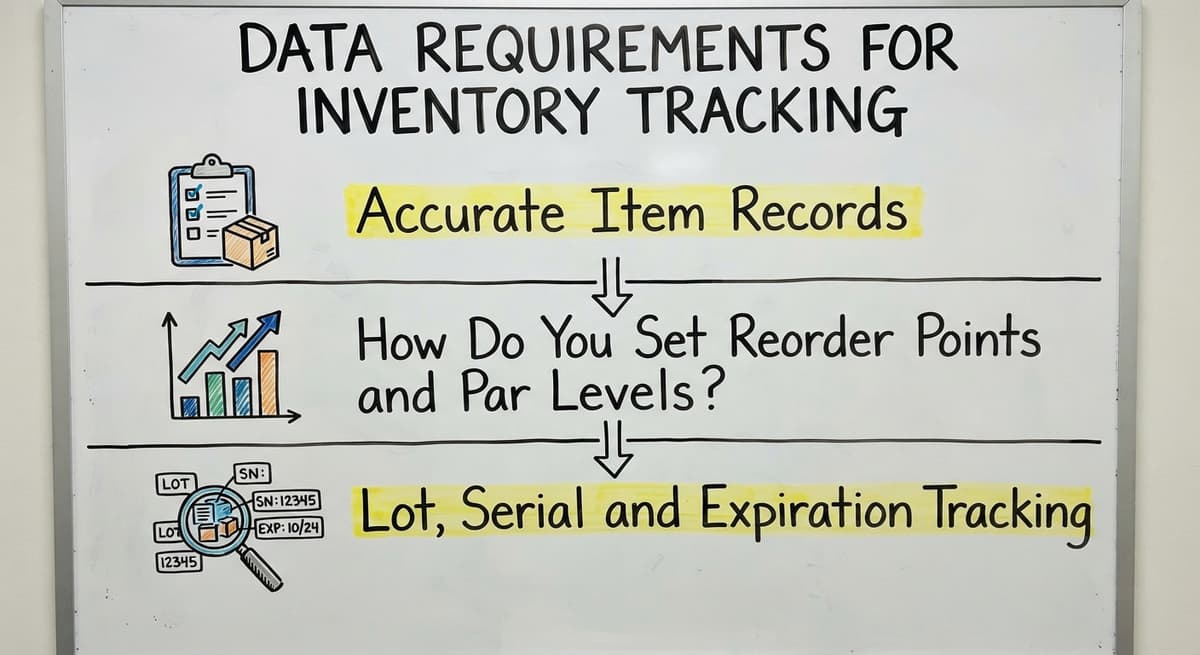
Data Requirements for Inventory Tracking
Good decisions need clean data, and 3 kinds matter most: item records, reorder levels, and lot or serial details where the goods call for them.
Accurate Item Records
SKU management starts with one SKU, a unique code for each product, and one naming style. Each record holds the unit of measure, case pack, description and cost. A "box of 12" and a "single" are different units, and mixing them wrecks the count. Clean up duplicates in your Excel and Access files before you move anything. Two names for one bolt means two wrong counts. Clean item records are the base of all inventory accuracy.
How Do You Set Reorder Points and Par Levels?
Set a reorder point by multiplying daily use by lead time, then adding a buffer. Lead time is the days between placing an order and receiving it. Say you ship 20 units a day and the supplier takes 7 days. Add a buffer of 30 units. That gives 20 x 7 + 30 = 170 units. Reorder when stock hits 170. A par level is the stock you want on the shelf after a refill. Set alerts so the system warns you. Memory fails on busy days.
Lot, Serial and Expiration Tracking
Track lots, serial numbers and expiration dates only if you handle dated, recalled or serialized goods. Food, chemicals and electronics often fall in this group. Nuts and bolts do not. Do not over-build. Each extra field is one more thing staff must scan, type and keep right. Track what the business needs and drop the rest.
Not sure this is the right shape for your operation
Describe how the work runs today. We map it on a call and show you what it would look like built around that, before you spend anything.
Book a callPeople, Cycle Counts and Audits
People rules protect the numbers, and 4 of them are required. Name one owner for inventory accuracy. Write short steps that staff can follow. Train new hires and seasonal help on day one. Limit who can adjust counts.
Cycle counts are small, frequent counts of a few items instead of one shutdown each year. Count fast movers and high-value items more often. Count slow items less. A weekly count of your top 20 items beats one big count in December. When a count differs, find out why and record the cause. A pattern of causes shows you which step is broken.

Technology Requirements for Stock Control
Stock control needs 4 things from its tools: a single source of truth for stock on hand, real-time updates, reports an operations manager can read in minutes, and access for both the warehouse floor and the office. Barcode scanning earns its place where staff handle many small items. It removes typing, and typing is where most errors begin.
Software is not always required. A tight paper process works at very low volume. Past that point, warehouse inventory management software pays for itself in time. Take 2 people who spend 5 hours a week fixing counts at $22 an hour. That is 2 x 5 x 52 x $22 = $11,440 a year.
The comparison is easier when one option is built for you
Off-the-shelf means fitting your process to the software. We do it the other way round, and the first look costs nothing.
Book a callDoes Inventory Management Need to Work With QuickBooks?
Yes, if you keep QuickBooks for accounting. Stock, cost and order data must sync, not get retyped. Retyping doubles the work and doubles the errors. Keep QuickBooks where it does well, which is the books. Replace only the manual parts around it. Many teams call this setup QuickBooks inventory control, and a connected tool built for it beats a swap of the whole accounting system.
Do You Need a Big ERP to Meet These Requirements?
No. A team of 5 to 100 can meet every requirement above with right-sized tools. Custom inventory management software built around your current workflow avoids a forced move to someone else's process. Your staff keep the steps they know. The software fills the gaps. Big systems add features you never asked for, and you carry their weight daily.
When Have Spreadsheets Stopped Being Enough?
Spreadsheets have stopped being enough when 3 or more of these signs show up:
- Counts differ between Excel, Access and the printed sheets.
- Staff ask one person where things are.
- You oversell items you do not have.
- Stockouts surprise you.
- Updates travel by email.
One sign is a nuisance. Three signs mean the process has outgrown the file.

How to Write Your Own Requirements List
A requirements list takes 4 steps and needs only a pen and an hour with your floor staff.
- Map how stock moves today, from dock to door.
- List the pain points and errors, with a real example of each.
- Mark each need as a must-have or a nice-to-have.
- Note what must connect to QuickBooks.
Avoid these common mistakes along the way:
- Skipping input from floor staff, who know where the process breaks.
- Asking for every feature on the market.
- Ignoring data cleanup.
- Changing the process and the tools at the same time.
A short list that staff helped write beats a long list nobody owns.

Next Steps for Your Warehouse or Distribution Business
The core list is short: clean item data, set locations, same-day records, regular cycle counts, named owners, and one connected system. If you want help turning it into working software, talk with our Columbus, Ohio team. We build software around how your operation already runs. Bring your current sheets and your pain points, and we will walk through them with you.
Frequently asked questions
How is inventory management done?
Staff receive goods, check them against the buy order, and record quantity and location. They store each item in a named bin, record every pick and shipment, and count a few items on a regular schedule. Then they fix any differences and find the cause.
What skills do you need for inventory management?
You need care with detail, basic math, and the habit of recording every move the same day. You also need to read simple reports, work with floor staff, and use tools such as Excel, QuickBooks or a scanner. Clear communication matters as much as the tools.
What are the basic requirements for inventory management?
Accurate item data, defined locations, recorded stock moves, regular counts, clear roles, and one system that ties them together. These apply on paper, in Excel, or in software.
Do I need software to manage inventory?
Not at very low volume. A tight paper or Excel process can work. Once counts disagree across files or staff keep asking where items are, software saves time and prevents oversells.
How often should I count inventory?
Run cycle counts weekly or monthly instead of one yearly shutdown. Count fast movers and high-value items most often, and slow items less. The IRS also expects you to value inventory at the start and end of each tax year.
How does inventory management work with QuickBooks?
QuickBooks keeps the books. Your inventory tool tracks stock moves and syncs stock, cost and order data to it, so no one retypes the same numbers.
Do small distributors need an ERP?
No. Teams of 5 to 100 can meet the requirements with right-sized tools or custom software built around their current workflow. Keep QuickBooks and replace only the manual steps.
Start with a free first look
A 30 minute call, your operation mapped, and a clear picture of what we would build. No obligation and nothing to install.
Book a callRelated guides
More on the same work.
Guides
- Multi Location Inventory Management Software
- Inventory Management for Multiple Locations
- Inventory Management System for Manufacturing
- Inventory Management Pics
- B2B Inventory Management
- Jewelry Inventory Management
- Dental Inventory Management
- The Objective of Inventory Management is To
- Qr Code for Inventory Management
- HVAC Inventory Management Software
- Inventory Management Software for Schools
- Nonprofit Inventory Management
- Manual Inventory Management
Common questions
- What is the Difference Between Aggregate and Item Inventory Management
- What is Jit Inventory Management
- What is Kanban System of Inventory Management
- What is the Definition of Inventory Management
- What is an Important Factor in Inventory Management
- What is Abc Classification in Inventory Management
- What is Inventory Management in Working Capital
- What is Poor Inventory Management
- What is Inventory Management and Its Types
- What is the Main Purpose of Inventory Management
- What is Inventory Management in Pharmacy