


What Is Network Inventory Management
Updated October 2026. This article was reviewed for accuracy and practical fit for wholesale distributors and warehouse operators running 5 to 100 staff.
Network inventory management is the practice of tracking every item across every location in your operation, all at once. It tells you what you have, where it is, and how much is moving right now. It connects warehouses, transfer points, suppliers, and delivery routes into one picture. If you run stock across more than 1 location, this is the system you need.
Book a callNetwork Inventory Management Defined
Network inventory management is the practice of tracking every item, asset, or product across all locations and touchpoints in an operation's supply or distribution network. It is not the same as counting stock in a single room. It spans warehouses, staging areas, fulfillment stops, supplier lead times, and delivery routes.
Think of it as the system that answers 3 questions at once: what do we have, where is it, and how much is moving through the network right now. A single-location count gives you a snapshot of one place. Network inventory management gives you a live map of the whole operation.
For a wholesale distributor or warehouse operator, that difference is the gap between guessing and knowing.
We build it for your operation, and the first look is free
If you would rather not compare products, describe how your operation already works and we build the system around it.
No build cost. You see it running on your own process first, and the monthly subscription starts only once it is live.
Book a callWhat a Network Inventory System Tracks
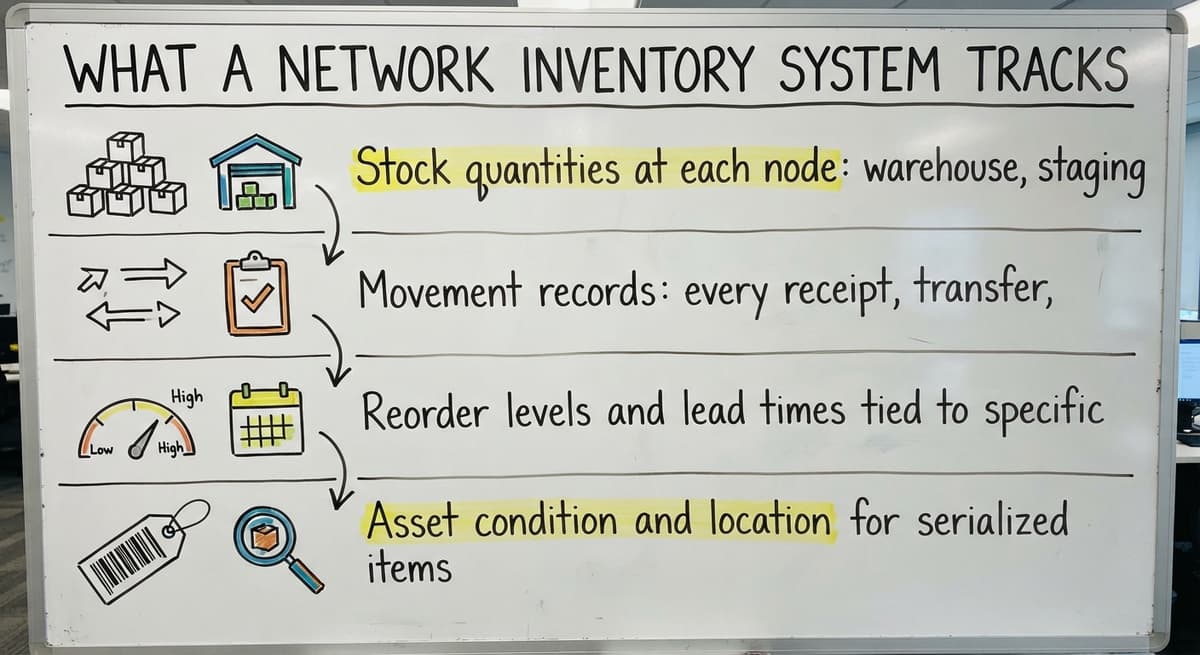
A network inventory system captures data at every point where stock sits or moves. For a wholesale or distribution operation, that means tracking several distinct data types.
- Stock quantities at each node: warehouse, staging area, or distribution point, updated as receipts and shipments occur.
- Movement records: every receipt, transfer, shipment, and return logged against the location it happened at.
- Reorder levels and lead times tied to specific suppliers or routes, so the system flags when to order before a gap opens.
- Asset condition and location for serialized items or equipment that move between sites.
Accurate scanning is the foundation of all of it. As GS1 explains, barcode standards exist to give every item a unique, machine-readable identity so counts stay clean as goods move across hands and locations. Without that identity layer, movement records drift from physical reality fast.
Reliable tracking at the item level is what separates a network inventory system from a spreadsheet count.
How Does Network Inventory Management Differ from Basic Inventory Tracking?
Basic inventory tracking counts items in one place. Network inventory management connects multiple locations and every handoff point between them. That is the core difference, and it matters more as your operation grows.
When a business uses separate spreadsheets or printed sheets per location, data goes stale between updates. One site ships a pallet. Another site's sheet still shows it in stock. An order gets placed twice. A customer gets told an item is available when it left the building 2 days ago.
That gap widens with every location added and every order volume increase. A 2-warehouse operation running 50 orders a day can paper over the cracks. A 5-warehouse operation running 300 orders a day cannot. Growing distributors hit this wall at a predictable point, and the signal is always the same: matching takes longer than the work itself.
Why Distributors and Warehouses Need Network Inventory Management
Stockouts and overstock both cost real money. A stockout loses the sale and damages the relationship. Overstock ties up cash and floor space. Neither shows up clearly when you cannot see the full picture across locations.

Manual processes cannot keep pace with multi-location movement. Email chains, printed pick sheets, and aging database files all share the same flaw: they record what happened, not what is happening. By the time the data reaches the person who needs it, it is already wrong.
Customers expect accurate availability and fast fulfillment. When your team quotes stock that is not there, or ships from the wrong location because the count was off, trust erodes.
The IRS adds a legal dimension. IRS Publication 538 states directly: "To figure taxable income, you must value your inventory at the beginning and end of each tax year." That valuation needs accurate counts across every location, not just the main warehouse.
Your accounting software handles accounting entries well. It does not give real-time stock visibility across locations. Operations teams working from their accounting software alone are flying blind between accounting closes, which is most of the working day.
The cost of not fixing this is not abstract: it shows up in lost orders, excess stock, and matching hours that could go toward growth.
The comparison is easier when one option is built for you
Off-the-shelf means fitting your process to the software. We do it the other way round, and the first look costs nothing.
Book a callThe Real Cost of Manual Reconciliation
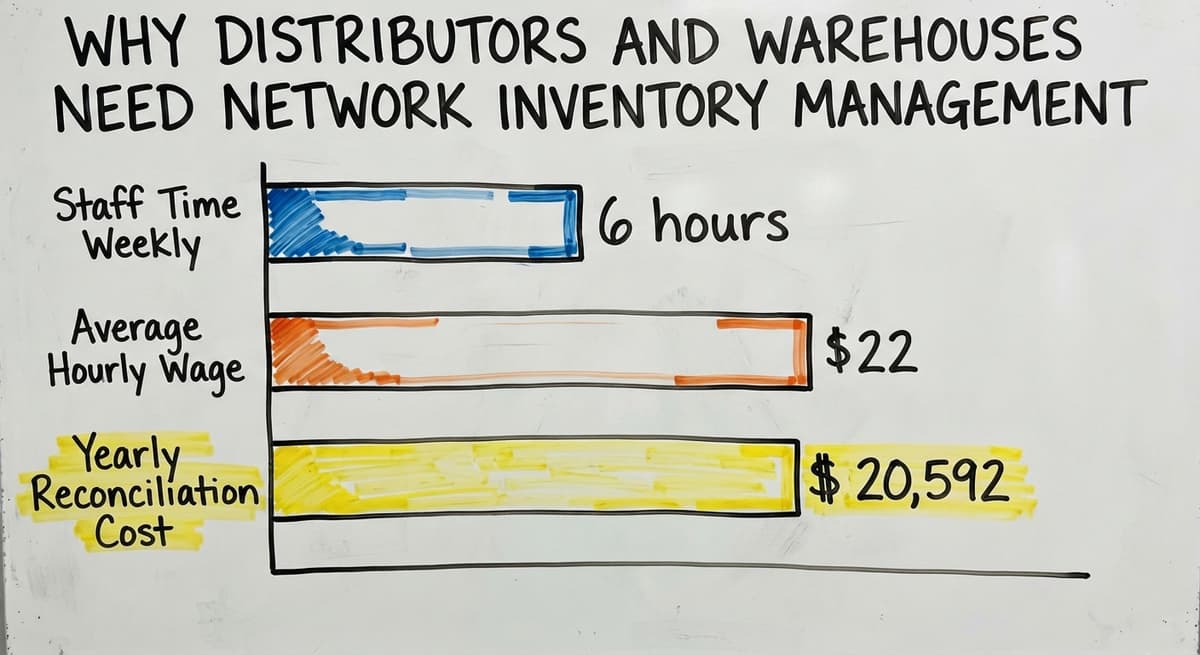
Consider a team of 3 staff spending 6 hours each week reconciling counts between locations at an average wage of $22 an hour, which is close to the median for stock clerks and order fillers tracked by the US Bureau of Labor Statistics. That is $20,592 a year spent on a task that a connected system handles automatically. The number does not include the cost of the errors those hours still miss.
For context, the US Census Bureau's Monthly Wholesale Trade data shows that wholesale inventories are large relative to monthly sales across the sector. Errors in tracking that inventory do not stay small for long.
Core Components of Network Inventory Management
A working network inventory system is built from a small set of connected parts. Each one does a specific job, and together they replace the manual steps that create errors.
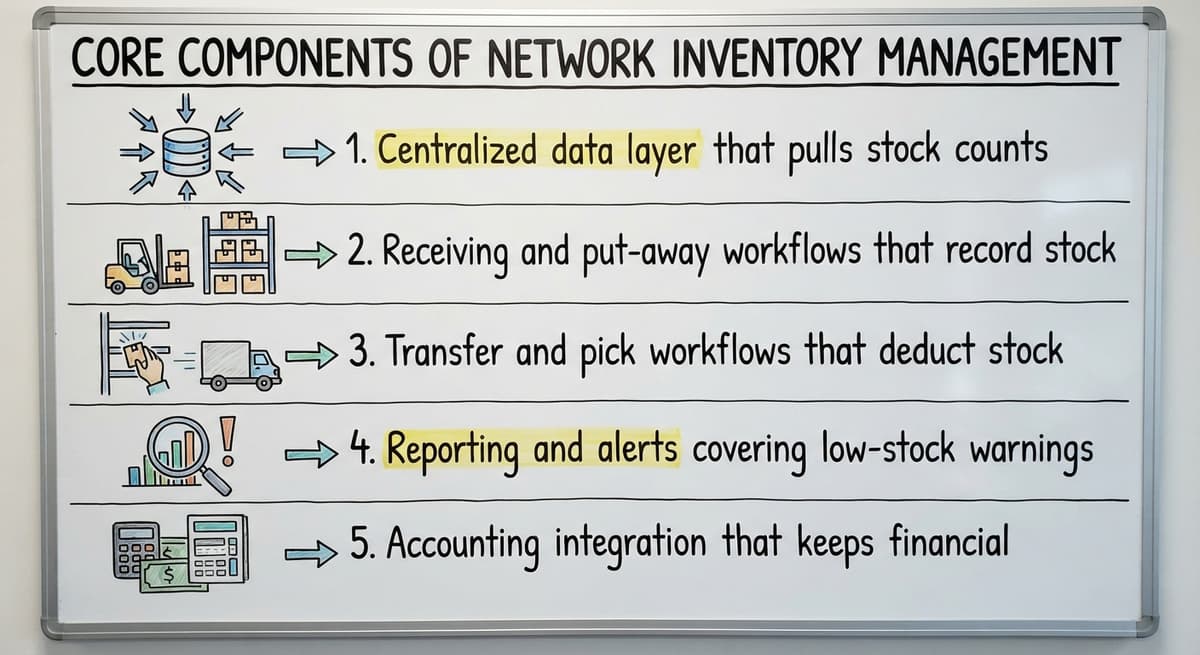
- Centralized data layer that pulls stock counts, movements, and alerts from all locations into one view, so no one is working from a local copy.
- Receiving and put-away workflows that record stock the moment it arrives, not hours later when someone updates a sheet.
- Transfer and pick workflows that deduct stock correctly as it moves between locations or goes out the door.
- Reporting and alerts covering low-stock warnings, overstock flags, and movement summaries that managers can read in under a minute.
- Accounting integration that keeps financial records in sync without double entry, so your accounting software stays as the book of record without requiring a separate manual update.
The NIST Manufacturing Extension Partnership notes that supply chain visibility depends on process discipline as much as software. The components above only work when the workflows behind them are followed consistently.
Every component addresses a specific failure point in a manual setup, which is why skipping one leaves a gap the others cannot cover.
Inventory Management Software Overview
Inventory management software overview is a useful starting point when evaluating what a network system needs to do. The core requirement is a single data layer that all locations write to and read from at the same time. Without that, the software is just a fancier spreadsheet.
Software built for network inventory should handle receiving, transfers, picks, and returns as distinct workflow steps, not as manual journal entries. Each step should update the central count the moment it is completed.
The right software matches your workflow rather than asking your team to change how they work to fit the tool.
Common Tools Used to Manage Network Inventory
Operations teams reach for different tools depending on where they are in their growth. Each has a real role and a real limit.

- Spreadsheets and shared drives are the most common starting point. They work for a single location with low order volume. They break down when multiple users edit the same file, when locations multiply, or when the volume of daily movements outpaces manual entry.
- Accounting software add-ons extend what an accounting package can do, but they are bounded by what that package was built for. Stock visibility is a side function, not the core design.
- Custom working software is built around the specific workflows a business already uses. It does not force a process overhaul. It replaces the manual steps that cause errors while leaving the rest of the operation intact.
- Barcode scanners and mobile devices paired with a central system give warehouse staff a way to record receipts, transfers, and picks in real time without returning to a desk.
The right mix depends on location count, order volume, and how much of the current process is worth keeping. A business running 3 warehouses and 200 daily orders has different needs than one running 1 warehouse and 30.
The tool that works is the one your team will actually use, which means it has to fit the way work already flows.
Signs Your Current System Is Not Keeping Up
Most operations do not decide to upgrade their inventory system because they read an article. They decide because something broke, and it broke one too many times.

These are the signals worth watching:
- Staff spend hours each week reconciling counts between locations instead of moving stock.
- Orders ship from the wrong location because availability data was out of date when the pick sheet was printed.
- Reorders happen too late or too early because no one has a clean view of network-wide stock levels.
- Your accounting software shows one number and the physical warehouse count shows another, and no one is sure which to trust.
- A new location or a spike in order volume made everything harder, not just proportionally busier.
These are not signs of bad staff. They are signs of a system built for a smaller operation that has not caught up with where the business is now. Growing wholesale and distribution operations hit this wall at a predictable point, and the cost of staying on the wrong side of it compounds every month.
See it running on your own process first
No build cost. The subscription starts once it is live and doing the job, not before.
Book a callWarehouse Management for Small Operations
Warehouse management for small operations does not need a full enterprise platform. A 10-person operation does not need the same system as a 500-person one. What it needs is a system that handles the specific handoffs where errors currently happen: receiving, put-away, pick, and transfer.
Small operations often underestimate how much a targeted fix can do. Replacing just the receiving and transfer steps with a connected workflow can cut matching time by most of a working day per week, without touching the rest of the process.
The goal is not the most powerful system available. It is the right amount of system for the current operation, with room to add as the operation grows.
How Custom Software Fits Small and Mid-Size Operations
Large ERP systems are built for enterprise scale. Their rollouts run long and cost more than most small teams can absorb, in time and in dollars. A 15-person distribution operation does not need a 12-month rollout and a dedicated IT team to manage the result.
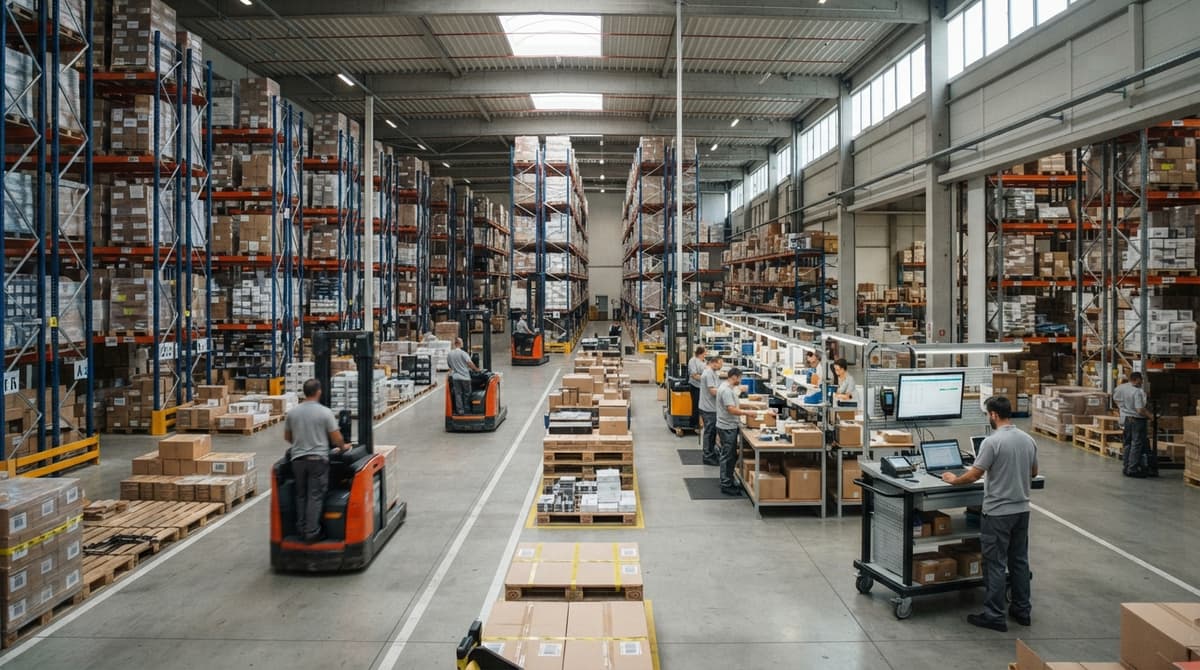
Custom working software can be scoped to the actual size and workflow of the business. No unnecessary modules. No forced migration away from tools that already work. If your accounting software handles accounting well, it stays. The custom system replaces only the parts that are causing problems: receiving, transfers, picking, and reporting.
This approach works at 5 to 100 staff. It does not demand a dedicated IT department. It does not need the team to learn a new way of thinking about their work. It takes the workflow they already use and makes it faster, more accurate, and visible across every location.
Custom working software for wholesale is not a new category. It is the practical answer to a specific problem: the gap between what an accounting package can show and what an operations team needs to see every day.
The measure of fit is not feature count. It is how quickly the team stops spending time on tasks the system should handle.
Accounting Software Integration for Distributors
Accounting software integration for distributors is one of the most common questions small operations ask when they start looking at inventory software. The short answer is that your accounting software can stay.
A well-built working system writes financial events back to your accounting software automatically: receipts, adjustments, cost of goods. The accounting team keeps working in the tool they know. The operations team gets real-time stock visibility that your accounting software was never designed to provide.
Double entry disappears. So does the lag between a warehouse event and its accounting record.
Keeping your accounting software in place while adding a connected inventory layer is the most practical path for most small and mid-size distributors.
How Do You Get Started with Network Inventory Management?
Getting started with network inventory management begins with mapping what you already have. Before choosing any tool, understand where your inventory actually moves and where the data breaks down.

Four steps make that process concrete:
- Map every location and handoff point where inventory sits or moves: warehouses, staging areas, supplier drop points, and delivery stops.
- Find where data breaks down today. Which spreadsheet goes stale first? Which printed sheet is no one sure about? Which email thread holds a transfer record that never made it into the count?
- Define what a single source of truth would show your team each day. Not every possible report, just the 3 or 4 numbers that would let a manager make a good call in under 2 minutes.
- Choose a solution sized to your operation now, not one you have to grow into over 3 years of painful adoption.
If you are not sure where your data breaks down, start by asking your team where they go when they need to know if something is in stock. The answer will tell you exactly where the gap is.
If your operation is running inventory across more than 1 location and the count never quite matches, that is the conversation worth having. Reach out and describe your specific setup. A brief look at how your operation moves stock is usually enough to show where a connected system would make the biggest difference.
Conclusion
Network inventory management is not a technology category for IT departments. For wholesale distributors and warehouse operators, it is the practical answer to a real problem: stock moving across multiple locations faster than any manual process can track.
The US Federal Trade Commission's Mail, Internet, or Telephone Order Merchandise Rule holds sellers to their stated shipping timelines. Accurate stock visibility is what makes that promise keepable. When the count is wrong, the commitment is wrong, and the customer relationship pays the price.
A connected system does not have to be large or expensive. It has to match the size of your operation, fit the workflows your team already uses, and give every location the same live picture of what is in stock. That is what network inventory management delivers, and it is well within reach for a 10-to-80-person distribution operation.
The gap between what you can see and what is actually moving through your network is costing you more than you think. Closing it starts with knowing where the gap is.
Frequently asked questions
What does "network inventory" mean?
Network inventory, in the context of physical goods, means the total stock spread across every location in an operation: warehouses, staging areas, transfer points, and any other place goods sit or move. It is not the count at one location. It is the combined, connected picture of all of them at once. A network inventory view tells you not just what you have, but where each unit is and how it is moving.
What are the three types of inventory management?
There is no single standard list, but 3 widely used categories are periodic counting (counting stock on a set schedule), perpetual tracking (recording every movement as it happens), and just-in-time management (ordering only when needed to minimize stock on hand). Most growing distributors move from periodic to perpetual as order volume rises, because periodic counts go stale too fast when stock moves daily across multiple locations.
What are the top 5 inventory management software?
There is no single correct answer, and any ranked list reflects a specific set of criteria. The options that actually matter for a given operation depend on location count, order volume, accounting system, and how much process change the team can absorb. The real categories to evaluate are: spreadsheet-based tracking, accounting software with inventory add-ons, standalone inventory platforms, and custom working software built to a specific workflow. The right fit depends on your operation, not a published ranking.
What are examples of network tools?
In a physical goods context, network tools are the systems and devices that keep stock data connected across locations. Examples include barcode scanners that record receipts and picks at the point of handling, mobile devices running warehouse apps that write to a central database, transfer workflow software that logs stock moving between sites, and reporting dashboards that pull from all locations into one view. The common thread is that each tool writes to the same central data layer rather than a local file.
Can a small operation with 10 to 20 staff benefit from network inventory management?
Yes, and often more at once than a large one. Small operations feel the pain of a broken count faster because there is less slack to absorb errors. A 15-person distributor running 2 warehouses and 100 daily orders does not need an enterprise platform. It needs a system that handles receiving, transfers, and picks correctly and shows one live count across both locations. That is achievable without a long rollout or a dedicated IT team.
Does network inventory management need replacing your accounting software?
No. Your accounting software handles accounting well, and most distributors are right to keep it. A connected inventory system sits alongside your accounting software rather than replacing it. It handles receiving, transfers, picks, and stock visibility in real time, then writes the relevant financial events back to your accounting software automatically. The accounting team keeps working in a familiar tool. The operations team gets the live stock picture that your accounting software was never built to provide.
What is the first step in setting up network inventory management for a distribution operation?
Map where inventory physically moves before choosing any software. List every location where stock sits or passes through. Then find where the data breaks down today: which spreadsheet, which printed sheet, which email thread holds a record that never makes it into the count. That map tells you exactly what a connected system needs to cover. Choosing software before doing that map is how operations end up with tools that do not fit.
Start with a free first look
A 30 minute call, your operation mapped, and a clear picture of what we would build. No obligation and nothing to install.
Book a callRelated guides
The rest of this guide, for the parts of the job this page does not cover.
- What is the Difference Between Aggregate and Item Inventory Management
- What is Jit Inventory Management
- What is Kanban System of Inventory Management
- What is the Definition of Inventory Management
- What is an Important Factor in Inventory Management
- What is Abc Classification in Inventory Management
- What is Inventory Management in Working Capital
- What is Poor Inventory Management
- What is Inventory Management and Its Types
- What is the Main Purpose of Inventory Management
- What is Inventory Management in Pharmacy
- What is Effective Inventory Management
- What is Information Technology Inventory Management
- What is Risk Pooling in Inventory Management
- What is Inventory Management Mary Kay
- What is Stock Taking in Inventory Management
- What is Bin Number in Inventory Management
- What is the Goal of Inventory Management Quizlet
- What is the Implication of Proper Inventory Management
- What is Omni-channel Inventory Management
- What is Inventory Management and Its Importance
- What is the Importance of Eoq in Inventory Management
- What is the Importance of Quality Inventory Management
- What is Inventory Management in Restaurant